
SnapWOD: WOD Timer & Gym Clock
Whiteboard Photo to EMOM Timer
Designed for iPhone
Free · In-app purchases
- Age rating4+
- CategoryHealth & Fitness
- DeveloperRobert Dixon
- LanguagesEnglish
- Size92.8 MB
Links to the official App Store page
Download.org hosts no file of SnapWOD: WOD Timer & Gym Clock. The button opens its official App Store page, published by Robert Dixon. Listing last checked on Nov 23, 2026.
Screenshots

About
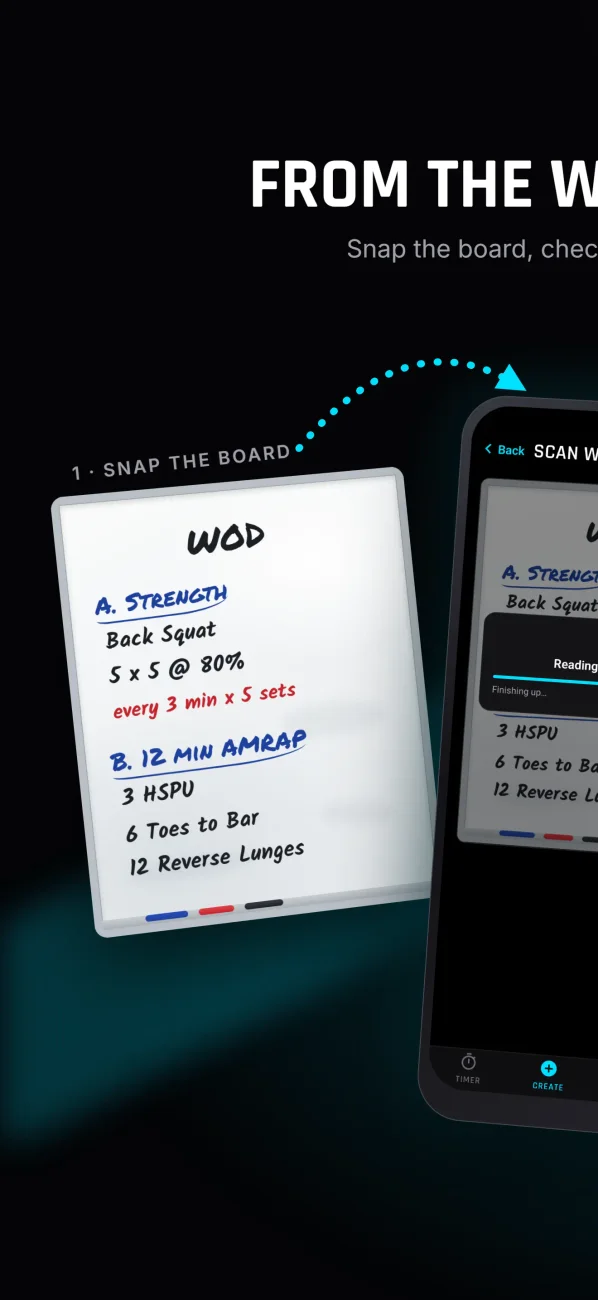
SnapWOD turns the workout on the whiteboard into a timer you can train with. Snap a photo of the board, upload a screenshot from your gym's app, or paste the text, and SnapWOD builds every part, round and rest for you.
Made for functional fitness, including CrossFit-style training and HYROX-style sessions, not generic interval clocks.
FROM WHITEBOARD TO TIMER IN SECONDS
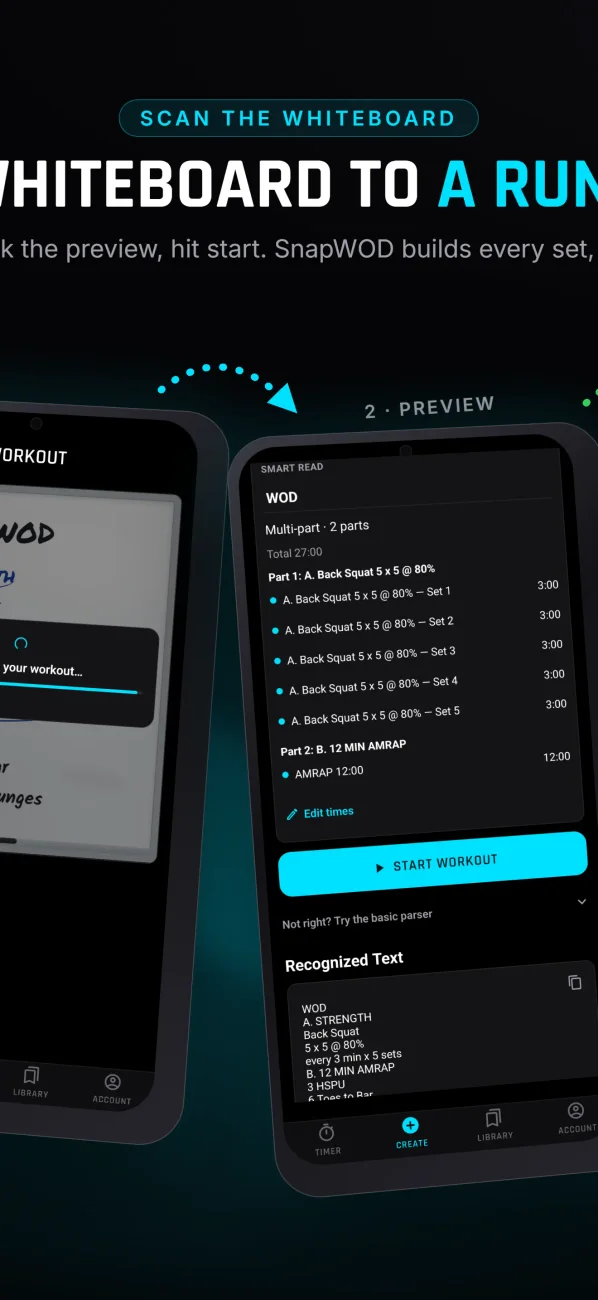
• Smart reading turns written workouts into structured timers
• Check the preview, adjust any time, then hit start
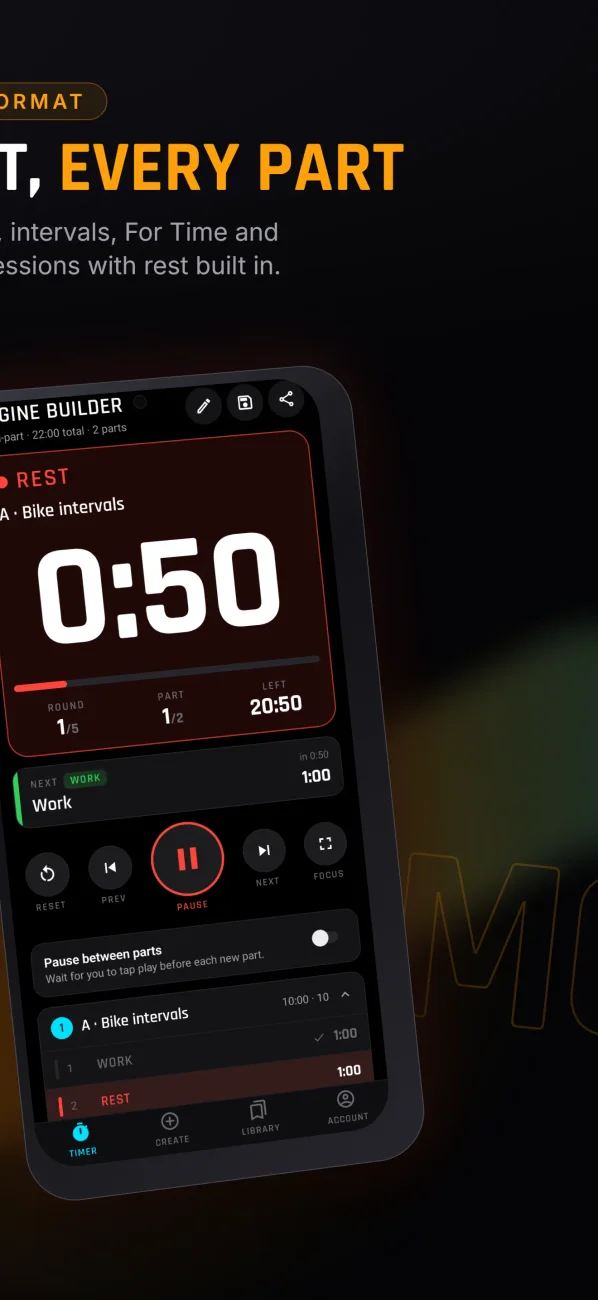
• Multi-part sessions with rest built in: strength sets, conditioning, finishers
• Understands real programming like "every 3 min x 5" and "2 sets: A, B, C"
EVERY FORMAT
• EMOM and every-X-minutes, AMRAP, For Time with or without a cap, intervals, Tabata and work:rest ratios
• Uncapped workouts like Fran count up: press and hold Done when you finish and see your time
• Prefer to set it up yourself? Build any timer by hand
ON THE GYM TV
• Put the running timer on any TV with a web browser: open snapwod.co.uk/tv and type the code from your phone
• The TV shows the clock, the movements for the current part, the round and what's next
• Run the class from your phone: start, pause and skip, and the TV follows
• Class leaderboard: members scan the QR code on the TV, tap in their rounds, and the screen ranks everyone
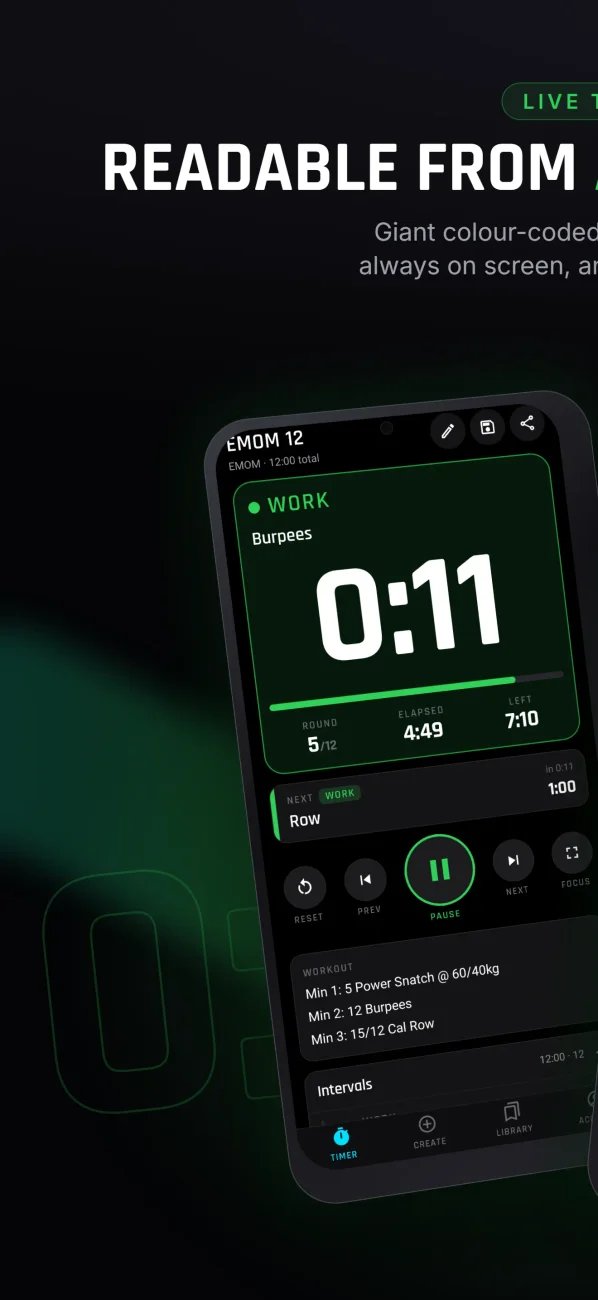
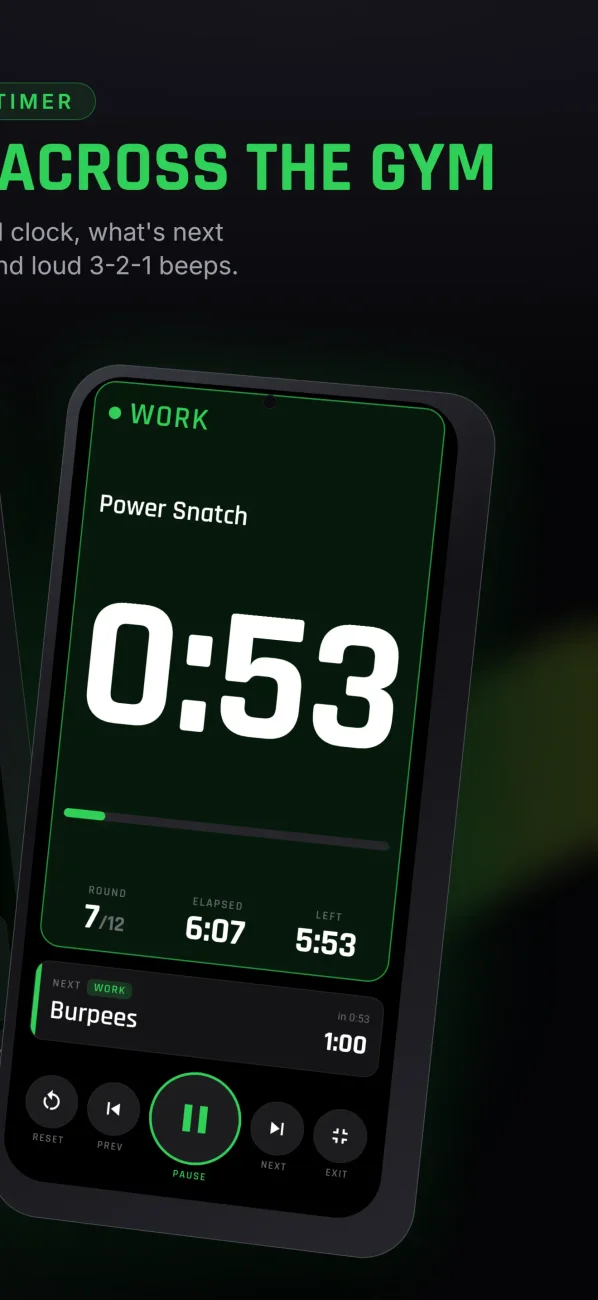
READABLE FROM ACROSS THE GYM
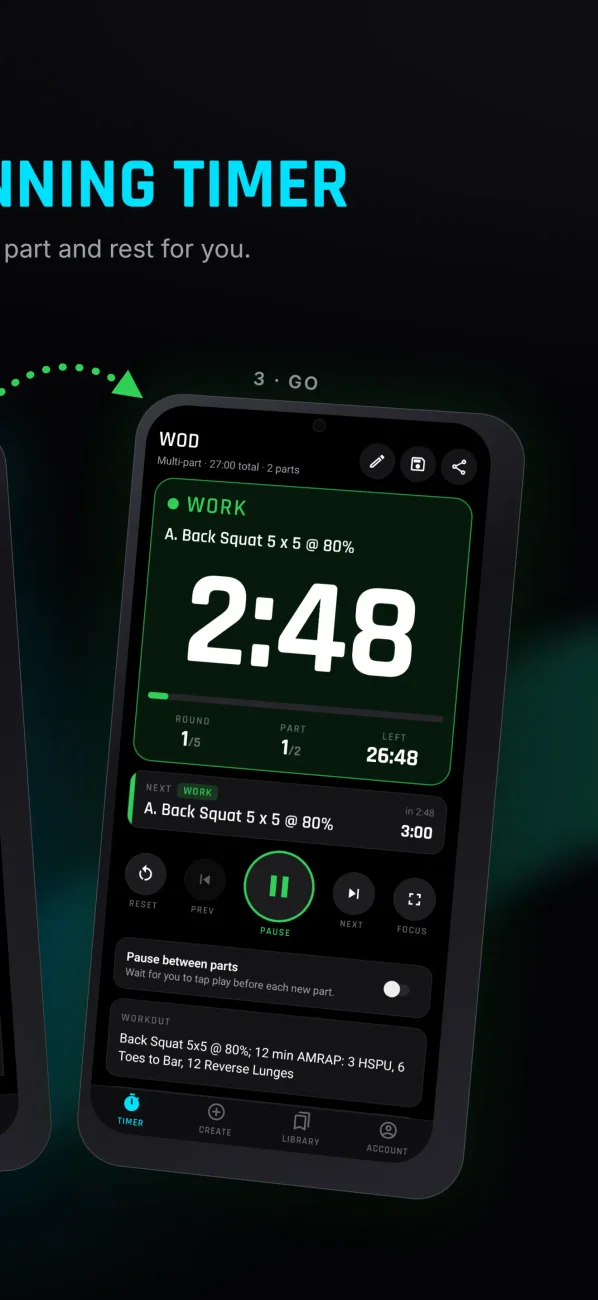
• Giant colour-coded clock: green for work, red for rest
• Loud 3-2-1 beeps and a distraction-free focus mode
• Cue styles: full spoken cues, beeps only, or just the end-of-round beep so it doesn't talk over your music
• Keeps counting on your lock screen and in the Dynamic Island
HANDS FREE
• Voice commands: say "pause", "go", "next", "round", "done" or "time" mid-workout
• Tap-to-count round counter for AMRAPs, with undo
ON YOUR WRIST
• Follow the countdown on Apple Watch in the Smart Stack while your iPhone runs the timer
SAVE AND SHARE
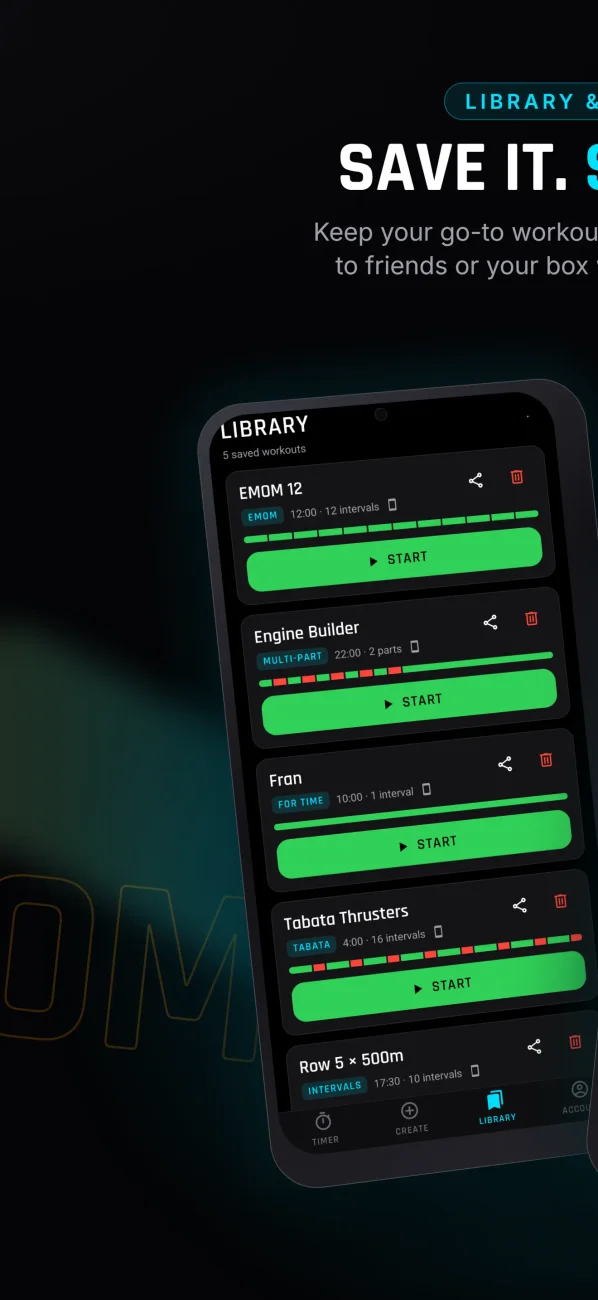
• Keep your go-to workouts in your library and start them with one tap
• See your finish time for every uncapped part when the workout ends
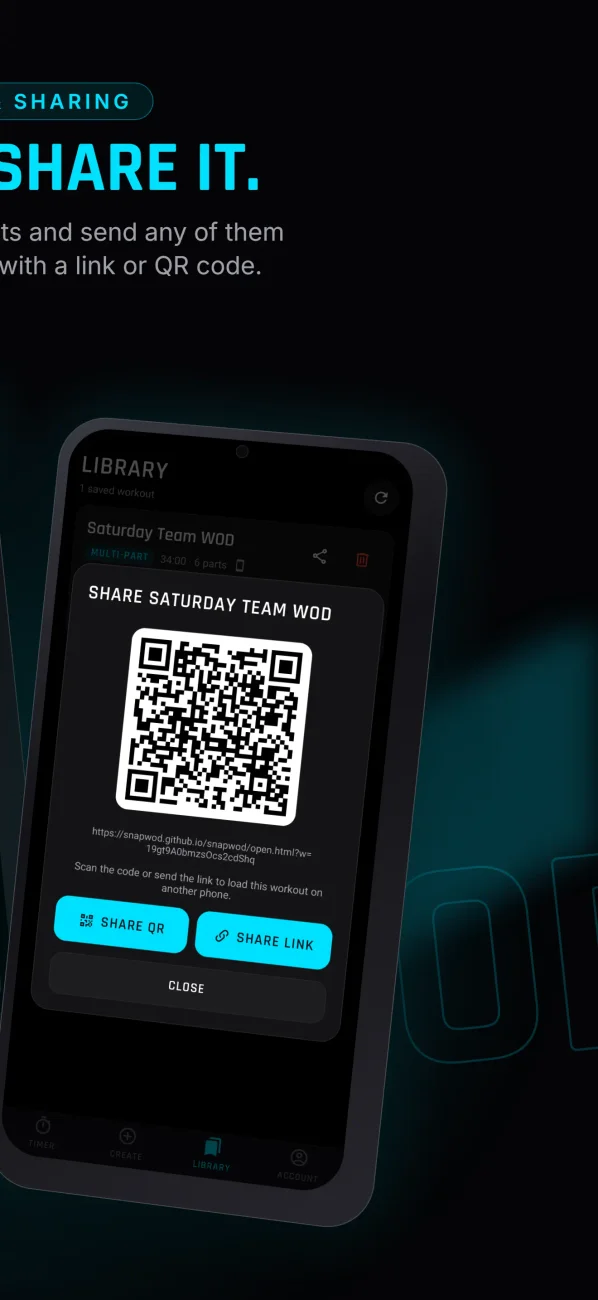
• Share any workout with a link or QR code so training partners, friends or your whole class run the exact same timer
• Open benchmark workouts like Fran, Murph and Cindy straight from the workout library at snapwod.co.uk
TRAIN ANYWHERE
• Timers run offline, and the on-device read handles simple workouts without a connection
FREE AND PREMIUM
SnapWOD is free to download and use: build timers by hand, read simple workouts on your device, get 5 free smart reads every month, save up to 3 workouts, run the timer on the gym TV and share any workout with a link or QR code.
Premium adds up to 100 smart reads a month and up to 30 saved workouts backed up to the cloud. Subscriptions renew automatically and can be managed or cancelled at any time in your Apple Account settings.
Train with structure, not guesswork.
What’s new
Version 3.3.0 · Nov 20, 2026
SnapWOD 3.3
• Uncapped workouts: Fran, "5 rounds for time" and chippers now count up. Press and hold Done when you finish and see your time
• Sets with rest, like "4 x 500m row, rest 2:00", are timed set by set
• One tap to start: Start in the workout preview or your library begins the countdown straight away
• Easier to read across the gym: steady digits, a bold work and rest band, and a clear paused bar
• Better on-device reading of EMOMs, AMRAPs, time caps and rest
• 5 free smart reads a month, and a photo that can't be read doesn't use one (up to 5 a month)
• Your scan is kept if you switch tabs, and re-cropping doesn't use another read
• The gym TV stays in sync on patchy wifi, and stopping a class asks first
• Premium saves work offline and back up later
• New privacy setting: turn off anonymous usage and crash data in Account
• Accessibility: phase changes are announced, with larger buttons and clearer labels
App privacy
What Robert Dixon declares on the App Store about how this app handles data.
-
Data linked to you
May be collected and linked to your identity.
- Purchases
- Contact info
- User content
- Identifiers
- Usage data
- Diagnostics
Privacy practices may vary, for example with the features you use or your age.
Information
- Seller
- Robert Dixon
- Category
- Health & Fitness
- Version
- 3.3.0
- Updated
- Nov 20, 2026
- Released
- Nov 26, 2025
- Size
- 92.8 MB
- Requires
- iOS 16.0 or later
- Age rating
- 4+
- Price
- Free
- In-app purchases
- Yes
- Languages
- English
- Copyright
- © 2026 Robert Dixon
You might also like
-
 WOD RecipePersonalized WOD Planner
-
 Golden Primate - BreathworkGuided breathing, frequencies
-
 FitTwinTwin Up. Level Up.
-
 RunLoop RunnerRoutes. Runs. Your rhythm.
-
 BlackPulse: HIIT Workout TimerHIIT, HYROX, Tabata & Boxing
-
 Elevation Athlete TrackerTraining Load & Recovery
-
 WoD CalculatorWorkout Timing, Simplified
-
 Strenova: Gym Workout TrackerProgressive overload made easy
-
 Chakra Yoga - Shiva MeditationBreathwork, Sound & Calm
-
 Triangle HealthMedical Records & Symptom Log