Snippet Keyboard - Quick Paste
Canned replies in one tap
Designed for iPhone, iPad
Free · In-app purchases
- Age rating4+
- CategoryProductivity
- DeveloperSENPRINTS LLC
- LanguagesEnglish+ 14 more
- Size2.4 MB
Links to the official App Store page
Download.org hosts no file of Snippet Keyboard - Quick Paste. The button opens its official App Store page, published by SENPRINTS LLC. Listing last checked on Nov 15, 2026.
Screenshots
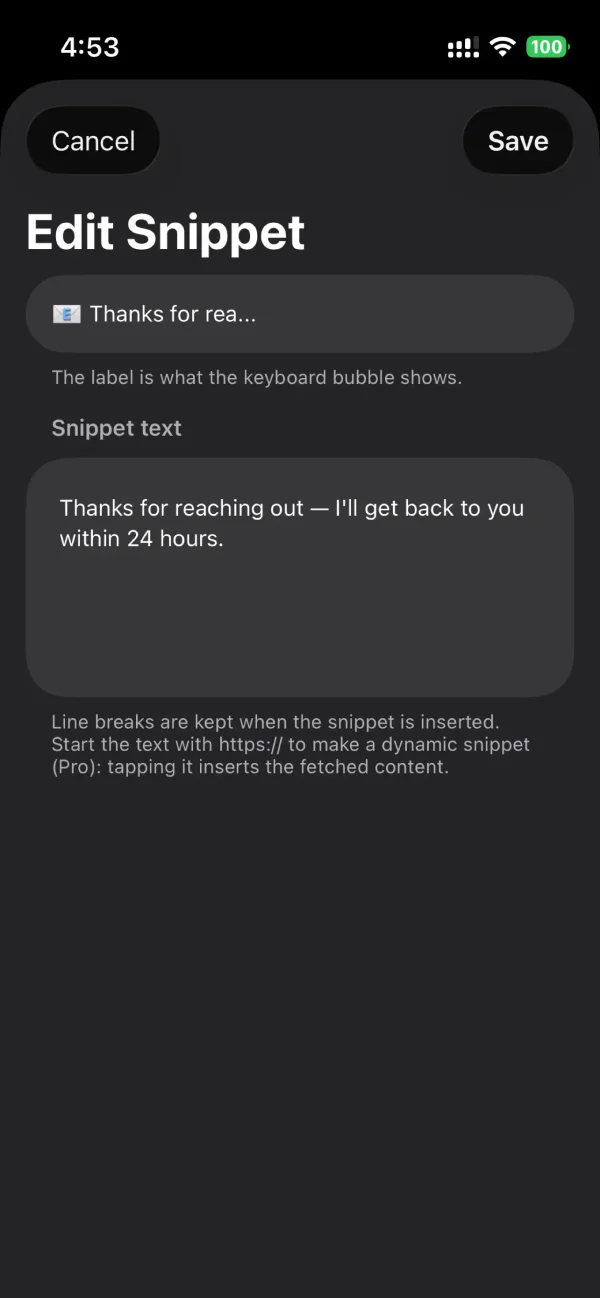
About
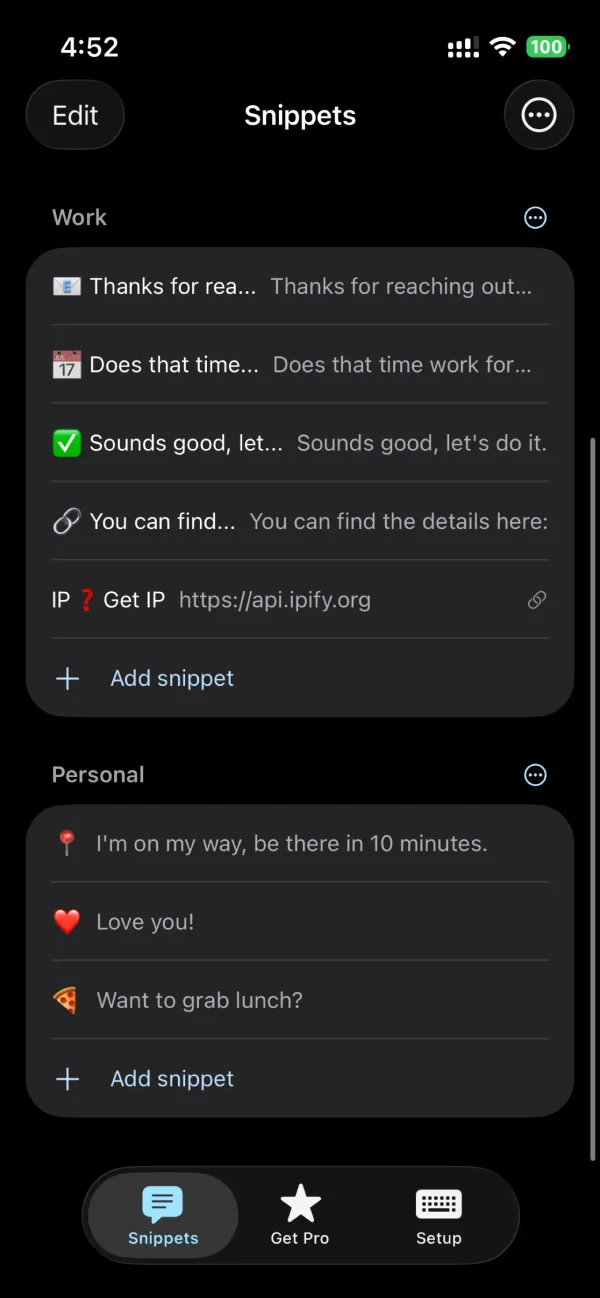
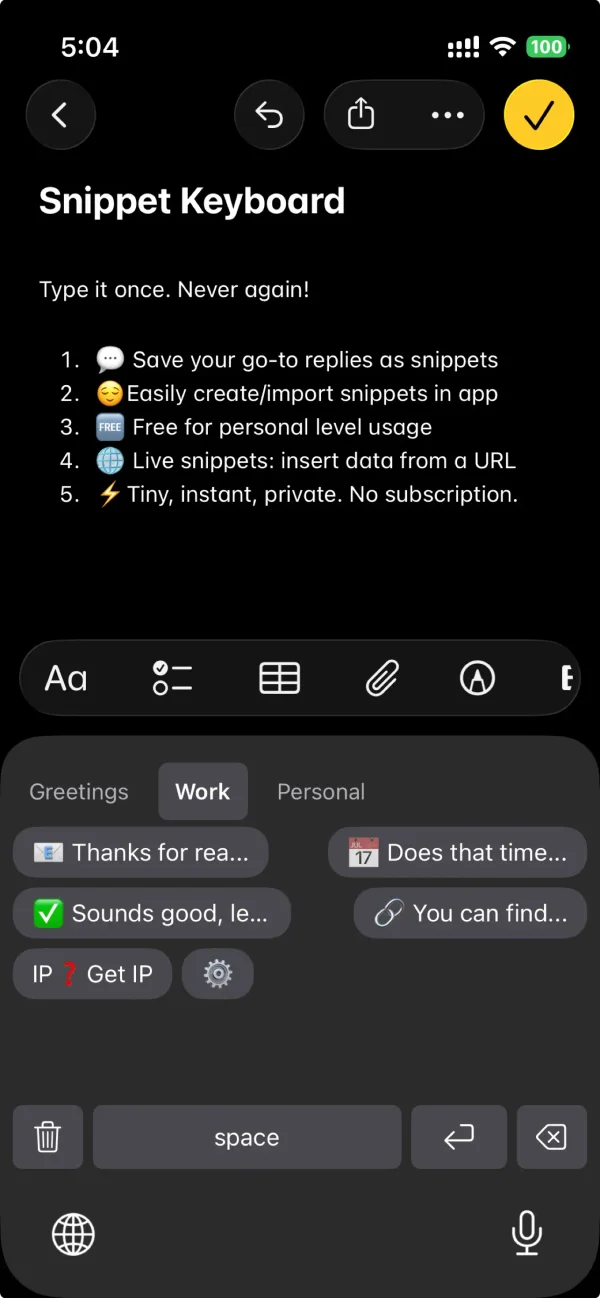
Snippet Keyboard does exactly one job: it puts your saved phrases one tap away, in every app.
Switch to it with the globe key when you need it, tap a bubble, and your full snippet is inserted — greetings, work replies, addresses, emails, anything you type over and over. Then switch right back to your normal keyboard.
WHY IT'S DIFFERENT
• No typing engine, no autocorrect, no bloat — it's a snippet panel, not a keyboard replacement
• Tiny and fast: inserts are instant
• Organize snippets into categories with emoji labels
• Filter bubbles narrow a category in one tap: A+B needs both, A,B needs either
• Multi-line snippets, and long-press any bubble to preview the full text
• Undo takes back the last insert; the Clear key wipes what you were typing, and Undo brings it back
• Keyboard size: Compact, Standard or Tall
• Starter packs: ready-made customer-support replies in English, Chinese, French, Spanish and Vietnamese
• Import/export your library as a simple YAML text file — the same file works on iOS and Android
• Dark and light mode, iPhone and iPad
• Available in 15 languages
NEW: POP-UP BUBBLES
Press and hold a pop-up bubble, slide to a snippet, let go — it's inserted. Snippets inside a pop-up are hidden from the main keyboard, so even a big library sits behind a few fixed buttons that never move. Filters still work exactly as before.
DYNAMIC SNIPPETS
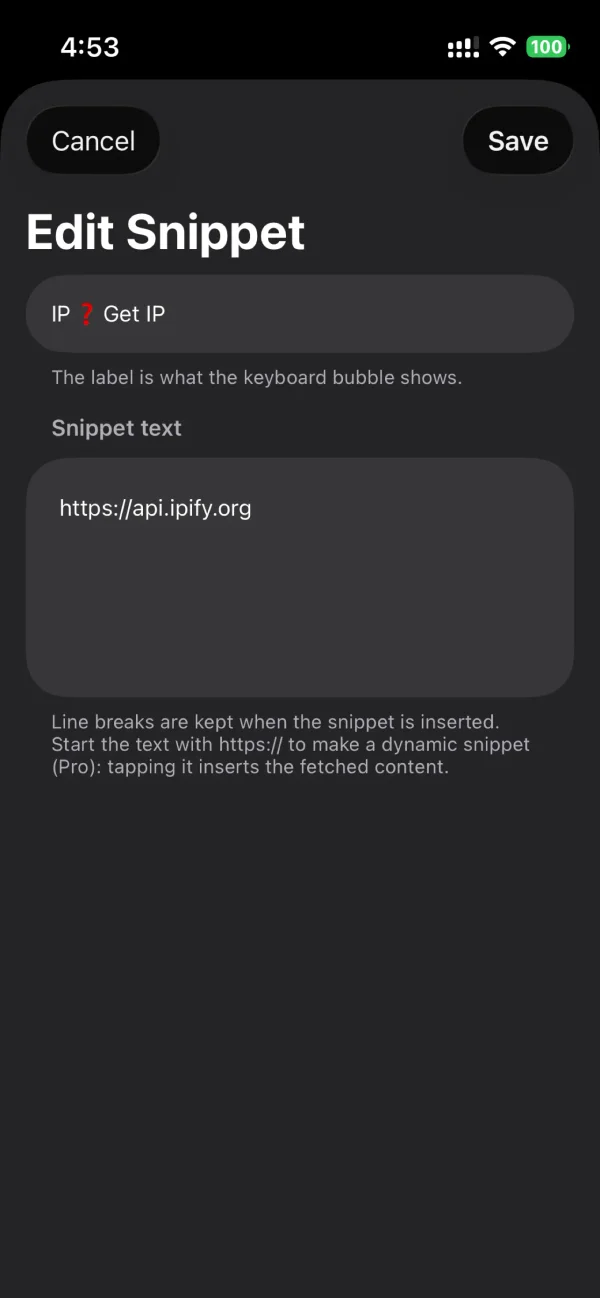
Create a snippet from any https:// URL you choose — tapping it fetches and inserts live content (your public IP, a status line, anything your server returns).
• Extraction rules pick out just the value you need from a JSON or HTML reply
• Add text before and after the reply, so a live value lands inside a full sentence
• Optionally send the text you're typing to your URL and replace it with the reply — handy for rewriting or translating a sentence. It's off by default and set per snippet, under Advanced; Undo puts your text back
PRIVACY FIRST
• No analytics, no tracking, no ads, no accounts
• Your snippets stay on your device
• The network is used ONLY when you tap a dynamic https:// snippet you created yourself
• No typing engine: the keyboard doesn't store what you type, and only sends it for a dynamic snippet you've set to do so
• Full Access is optional — it's needed only for dynamic snippets. Static snippets work fully without it
PLANS
• Free: 20 inserts a day, unlimited snippets
• Pro: 100 inserts a day — one-time purchase, no subscription
• Unlimited: no daily limit — auto-renewing subscription, monthly or yearly
Bought Pro before these plans existed? You keep unlimited inserts.
Prices are shown in the app in your local currency.
Payment is charged to your Apple ID account at confirmation of purchase. The Unlimited subscription renews automatically unless cancelled at least 24 hours before the end of the current period; manage or cancel it in your App Store account settings.
Terms of Use (EULA): https://www.apple.com/legal/internet-services/itunes/dev/stdeula/
Privacy Policy: https://trinh.uk/snippetkeyboard/privacy/
What’s new
Version 1.7.1 · Oct 1, 2026
The app is now called Snippet Keyboard - Quick Paste. Same keyboard, same snippets.
Pop-up bubbles: press and hold, slide to a snippet, let go. Keeps the keyboard to a few fixed buttons.
App privacy
What SENPRINTS LLC declares on the App Store about how this app handles data.
-
Data not collected
The developer does not collect any data from this app.
Privacy practices may vary, for example with the features you use or your age.
Information
- Seller
- SENPRINTS LLC
- Category
- Productivity
- Version
- 1.7.1
- Updated
- Oct 1, 2026
- Released
- Aug 2, 2026
- Size
- 2.4 MB
- Requires
- iOS 16.0 or later
- Age rating
- 4+
- Price
- Free
- In-app purchases
- Yes
- Languages
- English, Arabic, French, German, Hindi, Indonesian, Italian, Japanese, Korean, Portuguese, Russian, Simplified Chinese + 3 more
- Copyright
- © 2026 Phil Trinh
You might also like
-
 QuickPaste – Snippet KeyboardPaste from your keyboard
-
 KeepText: Snippet KeyboardPaste saved text in any app
-
 Snippet: Clipboard & TemplatesClipboard history & smart fill
-
 Text Preset: Keyboard PhrasesQuick Replies & Templates
-
 Sniplet – Quick Reply KeyboardType less. Express more.
-
 Oulha: Arabic Voice KeyboardDictation in Arabic & English
-
 めももProductivity
-
 Copy Paste Clipboard ProText Snippets & Keyboard
-
 Taphrase - Snippet KeyboardQuick Replies & Text Expansion
-
 Tend: Days Since & Due HabitRoutine & interval reminders