Snipword: Highlight & Save
Build vocabulary as you read
Designed for iPhone, iPad, Mac
Free · In-app purchases
- Age rating4+
- CategoryEducation
- DeveloperCENGIZ OEGER
- LanguagesEnglish
- Size3.7 MB
Links to the official App Store page
Download.org hosts no file of Snipword: Highlight & Save. The button opens its official App Store page, published by CENGIZ OEGER. Listing last checked on Nov 6, 2026.
Screenshots
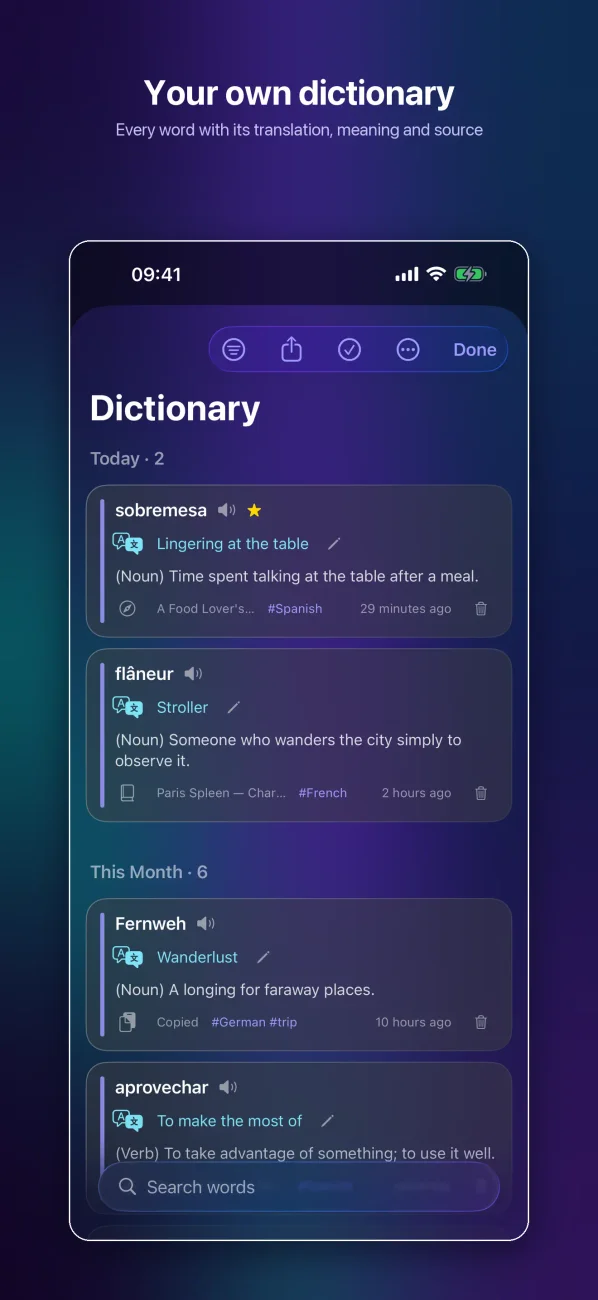


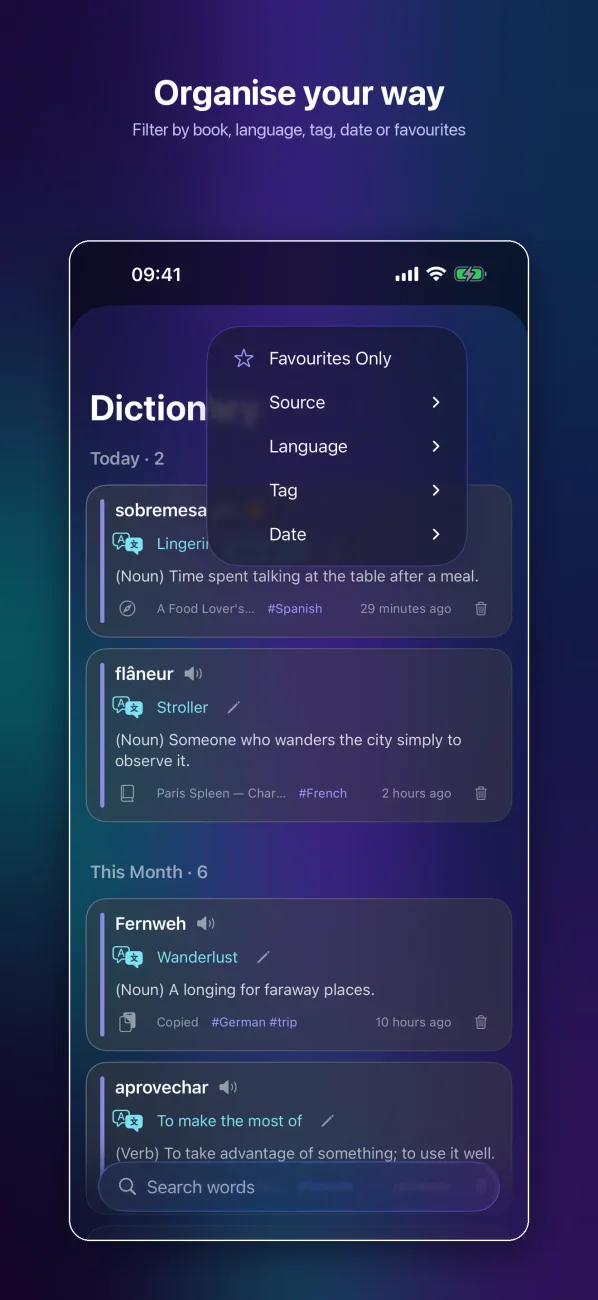
About
Snipword turns what you read into words you know.
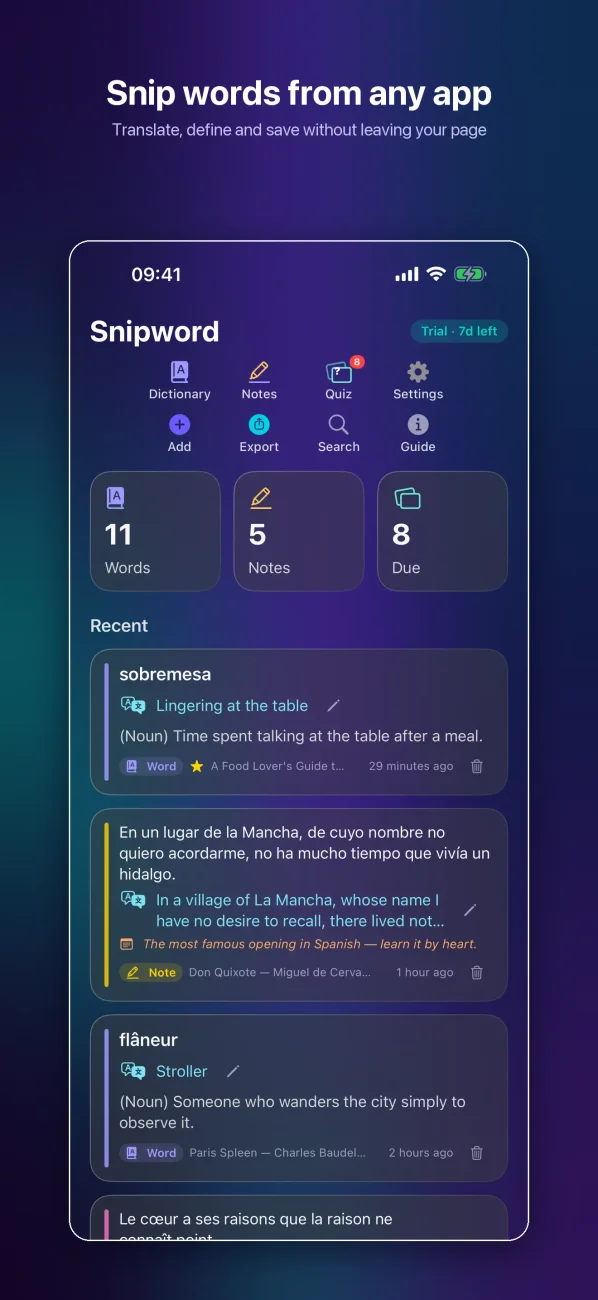
Select text in any app — Safari, Books, Mail, news, PDFs — and Snipword translates it, explains it and saves it, without taking you away from what you're reading. A few words become a Word for your personal dictionary and flashcards. A longer passage becomes a Note, with your highlight colour and your own thoughts, filed under the book or page it came from.
CAPTURE FROM ANYWHERE
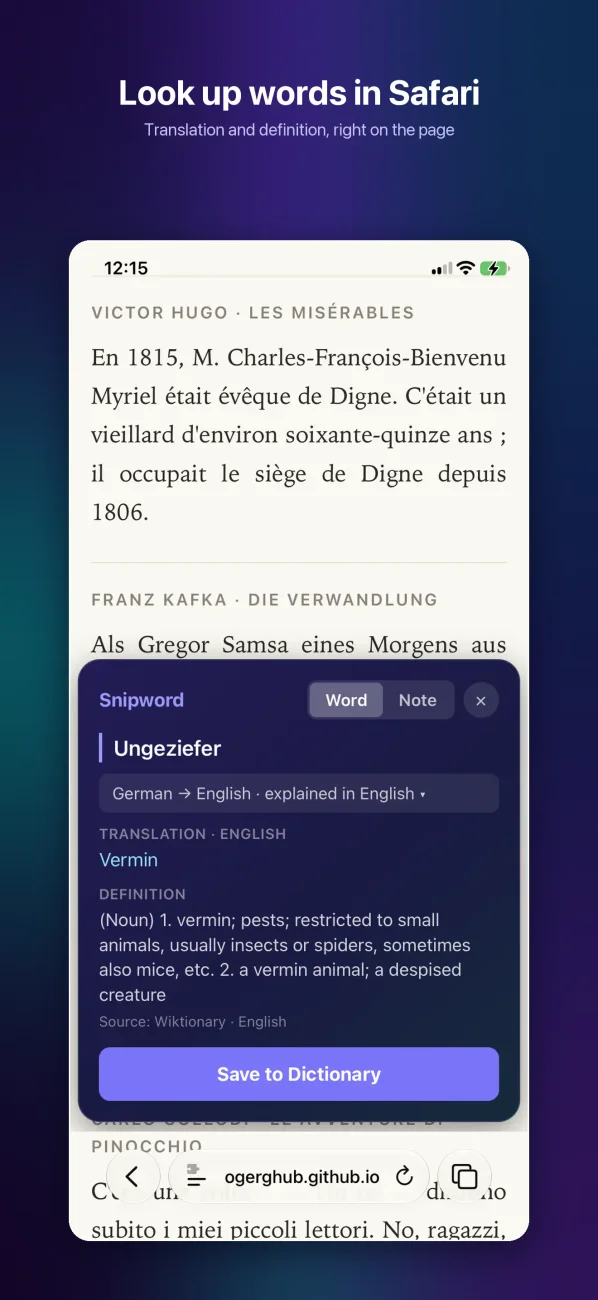
• Safari: select text and tap the Snipword bubble — translation and definition appear right on the page
• Share sheet: select text in any app, tap Share › Snipword
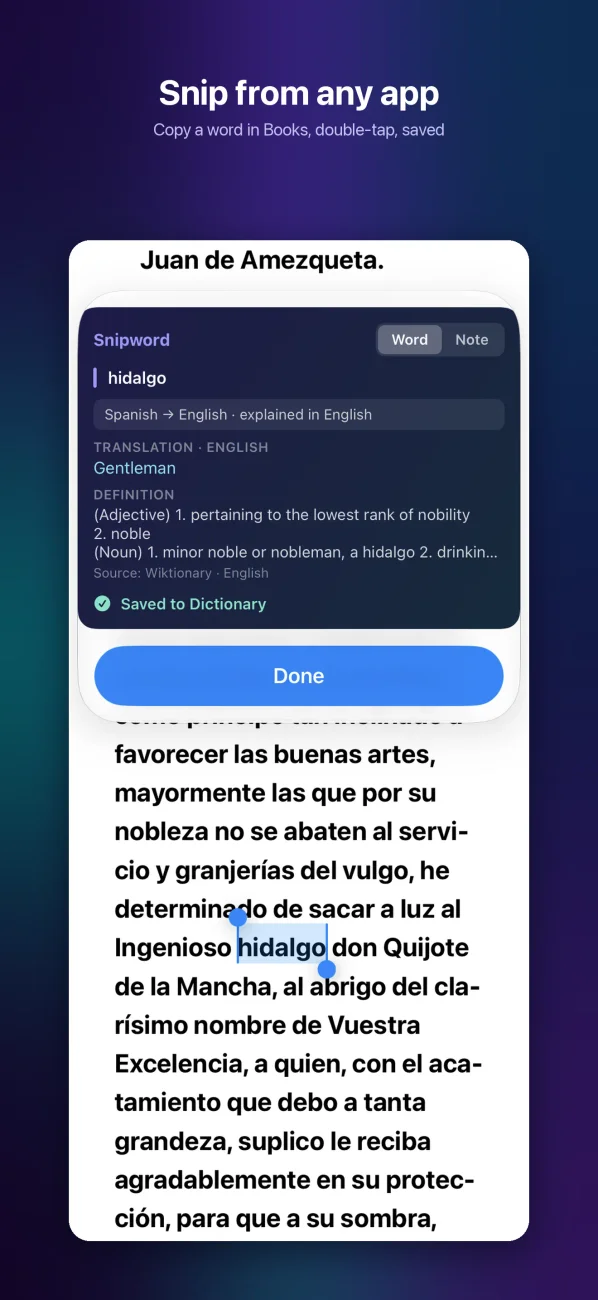
• Copy + one gesture: copy text, then double-tap the back of your iPhone, press the Action Button or use AssistiveTouch — saved instantly with its translation
• Mac: right-click › Services, or your own keyboard shortcut, in any app
• Apple Books passages are filed under their book automatically
TRANSLATE AND UNDERSTAND
• Translation into your language with Apple's on-device translation — private and free
• Definitions in the word's own language or yours
• Hear any word or passage read aloud
LEARN WHAT YOU SAVE
• Spaced-repetition flashcards bring each word back just before you'd forget it
• Practise any set: today's words, a book, a tag, your favourites
ORGANISE
• Dictionary and Notes, grouped by date or by book
• Search, tags, favourites and filters by source, language and date
• Edit many snips at once
TAKE IT WITH YOU
• Export to Anki, CSV, PDF or Markdown
• Free backup and restore of everything you've saved
• Syncs through your own iCloud across iPhone, iPad and Mac
PRIVATE BY DESIGN
No account, no ads, no tracking. Your words stay on your devices and in your iCloud.
FREE AND PRO
Try everything free for 7 days. After that, Snipword stays free with 5 new snips a day, translation, definitions, search and backup. Snipword Pro is a single one-time purchase — no subscription — that unlocks unlimited saving, flashcards and practice, export, tags and filters on all your devices.
App privacy
What CENGIZ OEGER declares on the App Store about how this app handles data.
-
Data not collected
The developer does not collect any data from this app.
Privacy practices may vary, for example with the features you use or your age.
Information
- Seller
- CENGIZ OEGER
- Category
- Education
- Version
- 1.0
- Updated
- Nov 4, 2026
- Released
- Nov 4, 2026
- Size
- 3.7 MB
- Requires
- iOS 18.6 or later
- Age rating
- 4+
- Price
- Free
- In-app purchases
- Yes
- Languages
- English
- Copyright
- © 2026 Cengiz Oger
You might also like
-
 WordslineEducation
-
 YoMoo: Japanese Reading & NewsFurigana Reader, N5 to N1
-
 Most Common Slovak WordsStudy Slovak with Examples
-
 Art of Stat: Machine LearningLearn and apply ML algorithms
-
 Kanana Learn Japanese AlphabetRead Hiragana & Katakana Fast
-
 Learn Slovak LanguageFun Easy Learn Slovak
-
 Vocably: Dictionary FlashcardsEnglish, Spanish, German, etc.
-
 Language Reactor - LinglassLearn English & More by Video
-
 Brainjuice: Scroll to StudyShort-form Video Courses
-
 Kana Pro: Hiragana & KatakanaQuiz & Learn Japanese Alphabet