
Soccer Stats: Players, Matches
Match Log & Coaching Time
Designed for iPhone, iPad
Free · In-app purchases
- Age rating4+
- CategoryUtilities
- DeveloperVerosocial Studio
- LanguagesEnglish+ 1 more
- Size17.1 MB
Links to the official App Store page
Download.org hosts no file of Soccer Stats: Players, Matches. The button opens its official App Store page, published by Verosocial Studio. Listing last checked on Nov 26, 2026.
Screenshots




About
Track one player's match or keep the team scorebook from the sideline. Log substitutions, see who played and for how long, and preview a report for one player before you share it.
Create and edit free on the first 30 days you use Soccer Stats. Opening the app or returning to it counts once per local calendar day. After the allowance, you can still view, share and export every saved record without Soccer Pro. That includes complete backup exports.
PARENT AND GOALKEEPER MODES
Track one player without setting up a full team. Choose a small set of event buttons. Goalkeeper mode highlights saves, shots faced, goals conceded and keeper minutes.
LIVE MATCH TRACKING
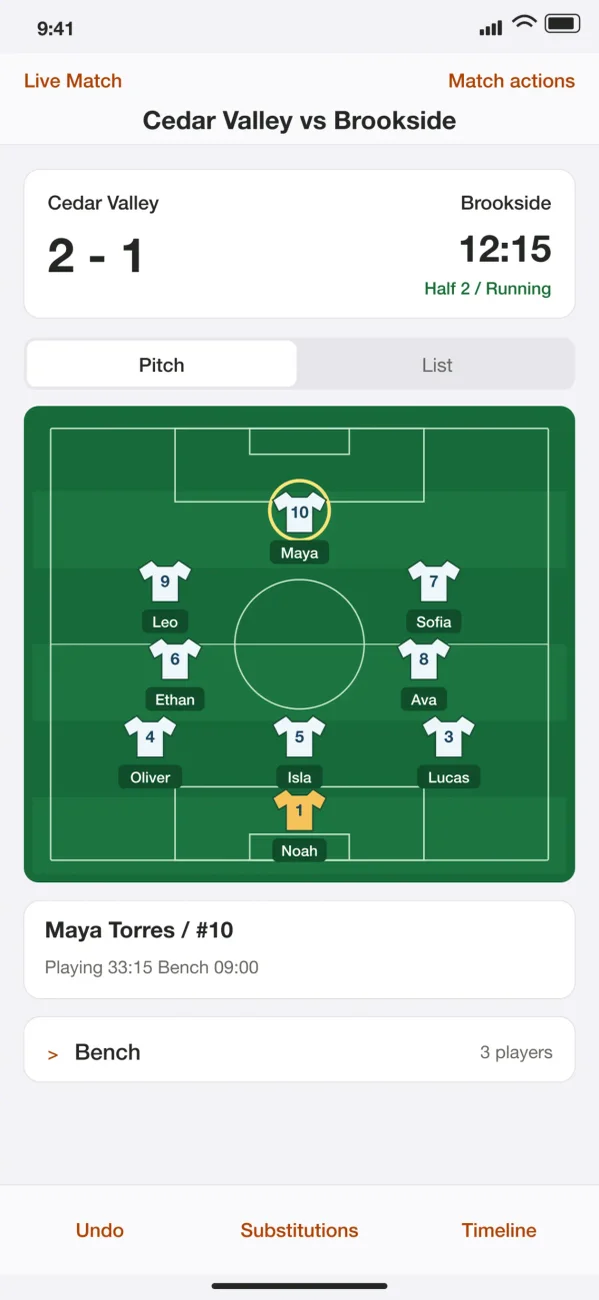
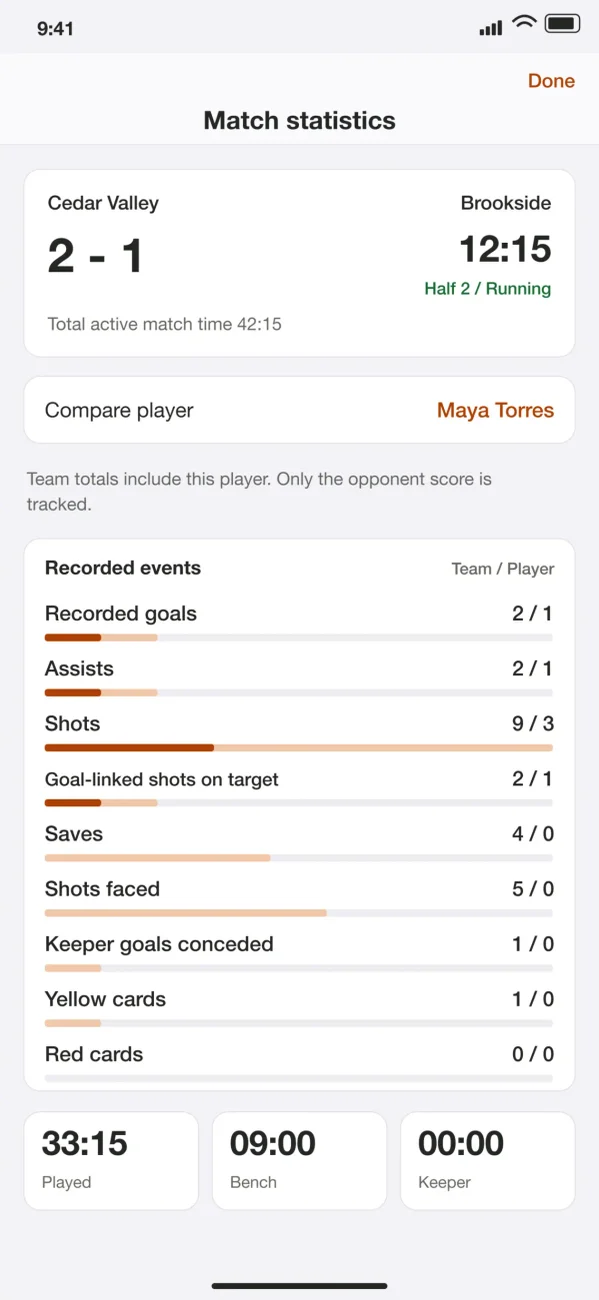
Keep the score and clock visible while recording goals, assists, shots, saves and cards with large player buttons. Pause and resume play, separate breaks from match time, use persistent Undo and correct events in the timeline. Open advanced statistics when you need more detail.
PLAYING TIME AND SUBSTITUTIONS
Choose starters, record several substitutions together and track playing, bench and goalkeeper minutes. Account for late arrivals and early departures. Review uncertain clock gaps and correct recorded totals after the match.
YOUTH SETUP AND ROTATIONS
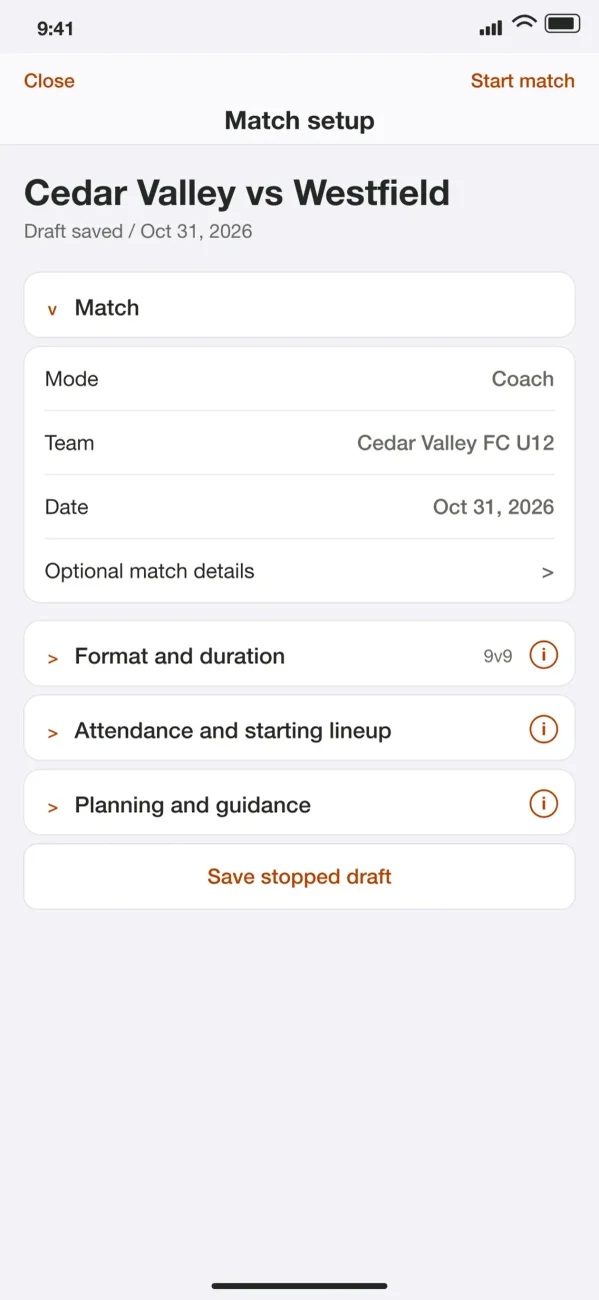
Choose 4v4, 5v5, 7v7, 9v9 or 11v11, with editable halves or quarters. Paste a roster or preview CSV imports, reuse saved players and duplicate a previous lineup after reviewing today's attendance. Optional equal-time targets explain the calculation and await your approval. Plan changes, snooze or skip reminders, and confirm each actual substitution yourself.
Device notifications are optional and require your permission. In-app reminders work without that permission. Alerts never make substitutions automatically; delivery depends on device settings.
REPORTS AND SEASON PROGRESS
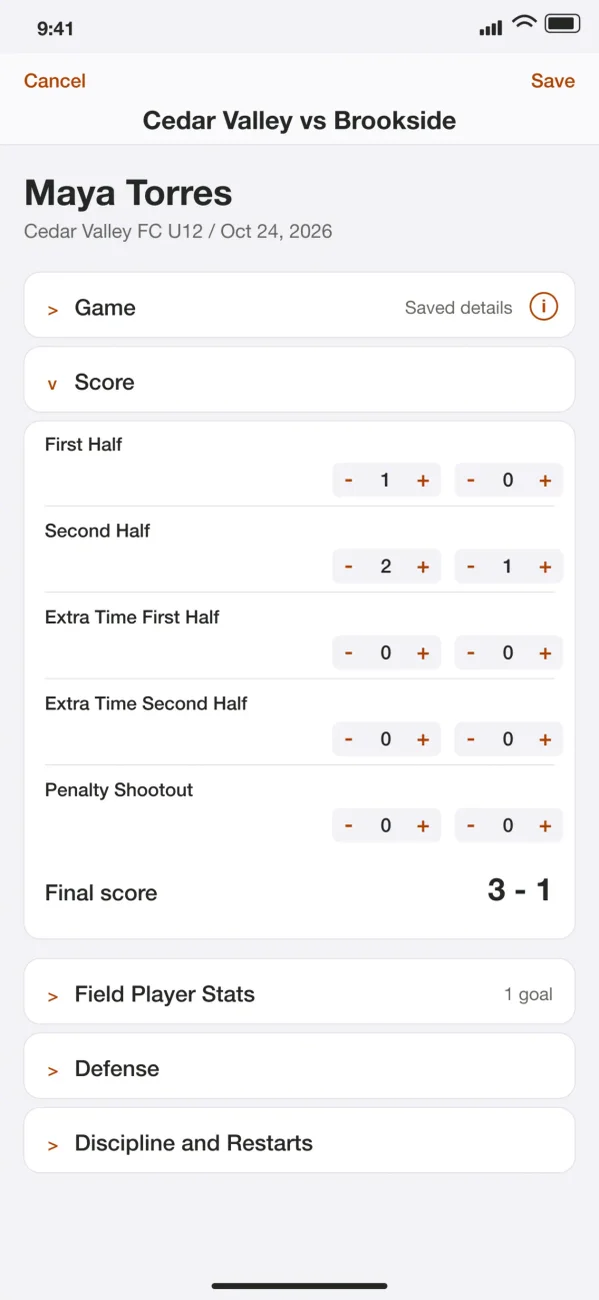
Preview one-page PDF and image summaries with the score, minutes and key contributions. Choose Player Only to leave other players' details out of the summary. Review season progress and save eligible finished matches to Stats.
TRAINING AND TACTICS
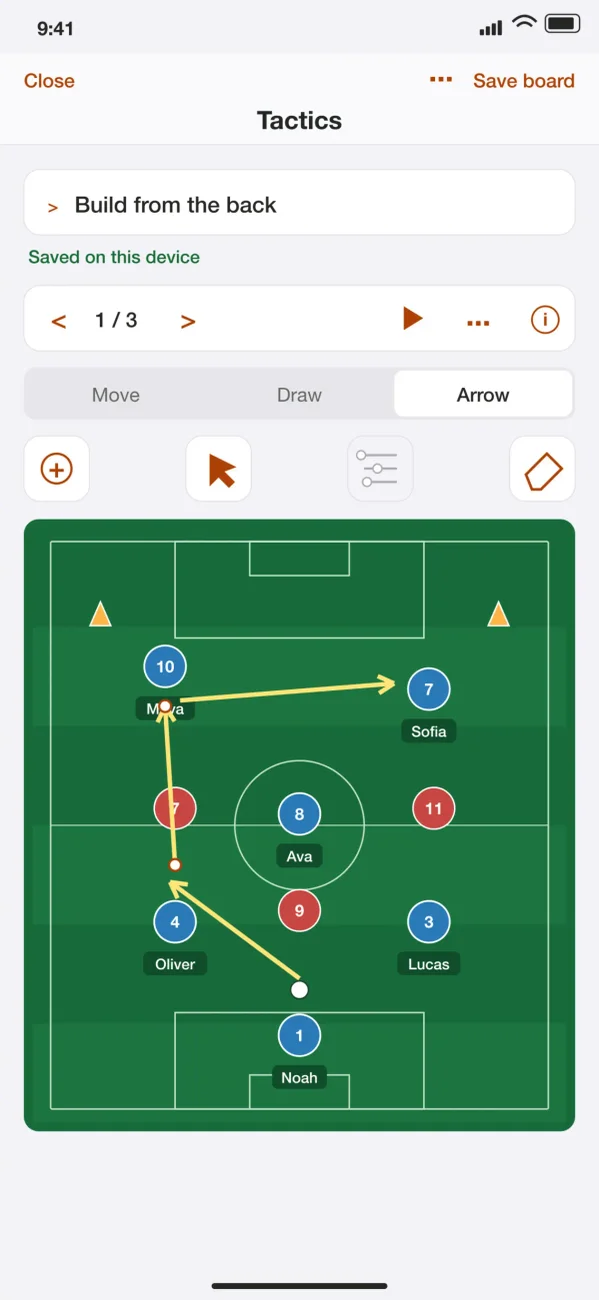
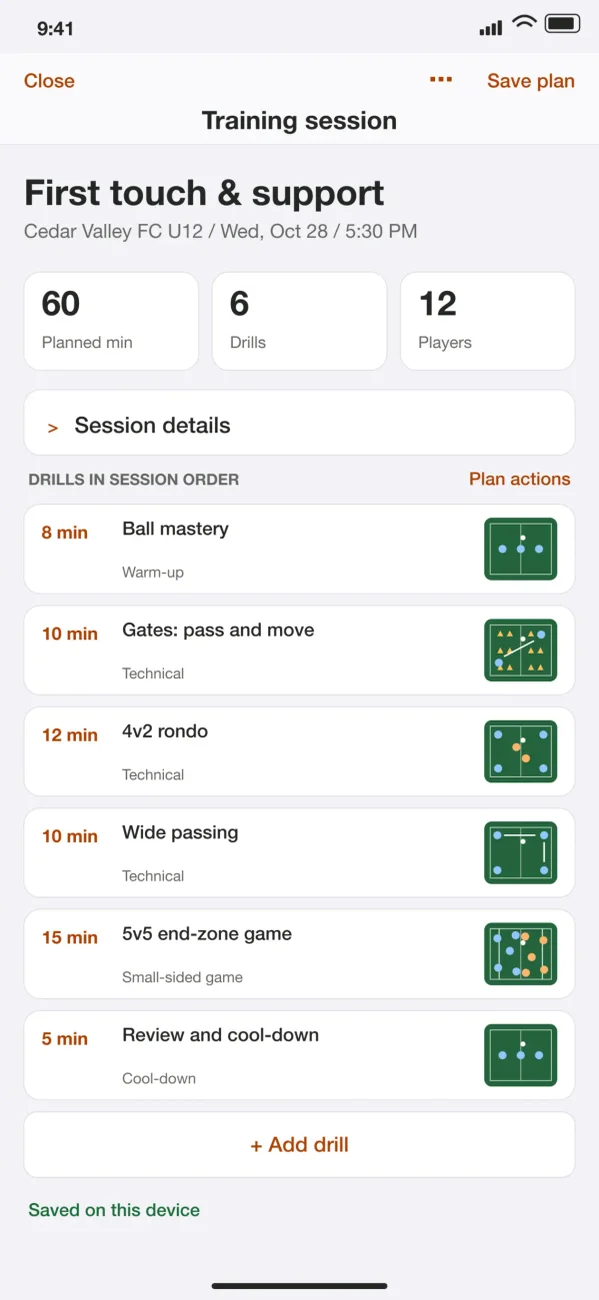
Arrange drills in a training session and sketch a setup on an editable tactics board. Start from a template or a blank board, then reopen your drafts and saved plans for the next practice.
LOCAL DATA, BACKUP AND RESTORE
Records are stored locally, with sharing and export under your control. Create full JSON backups containing original images, saved records, live matches, Undo history and supported preferences. Review Keep Both, Merge or Replace before restoring. Restored running matches open paused and device reminders need confirmation again.
Full backups support up to 512 MB and 200,000 saved records. Ordinary JSON transfer uses image thumbnails; full backups retain originals. CSV exports and PDF/image summaries are separate sharing tools. Backups exclude purchase access and the separate Watch game.
APPLE WATCH
Keep one individual match locally on your Watch. Create, edit, review or remove it and share a text export when you choose. Watch records remain separate from iPhone and iPad, without phone synchronization.
SOCCER PRO
After the free editing days, get Soccer Pro to keep creating, editing, importing or restoring records on iPhone and iPad. Both plans include the same editing features. Monthly can fit a short season. Lifetime is a one-time purchase if you expect to keep recording matches or reusing practice plans across seasons.
For monthly subscriptions:
Monthly Pro is a 1-month auto-renewable subscription.
Terms of Use (EULA): https://www.apple.com/legal/internet-services/itunes/dev/stdeula/
What’s new
Version 5.6 · Nov 25, 2026
Thank you for using Soccer Stats. You're putting care into following your players and recording their progress.
A new sideline workflow brings match tracking, substitutions and playing time together.
• Live Match: visible score and clock, large player actions, persistent Undo and an editable event timeline.
• Automatic playing, bench and goalkeeper minutes, batch substitutions, pause/resume and separate halftime breaks.
• Youth presets from 4v4 to 11v11, editable halves or quarters, attendance, roster paste/CSV preview and lineup reuse.
• Optional equal-time guidance and planned rotations. Device alerts require opt-in and never apply substitutions.
• Parent and Goalkeeper modes for following one player with a configurable set of buttons.
• One-page PDF and image reports, Player Only sharing, season progress and explicit Save to Stats for eligible finished matches.
• Save training sessions and tactics boards. Start from editable tactics templates and reopen your drafts.
• Full JSON backup and reviewed Keep Both, Merge or Replace restoration, separate from ordinary transfer and report files. Restored running matches open paused.
• Corrections to clock-break handling, Undo elapsed time, precise timeline edits, goalkeeper attribution, roster identity checks, report privacy and duplicate review, plus stale reminder/restore requests.
• Planned departures clear field and keeper roles; returning players need explicit entry. Undo uses confirmed time after long pauses or a device restart.
• Clearer saved-record reset controls. Wholly deleted Stats summaries can be saved again; partial changes still require review. Restore checks for changed source data before applying your choice.
Apple Watch keeps one local individual match and user-initiated text sharing; it does not synchronize phone records.
Getting Started guides you to player tracking, coaching tools and saved records. Skip it or open it later from Help.
Create and edit free on the first 30 days you use the app. Same-day returns count once. View, share and export saved records after the allowance.
More > Soccer Pro explains monthly and one-time lifetime access. When both prices can be compared, choose a number of monthly payments to see the total. Offer links from read-only match and planning screens let you review plans and return to the same task.
App privacy
What Verosocial Studio declares on the App Store about how this app handles data.
-
Data not collected
The developer does not collect any data from this app.
Privacy practices may vary, for example with the features you use or your age.
Information
- Seller
- Verosocial Studio
- Category
- Utilities
- Version
- 5.6
- Updated
- Nov 25, 2026
- Released
- Feb 15, 2013
- Size
- 17.1 MB
- Requires
- iOS 17.6 or later
- Age rating
- 4+
- Price
- Free
- In-app purchases
- Yes
- Languages
- English, Spanish
- Copyright
- © Copyright 2026 Verosocial Studio
You might also like
-
 Memolight for SafariPrivate notes for authors
-
 ClickPing: Click to ChatChat without saving the number
-
 Countdown Log - Days UntilExam Holiday Calendar Reminder
-
 Private Voice NotesRecord Into Folders
-
 QR Scene WalletLocal QR Scene Archives
-
 QRDrop: QR Code File TransferTransfer files with a QR code
-
 MemoJoin: Merge RecordingsTrim, Preview & Export M4A
-
 Conduit Bending with OffsetBender for EMT, IMC & Re-shape
-
 Subway Wake - Arrival AlarmPick stops by voice or map
-
 Expiry Tracker-Warranty DocsDue dates costs and reminders