SolCalc: Sun & Moon Tracker
Golden hour & sunrise planner
Designed for iPhone, iPad
Free · In-app purchases
- Age rating4+
- CategoryPhoto & Video
- DeveloperRobert Ehrhardt
- LanguagesEnglish+ 22 more
- Size76.0 MB
Links to the official App Store page
Download.org hosts no file of SolCalc: Sun & Moon Tracker. The button opens its official App Store page, published by Robert Ehrhardt. Listing last checked on Nov 23, 2026.
Screenshots
About
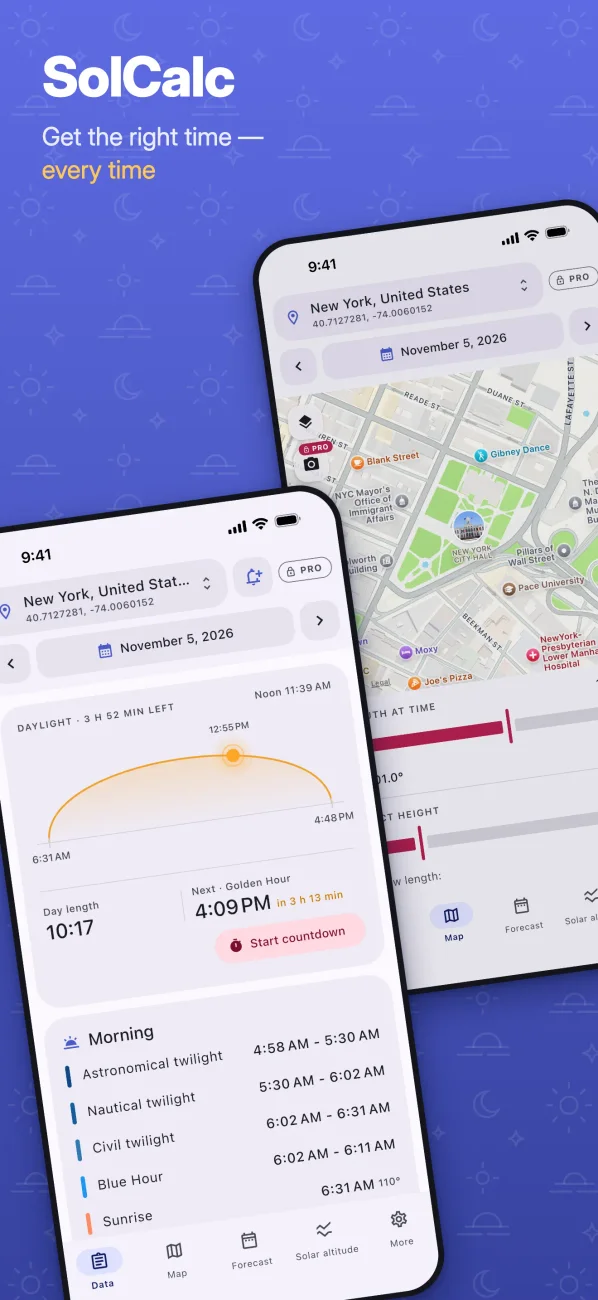
SolCalc is a sun and moon calculator that tells you when the light will be right — at any place on Earth, on any day you pick.
Get sunrise, sunset and solar noon together with the blue hour, the golden hour and the twilight times (civil, nautical and astronomical). See the moon as it looks from your place, how much daylight you gain or lose each day, the eclipses you can see, and the shadow length of any object.
Point your camera at the scene and AR mode draws the sun's path straight onto the live view, with golden hour and blue hour markers, azimuth, elevation and shadow length.
Widgets and a live countdown put the next golden hour, sunset or blue hour on your Home Screen and Lock Screen, and reminders tell you before the light changes — calculated on your device, without an account or a server.
Save multiple places, by hand or from GPS, and set a place's time zone yourself when you plan a trip.
CORE FEATURES AT A GLANCE
• Calculation of sunrise, sunset and solar noon
• Calculation of the golden hour, the civil blue hour and twilight times (civil, nautical and astronomical)
• Moonrise and moonset, and the moon drawn as seen from your place, with illumination and the next phases
• Moon calendar for two months: every phase, perigee and apogee, supermoons and micromoons
• Seasons: daily change in daylight, day length through the year, next solstice or equinox
• Solar and lunar eclipses visible from your place over the next ten years
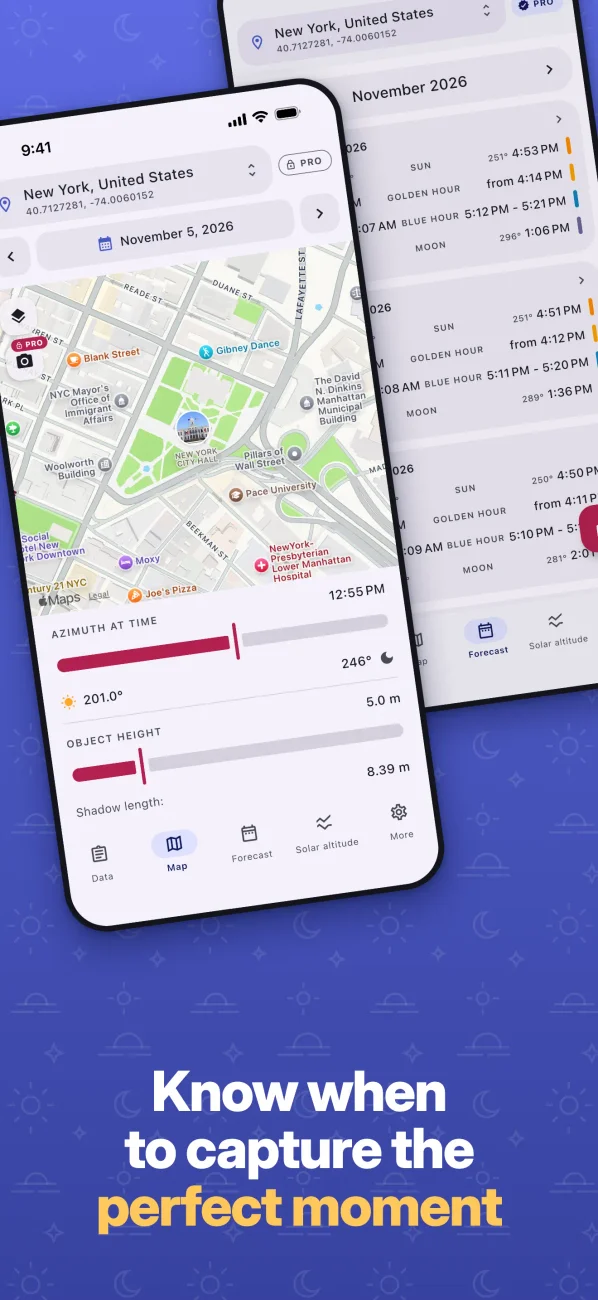
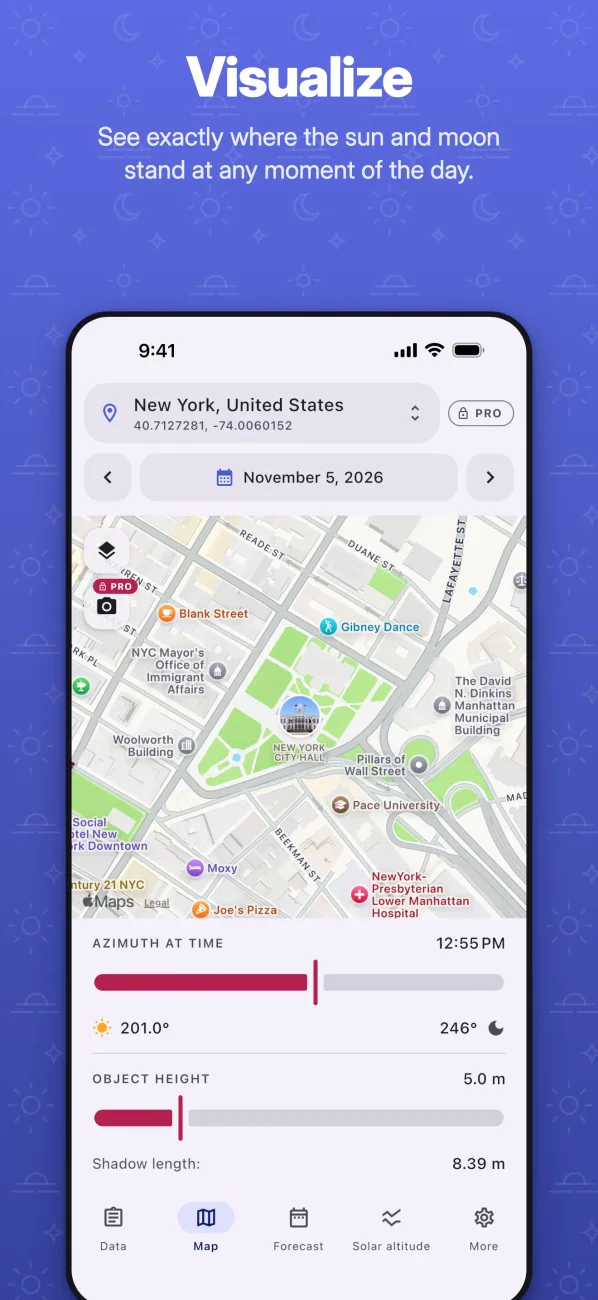
• Visualization of the azimuth of sun and moon at rise, at set and at any time
• Calculation and visualization of an object's shadow (e.g. helpful for planning photovoltaics/PV alignment)
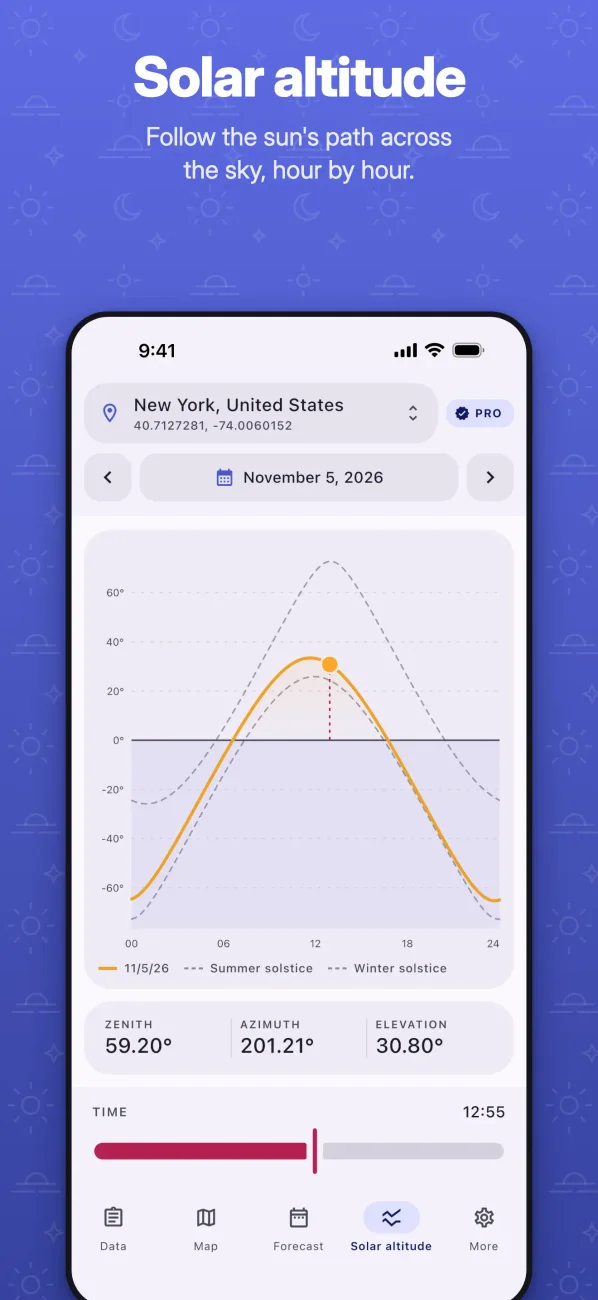
• Visualization of the height of the sun and the moon over a day
• AR mode: follow the sun's path live through your camera
• Live countdown to the next golden or blue hour, sunset or sunrise on the Lock Screen and in the Dynamic Island
• Home Screen and Lock Screen widgets with the next event, and a Daylight widget with day length and its change
• Golden hour reminder, e.g. "Golden hour begins in 30 min"
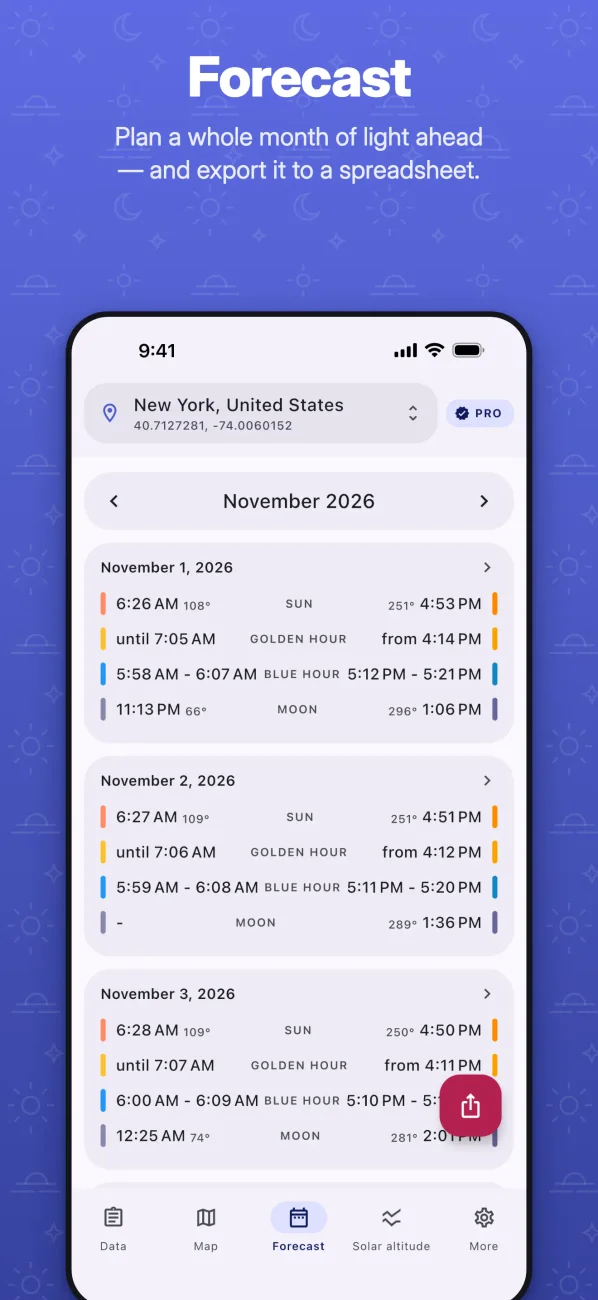
• Forecast
SOLCALC FOR APPLE WATCH
• A 24-hour dial shows night, twilight, golden hour and daylight around the clock, with the next sunrise, sunset or blue hour and a live countdown in the middle
• Today's key times at a glance: sunrise, solar noon, golden hour, sunset and blue hour
• Moon phase, moonrise and moonset, with the direction of each
• Your saved places come over from your iPhone automatically, or use the watch's own GPS
• Complications and Smart Stack widgets: sunrise and sunset, the next golden or blue hour, remaining daylight, and the moon
PRO FEATURES
• No limit in selecting a date for calculation (max. +/- 7 days in the free version)
• Full monthly forecast
• Unlimited AR mode
• Reminders for sunrise, sunset, blue hour, solar noon, moon times, full moon, supermoon, new moon, eclipses and seasons
• Moon calendar twelve months ahead
• Seasons: sunrise and sunset through the year, turning points, other years, looking up any day
• Eclipses: exact contact times and where the sun or moon stands
• Day ring widget: all of today's sun times around the clock, plus the moon
• Daylight widget on the Lock Screen
• Export of forecast data to Excel tables
Note: the calculated values are approximations to plan your photography trips. Additionally it depends on the weather situation how good, or whether, the blue or golden hour is visible.
TERMS OF SERVICE
https://passwordsafe.app/solcalc/policies/terms.html
End User License Agreement (EULA):
https://www.apple.com/legal/internet-services/itunes/dev/stdeula/
What’s new
Version 3.5.2 · Nov 20, 2026
• New: moon planner. The Data tab draws the moon as you see it from your place, with its illumination, age and distance, and the next four phases
• New: moon calendar with every phase, perigee and apogee, supermoons and micromoons for this month and next. With Pro, twelve months ahead and reminders for new moons and supermoons
• New: the moon's arc in the solar altitude chart, next to the sun's
• New: seasons. See how much daylight you gained or lost since yesterday, the day length through the year and the countdown to the next solstice or equinox. With Pro, sunrise and sunset through the year, turning points, other years, looking up any day and season reminders
• New: a Daylight widget for your Home Screen with today's day length, its change since yesterday and the next solstice or equinox; with Pro also on your Lock Screen
• Eclipse reminders now show their next alert and arrive even when it is months away
• Under-the-hood updates and fixes
App privacy
What Robert Ehrhardt declares on the App Store about how this app handles data.
-
Data linked to you
May be collected and linked to your identity.
- Purchases
-
Data not linked to you
May be collected but is not linked to your identity.
- Location
Privacy practices may vary, for example with the features you use or your age.
Information
- Seller
- Robert Ehrhardt
- Category
- Photo & Video
- Version
- 3.5.2
- Updated
- Nov 20, 2026
- Released
- Apr 15, 2026
- Size
- 76.0 MB
- Requires
- iOS 18.2 or later
- Age rating
- 4+
- Price
- Free
- In-app purchases
- Yes
- Languages
- English, Arabic, Danish, Dutch, Finnish, French, German, Hebrew, Hindi, Indonesian, Italian, Japanese + 11 more
- Copyright
- © Robert Ehrhardt
You might also like
-
 Sunlark: Golden Hour PlannerSunset times to the minute
-
 Dusklight: Golden HourSunset & Golden Hour Guide
-
 Sunrise: Plan SunlightDaylight & Sun Path Planner
-
 Chase the LightSun Sky & Perfect Light Timing
-
 EasyGeotag: Geotag PhotosGPS Tagger for RAW, JPEG & GPX
-
 Suncam: Sun Position TrackerGolden hour, moon phase & AR
-
 Golden Hour: Photo EditorRetouch, Filters & Sun Planner
-
 Lumis: Golden HourSun & Moon Photo Planner
-
 ARK InfraredInfrared film simulation
-
 ShutterLife: Shutter CountRead Actuations from a Photo