SolidRec: Cloud Voice Recorder
Saved to Drive every minute
Designed for iPhone
In-app purchases
- Age rating4+
- CategoryUtilities
- DeveloperTETSU HAGIWARA
- LanguagesJapanese+ 1 more
- Size3.6 MB
Links to the official App Store page
Download.org hosts no file of SolidRec: Cloud Voice Recorder. The button opens its official App Store page, published by TETSU HAGIWARA. Listing last checked on Nov 23, 2026.
Screenshots





About
Even if the app crashes or your battery dies, everything recorded up to that point stays safe.
Most recording apps write the file only when you tap Stop, so a crash before that can wipe out hours of audio. SolidRec finalizes your recording in one-minute segments as it goes, so at most the last few seconds are lost.
■ Preserved to the cloud as you record
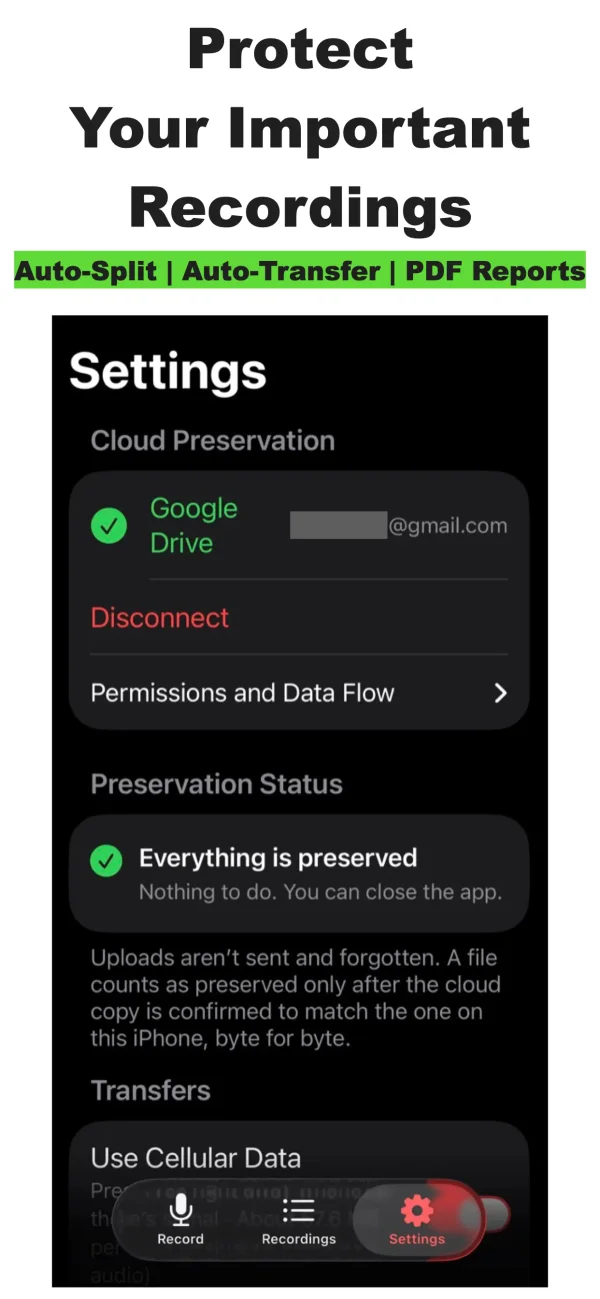
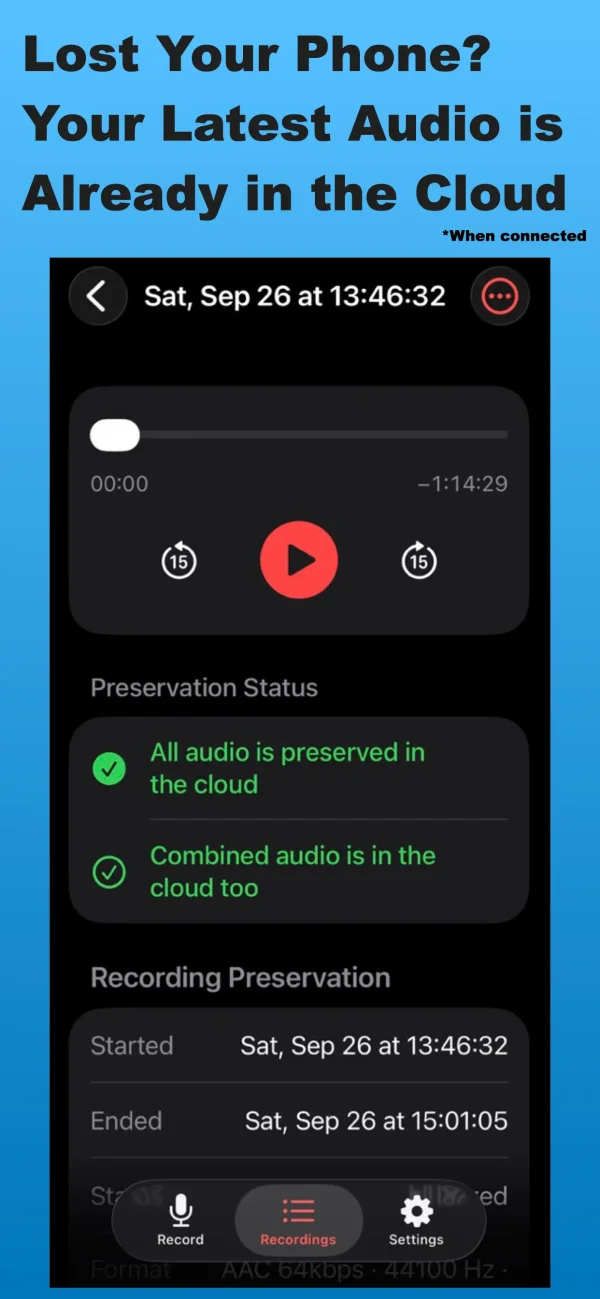
Each finalized segment is sent straight to your own Google Drive — no need to wait until you stop. Even if you lose your iPhone, everything up to that point is in the cloud.
■ "Sent" isn't the finish line
A file counts as preserved only after the copy in the cloud is confirmed to match the one on your iPhone, byte for byte. We check the contents, not just whether the upload succeeded.
■ Nothing already sent is ever touched
Uploads go one way, from your iPhone to Drive. The app never deletes or modifies the original files it uploads each minute. Even if you delete a recording on your iPhone, what's already in Drive stays.
■ One file, ready when you stop
The whole recording is ready as a single audio file the moment you stop — export and share it right away. Record for three hours, open one file.
■ Start from Control Center
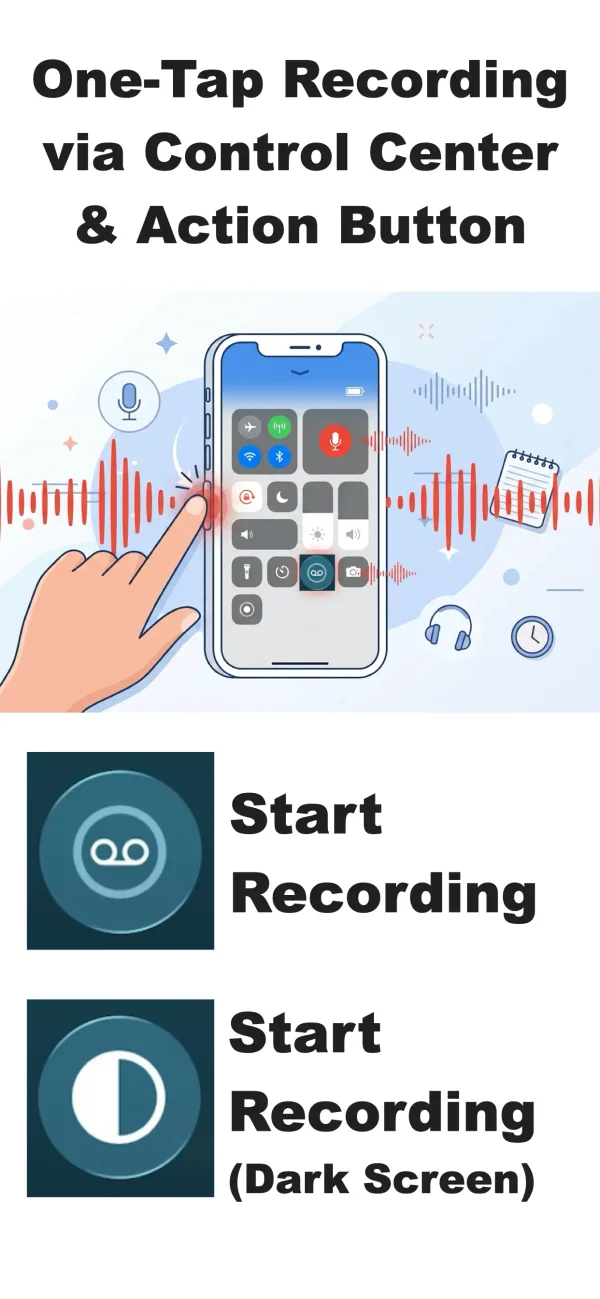
Add a button to Control Center, the Lock Screen, or the Action button. Recording starts the moment you tap — no need to unlock. There's also a button that starts recording with the screen darkened.
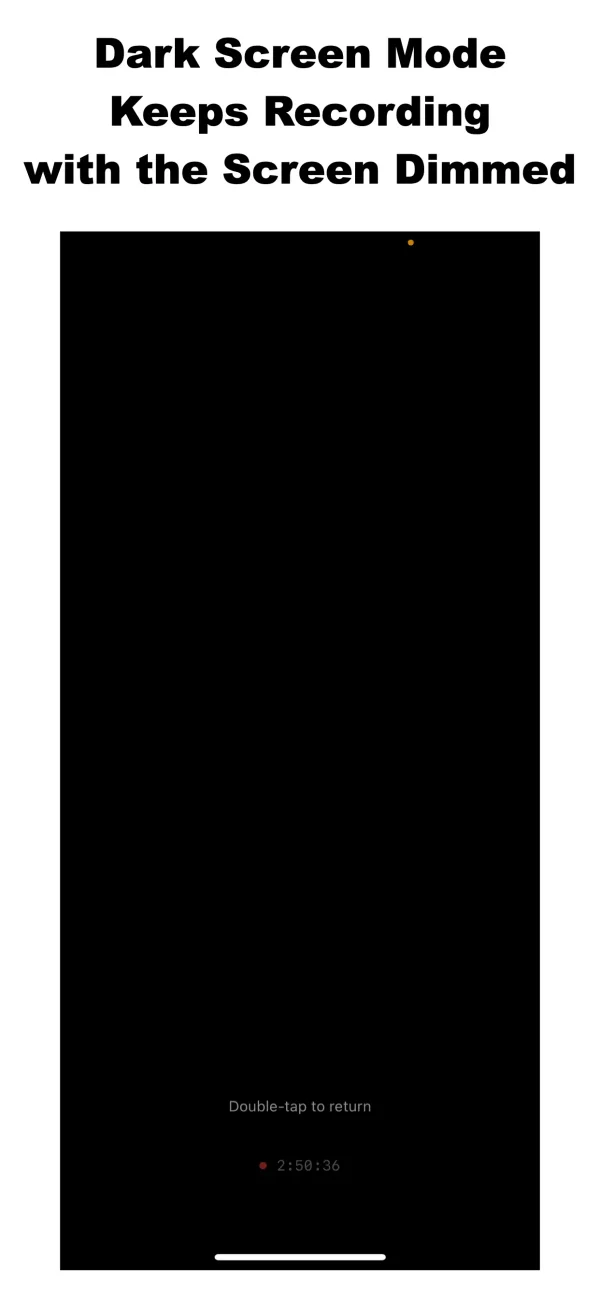
■ Dark screen while recording
Keep recording with the screen dark. Double-tap to bring it back.
■ App Lock
Lock the app with Face ID, Touch ID, or your passcode, so your recordings list stays private when you hand your iPhone to someone.
■ Interruptions are recorded too
If a call interrupts recording, SolidRec logs when and for how long, then resumes automatically when the call ends. Gaps in a recording come with an explanation.
FREE
• Unlimited recording time
• Minute-by-minute segment preservation and automatic recovery after an unexpected exit
• Automatic upload to Google Drive, with verification
• Start recording from Control Center, the Lock Screen, or the Action button
• Dark screen and App Lock
• Export and share the whole recording as one file, with no length limit
ONE-TIME PURCHASE (FULL ACCESS)
• Combined audio, automatically to Drive
Even for a three-hour meeting, the combined audio file is uploaded to Google Drive automatically after every recording. No need to export and upload it yourself.
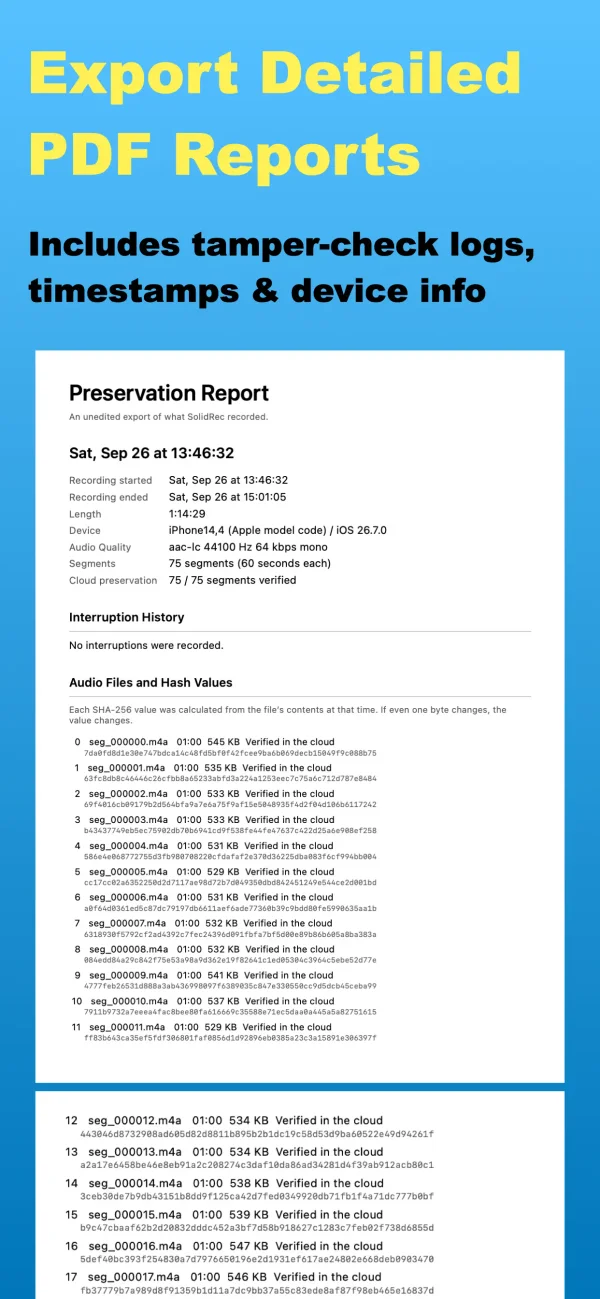
• Preservation Report (PDF)
When and on which device it was recorded, at what quality, and where it was interrupted — down to each file's hash, everything the app recorded is summarized on one page. The history that audio files alone can't keep is kept as a document.
The report records what the app observed. It doesn't prove that the recording's content is true or that it will be accepted as evidence.
One-time purchase. No subscription. No ads.
PRIVACY
Your audio travels only between your iPhone and your own Google Drive. There is no developer server, and no analytics or ads.
Access to Google Drive is limited to files this app creates (drive.file permission). The app can't read anything else in your Drive.
PLEASE NOTE
Whether recording is legal depends on where you are and the situation. Some places require the consent of only one party; others require everyone's consent. Checking and following the law is your responsibility.
We work hard to preserve your recordings, but device failures and outages of outside services are beyond our control. For important recordings, don't rely on this app alone — keep copies in more than one way.
What’s new
Version 1.1.2 · Nov 14, 2026
• Recordings are now uploaded to the cloud every minute even while the screen is off. Previously, uploads could wait until you opened the app.
• Fixed a rare case where the audio for one segment could be left out if you stopped exactly at a one-minute boundary.
• Fixed upload issues when your iPhone is low on storage or after reopening the app.
• The app now lets you know when your Google Drive connection has expired or your Drive is full.
• The Recordings list now updates as uploads finish.
• Other minor fixes.
• Updated the limitation of liability section of the Terms of Use (16 October 2026).
App privacy
What TETSU HAGIWARA declares on the App Store about how this app handles data.
-
Data not collected
The developer does not collect any data from this app.
Privacy practices may vary, for example with the features you use or your age.
Information
- Seller
- TETSU HAGIWARA
- Category
- Utilities
- Version
- 1.1.2
- Updated
- Nov 14, 2026
- Released
- Sep 21, 2026
- Size
- 3.6 MB
- Requires
- iOS 17.0 or later
- Age rating
- 4+
- In-app purchases
- Yes
- Languages
- Japanese, English
- Copyright
- © 2026 MedialabTH
You might also like
-
 Voice Recorder Pro - Audio KUtilities
-
 RecExport: Voice Memo to CloudAuto-backup to your own cloud
-
 VoicloudRecord, Transcribe & Sync
-
 PreTip: Tip CalculatorReceipt scanner Tip calculator
-
 toWalletturn any card into wallet pass
-
 Voice Recorder • Audio MemosSpeech to Text & Transcribe
-
 Life Recorder: 24/7 Voice MemoAlways-On Record & Transcribe
-
 Drawing Studio: Draw & AIdraw.io, Excalidraw, Mermaid
-
 RecUp - Record to the CloudInstant Memos, Auto-Upload
-
 AudioCutUtilities