- Age rating4+
- CategoryUtilities
- DeveloperShougo Kurihara
- LanguagesJapanese+ 1 more
- Size3.4 MB
Links to the official App Store page
Download.org hosts no file of Solo Planner. The button opens its official App Store page, published by Shougo Kurihara. Listing last checked on Nov 12, 2026.
Screenshots


About
The developer has not provided this text in your language.
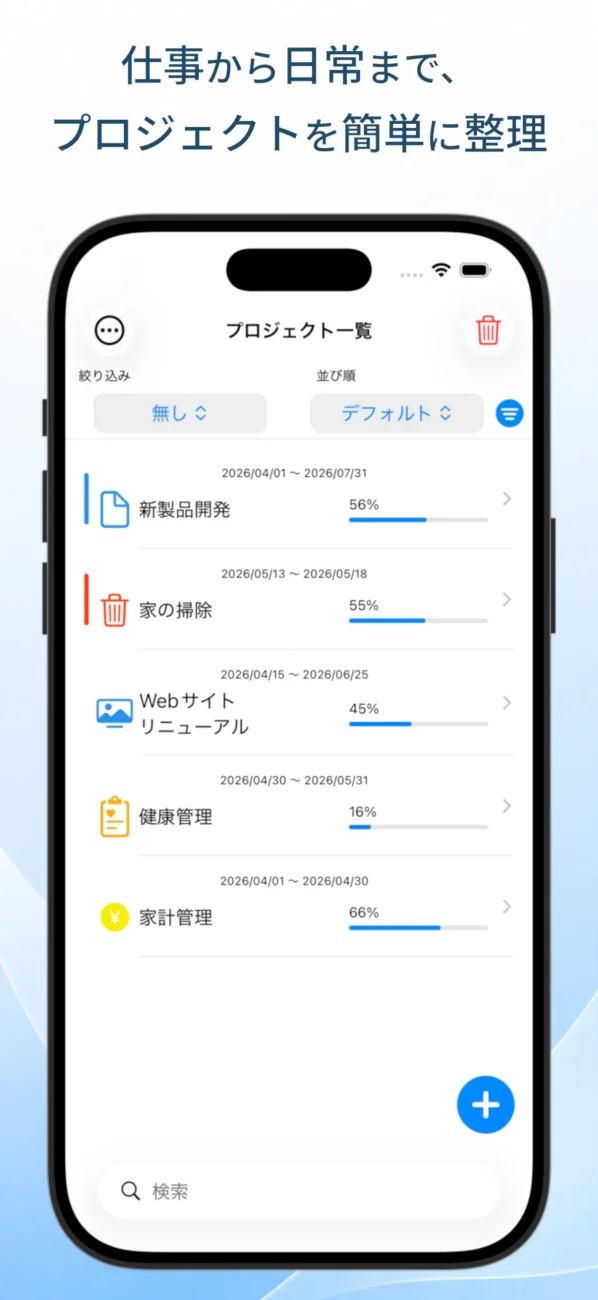
SoloPlannerは、個人の計画や作業をすっきり整理できる、シンプルで使いやすいプロジェクト管理アプリです。
プロジェクトごとにタスク、スケジュール、進捗、チェックリストをまとめ、ガントチャートで予定をひと目で確認できます。
データは端末内に保存されるため、オフラインでも利用可能。仕事、学習、趣味、個人開発など、さまざまな計画の管理に活用できます。
主な機能
■ プロジェクト管理
プロジェクトの作成・編集・削除、お気に入り登録ができます。アイコン、カラー、画像を設定し、分かりやすく整理できます。
■ タスク管理
タスクの作成・編集・削除に加え、開始日、完了予定日、進捗率を管理できます。
■ チェックリスト
タスクを細かな項目に分けて管理できます。チェック済みの項目数と進捗率を連動させることもできます。
■ ガントチャート
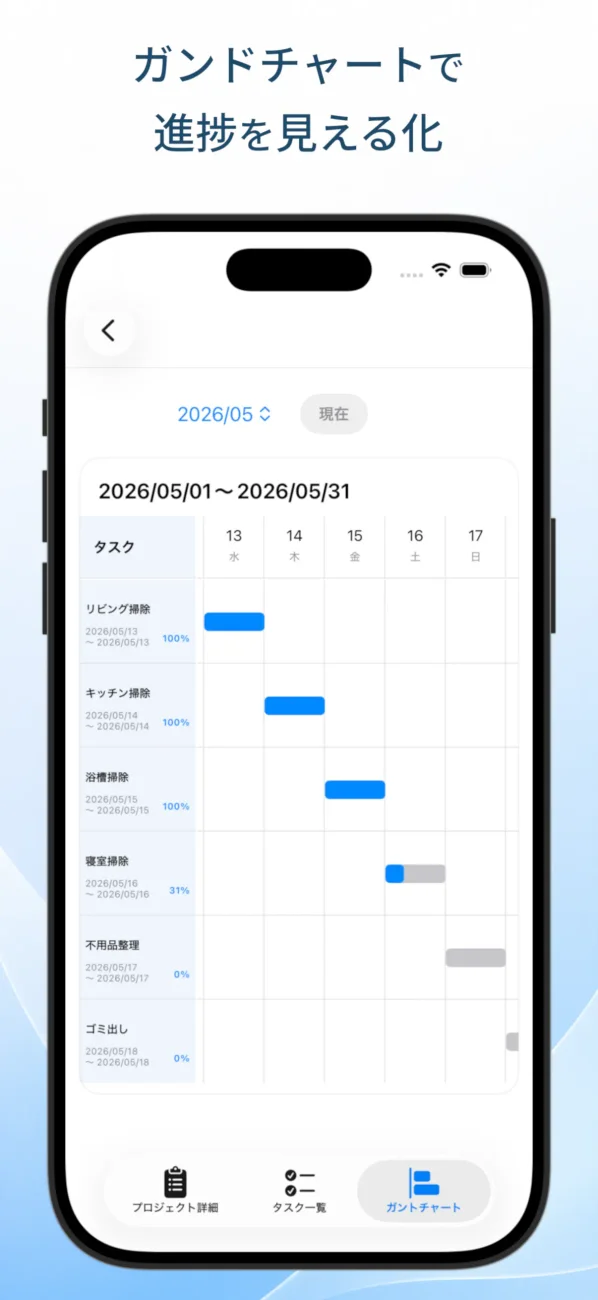
タスクの期間と進捗を視覚的に表示し、プロジェクト全体のスケジュールを把握できます。
■ 検索・並べ替え・絞り込み
プロジェクトやタスクを検索し、進捗状況や日付などを条件に整理できます。
■ 画像の登録
プロジェクトやタスクに関連する画像を登録できます。
■ ローカルデータ管理
データは端末内に保存され、オフラインでも利用できます。
■ バックアップと復元
「ファイル」アプリを通じて、プロジェクト、タスク、画像などのデータをZIPファイルとして書き出し・復元できます。
・English
SoloPlanner is a simple and easy-to-use project management app for organizing personal plans and tasks.
Keep your tasks, schedules, progress, and checklists together in one place, and use Gantt charts to see your plans at a glance.
Your data is stored locally on your device, so you can use the app offline. SoloPlanner is ideal for work, study, hobbies, personal projects, and everyday planning.
Key Features
■ Project Management
Create, edit, and delete projects, or mark important projects as favorites. Customize them with icons, colors, and images for easier organization.
■ Task Management
Create, edit, and delete tasks while managing start dates, due dates, and progress.
■ Checklists
Break tasks into smaller items and optionally calculate progress automatically from completed checklist items.
■ Gantt Charts
Visualize task schedules and progress to understand your overall project timeline.
■ Search, Sort, and Filter
Quickly find and organize projects and tasks by progress, date, and other conditions.
■ Image Attachments
Add relevant images to your projects and tasks.
■ Local Data Storage
Your data is stored on your device and remains available offline.
■ Backup and Restore
Export and restore projects, tasks, images, and related data as a ZIP file through the Files app.
What’s new
Version 1.3.4 · Oct 31, 2026
タスクに通知機能を追加しました。
タスク一覧で右にスワイプして、タスクを複製できるようになりました。
データ・画像の保存処理とバックアップ処理を改善しました。
一部の表示文言と英語表示を改善しました。
App privacy
What Shougo Kurihara declares on the App Store about how this app handles data.
-
Data linked to you
May be collected and linked to your identity.
- Diagnostics
Privacy practices may vary, for example with the features you use or your age.
Information
- Seller
- Shougo Kurihara
- Category
- Utilities
- Version
- 1.3.4
- Updated
- Oct 31, 2026
- Released
- Sep 12, 2024
- Size
- 3.4 MB
- Requires
- iOS 16.0 or later
- Age rating
- 4+
- Languages
- Japanese, English
- Copyright
- © 2025 shougo kurihara