Solve To Play
Math games to earn screen time
Designed for iPhone, iPad
Free · In-app purchases
- Age rating4+
- CategoryEducation
- DeveloperCPE Verm. GmbH
- LanguagesEnglish+ 1 more
- Size36.4 MB
Links to the official App Store page
Download.org hosts no file of Solve To Play. The button opens its official App Store page, published by CPE Verm. GmbH. Listing last checked on Nov 26, 2026.
Screenshots



About
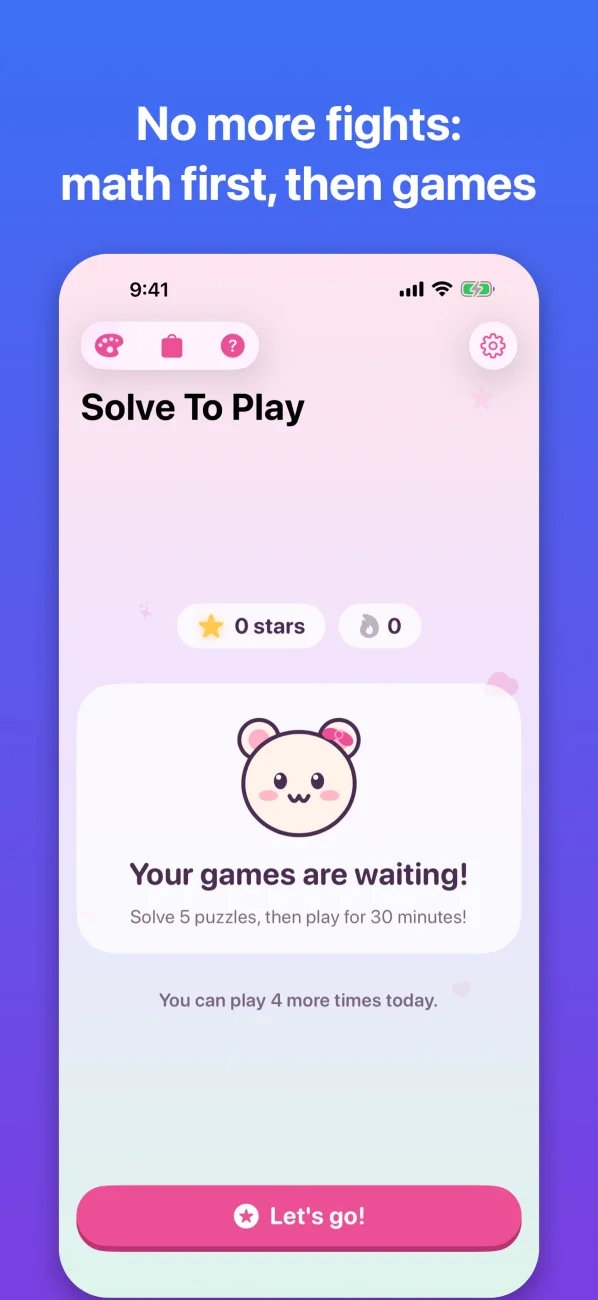
Solve To Play is an iPhone and iPad app that locks games and other apps until your kid solves a few math tasks.
HOW IT WORKS
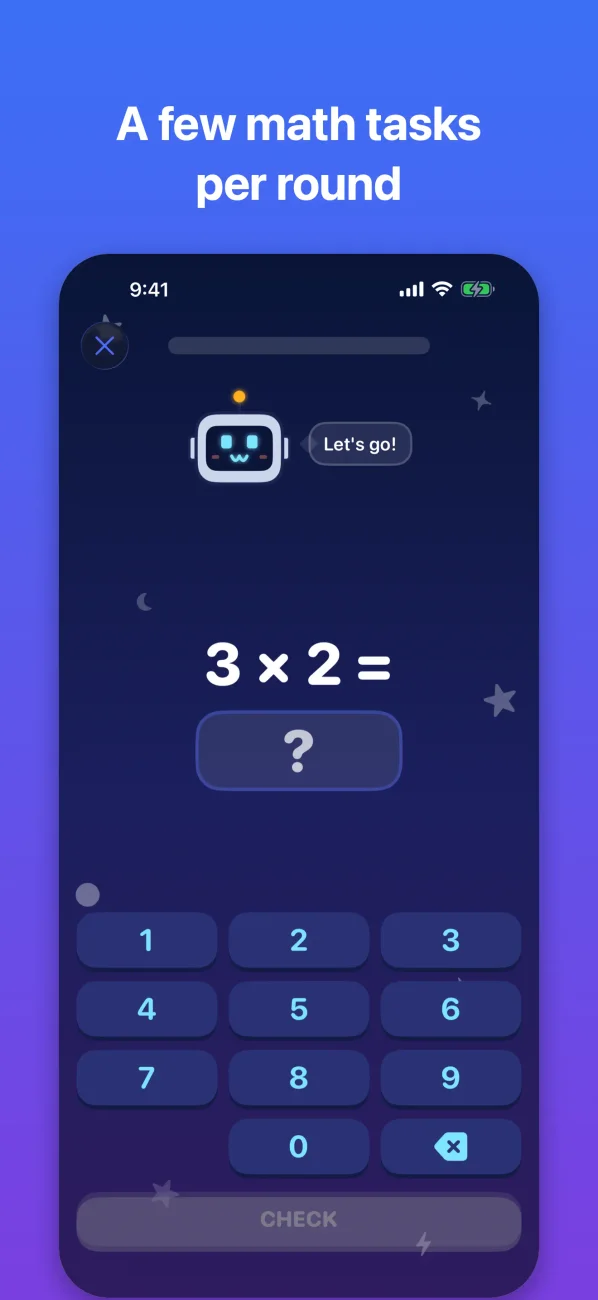
You choose which apps, categories and websites stay locked. When your kid opens one, they get a short round of math tasks. Once they've solved them, the apps open for a set time (30 minutes unless you change it) and then lock again.
The lock uses Apple's Screen Time, so iOS does the blocking, not the app. On their own device, your kid can't delete the app without your approval.
WHEN YOUR KID GETS STUCK
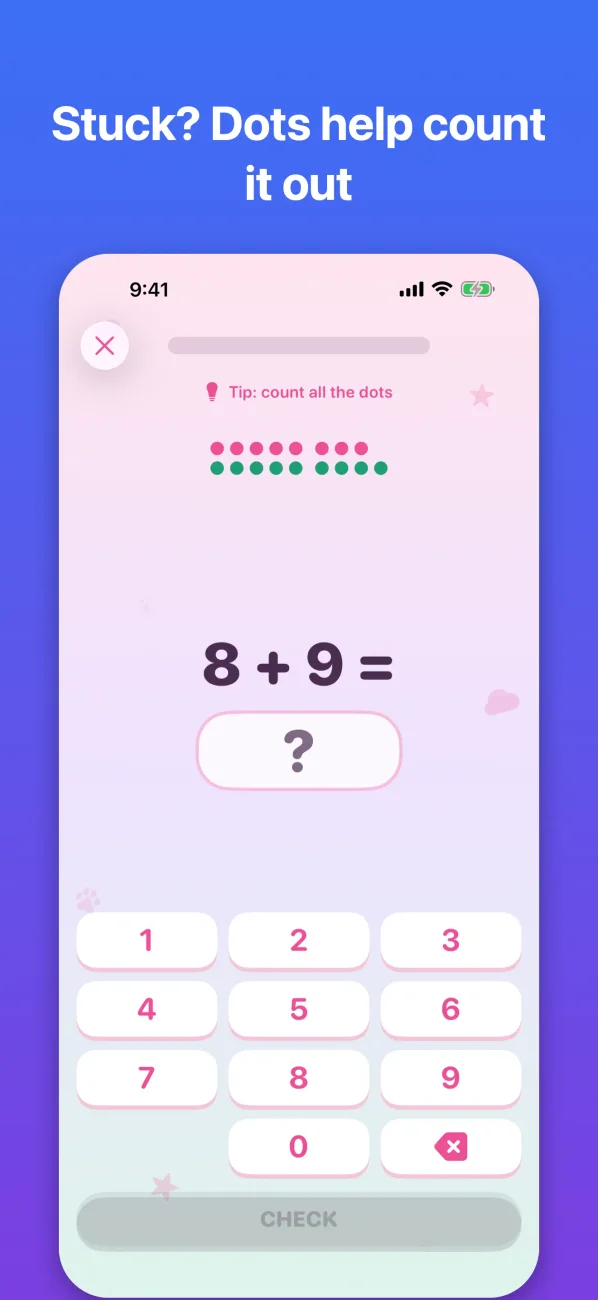
There's no timer. A wrong answer stays on screen for another try, and a picture of dots helps your kid count their way to the answer.
After the third wrong try the app shows the answer and your kid types it in. Tasks your kid missed turn up again in later rounds.
WHAT YOU CAN SET
• How many tasks per round (3 to 20)
• How long the apps stay open (5 minutes to 3 hours)
• How many unlocks per day (1 to 12, or no limit)
• Extra rounds for stars: on or off, and how many per day
• Which apps, categories and websites stay locked
The settings are behind a four-digit PIN. If your kid has earned some extra time, you can give them an unlock that doesn't count toward the daily limit.
STARS AND THE SHOP
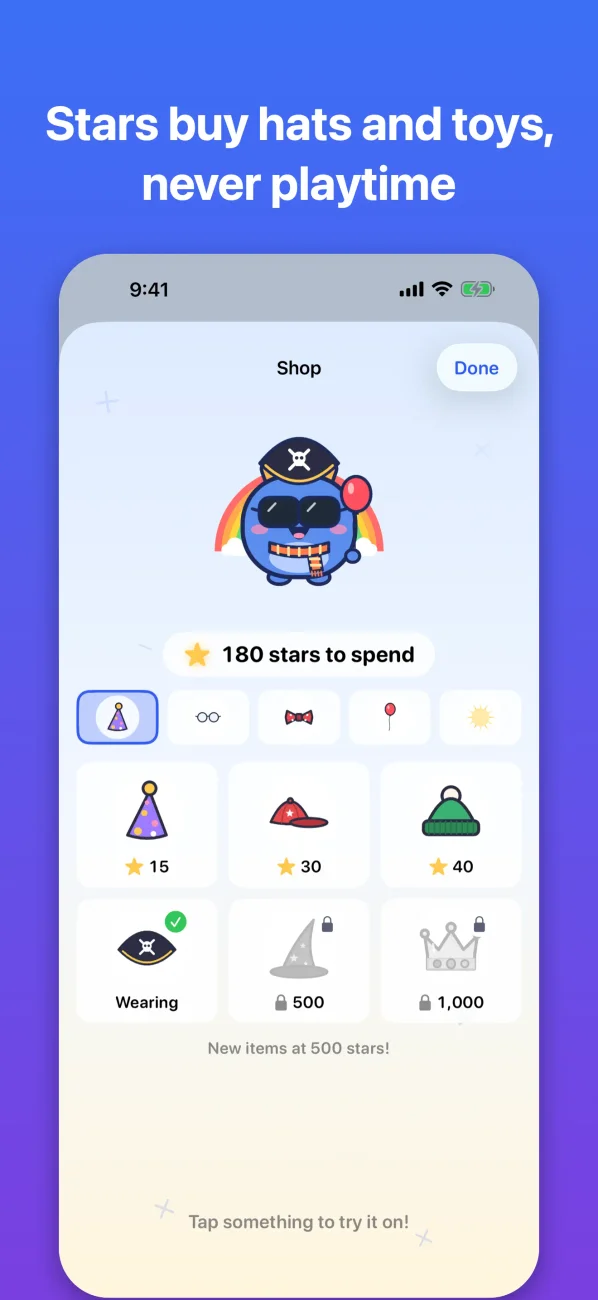
Every solved task earns a star. Your kid spends stars in the shop on hats, glasses, toys and backgrounds for their character. Stars never buy playtime, and they can't be bought with money.
When the apps are already open or the day's playtime is over, your kid can keep solving extra rounds just for stars.
THREE LOOKS
Your kid picks how the app looks: Classic, Kawaii or Space, and one of four app icons. A daily streak counts the days in a row they've solved a round.
WHICH MATH TASKS
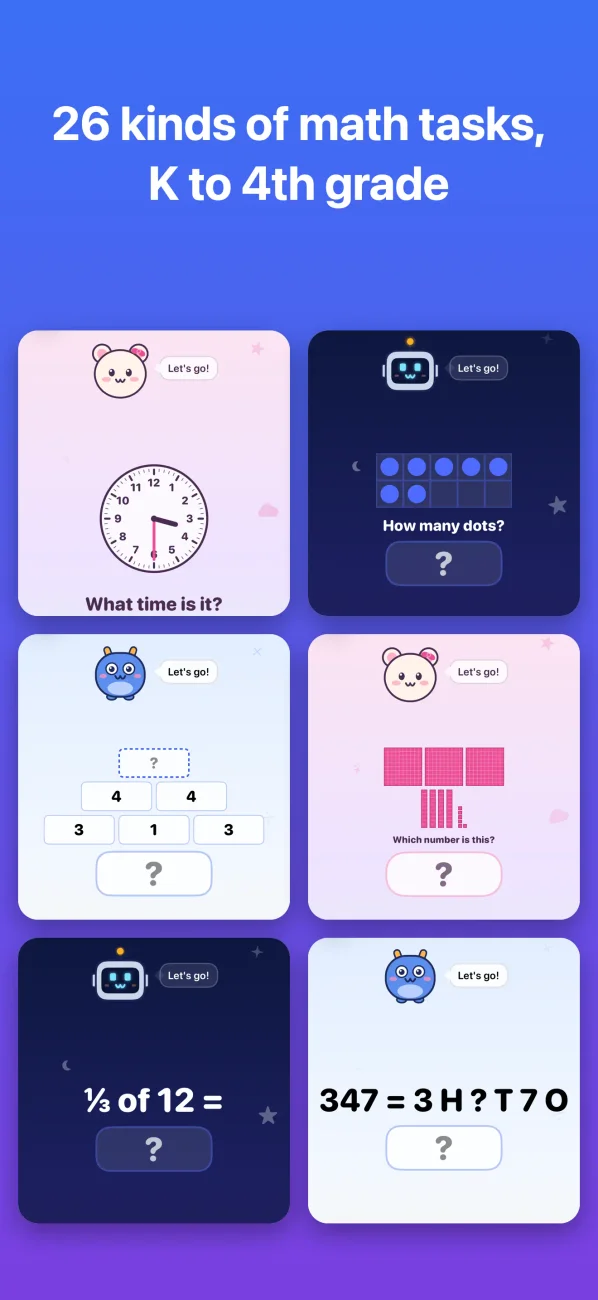
During setup you pick your kid's school grade and the app turns on the task types that fit. You can switch each type on or off and set its numbers at any time.
• Times tables: 7 × 8, from 1×1 up to 20×20
• Missing number: 7 × ? = 56, 7 + ? = 10, 13 − ? = 9
• Division: 56 ÷ 7
• Double and half: double 8, half of 14
• Number sequences: 3, 6, 9, ? and 40, 35, 30, ?
• Place value: 3 H 4 T 7 O = ?, 347 = 3 H ? T 7 O
• Number neighbors: Neighbors of 47: ? and 48, 47 is between ? and 50
• Rounding: Round 47 to tens: ?
• Counting: How many stars? (up to 10 or 20)
• Fraction of an amount: ½ of 8, ¼ of 20
• Unit conversion: 3 m = ? cm, 300 cm = ? m (also km, kg, l, h, min)
• Read the clock: What time is it? Full hours down to every minute
• Two steps: 3 + 4 × 2, × before + and −
• Plus and minus: 8 + 5, 13 − 5, with numbers up to 10, 20, 50, 100 or 1000
• Number walls: each brick is the sum of the two below it
• Compare numbers: 47 ◯ 52, 3 + 4 ◯ 9
YOUR DATA
There's no account and no ads, and the app doesn't track anything. Settings and progress stay on the device. The app sends us anonymous crash reports and usage statistics so we can fix bugs and improve it. You can turn that off in the settings.
WHAT YOU NEED
An iPhone or iPad with iOS 18 or later. On your kid's device: a child Apple Account in your Family Sharing group; you confirm once with your Apple Account. On your iPhone or iPad that your kid shares: “Shared with my kid”, confirmed with its passcode.
SUBSCRIPTION AND PURCHASE
Solve To Play is available as a yearly subscription with a free 7-day trial for new subscribers, or as a one-time lifetime purchase. Both can be shared with Family Sharing. Payment is charged to your Apple Account at confirmation of purchase; for the trial, at the end of the trial. The subscription renews automatically unless it is cancelled at least 24 hours before the end of the current period. Manage or cancel it in your Apple Account settings.
Support: https://solvetoplay.com/support/
Privacy Policy: https://solvetoplay.com/privacy/
Terms of Use (EULA): https://www.apple.com/legal/internet-services/itunes/dev/stdeula/
Terms of Service: https://solvetoplay.com/terms/
What’s new
Version 1.0.2 · Nov 25, 2026
A round your kid closes early now goes on where it stopped, so a task they got wrong is no longer skipped.
- The home screen and the parent area tell you when no apps are chosen, for example after moving to a new iPhone
- The right answer shows a check mark, not only a color, and VoiceOver no longer reads the moving background
- Setup has a Back button, shows how many steps are left and picks up where you left off
- During setup you can test the lock: the apps you chose lock for 15 minutes, so you see what your kid will see
- Screen Time setup copes better when iOS is slow to answer or reports a conflict
- Bug fixes
App privacy
What CPE Verm. GmbH declares on the App Store about how this app handles data.
-
Data not linked to you
May be collected but is not linked to your identity.
- Purchases
- Usage data
- Diagnostics
Privacy practices may vary, for example with the features you use or your age.
Information
- Seller
- CPE Vermogensverwaltungs GmbH
- Category
- Education
- Version
- 1.0.2
- Updated
- Nov 25, 2026
- Released
- Oct 9, 2026
- Size
- 36.4 MB
- Requires
- iOS 18.0 or later
- Age rating
- 4+
- Price
- Free
- In-app purchases
- Yes
- Languages
- English, German
- Copyright
- © CPE Verm. GmbH