
Sonata Piano
Scales, Chords & Sheet Music
Designed for iPhone, iPad, iPod touch
Free · In-app purchases
- Age rating4+
- CategoryMusic
- DeveloperPaul Washburn
- LanguagesEnglish
- Size228.0 MB
Links to the official App Store page
Download.org hosts no file of Sonata Piano. The button opens its official App Store page, published by Paul Washburn. Listing last checked on Nov 14, 2026.
Screenshots


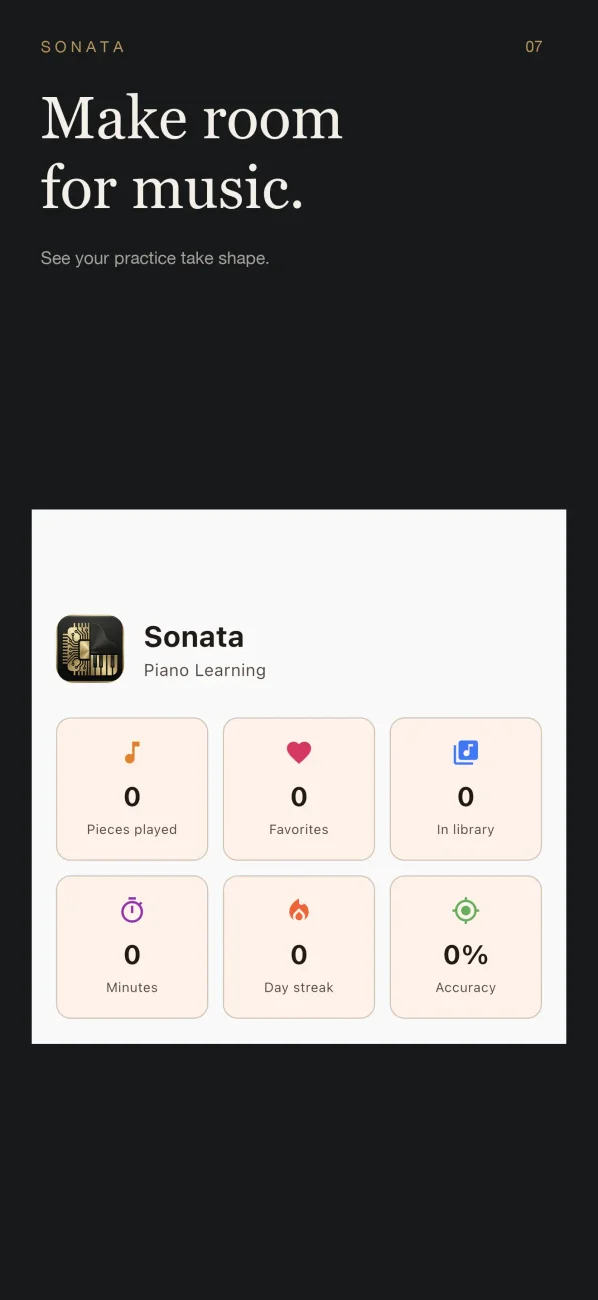
About
Play the classical pieces you love. Make piano practice your own.
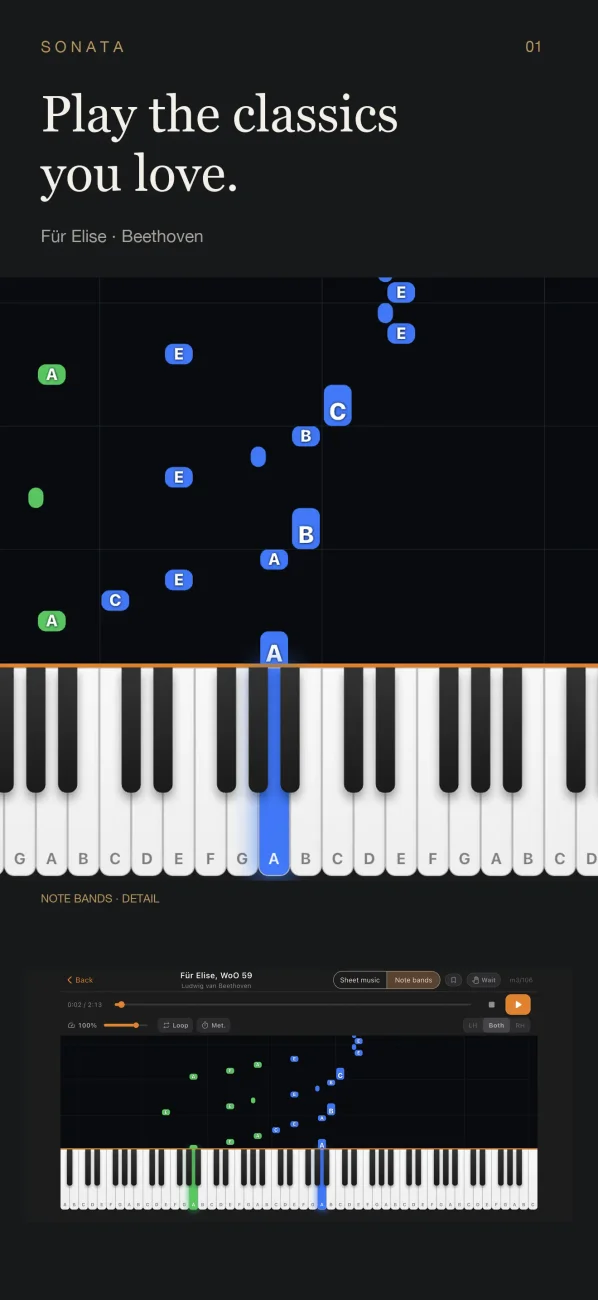
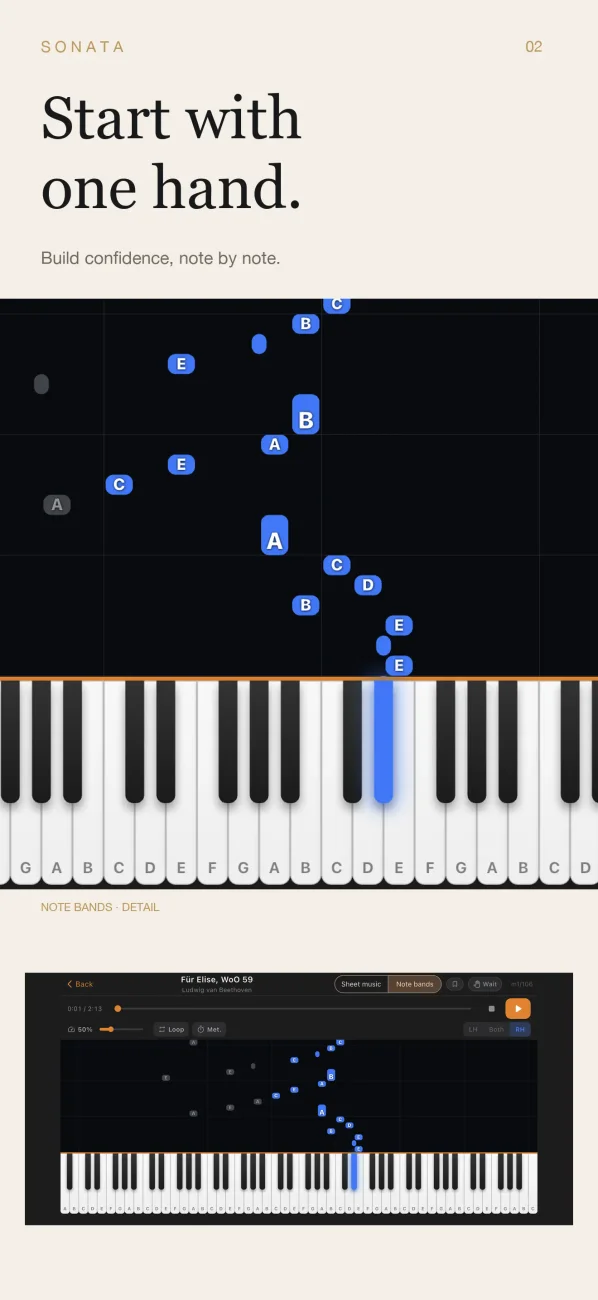
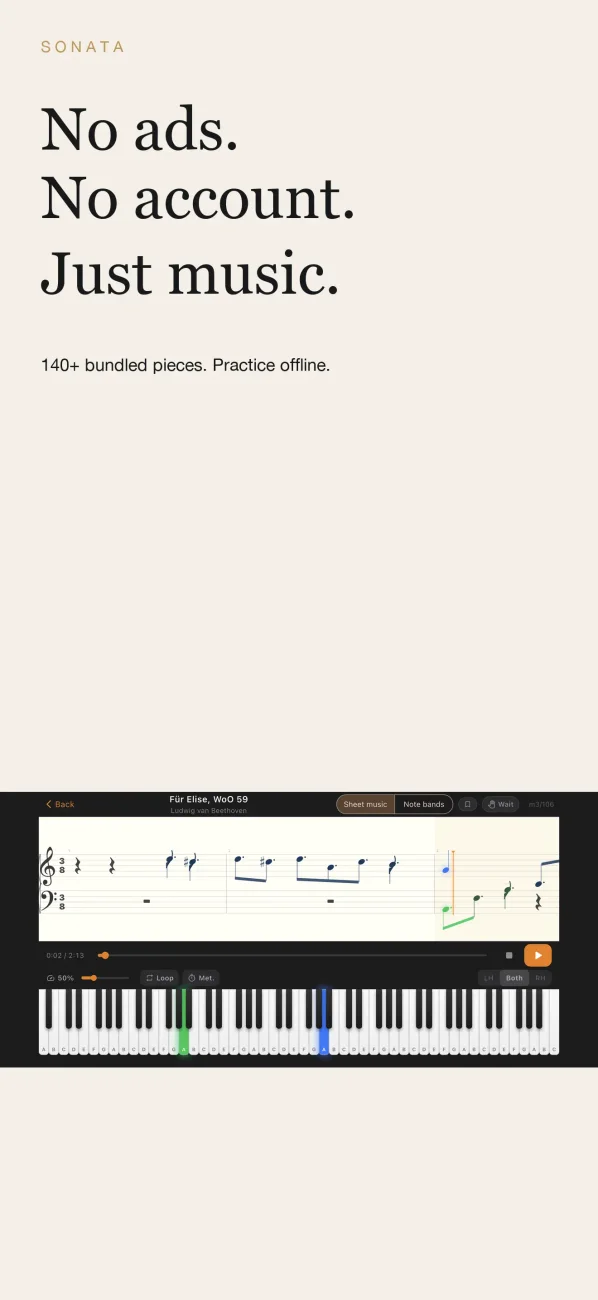
Sonata brings sheet music, moving note bars and an interactive piano together. Follow highlighted notes, slow down a difficult passage, and practice one hand at a time. Then explore your own ideas in Composer Mode.
FOLLOW EVERY NOTE
• Read traditional piano notation with live note highlights.
• Turn on note-name labels for help recognizing the notes you hear.
• Choose sheet music, moving note bars or a synchronized split view.
• Find your place with measure numbers, bookmarks and saved practice sections.
PRACTICE AT YOUR PACE
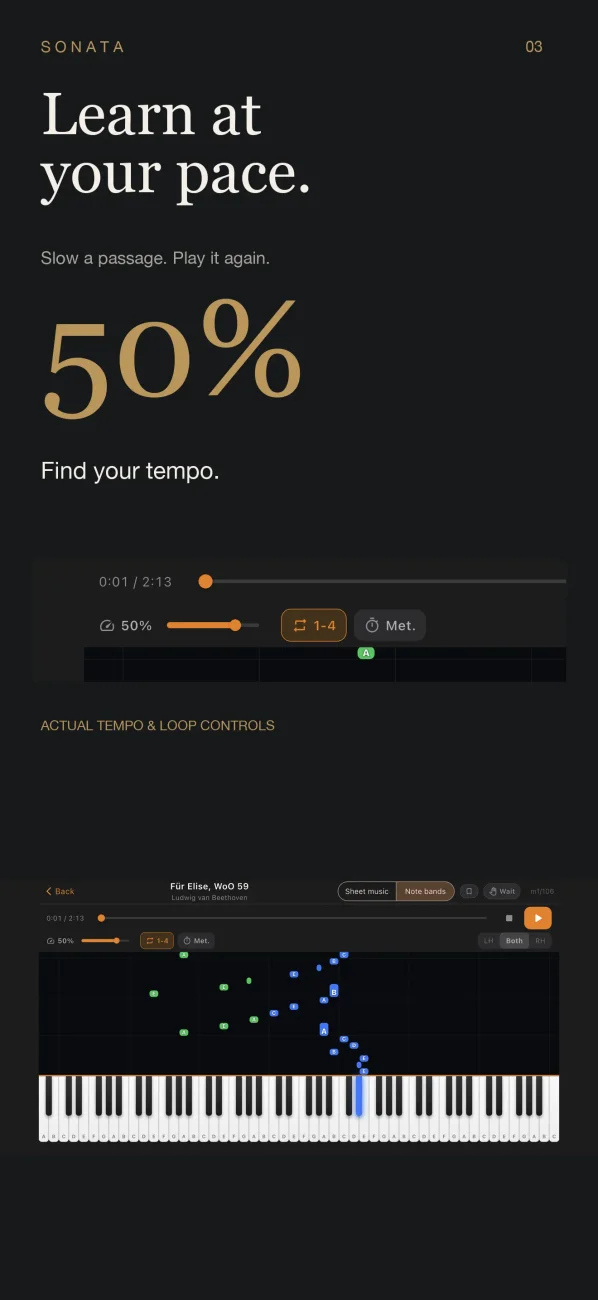
• Slow down tricky passages and work on either hand separately.
• Loop a section or repeat the whole piece.
• Pause and resume playback, including in full screen.
• Use the metronome to keep your practice steady.
• Save a favorite directly from the piece you're playing.
COMPOSER MODE: SCALES, CHORDS & ARPEGGIOS
• Start at the piano or choose a chord, arpeggio or scale pattern.
• Explore scales and modes in the keys you choose, with each run labeled on the score.
• Begin with ready-made practice sheets, including C major, G major and E minor.
• Choose ascending, descending or up-and-down runs and your octave range.
• Tap the piano to add or edit notes. Green shows chord tones; dim yellow suggests passing notes.
• Add a bass pattern, arrange sections and loop your sequence.
• Set a time signature for the collection, with individual section overrides.
• Save your collections on your device and play them with sheet music and note bars.
YOUR PRACTICE, ON PAPER
Export your original scales and arpeggio collections as printable PDF scores. Portrait pages use connected piano staves, multiple measures per system, key labels and automatic page breaks.
EXPLORE THE LIBRARY
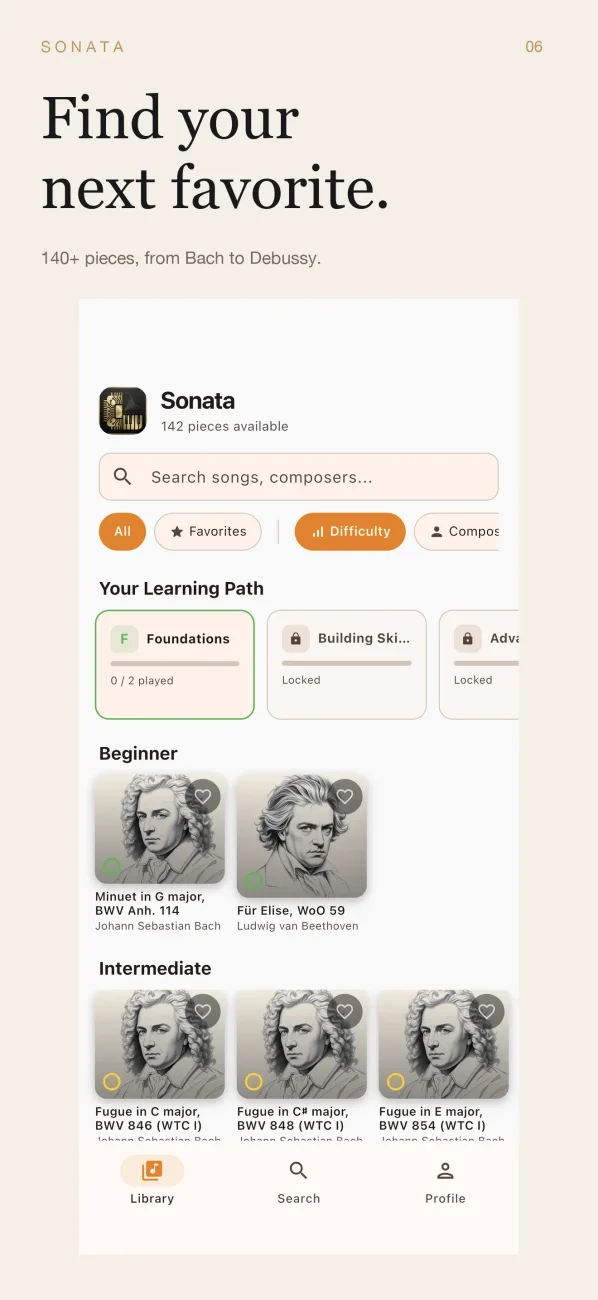
Find classical favorites from Bach, Beethoven, Chopin, Mozart and more. Browse by composer or difficulty, search for a piece, and keep your favorites close at hand.
PLAY YOUR WAY
Use the on-screen piano, connect a compatible USB or Bluetooth MIDI keyboard, or practice with an acoustic piano using microphone input. Microphone recognition varies with your instrument and surroundings.
Practice history and saved collections stay on your device. Scores and piano sounds are bundled for offline practice; purchases, restores and periodic subscription checks require internet access.
ACCESS & SUBSCRIPTIONS
Full practice access requires a monthly or annual subscription, or a one-time lifetime purchase. Local prices and any introductory-trial eligibility are shown before purchase. Subscriptions renew automatically unless canceled at least 24 hours before the current period ends. Manage or cancel your subscription in Settings > Apple ID > Subscriptions. Lifetime access does not renew.
Terms of Use: https://sonatapiano.app/terms
Privacy Policy: https://sonatapiano.app/privacy
What’s new
Version 1.1.1 · Nov 13, 2026
Wait mode is back, and better at hearing you.
• Sonata pauses on each note until you play it, and shows what it is waiting for. Replay the bar, move on, or switch to a timer.
• Hands-free: say "next" to move on without lifting your hands.
• More reliable note detection on acoustic pianos.
• Wait for one hand only, and loop any range of measures.
Cadences and progressions in Composer Mode.
• Pick a key and practise authentic, plagal, half and deceptive cadences, ii–V–I, the circle of fifths, the twelve-bar blues and more, written out as voice-led chords.
A calmer place to practise.
• A simpler practice screen with more room for the music.
• Continue your current piece from the top of the library, and browse every level freely.
• Sonata remembers your tempo, hand and loop for each piece.
• Search finds pieces without accents or exact spelling.
• On-screen keys now sound when you play them, and progress is saved for every piece.
App privacy
What Paul Washburn declares on the App Store about how this app handles data.
-
Data not collected
The developer does not collect any data from this app.
Privacy practices may vary, for example with the features you use or your age.
Information
- Seller
- Paul Washburn
- Category
- Music
- Version
- 1.1.1
- Updated
- Nov 13, 2026
- Released
- Mar 24, 2026
- Size
- 228.0 MB
- Requires
- iOS 15.0 or later
- Age rating
- 4+
- Price
- Free
- In-app purchases
- Yes
- Languages
- English
- Copyright
- © 2026 Sovereign Action LLC
You might also like
-
 Piano Pulse - Learn PianoFalling Notes & MIDI Play
-
 Piony: Learn & Play PianoPlay Songs & Learn Lessons
-
 PianoFlow: Piano & MIDIPlay, practice & record
-
 Piano ´Learn to play
-
 Honest PianoNo ads. No subscriptions.
-
 Pianond: Piano Game & KeyboardLearn Songs on Real Piano Keys
-
 Soloist: Piano Lessons & SongsVirtual Keyboard: Learn & Play
-
 Piano Keyboard: Learn & PlayReal Piano Keyboard & Lessons
-
 Elegant PianoPlay Piano Anywhere, Anytime!
-
 Clear Piano: Offline Keyboard88 keys, chords & melodies