SongLoops
Slow down any part to practice
Designed for iPhone, iPad
Free · In-app purchases
- Age rating4+
- CategoryMusic
- DeveloperVina Rianti
- LanguagesEnglish+ 9 more
- Size14.5 MB
Links to the official App Store page
Download.org hosts no file of SongLoops. The button opens its official App Store page, published by Vina Rianti. Listing last checked on Nov 13, 2026.
Screenshots

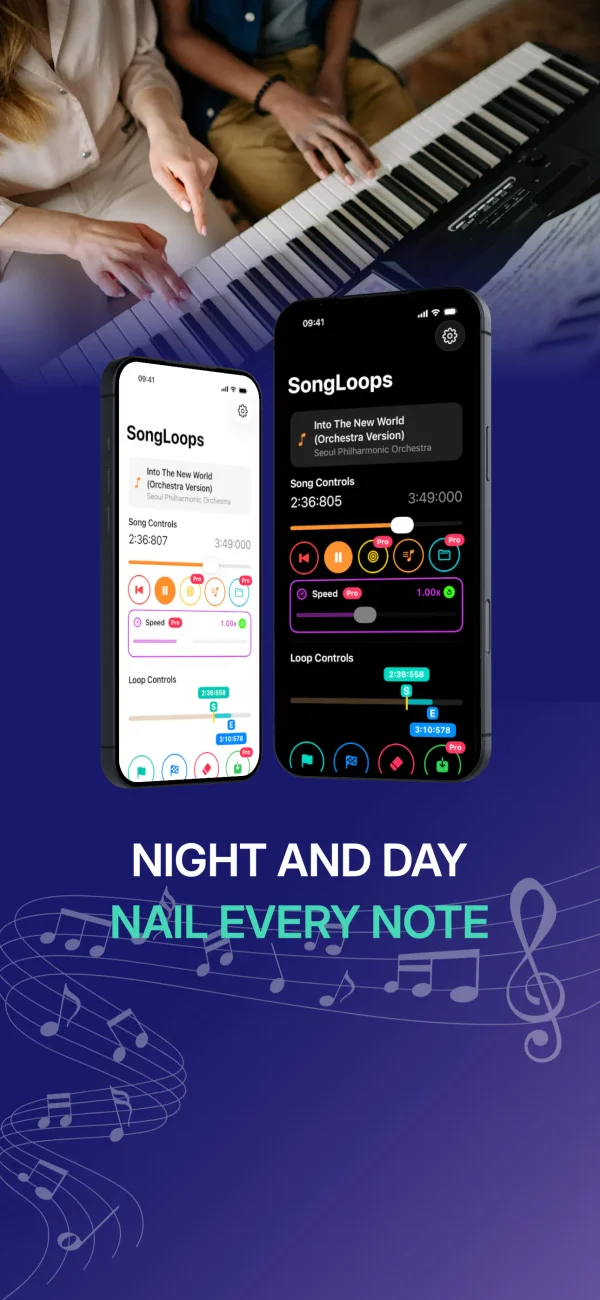
About
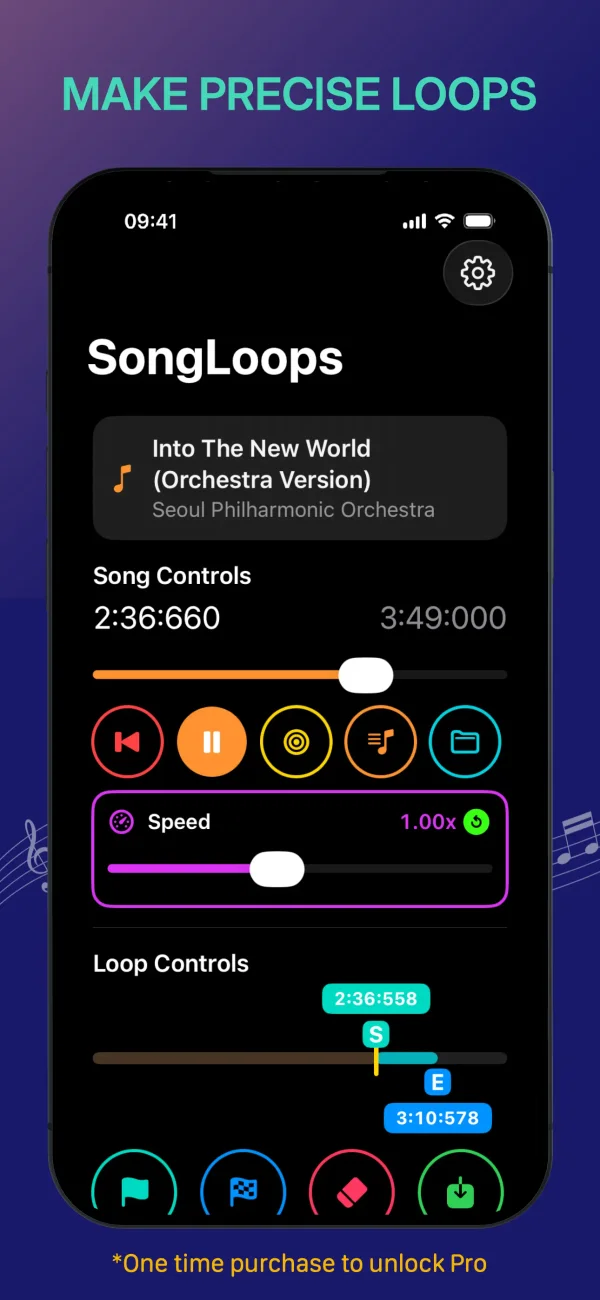
SongLoops turns songs from your Apple Music library, or audio files of your own, into focused practice loops. Mark the passage you're working on, repeat it as long as you need, and slow it down until your hands, ears, or voice catch up.
Stop scrubbing back and forth. Set where a loop starts and ends, play it on repeat, and work the passage until it's yours. Built for guitarists, singers, drummers and pianists — and for anyone learning by ear, transcribing a solo, drilling a transition, or slowing down a phrase in another language.
Pick a song
Choose a playable song from your Apple Music library. Mark the loop, press play, and it comes around again. Creating and playing one active loop is free.
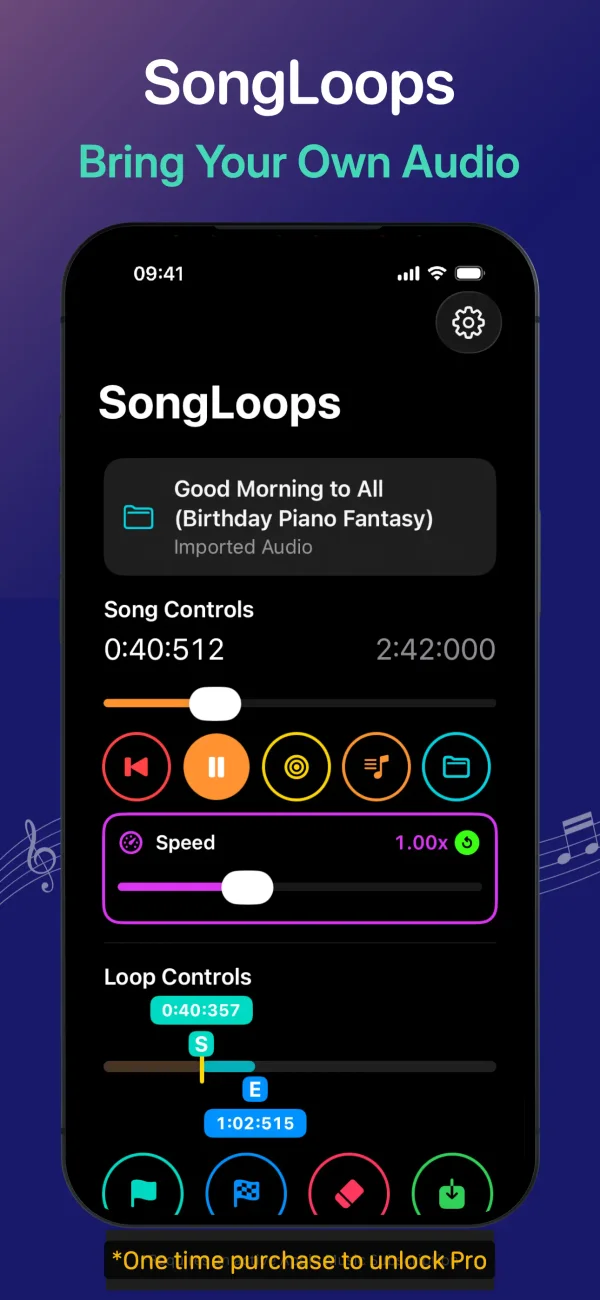
Bring your own audio
Practicing something that isn't on Apple Music? Import an audio file straight from your device — your own recordings, backing tracks, or lesson files — and loop it exactly like an Apple Music track. Imported audio plays without an Apple Music subscription, and works with MP3, M4A, WAV, and AIFF files. Importing is a Pro feature.
Slow it down, or speed it up
Play anywhere from quarter speed up to 2×, in precise 0.05× steps, so you can creep up on a fast run instead of jumping at it. Learn it slowly, then build back up. Apple Music tracks go down to 0.25×; imported files go down to 0.5×. Speed control is part of Pro.
Precise, named loops
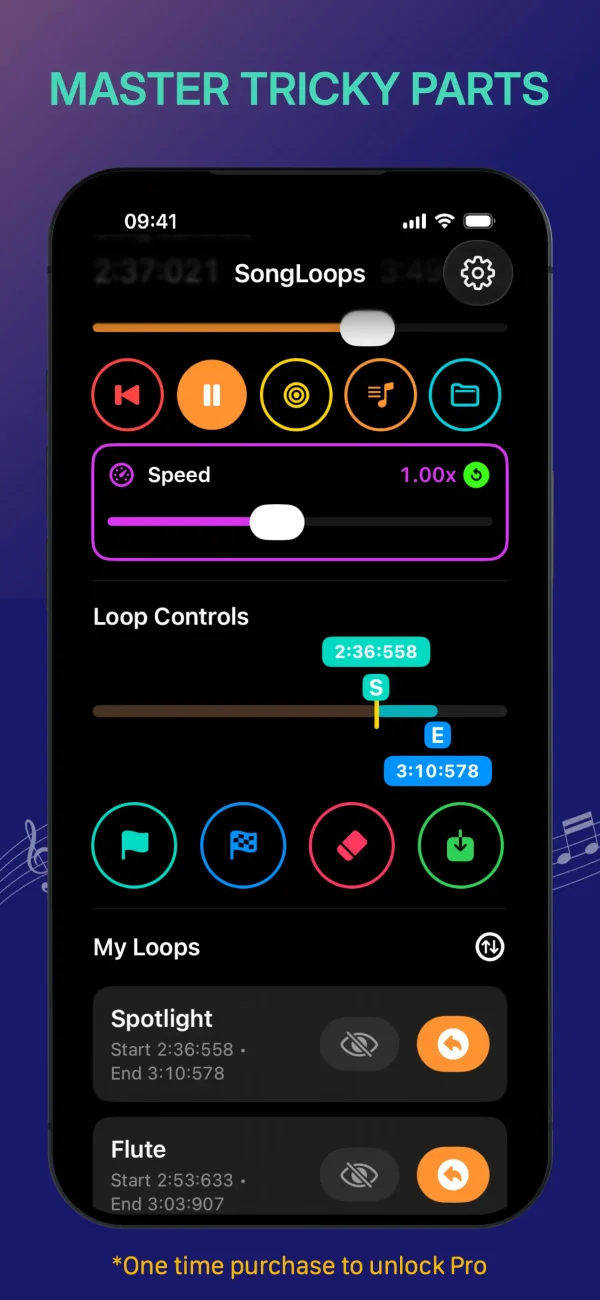
Name each saved loop — Chorus, Bridge, the bar that keeps falling apart — and come back to it at your next practice session. Jump to an exact timestamp to place your loop points, reorder your saved loops, and play them in sequence. Saving, naming and sequencing loops come with Pro.
Wherever you practice
Two-column layouts on iPad and iPhone Duo. Playback controls on the Lock Screen and in Control Center. Dynamic Type, VoiceOver, and Reduce Motion throughout. Available in English, German, Spanish, French, Italian, Japanese, Korean, Dutch, Portuguese, and Simplified Chinese.
Free
- Create and play one active loop
- Lock Screen and Control Center playback controls
Pro
- Import your own audio files
- Save unlimited named loops, reorder them, and play them in sequence
- Adjust playback speed from 0.25× to 2×
- Jump to an exact timestamp
Pro is a one-time purchase, not a subscription. Unlock it once and it stays unlocked.
Note: An active Apple Music subscription is required to play Apple Music content. Imported audio files play without an Apple Music subscription.
What’s new
Version 1.7 · Oct 19, 2026
Room to practice.
SongLoops now lays itself out properly wherever you're working. On iPad, and on iPhone Duo when it's open, the song and your saved loops sit side by side in two columns instead of stacking — so you can see the loop you're playing and the ones waiting for you at the same time. The speed control sits under the transport where your thumb already is.
• Two-column layouts on iPad and iPhone Duo
• iPad stays in one column in portrait, where that reads better
• The go-to-time sheet sizes itself to the fields and keeps clear of the keyboard
Smoother playback.
• Apple Music loops no longer stall at the end of a song
• Scrubbing the timeline ends cleanly, even if you lift your finger off the edge
• Play starts where you asked it to, rather than following the player somewhere else
• Loops and sequences wait for the seek to land before restarting
Easier to read, easier to hear.
• Type follows the text size you chose, all the way up
• VoiceOver describes the loop timeline, the sliders and the controls around them
• The intro animation holds still under Reduce Motion
• Transport buttons stay a comfortable size to tap
• Translations reviewed across all ten languages, with the time field labels finally translated too
New to SongLoops? Getting started is free. Pick a song from Apple Music, mark where your loop begins and ends, and practice it as many times as you like. Pro adds imported audio, saved loops, playback speed, and precise timing whenever you're ready — it's a one-time purchase, not a subscription. (Apple Music tracks still need an Apple Music subscription; your own files don't.)
Thanks for practicing with SongLoops.
App privacy
What Vina Rianti declares on the App Store about how this app handles data.
-
Data not collected
The developer does not collect any data from this app.
Privacy practices may vary, for example with the features you use or your age.
Information
- Seller
- Vina Rianti
- Category
- Music
- Version
- 1.7
- Updated
- Oct 19, 2026
- Released
- Mar 21, 2026
- Size
- 14.5 MB
- Requires
- iOS 18 or later
- Age rating
- 4+
- Price
- Free
- In-app purchases
- Yes
- Languages
- English, Dutch, French, German, Italian, Japanese, Korean, Portuguese, Simplified Chinese, Spanish
- Copyright
- © Vina Rianti
You might also like
-
 ABLooplay: A-B Audio LooperAB Repeat & Slow Down Music
-
 Pulse Engine : Pro MetronomeTrainer, Presets & Setlists
-
 Notch - 노치Music
-
 120 Bass ChordsPlay & Learn the Fretboard Map
-
 TUNIC Guitar TunerFor professional guitarists
-
 Digital DiscStream CDs, Vinyl & Cassettes
-
 Rippin: Guitar Tuner & ChordsFretboard Trainer & Scales
-
 Song CuesMusic
-
 Refrain: Audio LooperA/B loop player for practice
-
 Jazz Time TrainerMusic