Sonority for Sonos
Home theater, groups & EQ
Designed for iPhone, iPad, Mac, iPod touch
$2.99
- Age rating4+
- CategoryUtilities
- DeveloperCasper Verswijvelt
- LanguagesEnglish
- Size22.4 MB
Links to the official App Store page
Download.org hosts no file of Sonority for Sonos. The button opens its official App Store page, published by Casper Verswijvelt. Listing last checked on Nov 27, 2026.
Screenshots


About
Sonority configures your speakers in ways the standard controller app doesn’t allow, using only the local network connection on your home Wi-Fi. It does no audio processing of its own; all the sound comes from your real speakers. The configurations it creates are standard, supported speaker bondings, just ones the official app chooses not to expose.
WHAT YOU CAN DO
• Dedicated front speakers on a soundbar: add a discrete left/right pair so your bar becomes the center channel, for a true three-speaker front stage.
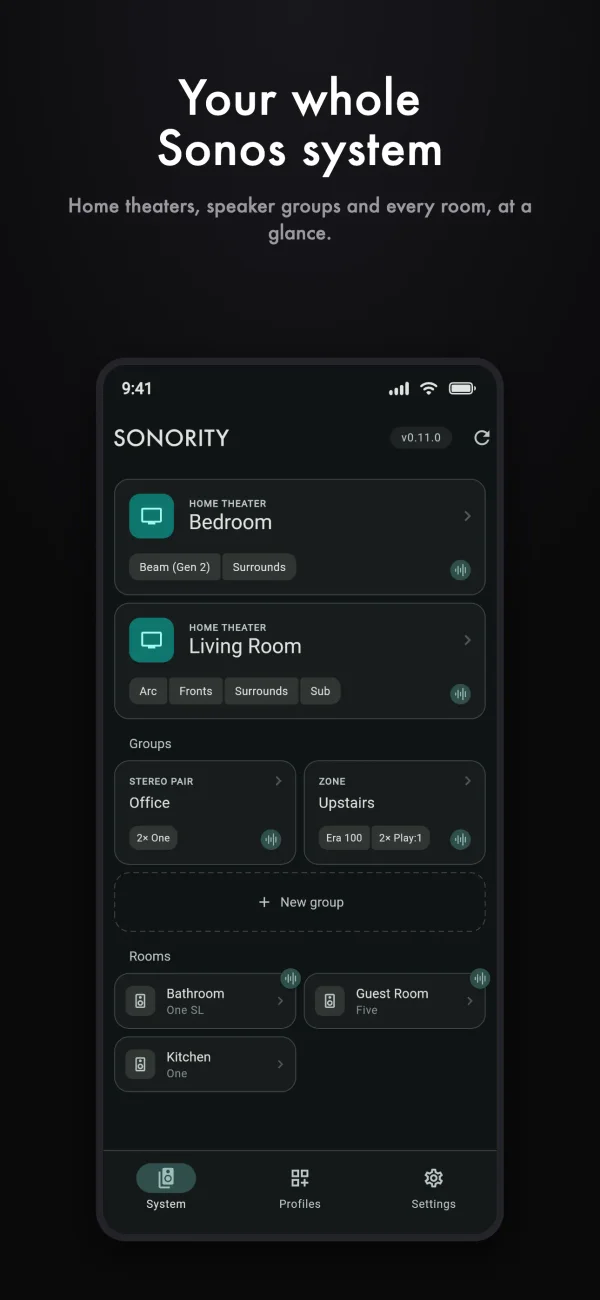
• Build a complete home theater in one guided flow: fronts, rear surrounds and one or two subs, each optional.
• Use a single amplifier to drive both passive front speakers.
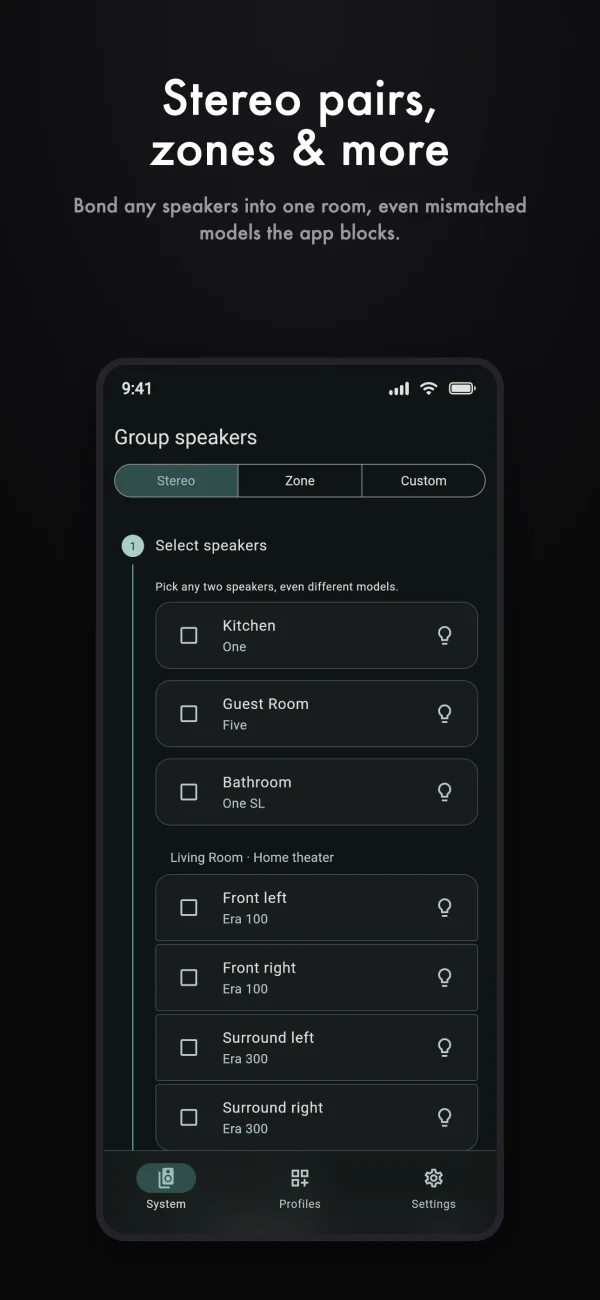
• Speaker groups the standard app won’t make: full-range zones of 2-16 speakers, stereo pairs (including mismatched models), or a custom per-speaker left/right/both layout, each with an optional sub.
• One-tap shortcuts: split a home theater into a stereo pair, or add a pair to one as fronts or surrounds.
• Config profiles: snapshot your whole layout and rebuild it in one tap after moving speakers around. Each profile gets its own icon and colour, reorders with a drag, and opens a per-entity detail view showing exactly what it saved. A profile can also capture and restore per-speaker audio settings (bass, treble, loudness, night sound, speech enhancement, sub and surround levels, lip-sync, TV autoplay), volume, and an EQ preset for each room.
• Apply a profile without opening the app: from a home-screen widget (small, medium or large) or a long-press on the app icon.
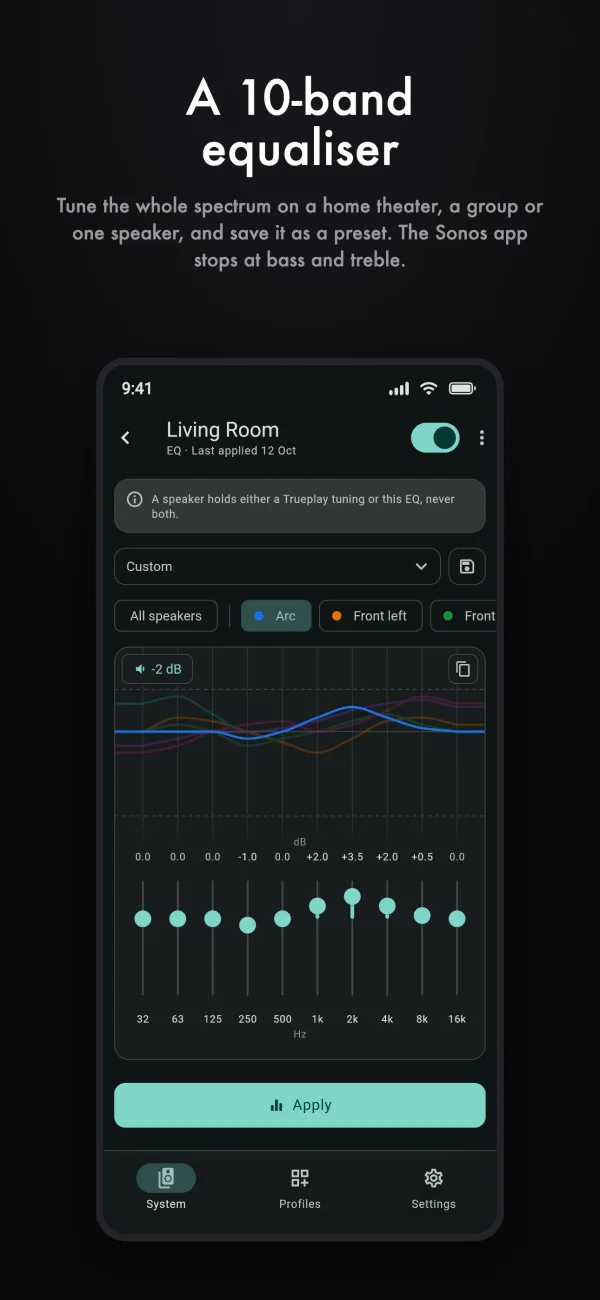
• A 10-band equaliser for a home theater, speaker group or single speaker, something the standard app doesn’t offer at all. Start from a Movie, Music or Vocal preset, tune the whole configuration at once or each speaker separately, copy a curve to other speakers, and give each speaker a Level to cut it by up to 12 dB. Save your own presets, for one speaker or the whole room, and use them in any room. An Amp or Port has no tunable channels; the rest of the set is still tuned.
• Rename rooms, toggle a speaker’s room-calibration tuning, and identify which physical speaker is which by blinking its status light (or a short chime on phones and tablets), right from a room or a bonded speaker.
• Diagnostics: a technical, hide-nothing view of your system when something isn’t working, which you can share with support or email to the developer to get help.
• Works on phones, tablets and desktops, with a layout that adapts to the screen: a roomy side navigation and multi-column view on big screens, the familiar single column on phones.
Every change is made over your local network and shown to you before it’s applied. Every layout can be undone in the app. Changing a layout or applying an EQ can clear a measured room tuning.
PRIVACY
No account. No sign-in. No analytics, no tracking, and no data collected. Sonority talks only to the speakers on your own Wi-Fi network. Nothing leaves your home unless you choose to send diagnostics to get help.
REQUIREMENTS
Compatible speakers on the same Wi-Fi network as your device. A speaker holds one tuning: either one measured in the manufacturer’s own app, or the EQ you set in Sonority.
—
Sonority is an independent app and is not affiliated with, authorized, maintained, sponsored, or endorsed by Sonos, Inc. “Sonos” is a trademark of Sonos, Inc., used here only to describe compatibility.
What’s new
Version 0.11.0 · Nov 26, 2026
• Use a stereo pair as a home theater's fronts or surrounds, or extract it as a pair, in one tap.
• Setup and profile apply can take speakers out of existing pairs, zones and home theaters.
• Profiles restore a soundbar's TV autoplay.
• Bonding uses the same speaker API as the Sonos app, so speakers join some newer soundbars.
• The 10-band EQ fits its curve more closely.
App privacy
What Casper Verswijvelt declares on the App Store about how this app handles data.
-
Data not collected
The developer does not collect any data from this app.
Privacy practices may vary, for example with the features you use or your age.
Information
- Seller
- Casper Verswijvelt
- Category
- Utilities
- Version
- 0.11.0
- Updated
- Nov 26, 2026
- Released
- Jul 13, 2026
- Size
- 22.4 MB
- Requires
- iOS 15.0 or later
- Age rating
- 4+
- Price
- $2.99
- Languages
- English
- Copyright
- © 2026 Casper Verswijvelt
You might also like
-
 SonoSequencrSonos Automation & Scenes
-
 PlayFrame for KEF / SonosNow Playing Display
-
 Amuso: Hi-Fi Remote for SonosYour music, lossless & Atmos
-
 SonofyMusic
-
 PlaylistPairDual-Pane Playlist Manager
-
 OrdinalistRank Your Music
-
 Bops: Music for SonosListen on Sonos or on the go
-
 Atmos FinderExplore your music's quality
-
 SonowNow Playing for Sonos
-
 AudRigAudio player for creatives