
- Age rating4+
- CategoryUtilities
- DeveloperLaszlo Gergely
- LanguagesEnglish+ 15 more
- Size87.9 MB
Links to the official App Store page
Download.org hosts no file of Soro - For Sonos. The button opens its official App Store page, published by Laszlo Gergely. Listing last checked on Nov 29, 2026.
Screenshots

About
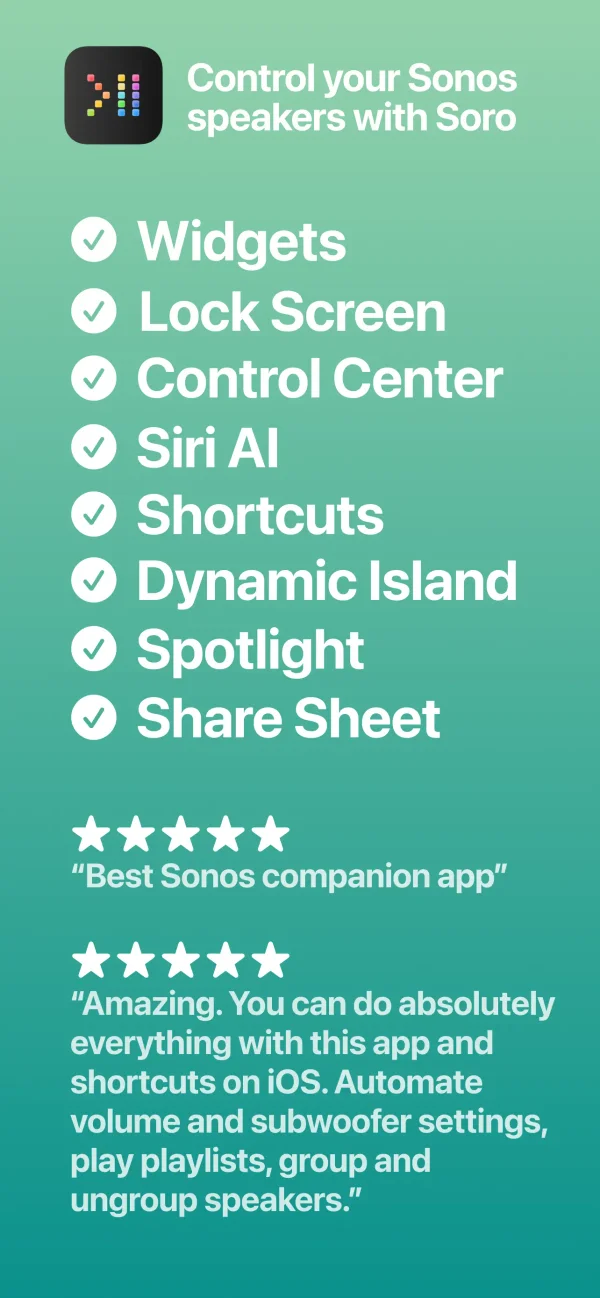
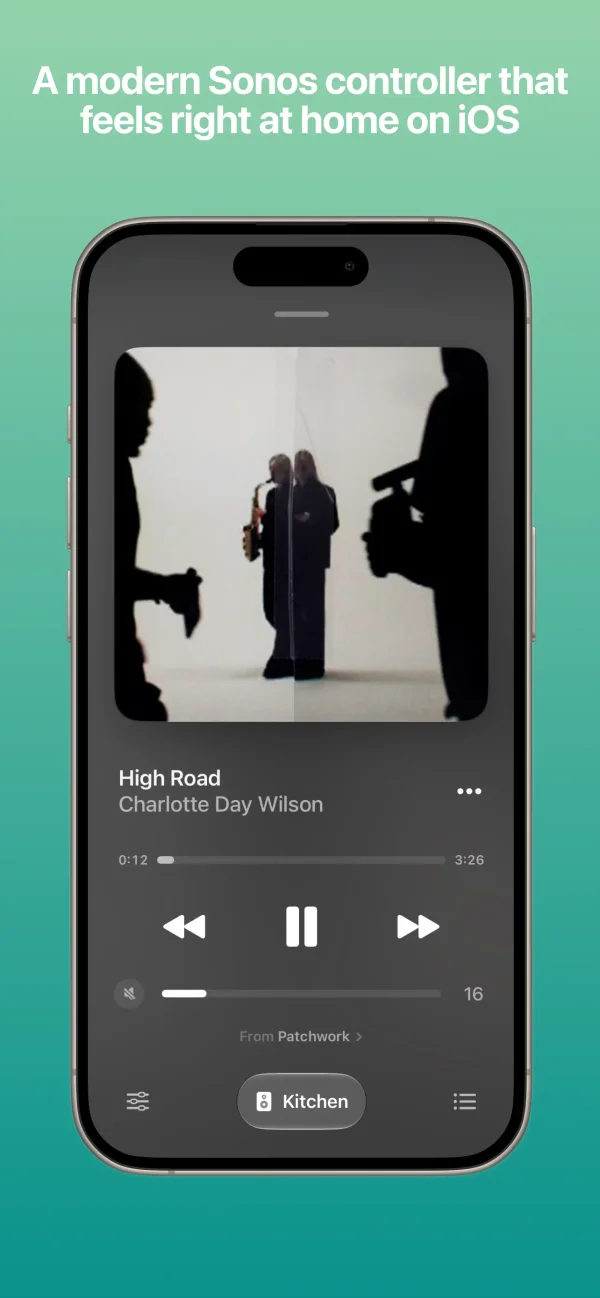
Soro provides a modern, intuitive interface to control your speakers, extends your iPhone, iPad, and Mac with Siri AI, Control Center and Home Screen widgets, Live Activities and 30+ powerful Shortcuts actions. Soro lets you create quick actions or extensive workflows to control your speakers with the Shortcuts app using widgets, Siri voice commands or automations.
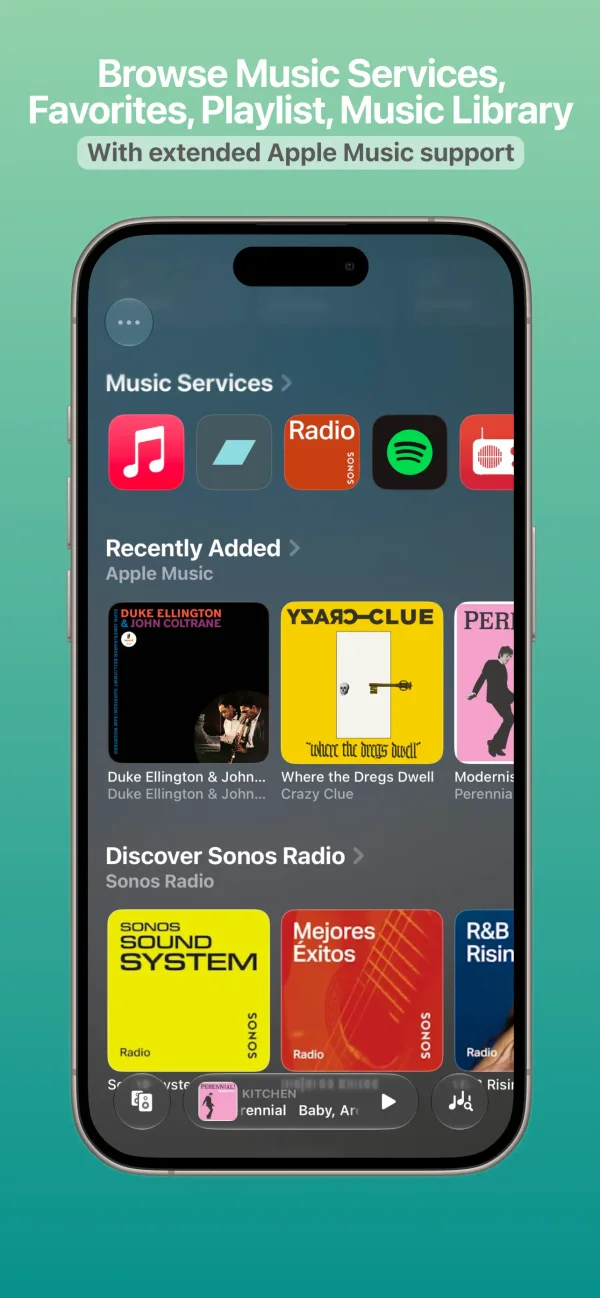
▶ Browse Your Music
* Support for Music Services you already added in the Sonos app
* Browse your Sonos Music Library
▶ Extended Apple Music Integration:
* Smart Filters: similar to Smart Playlists, sort and filter your Apple Music library based on multiple criteria. You can also save your own filters and access it from Soro or the Collections widget
* Add tracks, albums to your Apple Music playlists or favourites (in-app and via Shortcuts action)
* Play artist stations
* See additional details of albums and artists, such as related items and notes
▶ Shortcuts & Automations
* 30+ actions to control your speakers and automate the settings in the Shortcuts app
* Build quick actions or extensive automations or integrate with other third-party apps
* Start creating shortcuts in the Shortcuts app or use one of the examples included in Soro as a starting point
* Use the actions to
- Play music from any of your music services, favorites, playlists
- Broadcast a message
- See what's playing
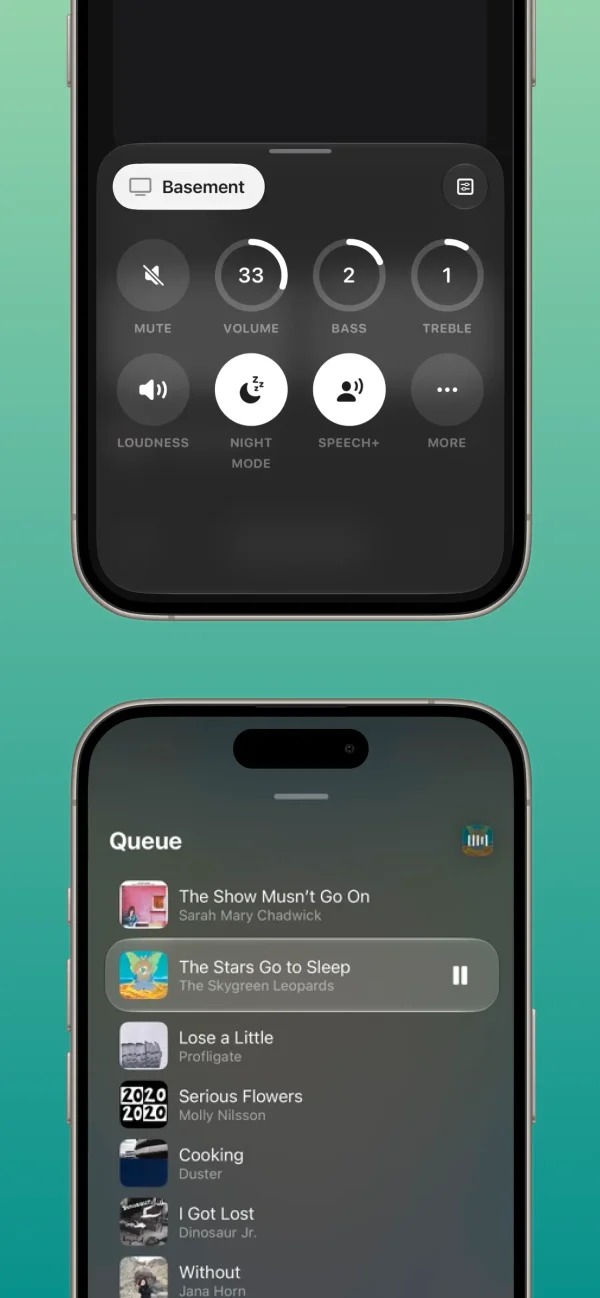
- Change volume, adjust the EQ, home theatre settings such as speech enhancement and night mode, subwoofer and surround options
- Manage the music queue
- Select input
- Control playback
- Manage speaker grouping
- Load sound preset
- Control your alarms
▶ Search
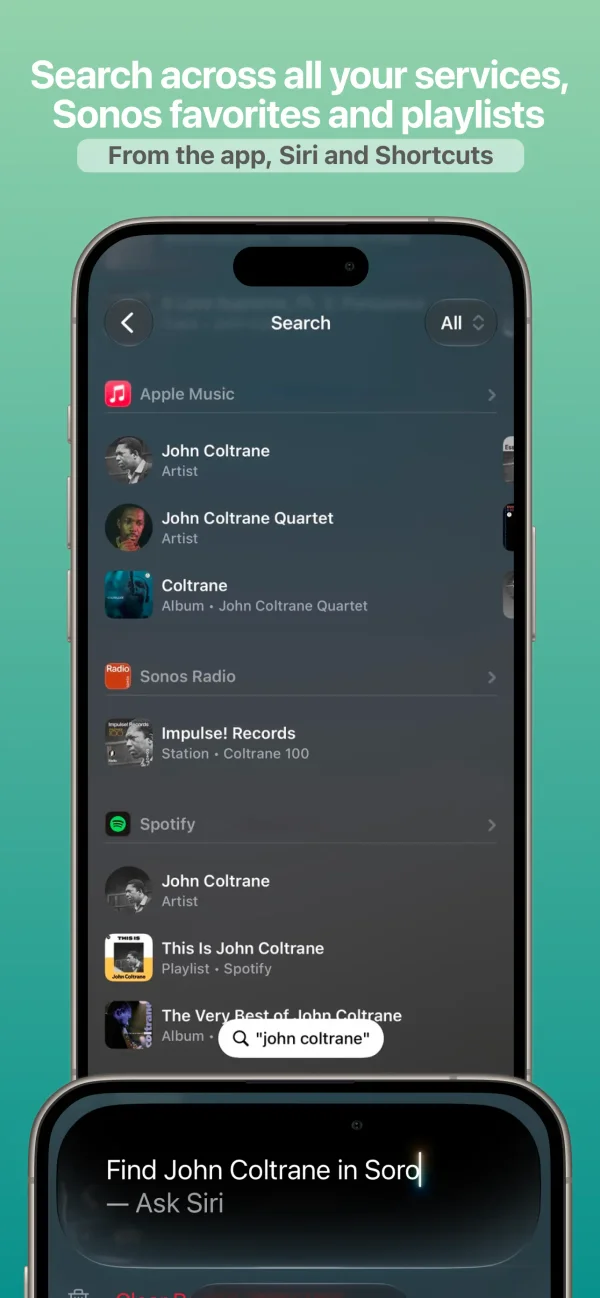
* Search and filter across your Sonos Favorites, Sonos Playlists, Sonos Music Library, and connected music services
* Search directly from Siri AI: “Find the album Get Mean by Boy Harsher in Soro”
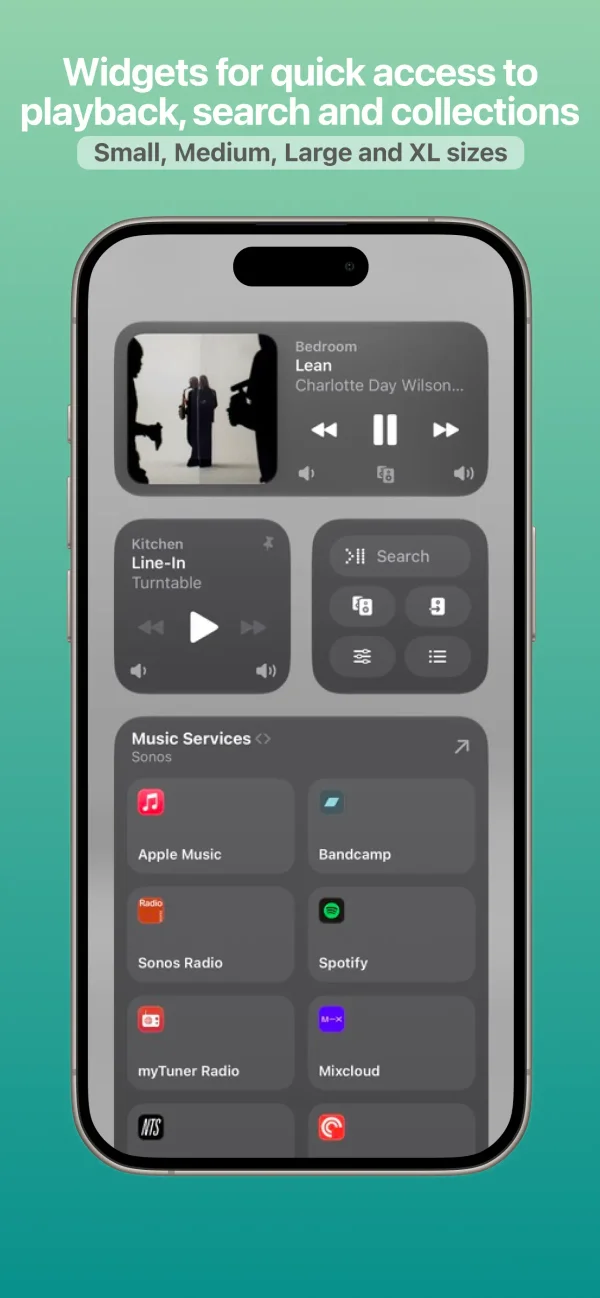
▶ Home Screen Widgets
* Now Playing with playback control
* Quick Access
* Collections
▶ Lock Screen Control and Dynamic Island
* Soro now integrates with the system media controls on the Lock Screen and in Control Center for better integration with system features, such as using the hardware buttons for volume control.
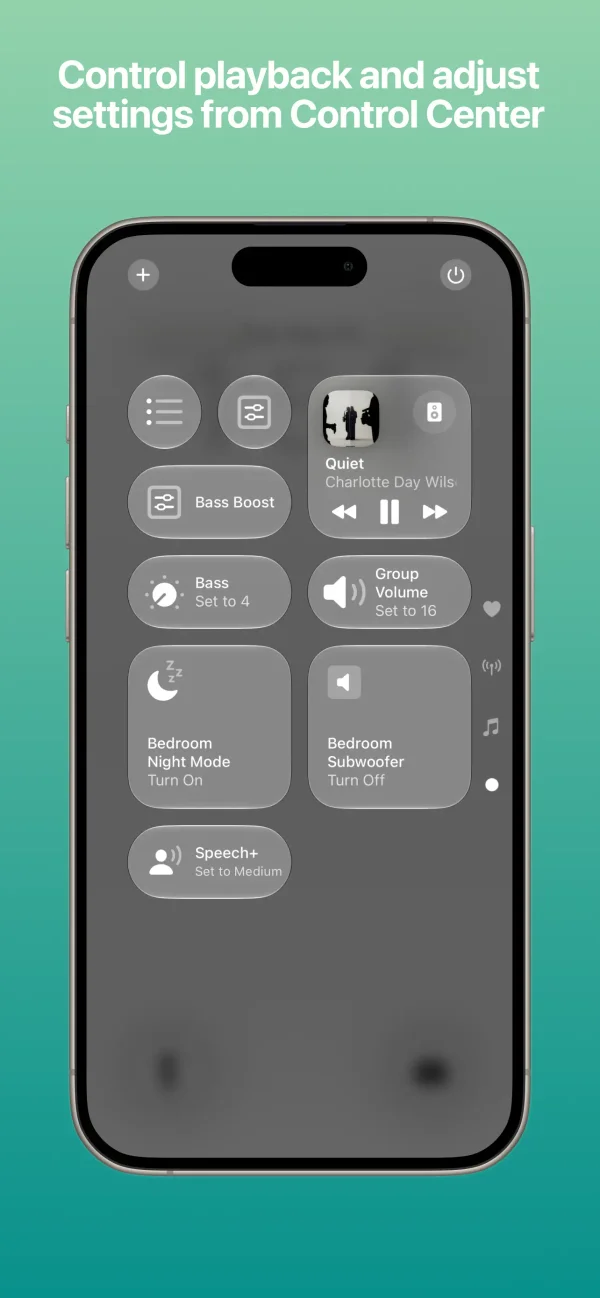
▶ Control Center Widgets
* Quickly change your speaker settings or instantly open the app to a specific view from the Control Center.
* All available speaker settings, such as volume, EQ parameters, etc. can be adjusted by adding and configuring an instance of the Sonos Settings widget
▶ Siri AI
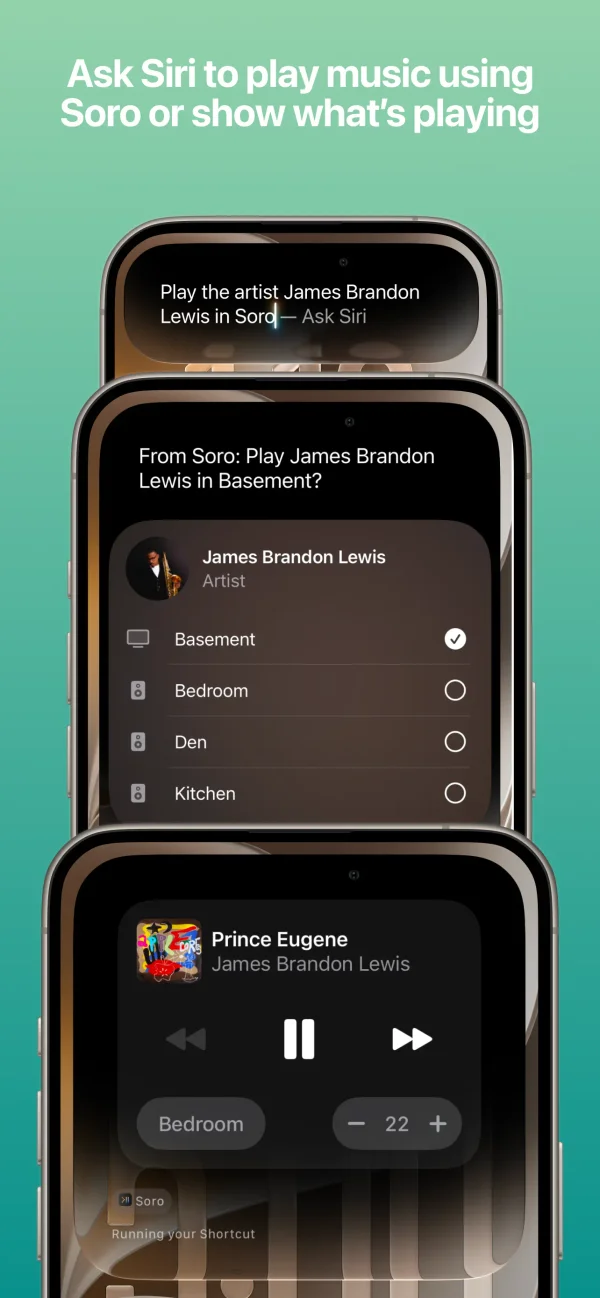
* On iOS 27, ask Siri to play music with Soro, check what's playing on your speakers or learn more about what's on screen in Soro.
* Ask Siri what's playing in Soro or on Sonos: “What's playing in Soro?”
* Use Siri AI's conversational answers and broad world knowledge for open-ended music discovery, then ask to play it in Soro.
* Use Siri's onscreen awareness to play or find music you are looking at in other apps or Siri mode in the camera app.
* When in Soro, you can ask Siri for more details of the music you are looking at, either on the Now Playing screen or when browsing and looking at an album or artist.
* Siri can also run the custom Shortcuts you built with the various Soro actions in the Shortcuts app. Fine-tune the logic you want to execute, then tell Siri the Shortcut's name to run it.
▶ Spotlight
* Search for a room by its name in Spotlight to find and control it from outside Soro.
* Change volume, group or remove rooms from anywhere.
▶ Share Sheet
* Start playing music directly from supported apps (Apple Music, Spotify and Bandcamp) by using the share sheet.
▶ Surround to stereo switch
* Easily switch your surround speakers to stereo pair (and back) to fully utilize them when listening to music.
▶ Accessibility
* Dynamic Type and VoiceOver support
* Speak Text supported on Sonos One, Amp, Port, Play:5 (Gen 2), Beam, One SL, Move, SYMFONISK (table lamp & bookshelf), and all newer Sonos S2 speakers.
Soro is not affiliated with Sonos Inc. nor is it an official Sonos app. Sonos is trademarked by Sonos Inc.
What’s new
Version 5.0.9 · Nov 28, 2026
- Apple Music library Smart Filters: Smart Filters show your Apple Music library based on criteria you specify, similar to Smart Playlists. Soro includes some useful pre-built filters to get started, but you can build and save your own in the Apple Music library folder screens (in Soro) when the linked account in Sonos matches the one on this device.
- The now playing menu shows detailed bitrate information for lossless and Dolby Atmos music
- Improved support for S1 surround setups
- Improved music/surround mode switching behaviour
- Improved (non-catalog) Apple Music library album handling
- Fixed Homeview widget actions triggering multiple times issue
Added in previous versions:
- Sonos alarm support
- You can now quickly turn your rear surrounds into a stereo pair with a tap of a button or Shortcuts action for better music listening experience. When time for a movie, the same button (or action) will reconfigure them as surrounds.
App privacy
What Laszlo Gergely declares on the App Store about how this app handles data.
-
Data not collected
The developer does not collect any data from this app.
Privacy practices may vary, for example with the features you use or your age.
Information
- Seller
- Laszlo Gergely
- Category
- Utilities
- Version
- 5.0.9
- Updated
- Nov 28, 2026
- Released
- Mar 2, 2021
- Size
- 87.9 MB
- Requires
- iOS 26.0 or later
- Age rating
- 4+
- Price
- $3.99
- Languages
- English, Danish, Dutch, French, German, Italian, Japanese, Korean, Norwegian Bokmål, Portuguese, Simplified Chinese, Spanish + 4 more
- Copyright
- © 2026 Laszlo Gergely
You might also like
-
 Voice Intercom for SonosUtilities
-
 iConnectHue for Philips HueGet the best out of your light
-
 Home Widget for HomeKit · HWWidgets from the Home app
-
 SonosTalkIntercom for Sonos
-
 Onvis HomeUtilities
-
 ScryptedView Cameras and Recordings
-
 Itsytv: Remote for Apple TVKeyboard, apps & what’s on
-
 StopTheMadness ProTake back your web browser
-
 Sable.Mobile File Manager
-
 Flic AppThe Ultimate Smart Button