- Age rating4+
- CategoryProductivity
- DeveloperDavid Coleman
- LanguagesEnglish
- Size1.1 MB
Links to the official App Store page
Download.org hosts no file of Sorted: Simple Organizer. The button opens its official App Store page, published by David Coleman. Listing last checked on Nov 18, 2026.
Screenshots
About
Open Sorted and know in two seconds what needs doing today.
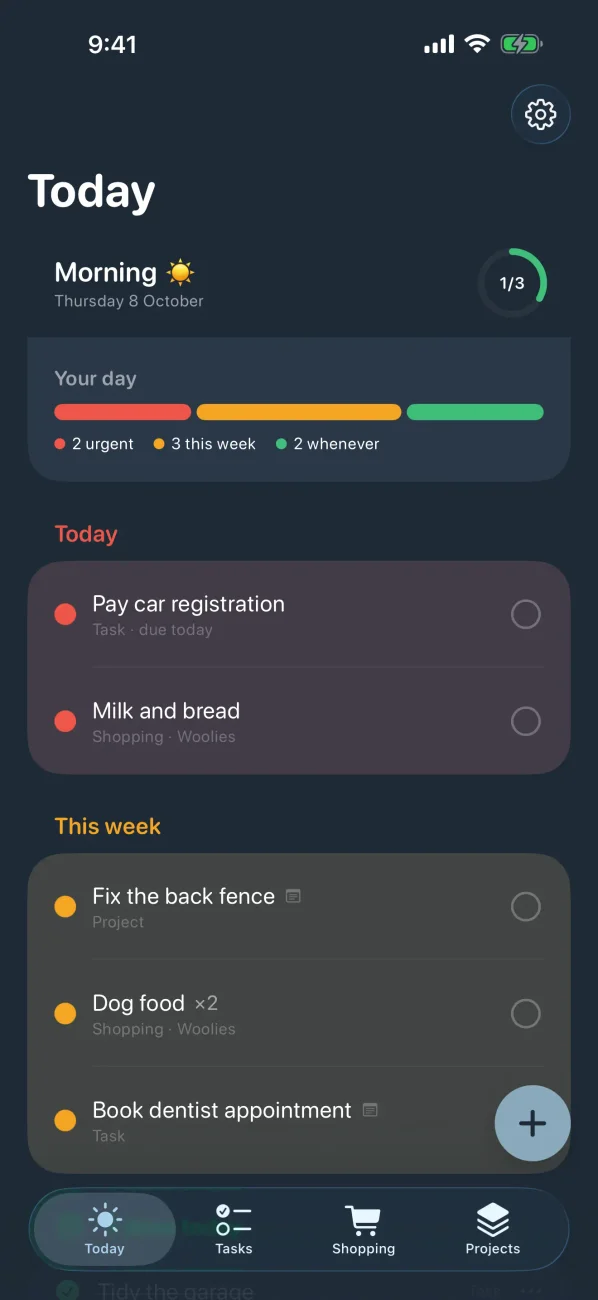
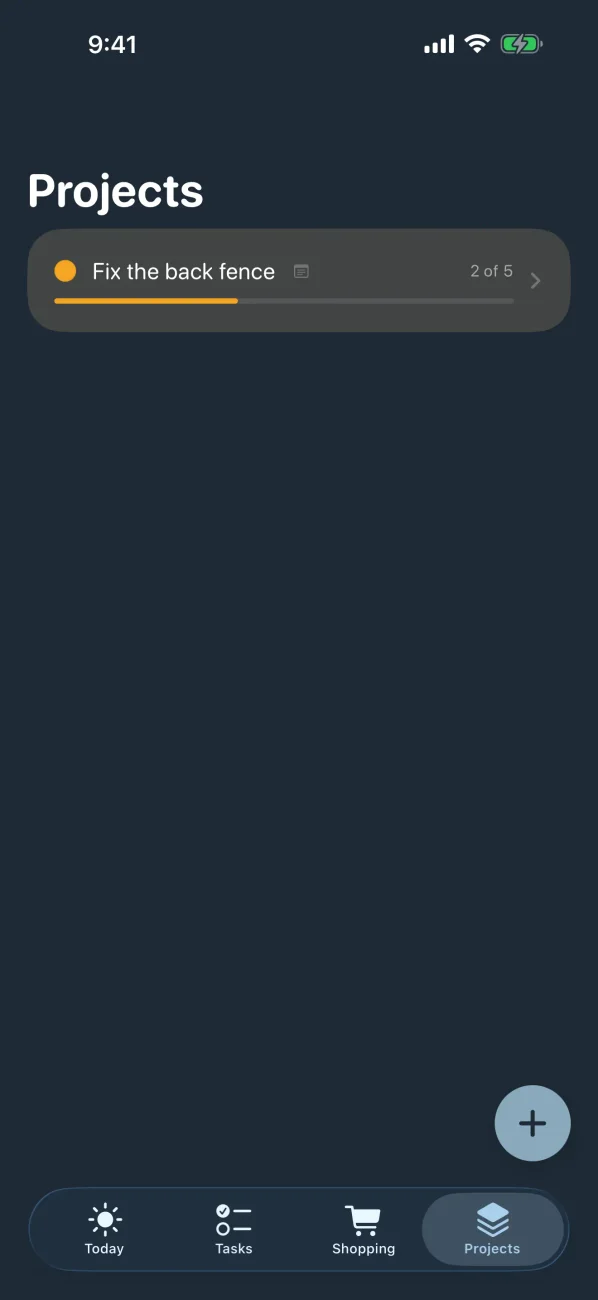
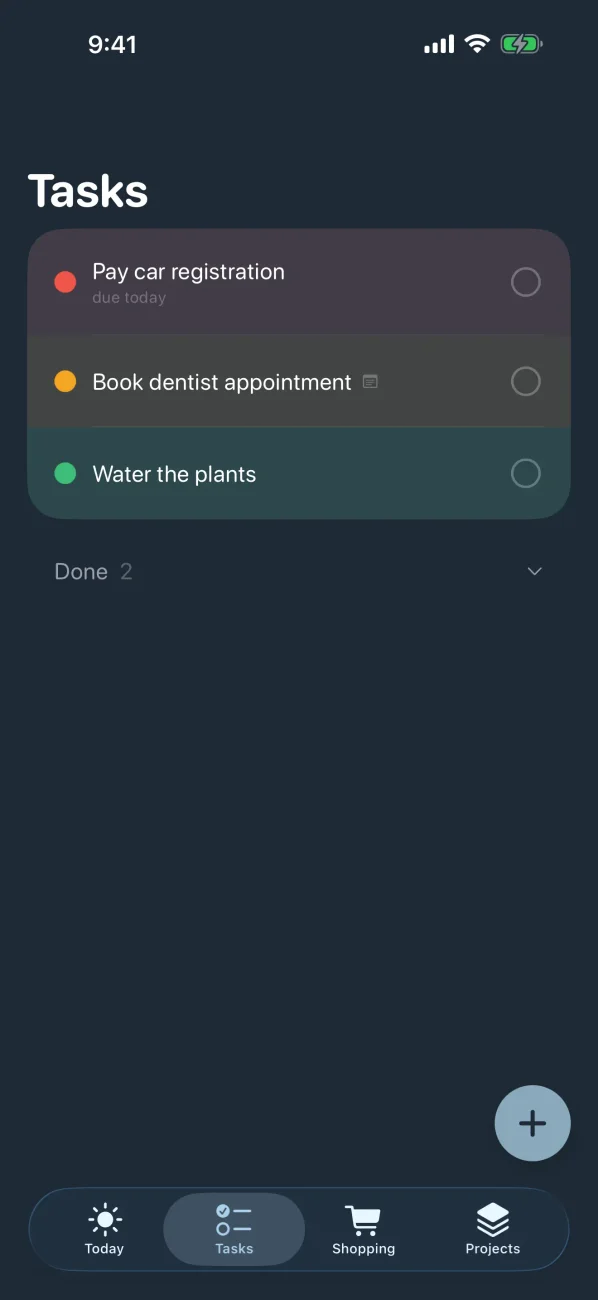
Everything you need to do lives in three simple lists — Tasks, Shopping and Projects — and every item gets one of three colours:
RED — urgent, needs doing today
ORANGE — soon, this week
GREEN — whenever, no rush
Red always floats to the top. Tap the dot to change an item's colour — no menus, no fuss. The Today screen gathers every red item and anything due, so your whole day is one glance.
SIMPLE ON PURPOSE
• Three colours. No priority numbers, no labels to manage, no setup.
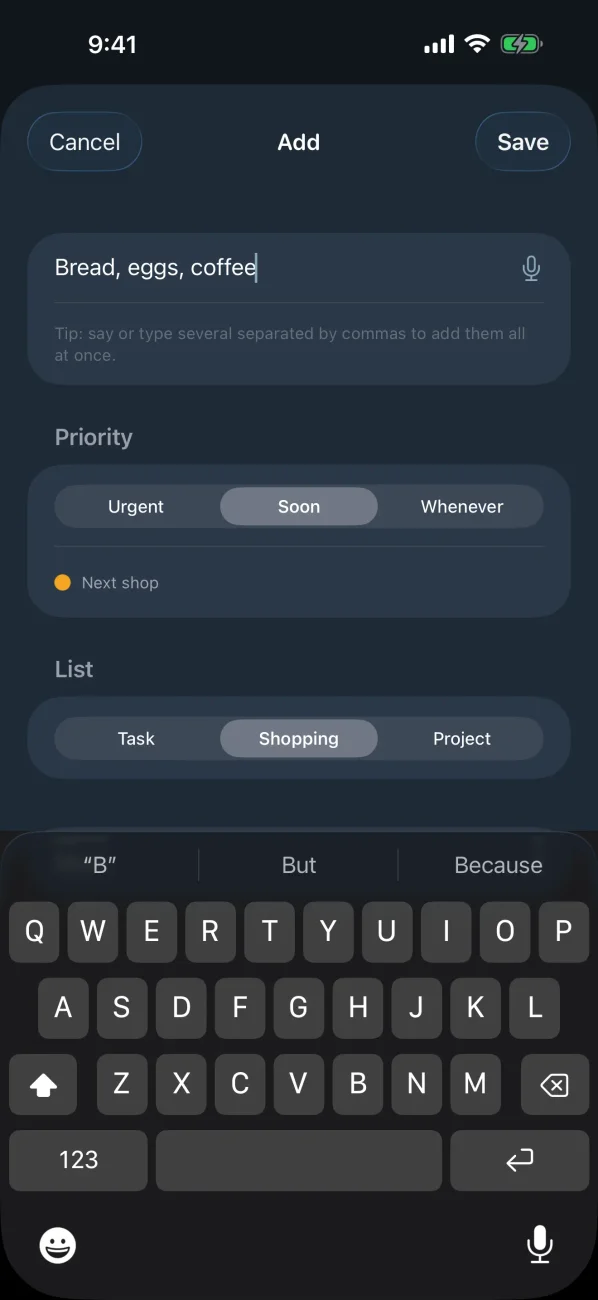
• Add items fast — type them or speak them ("bread, milk, dog food" adds all three).
• Snooze a task to tomorrow with one swipe. No guilt, no overdue badges.
SHOPPING THAT WORKS IN THE SHOP
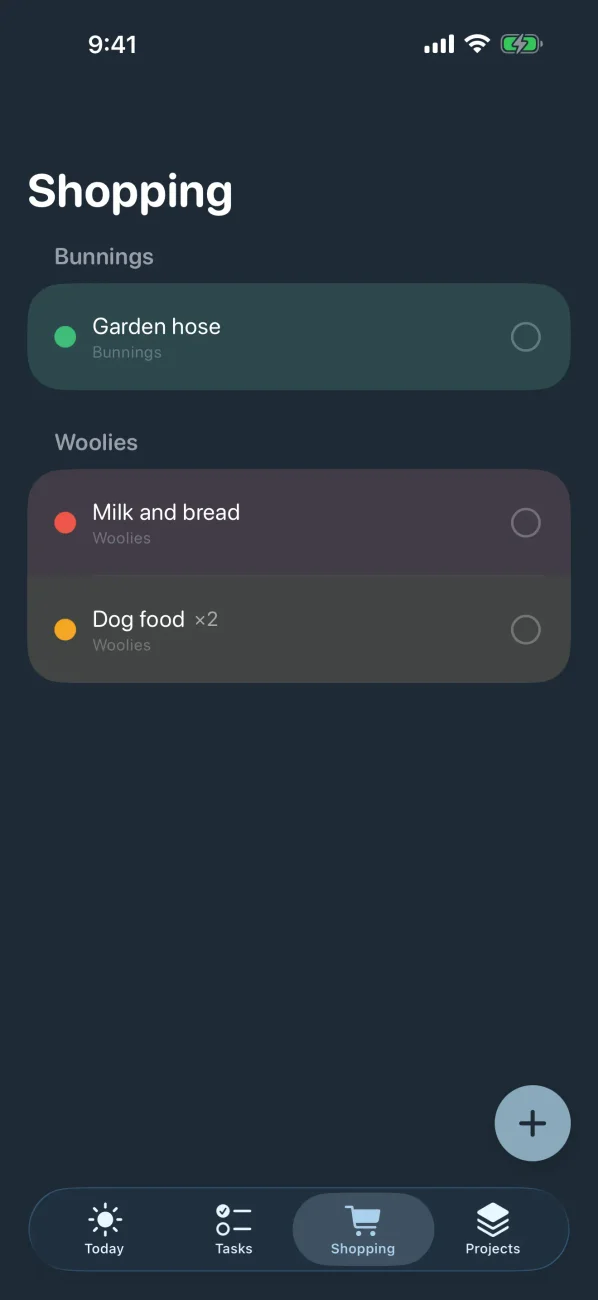
• Tag items by shop (supermarket, hardware, chemist) and the list groups itself.
• Tick things off as you go, then re-add regulars next week with one tap.
PROJECTS WITHOUT THE OVERWHELM
• Break big jobs into steps and tick them off one by one.
• A progress bar shows how far you've come.
FEEL THE PROGRESS
• A "Done today" scoreboard shows everything you accomplished, day by day.
• Clear your last red item and enjoy a little confetti. You earned it.
• Optional gentle reminders: one in the morning if something's red, one in the evening telling you what you knocked off. Nothing naggy, ever.
WIDGETS
• Home screen and lock screen widgets show your red items at a glance — the two-second check becomes a zero-second check.
PRIVATE BY DESIGN
• No account. No sign-up. No tracking. Your lists never leave your phone.
Sorted is for anyone who wants to get organized without managing an organizer. Three lists, three colours, done.
What’s new
Version 1.1 · Oct 8, 2026
A calm new dark look with bolder, clearer colours — plus a new "Your day" bar on the Today screen that shows at a glance how much is urgent, due this week, or can wait. Tick things off and watch it ease.
App privacy
What David Coleman declares on the App Store about how this app handles data.
-
Data not collected
The developer does not collect any data from this app.
Privacy practices may vary, for example with the features you use or your age.
Information
- Seller
- David Coleman
- Category
- Productivity
- Version
- 1.1
- Updated
- Oct 8, 2026
- Released
- Aug 13, 2026
- Size
- 1.1 MB
- Requires
- iOS 17.0 or later
- Age rating
- 4+
- Price
- Free
- Languages
- English
- Copyright
- © 2026 David Coleman
You might also like
-
 Screenshot Organiser & FinderScreenMind: AI photo search
-
 Snug PlannerProductivity
-
 DaySwipeSort your day in seconds
-
 ScreenStash: Screenshot BoardsOrganize & find them fast
-
 Weekly Planner - Diary NotesDaily Planner, Bullet Journal
-
 Dayveo: Day Planner & To-DoTasks, Habit Tracker & Focus
-
 Sorted: Declutter and OrganizeADHD Friendly AI Tidy Planner
-
 PopTask: AI To Do List PlannerTasks, Reminders & Daily Plans
-
 Slothy: Procrastination To DoBrain dump & push to tomorrow
-
 Quick Sticky Notes ProQuick Markdown Notes