Sound Contour: Equalizer
System-wide Audio EQ & Booster
Designed for iPhone, iPad, Mac
Free · In-app purchases
- Age rating4+
- CategoryMusic
- DeveloperMatthew Young
- LanguagesEnglish+ 2 more
- Size3.1 MB
Links to the official App Store page
Download.org hosts no file of Sound Contour: Equalizer. The button opens its official App Store page, published by Matthew Young. Listing last checked on Nov 23, 2026.
Screenshots
About
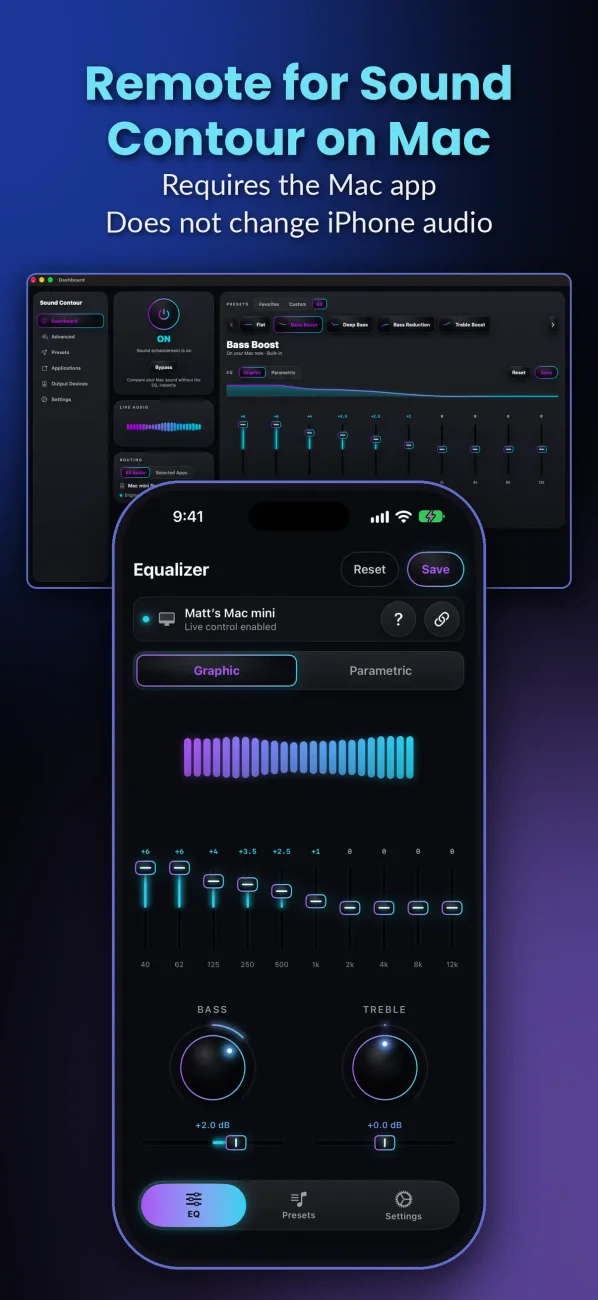
IMPORTANT: THIS iPHONE AND iPAD APP REQUIRES SOUND CONTOUR FOR MAC. It is a remote control for the Sound Contour Mac app and does not work on its own. It does not change audio playing on your iPhone or iPad. To use it, Sound Contour must be installed and running on a Mac on the same Wi-Fi network.
Sound Contour for iPhone and iPad lets you control the Sound Contour equalizer on your Mac from across the room. Adjust your Mac's system-wide EQ, switch presets, and fine-tune your sound without going back to your desk.
WHAT YOU CAN DO
• Adjust the 10-band equalizer on your Mac in real time
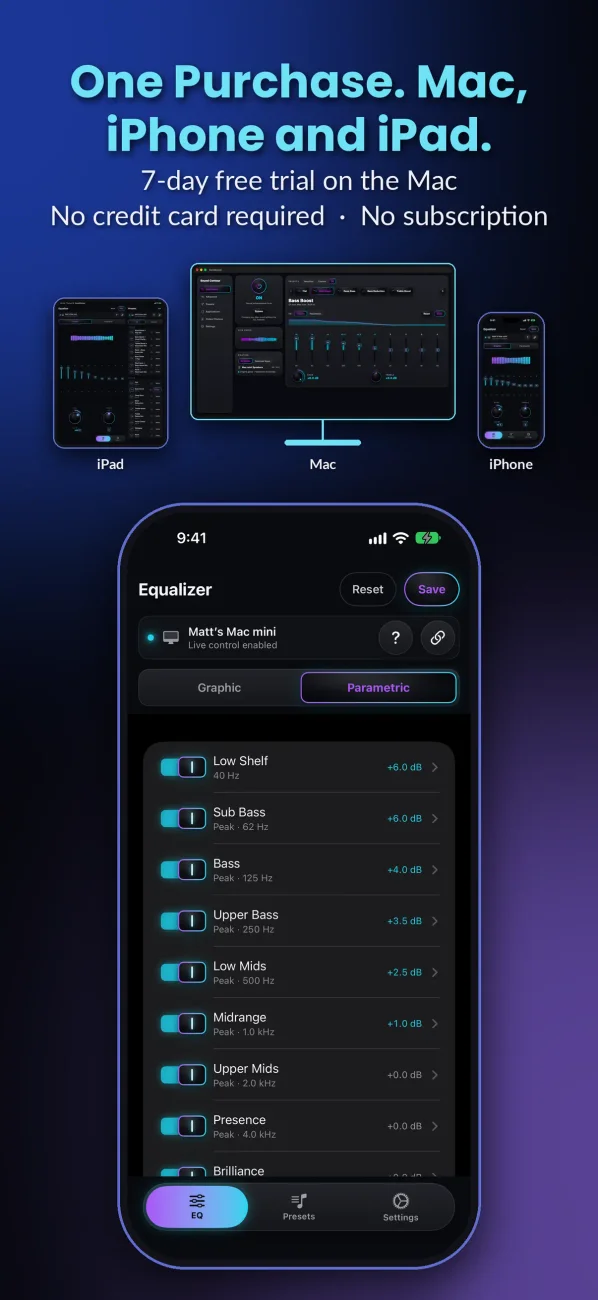
• Use the Parametric EQ view to set each band's type, frequency, gain and Q
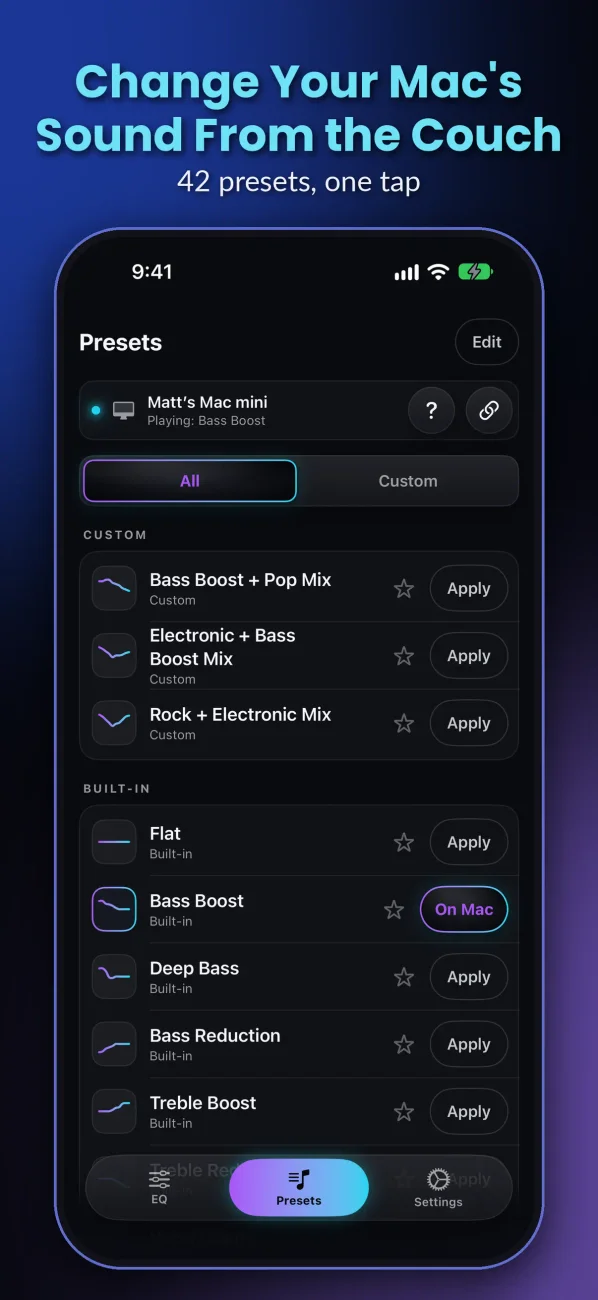
• Switch between your saved presets with one tap
• On iPad, see the equalizer and your presets side by side
• Use an iPhone and an iPad at the same time; they stay in sync
• Change settings for headphones and speakers connected to your Mac
HOW IT WORKS
1. Install Sound Contour on your Mac from the Mac App Store and open it.
2. Make sure your iPhone or iPad and your Mac are on the same Wi-Fi network.
3. Open Sound Contour on your iPhone or iPad. It finds your Mac automatically.
PRICING
Start with a 7-day free trial. No credit card required. After that, unlock Sound Contour Pro with a single one-time purchase. One purchase unlocks the Mac, iPhone and iPad apps when you use the same Apple Account. No subscription, no recurring fees.
What’s new
Version 1.3 · Nov 21, 2026
• 42 built-in presets, including 24 headphone corrections
• New "Connect to your Mac" guide when no Mac is connected, with simpler connection help
• Switches that are off now look off
• Bug fixes
App privacy
What Matthew Young declares on the App Store about how this app handles data.
-
Data not collected
The developer does not collect any data from this app.
Privacy practices may vary, for example with the features you use or your age.
Information
- Seller
- Matthew Young
- Category
- Music
- Version
- 1.3
- Updated
- Nov 21, 2026
- Released
- Oct 26, 2026
- Size
- 3.1 MB
- Requires
- iOS 18.0 or later
- Age rating
- 4+
- Price
- Free
- In-app purchases
- Yes
- Languages
- English, French, German
- Copyright
- © 2026 Matthew Young
You might also like
-
 Loud Volume Booster Pro & EQBass Enhancer & Music Player
-
 ToneEQ: Headphone EqualizerAutoEQ & FLAC Music Player
-
 Volume Booster & EqualizerSound & Bass Enhancement
-
 Music Equalizer - SoundEQMusic & Sound Equalizer
-
 Music Equalizer - Bass BoosterBoost Bass & Improve Sound
-
 Music Volume EQ - EqualizerBass Booster & Loud Sound
-
 Equalizer Fx: Bass Booster EQVolume Amplifier & Sound Boost
-
 Volume Booster - Loud Bass EQSpeaker & Sound Amp, Equalizer
-
 Flat Equalizer FX-Bass BoosterBluetooth Speaker, Tone Player
-
 Equalizer & Bass Booster FXEQ, Volume Boost and louder