- Age rating4+
- CategoryProductivity
- DeveloperDavid Estes
- LanguagesEnglish+ 11 more
- Size6.1 MB
Links to the official App Store page
Download.org hosts no file of SoundNote. The button opens its official App Store page, published by David Estes. Listing last checked on Nov 12, 2026.
Screenshots
About
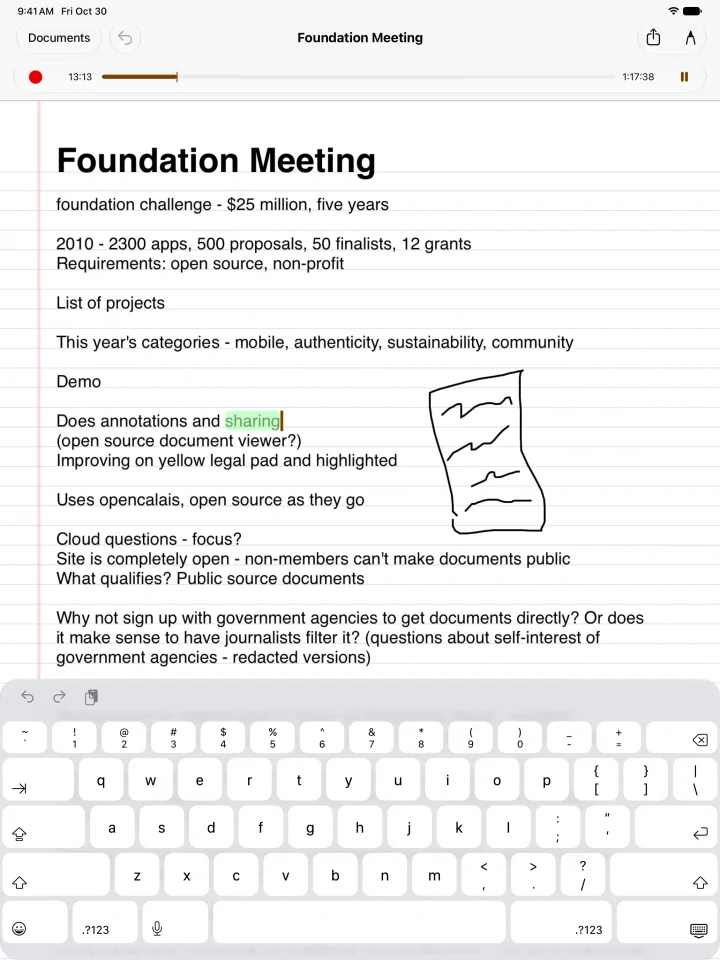
SoundNote is the best way to take notes in meetings, lectures, and interviews. It tracks what you type and draw while recording audio, so you'll never worry about missing an important detail. During playback, just tap a word: SoundNote will jump right to the proper time in the audio.
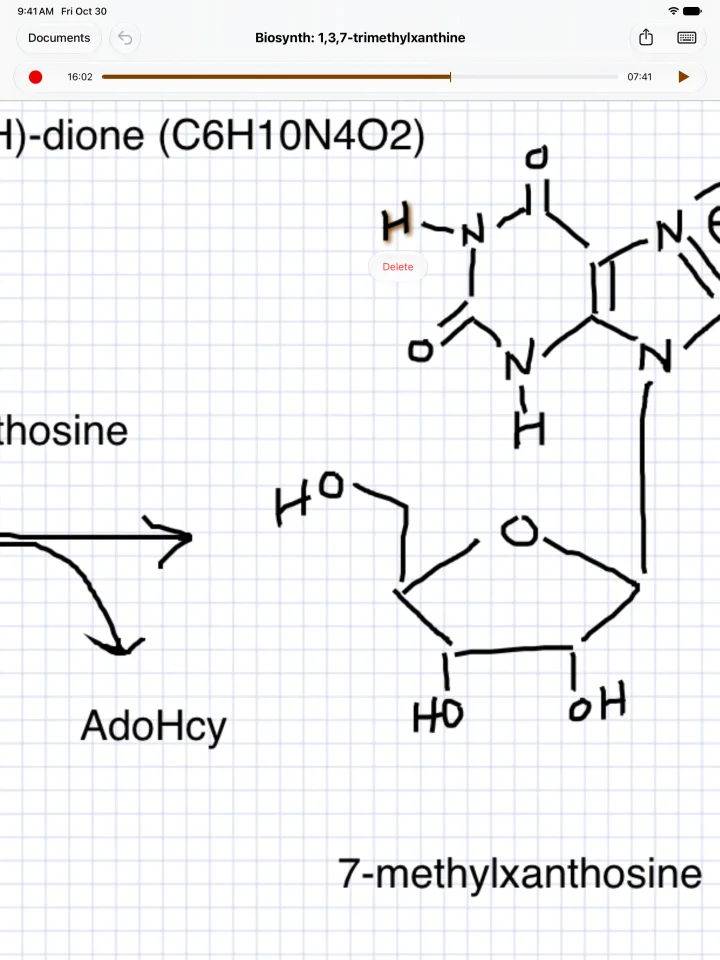
• Use SoundNote's powerful drawing tool for quick sketches. It's easy to edit them, too. Tap a drawing to select it, or tap twice to select an individual stroke. From there, you can drag it to wherever you want, or tap "Delete" to get rid of it. Use two fingers to zoom and scroll.
• SoundNote is perfect for students. If you ever fall asleep in class, don't worry — SoundNote's got your back. Just tap what you wrote while you were awake, and SoundNote will play the audio to help you fill in the blanks.
• SoundNote is also great for journalists. Ever miss an important detail during an interview and have to skim through your entire recording to find out what it was? With SoundNote, just tap a word from that part of the interview — it'll play back what you missed.
• When you're done, share your notes as PDFs, with or without their audio, using Mail, AirDrop, Files, or another app. You can also download your text, PDFs, and audio directly to your Mac or PC from a web browser. Audio is recorded in standard M4A format: one hour of high quality audio takes only about 30MB.
• Keep your notes in iCloud Drive to stay in sync across your devices and access them on a new iPad.
What’s new
Version 3.1 · Nov 6, 2026
• Added support for iCloud Drive
• Added support for sending PDFs and .soundnote files to other apps
• Added support for resizing windows on iPadOS 27
• Updated the UI for iPadOS 27
• Fixed various bugs
App privacy
What David Estes declares on the App Store about how this app handles data.
-
Data not collected
The developer does not collect any data from this app.
Privacy practices may vary, for example with the features you use or your age.
Information
- Seller
- David Estes
- Category
- Productivity
- Version
- 3.1
- Updated
- Nov 6, 2026
- Released
- Apr 1, 2010
- Size
- 6.1 MB
- Requires
- iOS 17.5 or later
- Age rating
- 4+
- Price
- $4.99
- Languages
- English, Dutch, French, German, Italian, Japanese, Korean, Portuguese, Simplified Chinese, Spanish, Swedish, Traditional Chinese
- Copyright
- © 2010-2023 David Estes
You might also like
-
 Printing for iPadPrint to printers, old and new
-
 Smart PDF+ EditorRead, sign, and annotate PDFs
-
 Simple Planner - Daily TasksPlan your day, hour by hour
-
 Dominate LifeStart living an adventure!
-
 EAHAD 2026Productivity
-
 Audio Notebook: Voice RecorderTake Notes and Record Speech
-
 MoveMyBox - Box InventoryPack, label, find boxes
-
 AI Prompts:AI Prompt DirectoryBrowse & Use AI Prompts Fast
-
 OmniLegis: Law & Rights via AILabor, tenancy & family guide
-
 DayCapeDaily visual planning