Span: Countdown & Time Tracker
Countdown & Date Tracker
Designed for iPhone
Free · In-app purchases
- Age rating4+
- CategoryUtilities
- DeveloperWehbe LLC
- LanguagesEnglish
- Size36.0 MB
Links to the official App Store page
Download.org hosts no file of Span: Countdown & Time Tracker. The button opens its official App Store page, published by Wehbe LLC. Listing last checked on Nov 15, 2026.
Screenshots


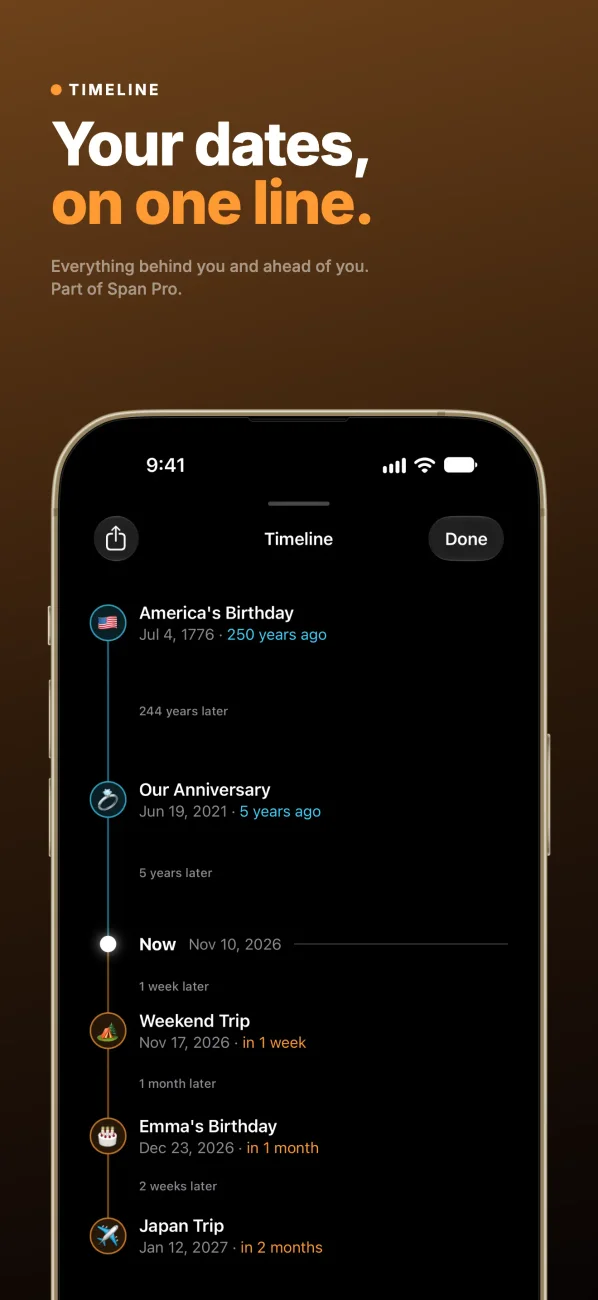


About
Your relationship with time, all in one place.
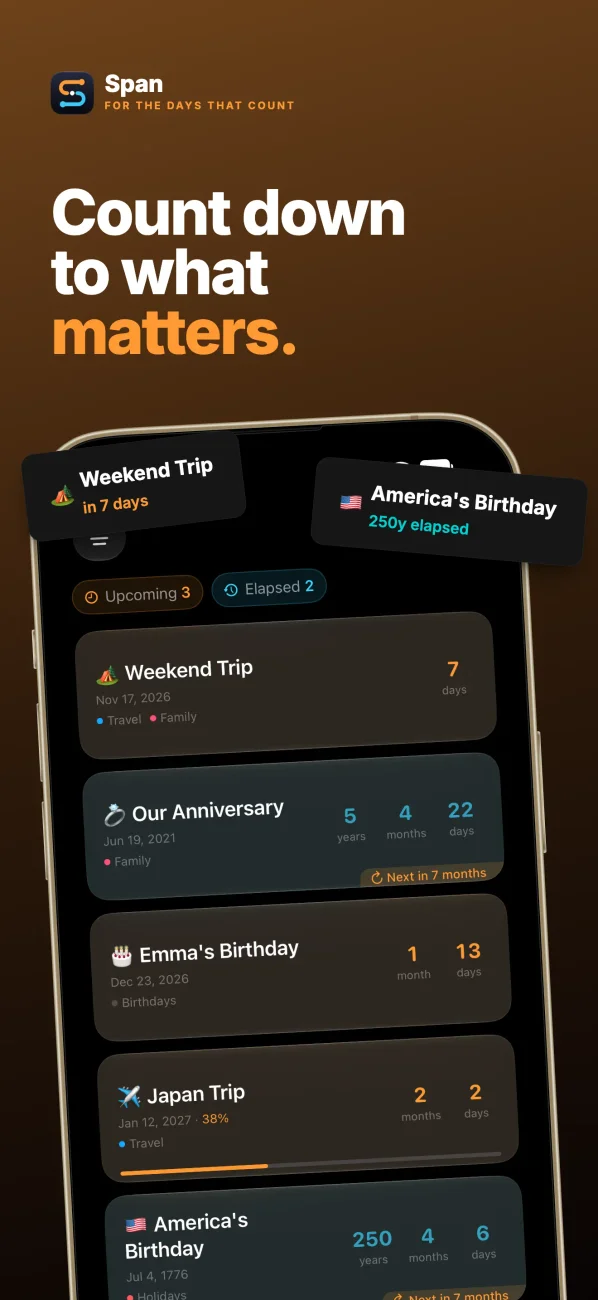
Count down to birthdays, trips, and deadlines, or see how long it’s been since a milestone. Log recurring events with Trackers and explore history with On This Day.
No accounts. No ads. No tracking.
SPANS
- Live Countdowns — See years, months, days, hours, minutes, and seconds until or since a date. Date-only spans count calendar days.
- Apple Calendar — Choose events to import, review their details, and keep selected events updated or make one-time copies. Span never adds new Calendar events automatically or writes changes back to Calendar.
- Smart Emoji Suggestions — Get up to three matching emoji as you type, using on-device Apple Intelligence when available.
- Yearly Recurrence — Repeat birthdays and anniversaries, with smart holiday dates that adjust each year.
- Holiday Templates — Start with 22 US holidays and cultural events, including Thanksgiving, Easter, Christmas, Hanukkah, and Chinese New Year.
- Weather — Add a US ZIP code for historical weather or a forecast within the next 16 days.
- Tags — Give spans and trackers custom tags with optional colors. Read tag names on cards and filter by one or several tags.
- Organize — Filter by upcoming, elapsed, or archived; sort by date, name, or custom order. Choose Reorganize to drag rows into place.
- Share — Send a styled countdown image or a link that opens in Span.
TRACKERS
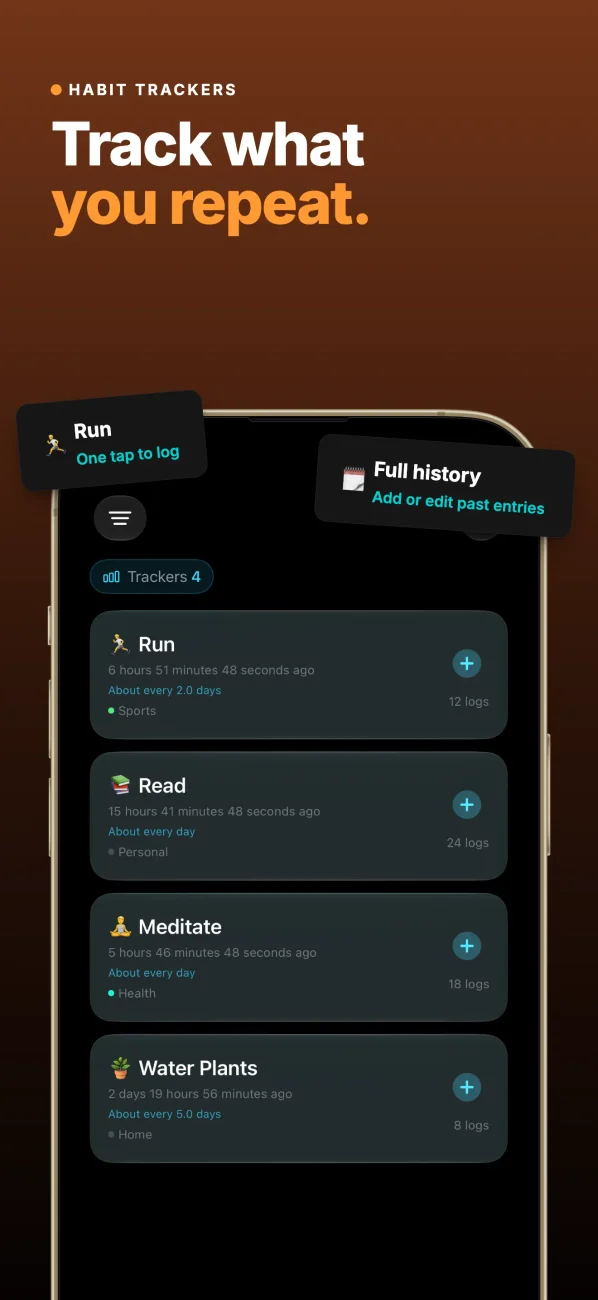
- Log Anything — Tap once to record an event and see the time since your last entry.
- Patterns — Frequency statistics show how often you typically do something.
- Full History — Add dated entries, edit timestamps, or delete mistakes.
- 14 Templates — Workout, Run, Coffee, Meditation, Shower, and more.
ON THIS DAY
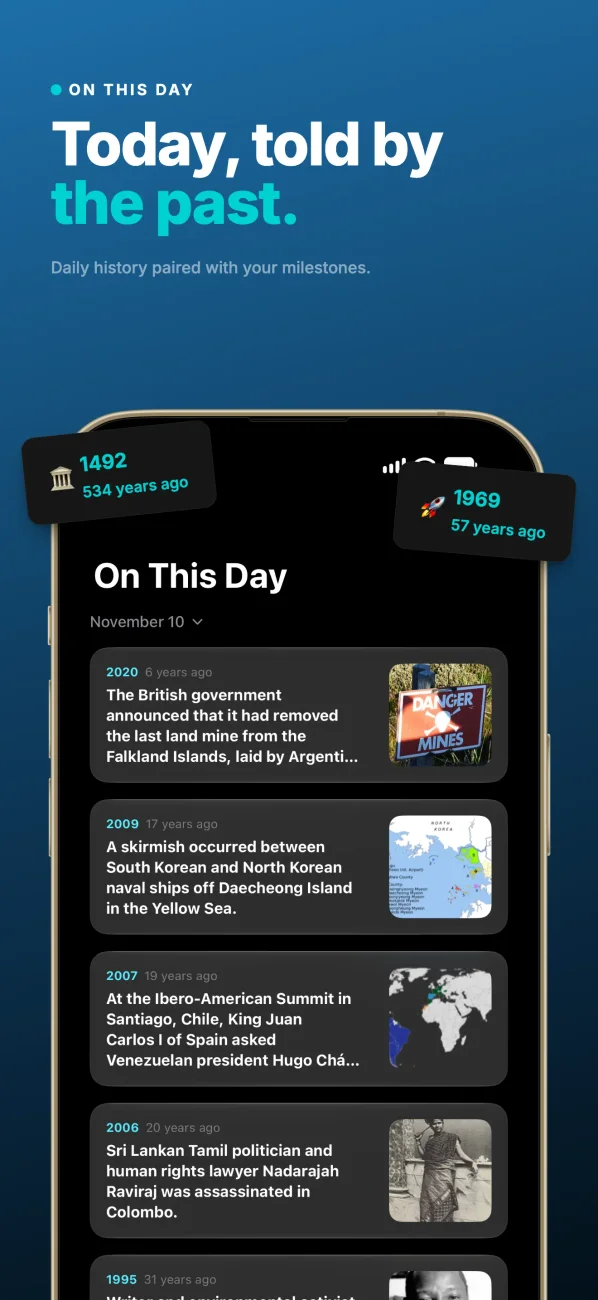
Browse notable historical events for any date, powered by Wikipedia. Open an event to read its description and a related Wikipedia article. Images appear when available. Optional daily notifications bring you a historical event to explore.
WIDGETS
- Span Widget — Small, medium, or large, plus extra-large portrait on iOS 27. Auto mode follows your Spans tab’s filters, tags, and sort order, or you can choose spans manually. Tap a row to open that span.
- Tracker Widget — Choose one tracker for a small Home Screen widget. See time since your last event and its date and time, tap Log now to record an entry, or tap elsewhere to open that tracker’s details.
- On This Day Widget — Daily history on your Home Screen, with an extra-large portrait option on iOS 27. Tap to open the matching event.
SIRI & SHORTCUTS
Create spans, get countdowns, and log tracker entries with Siri and Shortcuts on iOS 26 and later.
NOTIFICATIONS
Get notified at a span’s event time or choose an advance reminder in minutes, hours, or days. Enable daily history alerts separately.
BACKUP
Manually back up and restore your spans and trackers with iCloud Drive. Your backup stays in your own iCloud account.
FREE & PRO
Track up to 2 spans and 1 tracker for free. Unlock unlimited spans and trackers with a one-time Span Pro purchase.
PRIVACY
No account and no advertising. Your spans and trackers stay on your device, with optional backup to your own iCloud Drive. Span collects basic usage data that is not linked to you, to help improve the app. You can turn it off in Settings.
What’s new
Version 4.0 · Nov 12, 2026
Span 4.0 adds weekly and monthly repeats, over 100 templates, iPhone Duo layouts, and a much bigger Span Pro.
NEW FOR EVERYONE
• Weekly and monthly repeats. Trash day, rent, and anything else that comes around again, with reminders that keep going.
• Over 100 templates. Browse or search ready-made spans and trackers, from Dog Walk to Graduation.
• Made for iPhone Duo. Open it up and your spans spread into two columns, with nothing lost in the fold.
• A past date's card now shows when it comes around next. Tap the tab in its corner to flip the card.
• Every card in a list is now the same height.
NEW IN SPAN PRO
• Lock Screen. Watch the final hours count down in a Live Activity and the Dynamic Island, and keep the span that matters most in a Lock Screen widget.
• Progress, milestones, and a timeline. Add a start date to see how far along a countdown is, get notified at milestones like 1,000 days, and see every span on one timeline.
• Tracker goals. Set a goal like every 3 days, get a reminder when one is due, log it right from the alert, and watch 12 weeks of history and streaks build.
• Five more app icons, from Daylight to Midnight.
Already own Span Pro? Everything new in Pro is included.
App privacy
What Wehbe LLC declares on the App Store about how this app handles data.
-
Data not linked to you
May be collected but is not linked to your identity.
- Purchases
- Identifiers
- Usage data
Privacy practices may vary, for example with the features you use or your age.
Information
- Seller
- Wehbe LLC
- Category
- Utilities
- Version
- 4.0
- Updated
- Nov 12, 2026
- Released
- Mar 12, 2026
- Size
- 36.0 MB
- Requires
- iOS 26.0 or later
- Age rating
- 4+
- Price
- Free
- In-app purchases
- Yes
- Languages
- English
- Copyright
- © 2026 Wehbe LLC
You might also like
-
 Countdown Widget - SpanDay Counter & Event Tracker
-
 Time ChunksCalculate time segments
-
 BudGuardYour beacon of hope.
-
 Tilly: Advent CalendarSleeps to Christmas Countdown
-
 Date Radar Countdown StopwatchMultiple long term timers
-
 Countlys: Event CountdownDays Counter & Home Widgets
-
 Countdown: Event TimerWidgets, Timezones, Reminders
-
 RetroDotTimerCountdown, Pomodoro, stopwatch
-
 Last Time TrackerWhen did I last do that thing?
-
 Countdown Central: EventsWidgets, Birthday & Timer