
- Age rating4+
- CategoryNavigation
- DeveloperIntineo LLC
- LanguagesEnglish
- Size6.5 MB
Links to the official App Store page
Download.org hosts no file of Sparkys E6B. The button opens its official App Store page, published by Intineo LLC. Listing last checked on Nov 15, 2026.
Screenshots


About
Sparky's E6B emulates a mechanical E6B Flight Computer, with significant additional capabilities. The app provides digital readouts of values that would otherwise have to be eyeballed in a standard E6B. The use of cursors and steppers enables the precision of a digital computer with the speed and intuitiveness of an analog computer.
The E6B is an analog computer invented in the 1930's by Lt. Philip Dalton, USN for purposes of training and flight calculations.
The app can be used to perform calculations, or to practice and learn how to use a mechanical E6B.
Advantages of analog slide-rule E6Bs include the speed of entering data, and continous operation that can enable a more intuitive feel for how outputs change as inputs are changed. If inputs are changed, it is simply a matter of a swipe or using a stepper to fine tune inputs, and outputs are updated simultaneously.
Advantages of digital E6B's includes precision, but as E6Bs are in reality often used to estimate data, this precision often cannot be taken advantage of. Furthermore, entering data is slowed down by soft keypads popping up and down. It may be hard to understand how outputs change in response to inputs if individual numbers need to be entered on a keypad.
Sparky's E6B provides the best of both worlds. The speed and intuitive entry of an analog E6B, along with the digital readout of a digital E6B.
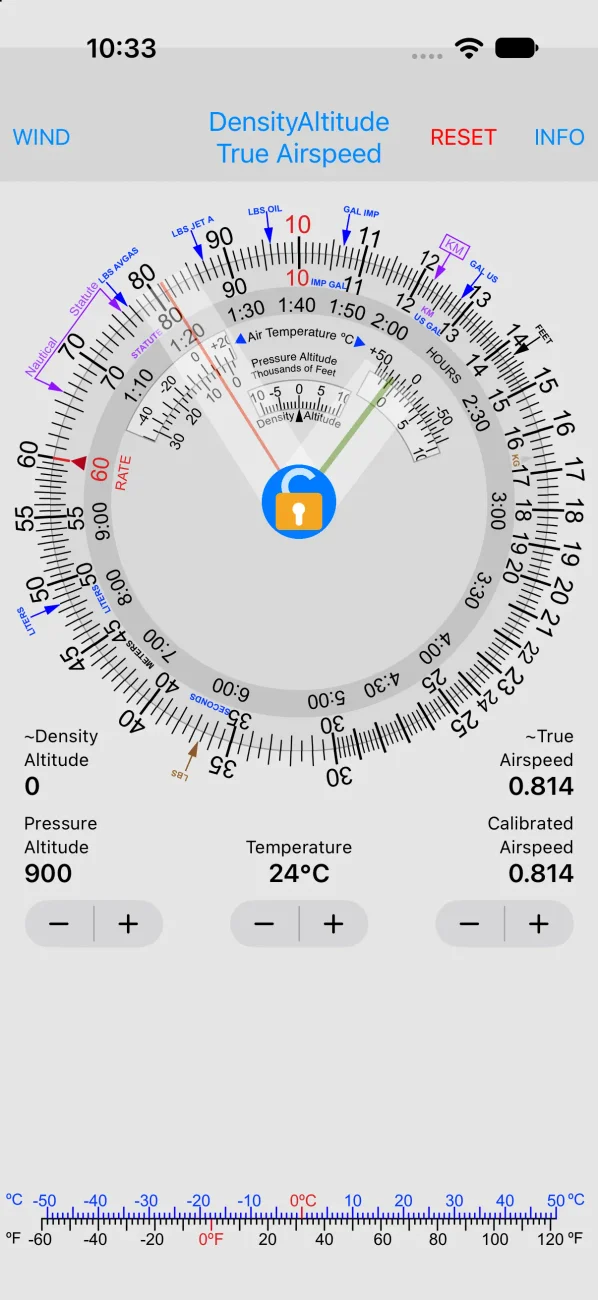
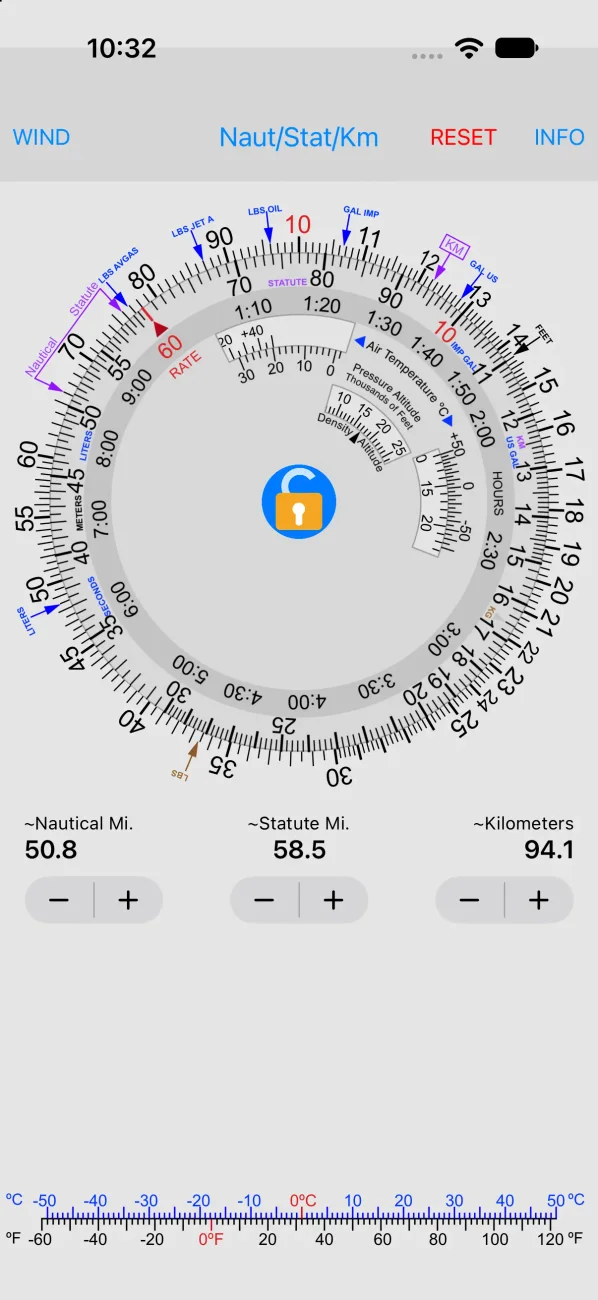
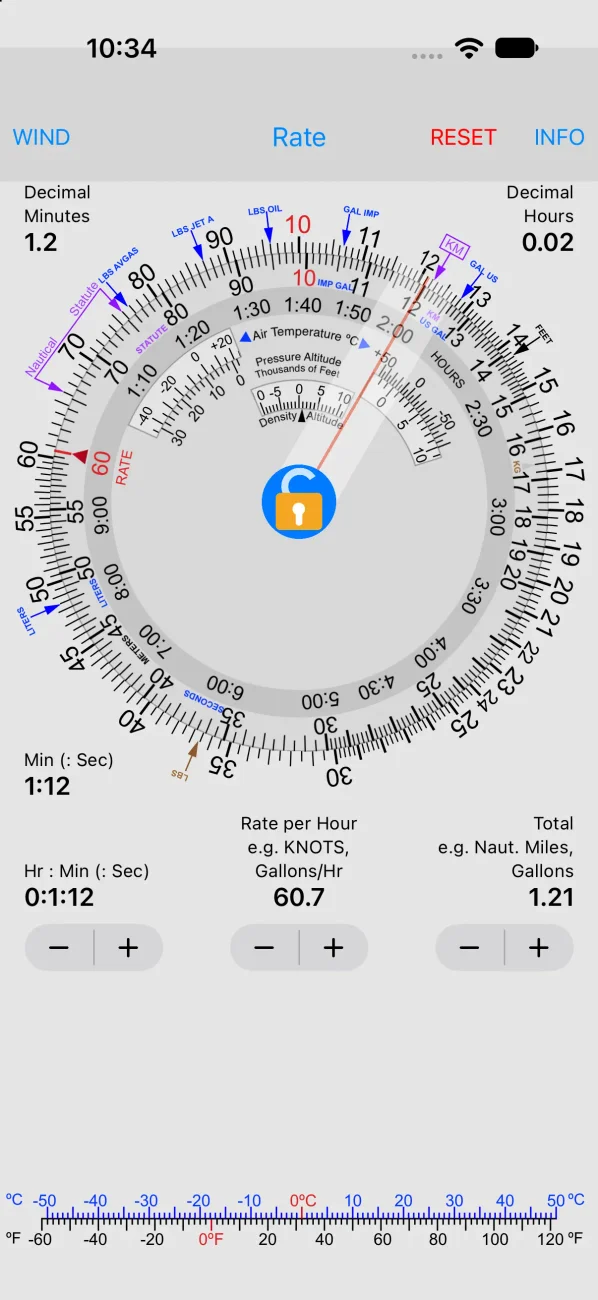
The "slide rule" or "front" side includes a circular log-log scale that can be used for multiplication, division, fuel consumption and time/speed/distance calculations. There are also various conversions available, such as nautical-miles/statute-miles/kilometers, fuel and oil volume and weight. The windows on the front are used for airspeed, various forms of "altitude' and mach number calculations.
Digital output is provided for
- Multiplication and division
- Ascent and descent vertical and horizontal speed and angles
- Rate problems such as gallons per hour, time to destination etc.
- Density Altitude and True Airspeed calculations.
- True Altitude Calculations
- Mach speeds vs. temperature
- Conversions of Nautical and Statue Miles to and from Kilometers
- Volume of oil and fuel vs. weight
- Conversion of Pounds to Kilograms
- Conversion of Feet to Meters
The "wind" side is a vector computer used to determine flight headings, wind correction angle etc. It also provides digital readouts to provide an intuitive feel for wind correction, as well as to let the inputs be fine-tuned or updated as conditions change.
We have no ads and collect no personal information.
We hope you enjoy Sparky's E6B and find it useful.
What’s new
Version 11.2 · Oct 24, 2026
Updated for compatibility with current versions of iOS. Includes maintenance improvements.
App privacy
What Intineo LLC declares on the App Store about how this app handles data.
-
Data not collected
The developer does not collect any data from this app.
Privacy practices may vary, for example with the features you use or your age.
Information
- Seller
- Intineo LLC
- Category
- Navigation
- Version
- 11.2
- Updated
- Oct 24, 2026
- Released
- Jul 11, 2017
- Size
- 6.5 MB
- Requires
- iOS 17.0 or later
- Age rating
- 4+
- Price
- Free
- Languages
- English
- Copyright
- © Copyright 2017 Intineo LLC
You might also like
-
 Sporty's E6B Flight ComputerCalculator for pilots
-
 FltPlan GoNavigation
-
 FlightReady E6BE6B Flight Computer
-
 FlyQ+ EFBNavigation
-
 PFMA E6B LITENavigation
-
 Holding Pattern TrainerNavigation
-
 FlightReady Flight ManagerDispatch and Risk Assessment
-
FltPlan Go for iPhoneNavigation
-
 WingX®Aviation Moving Map & Weather
-
 SkyDemonNavigation