Speaker Tools – Audio Test
Tone Generator & Audio Tools
Designed for iPhone
Free · In-app purchases
- Age rating4+
- CategoryProductivity
- Developer家宝 戴
- LanguagesEnglish+ 14 more
- Size7.3 MB
Links to the official App Store page
Download.org hosts no file of Speaker Tools – Audio Test. The button opens its official App Store page, published by 家宝 戴. Listing last checked on Nov 23, 2026.
Screenshots

About
Speaker Tools brings practical audio playback and listening tools together in one place. Generate a tone, compare left and right channel signals, move through a range of frequencies, or view an approximate ambient sound level. An active subscription is required to use the app.
LOW-FREQUENCY PLAYBACK
Play a 165 Hz tone from the home screen. Choose a 10, 30, 60, or 120 second session, start playback with a tap, and stop whenever you want. The animated waveform shows when audio is playing. This is a simple way to listen to low-frequency output and compare how a device sounds in different settings. Output depends on the speaker, volume, audio route, and surrounding environment.
QUICK TONE
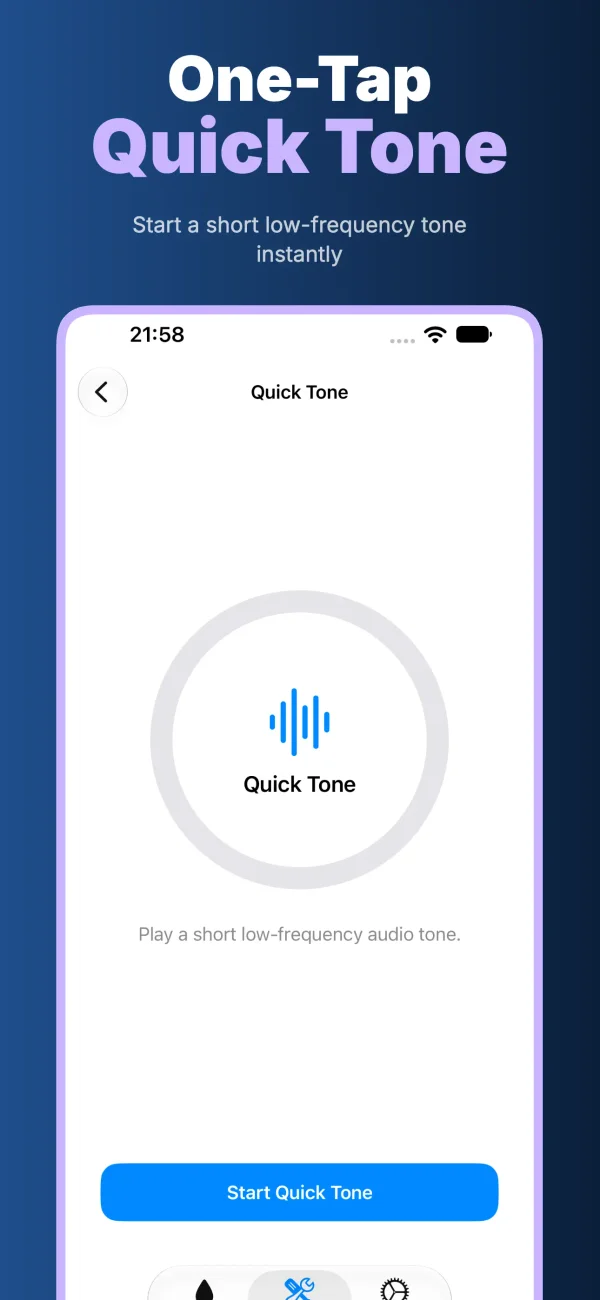
Need a short session? Quick Tone plays a 165 Hz low-frequency signal for 10 seconds with a visible countdown and progress ring. You can end the session early. It is a playback shortcut, not a cleaning or hardware repair function.
FREQUENCY GENERATOR
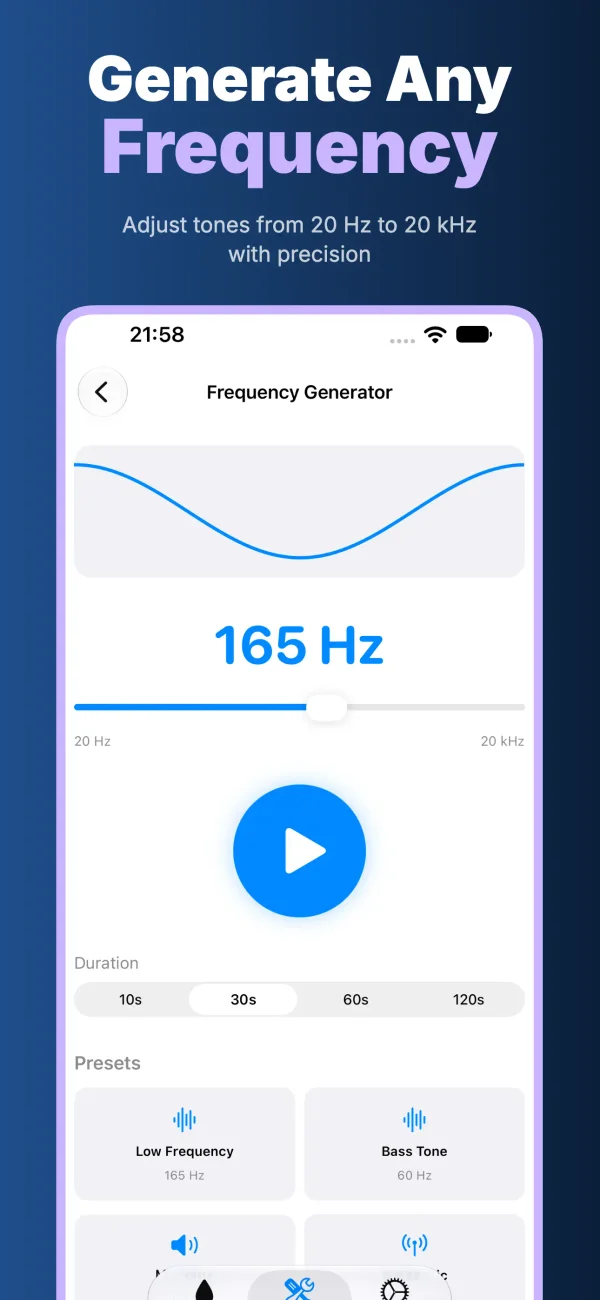
Adjust the frequency slider between 20 Hz and 20 kHz and play a steady tone at your chosen setting. Change the slider while playback is running to hear another frequency. Select a timed session or stop manually. Presets provide a starting point at 60 Hz for bass, 165 Hz for a low tone, 1 kHz for a mid tone, and 18 kHz for a very high tone. The app remembers your last selected frequency. Some frequencies may be inaudible or beyond what your speaker or headphones can reproduce.
LEFT AND RIGHT CHANNELS
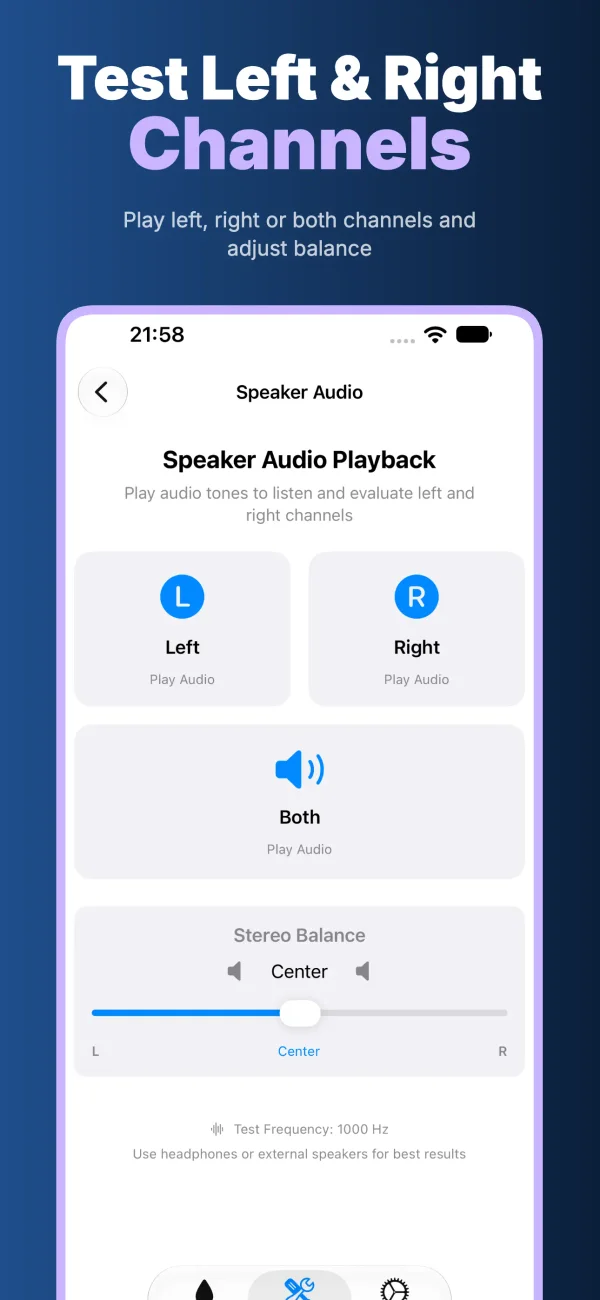
Play a 1 kHz test signal through the left channel, right channel, or both. When both are selected, move the balance control to compare the two sides. Headphones or external stereo speakers are useful for this listening exercise. A phone's built-in speaker layout and audio routing can affect what you hear, so the result is a subjective playback comparison rather than a hardware diagnosis.
LISTEN ACROSS FREQUENCIES
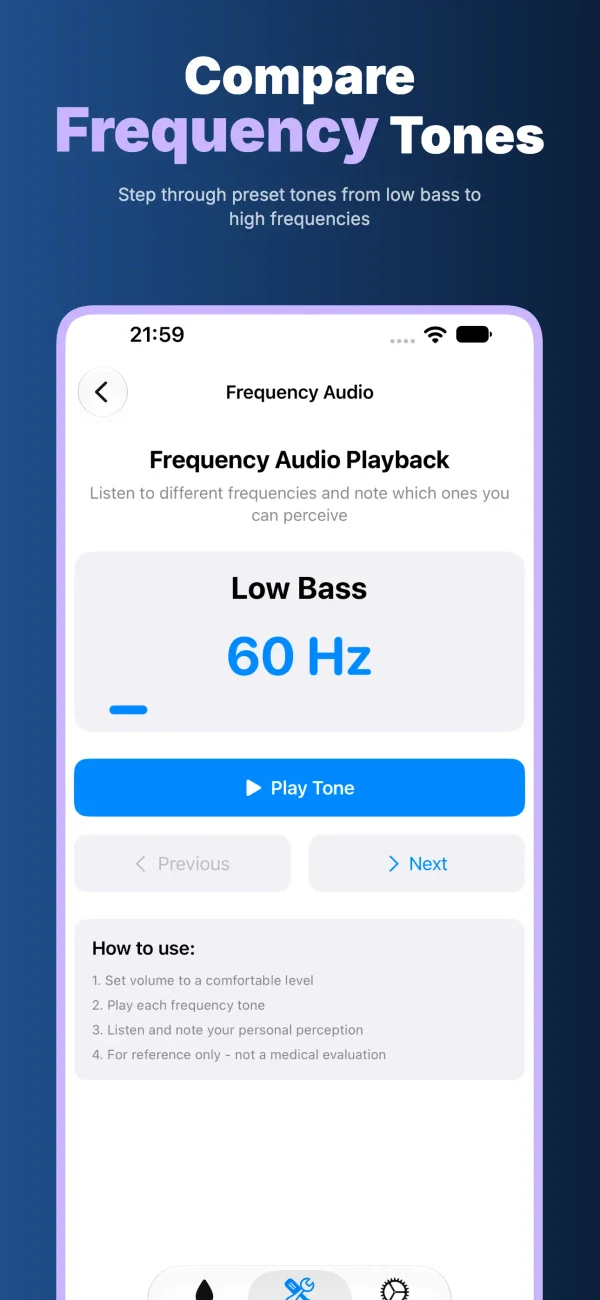
Step through ten tones from 60 Hz to 16 kHz, including bass, midrange, and higher frequencies. Play, stop, move to the previous or next tone, and note what you personally hear. Use a comfortable volume. Hearing differs between people and audio devices; this tool cannot determine your hearing threshold and is not a medical hearing test.
SOUND LEVEL REFERENCE
Allow microphone access to view a live approximate sound-level reading and simple level categories. Start or stop monitoring whenever you choose. Readings vary with the device microphone, case, microphone position, and room conditions. The meter is not professionally calibrated and should not be used for regulatory measurements, occupational exposure decisions, or hearing-safety judgments.
DESIGNED FOR SIMPLE EXPLORATION
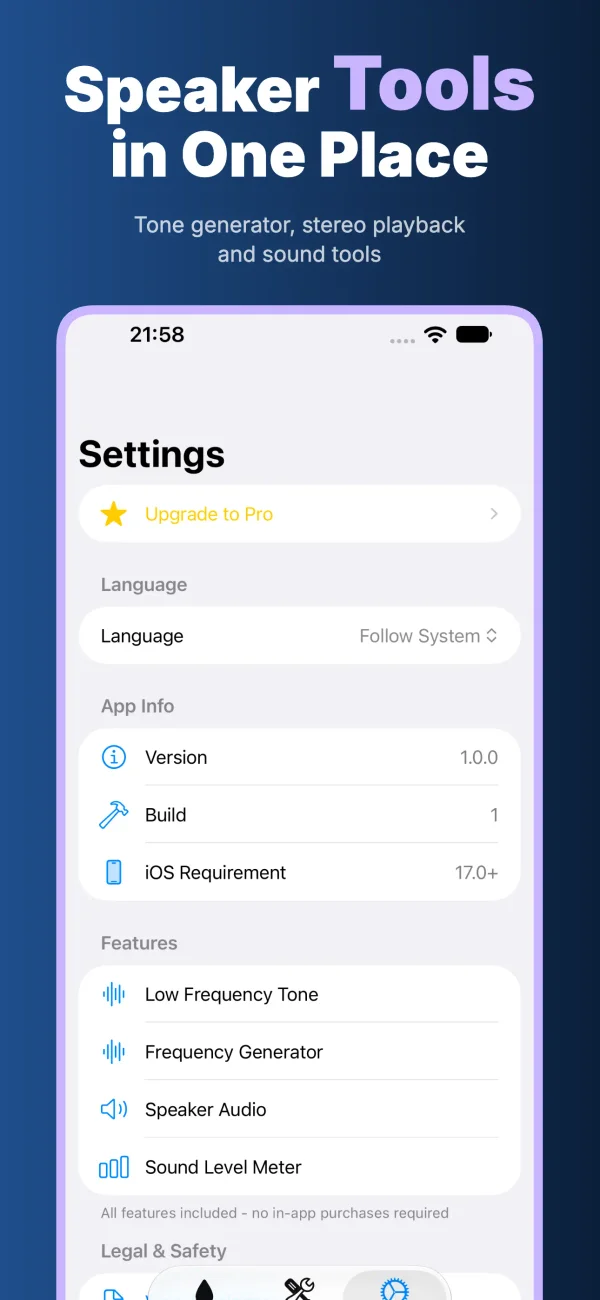
The home screen puts low-frequency playback one tap away, while the Tools screen groups the generator, channel playback, frequency listening, quick tone, and sound meter. Clear controls and visible playback states make it easy to repeat a listening comparison. Audio tones are generated on the device. The app does not offer recording, cloud projects, accounts, or automatic speaker diagnosis.
SUBSCRIPTION AND SAFETY
Access requires an active monthly or yearly auto-renewing subscription. Available plans and local prices appear before purchase; manage or cancel in your Apple account settings, and restore an existing purchase in the app. Keep volume comfortable, especially with headphones. Speaker Tools cannot remove water, clean or repair a speaker, inspect hardware, or replace professional service. If a device is damaged, contact an authorized service provider. If you have hearing concerns, seek qualified medical advice.
Privacy Policy: https://5gotogo.github.io/WaterEject-privacy/privacy-policy.html
Terms of Use: https://www.apple.com/legal/internet-services/itunes/dev/stdeula/
What’s new
Version 1.0.3 · Sep 30, 2026
Bug fixes and performance improvements.
App privacy
What 家宝 戴 declares on the App Store about how this app handles data.
-
Data not collected
The developer does not collect any data from this app.
Privacy practices may vary, for example with the features you use or your age.
Information
- Seller
- 家宝 戴
- Category
- Productivity
- Version
- 1.0.3
- Updated
- Sep 30, 2026
- Released
- Mar 4, 2026
- Size
- 7.3 MB
- Requires
- iOS 17.6 or later
- Age rating
- 4+
- Price
- Free
- In-app purchases
- Yes
- Languages
- English, Arabic, French, German, Indonesian, Italian, Japanese, Korean, Portuguese, Russian, Simplified Chinese, Spanish + 3 more
- Copyright
- © 2025 JiaBao Dai. All rights reserved.
You might also like
-
 RoomRT-RT60&RTA&Acoustic EvalAcoustic Measurement
-
 DiktiermanufakturProductivity
-
 BrainDump: Capture & ForgetVoice to Calendar & Todos
-
 Facing FearPlan boldly. Master fear.
-
 NY International NotaryGlobal Remote Online Notary
-
 Artiva - Invoice & Client AppProposals, Projects & Billing
-
 Gold Scanner & Age EstimatorMetal detector & Purity check
-
 SalahBreak: Prayer TimesQuran, Adhan, Qibla & Azkar
-
 EverEditor: Notes for EvernoteMarkdown & rich text journal
-
 Repair AI Helper: RepairMateSmart DIY Fix Made Easy