
SpeakShare: Speaking Practice
Practice speaking on camera
Designed for iPhone
Free · In-app purchases
- Age rating4+
- CategoryEducation
- DeveloperMELVINE KHAN AWA
- LanguagesEnglish
- Size42.0 MB
Links to the official App Store page
Download.org hosts no file of SpeakShare: Speaking Practice. The button opens its official App Store page, published by MELVINE KHAN AWA. Listing last checked on Nov 18, 2026.
Screenshots


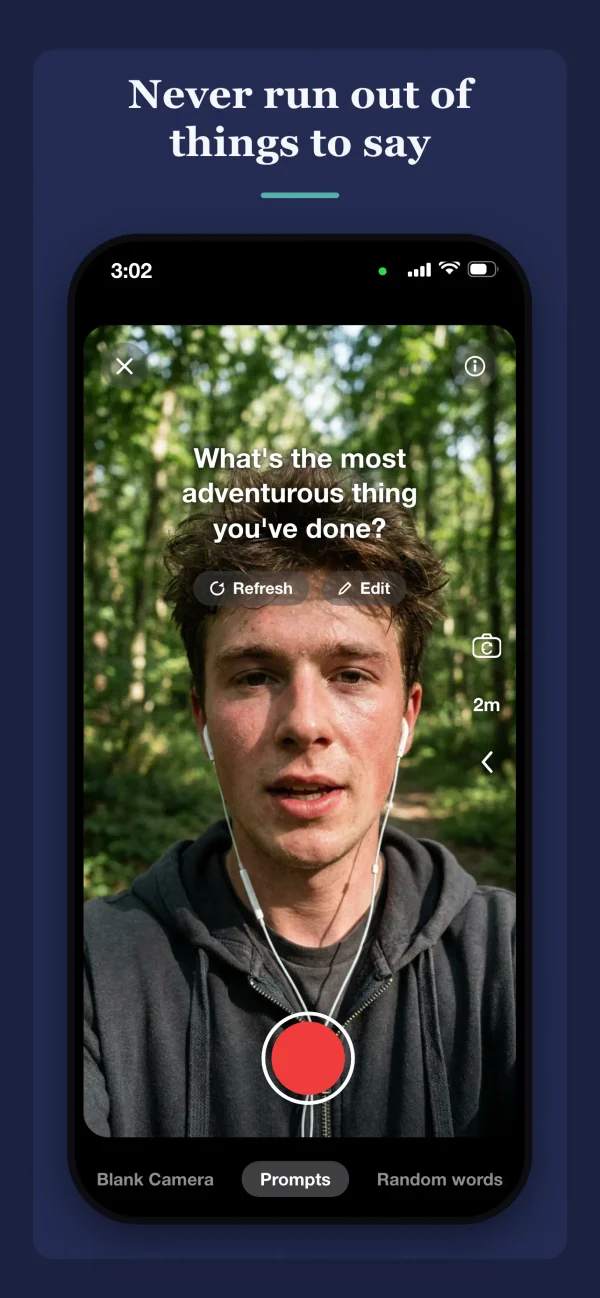
About
Become a better speaker, one video at a time.
SpeakShare turns speaking practice into a habit. Pick a random prompt, hit record, and train the skills that matter when all eyes are on you.
WHAT YOU'LL TRAIN
• Think on your feet: random prompts you can't prepare for
• Come up with ideas on the fly: improvise stories and answers in real time
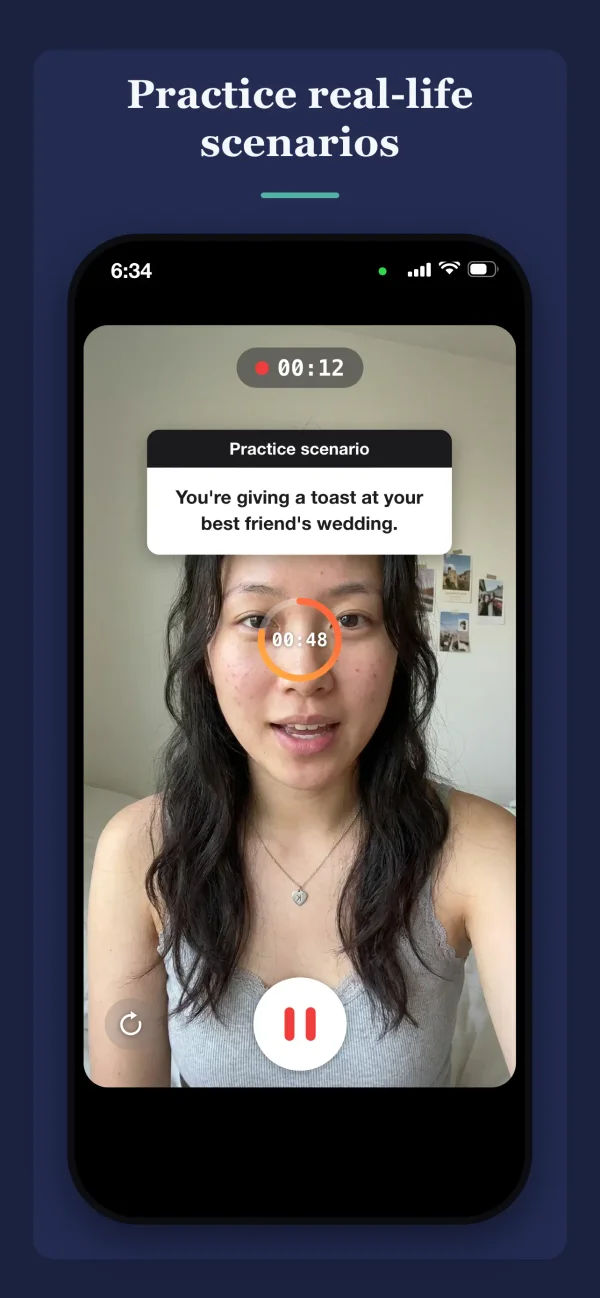
• Be concise and to the point: speak against a running timer
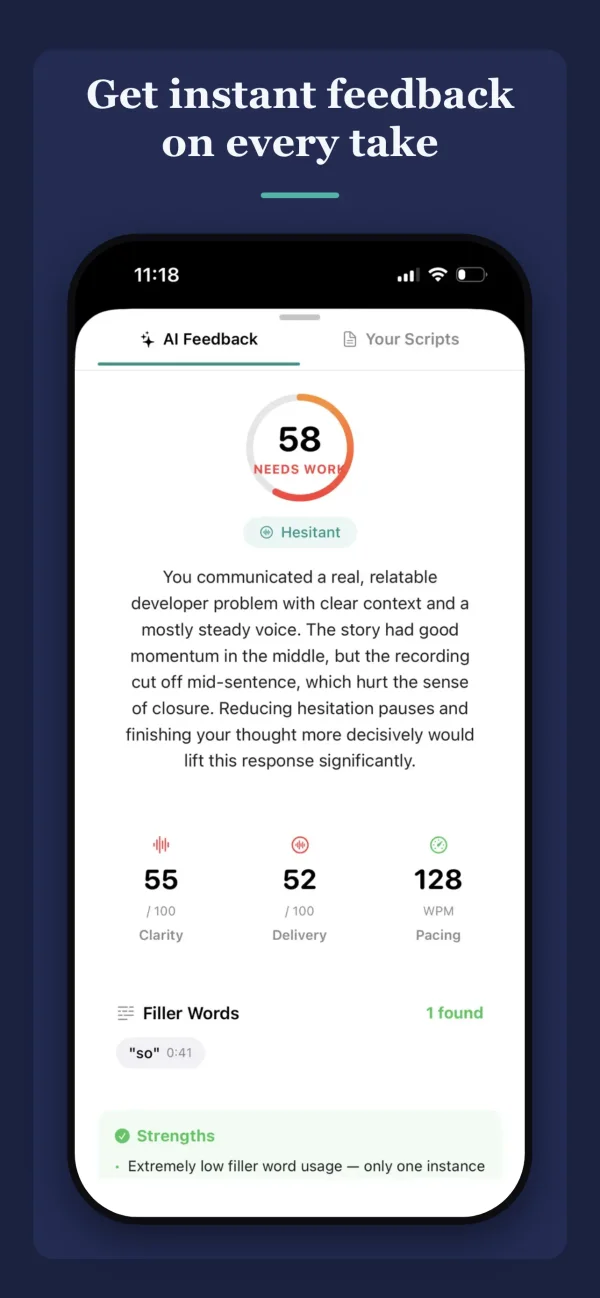
• Sound confident: AI coaching shows you what to fix, take after take
SEVEN WAYS TO PRACTICE
• Read Aloud: read a passage on camera while the words light up as you say them, then see how your pauses and endings came through. 100 passages to choose from, or bring your own text.
• Speaking Prompts: swipe the wheel for a random conversational question and answer it on camera to build spontaneous, unscripted speaking ability.
• Storytelling: improvise a story as random words are revealed one by one while you record. Sharpens creative thinking under pressure.
• Scenario Speech: step into a role as a tour guide, podcast host, news anchor, or job candidate. Over 50 real-life scenarios.
• Synonyms: a timed vocabulary quiz you answer out loud. The app listens and tells you instantly whether you got it right.
• Teleprompter: load a script and read it naturally with adjustable auto-scroll, font size, and spacing. Perfect for rehearsing speeches and presentations.
• Blank Camera: no prompts, no pressure. Just you and the camera.
Camera-shy today? Switch the camera off and practice with your voice only.
VIDEO IDEAS AND CHALLENGES
Never run out of things to post. Challenges are packs of short-form video ideas, one a day, in the niche you care about: the hook that goes on your video and a few short steps on how to film it. Browse by category or search for a topic.
AI SPEECH COACHING
Get personal feedback on any take: pacing, filler words, clarity, confidence, and delivery style, plus concrete tips on what to fix next. Your coach analyzes both what you said and how you said it, using your transcript and the sound of your voice: pitch, energy, and pauses.
MAKE IT YOURS
• Retake as many times as you like. Your attempt count shows your progression.
• Edit before you post: trim the ends, cut out a stumble, change the speed, and add text, a look and sound. Your original take is always kept.
• Add timed captions you can drag, resize, and style with presets like Classic, Bold, and Neon.
• Practice visuals like word reveals, progress bars, and quiz cards appear as overlays on playback.
• Save drafts and finish later. Uploads continue in the background.
SHARE IT (IF YOU WANT)
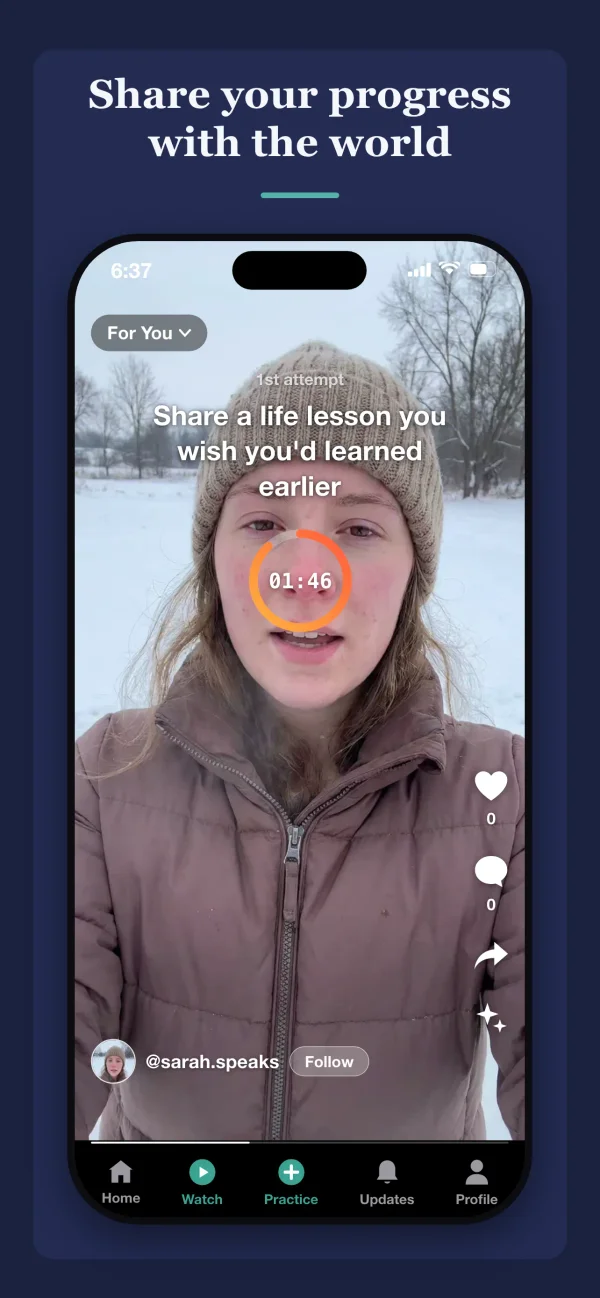
Publish to the SpeakShare feed publicly or to followers only, control who can comment, and cross-post to TikTok in the same flow. Or keep your takes to yourself. Practice is for you first.
A COMMUNITY THAT GETS IT
Scroll the Watch feed to see how other people practice. Follow speakers who inspire you, trade feedback in comments, and browse trending videos for ideas. Everyone there is doing the same scary thing you are: talking to a camera to get better.
WHO IT'S FOR
• Anyone who freezes when the camera turns on
• Students and professionals preparing presentations, pitches, or interviews
• Content creators refining their on-camera delivery
• Language learners building vocabulary and fluency
Confidence on camera isn't a talent. It's reps. Download SpeakShare and record your first take today.
Terms of Use: https://www.apple.com/legal/internet-services/itunes/dev/stdeula/
Privacy Policy: https://speakshare.io/privacy
Our terms of service: https://speakshare.io/terms
What’s new
Version 1.3.0 · Nov 18, 2026
• Write it for me: AI writes your caption for you video
• Read Aloud, redone: a simpler screen, bookmarks feature for stories you want to read again, more tongue twisters, auto scroll, text videos, split screen and illustrated pages
• Cutout camera: just you on the page, with your room cut away
• Storytelling: silver stops that tick off as you say each word
• Eight new looks for the timer ring
• Edit a challenge's hook and day line on your draft
• Remove watermark option, and Blank Camera videos save clean
• Posts keep uploading if you leave the app, plus many fixes
App privacy
What MELVINE KHAN AWA declares on the App Store about how this app handles data.
-
Data linked to you
May be collected and linked to your identity.
- Purchases
- Contact info
- User content
- Identifiers
- Usage data
Privacy practices may vary, for example with the features you use or your age.
Information
- Seller
- MELVINE KHAN AWA
- Category
- Education
- Version
- 1.3.0
- Updated
- Nov 18, 2026
- Released
- Sep 17, 2026
- Size
- 42.0 MB
- Requires
- iOS 26.0 or later
- Age rating
- 4+
- Price
- Free
- In-app purchases
- Yes
- Languages
- English
- Copyright
- © 2026 Melvine Khan Awa
You might also like
-
 Sikhi 101Learn Sikhi with AI help
-
 English Speaking -Practice ProLearn Pronunciation & Fluency
-
 TalkPro: Impromptu SpeakingAI Speech Coach, Speak Clearly
-
 LingoListen: English ListeningShadowing & Daily Practice
-
 Sikh CalendarNanakshahi Events & Hukamnama
-
 ReSpeak: Shadowing exercisesSpeak with shadowing
-
 English Listening & Speaking.Improve English Skills Daily
-
 Shadowly: English ShadowingAI pronunciation coaching
-
 AI Notebook: Note TakerDigital & Smart Notebooks
-
 Echo: English PronunciationEnglish & French Pronunciation