
- Age rating4+
- CategoryProductivity
- DeveloperArthur de Rijke
- LanguagesEnglish+ 8 more
- Size11.5 MB
Links to the official App Store page
Download.org hosts no file of Speed Reader!. The button opens its official App Store page, published by Arthur de Rijke. Listing last checked on Nov 20, 2026.
Screenshots



About
Read faster with focus
Built around RSVP reading, flexible imports, privacy-friendly AI, and a clean library for saved texts.
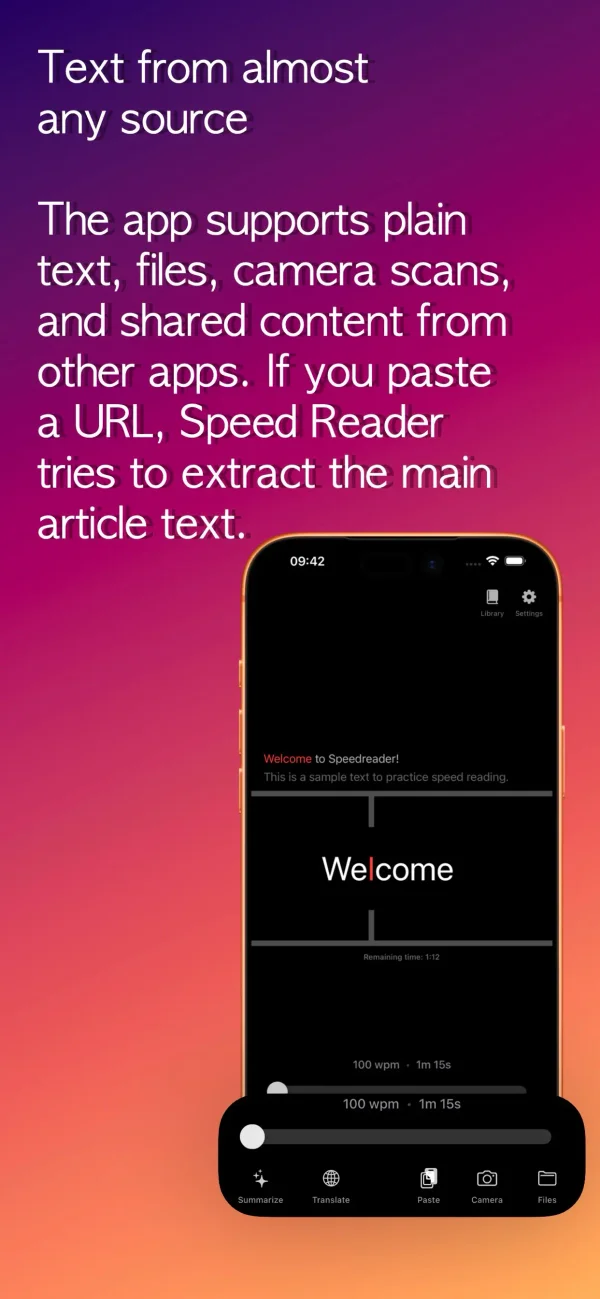
- Paste text, import files, scan with the camera, or use the share extension to import text from other apps (like news apps).
- Switch between Flash, Scroll, and Vertical Scroll depending on the material.
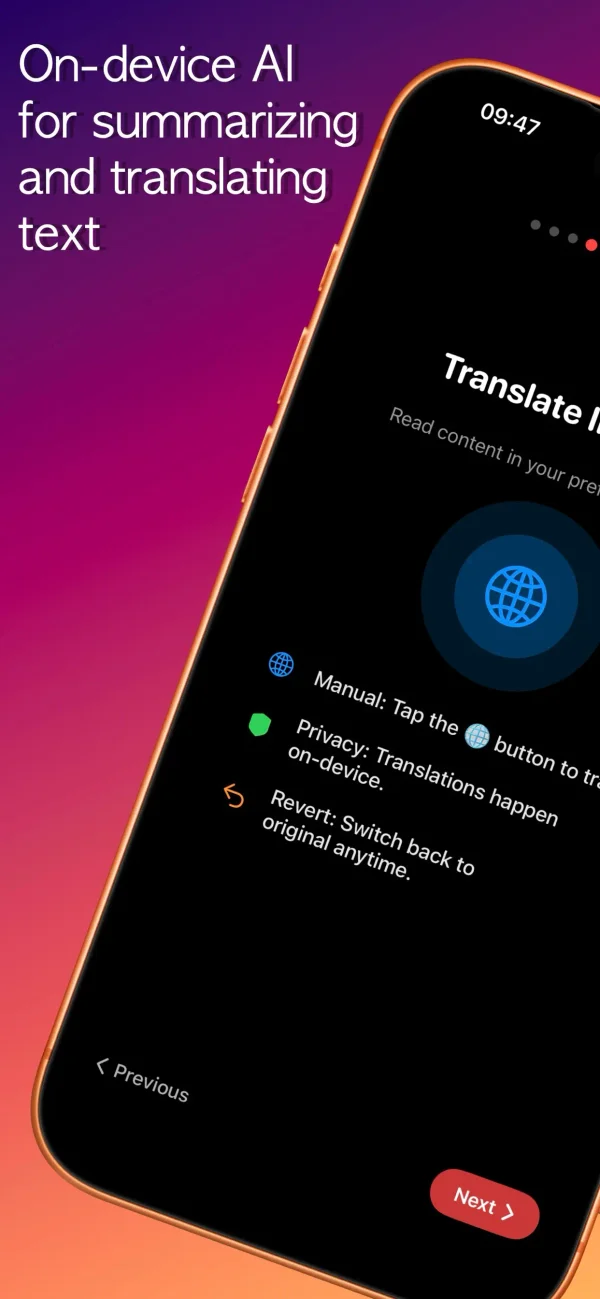
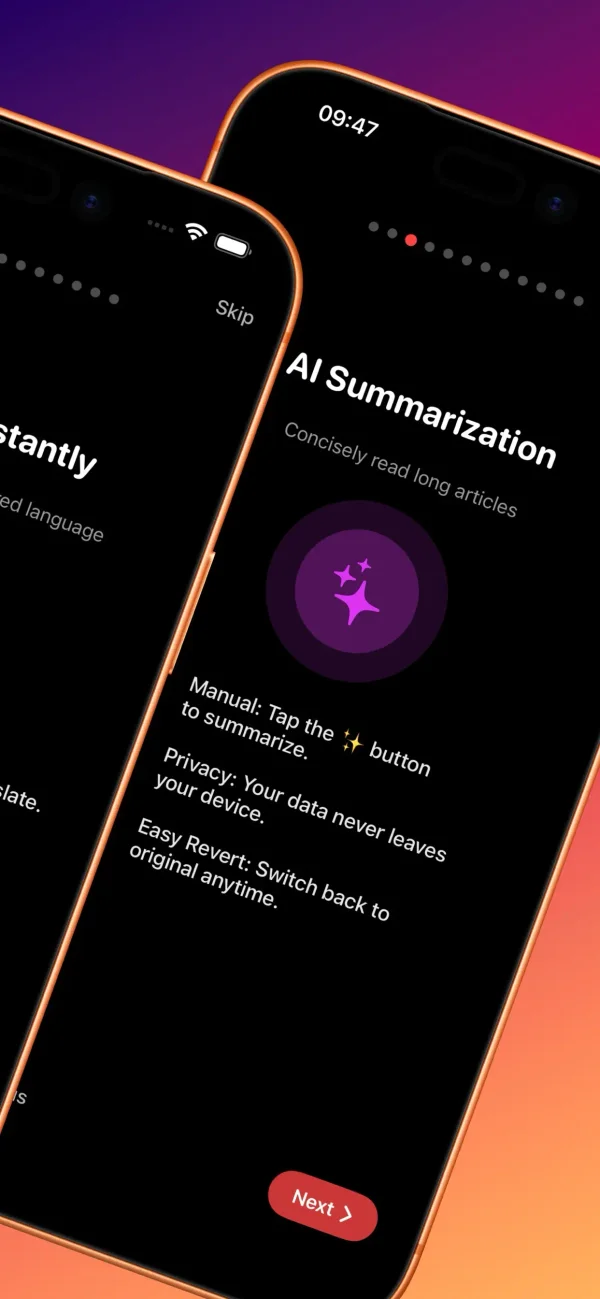
- Use summarization and translation when Apple Intelligence is available.
- Save reading history, organize favorites, and reopen recent texts quickly.
Transform Your Reading Experience with Science-Backed Speed Reading
Speed Reader revolutionizes how you consume text using RSVP (Rapid Serial Visual Presentation) technology, a scientifically proven method that helps you read faster while maintaining comprehension.
Why Speed Reader?
Whether you're a student tackling dense textbooks, a professional keeping up with industry articles, or an avid reader devouring books, Speed Reader helps you read more in less time. Our app uses cutting-edge RSVP technology with Optimal Recognition Point (ORP) highlighting to guide your eyes naturally through text, eliminating the need for eye movement and reducing reading fatigue.
Key Features:
Three Reading Modes
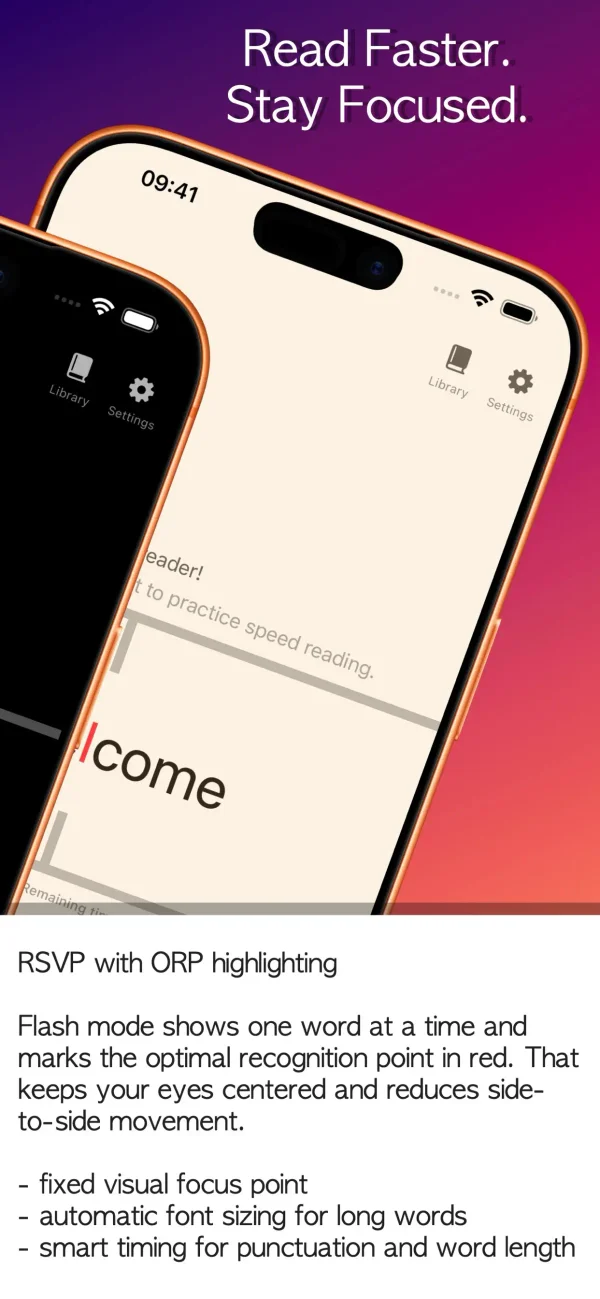
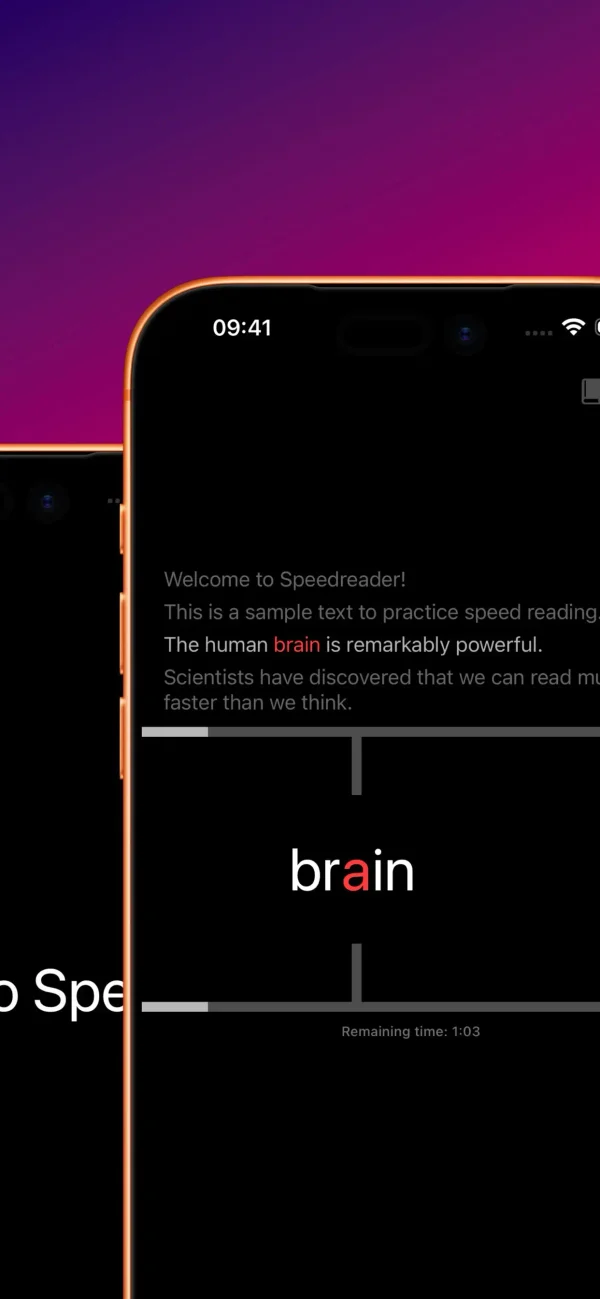
• Flash Mode: Word-by-word display with ORP highlighting for maximum focus
• Scroll Mode: Continuous horizontal scrolling for traditional reading flow
• Vertical Scroll Mode: Line-by-line display with word highlighting
Science-Backed RSVP Technology
• Optimal Recognition Point (ORP) highlighting guides your eyes to the perfect focus point in each word
• Fixed focus position eliminates eye movement, reducing fatigue
• Automatic font sizing ensures every word fits perfectly on screen
Flexible Speed Control
• Adjust reading speed from 100 to 1500 words per minute (WPM)
• Smart pause system: longer pauses after periods and commas for natural reading rhythm
• Customizable pause multipliers for periods and long words
Multiple Text Sources
• Paste text directly from clipboard
• Import PDF, DOCX, and DOC files
• Share Extension: share content from Safari, Notes, Mail, and any other app
• Automatic text filtering for clean, readable content
Beautiful, Distraction-Free Interface
• Three elegant themes: Dark, Light, and Sepia
• Minimalist UI that hides during reading for complete focus
• Visual guide lines help maintain reading position
• Custom fonts: System, Serif, Monospaced, and Rounded
Intuitive Controls
• Tap to start/pause reading
• Swipe left/right to navigate through words
• Hold screen to pause and review
• Progress bar shows reading time and completion
Fully Customizable
• Choose your preferred display mode
• Adjust theme and font to match your style
• Fine-tune reading preferences for optimal experience
• Multi-language support: English, Dutch, German, French, Spanish, Italian, Japanese, Korean, Chinese
Smart Features
• Automatic font recalculation on orientation change
• Reading progress tracking
• Estimated reading time calculation
• Interactive tutorial for first-time users
Perfect For:
• Students reading textbooks and research papers
• Professionals staying current with industry news
• Book lovers who want to read more books
• Anyone looking to improve reading speed and efficiency
How It Works:
1. Load your text: paste from clipboard, import a file, or share from another app
2. Choose your reading mode and adjust speed to your comfort level
3. Tap to start reading and watch as words appear one at a time with perfect focus
4. Swipe to navigate, tap to pause, and customize your experience
Technical Excellence:
Built with SwiftUI for iOS 17.0+, Speed Reader delivers a smooth, native experience. The app uses advanced text processing to handle various file formats and automatically optimizes display settings for your device and orientation.
Privacy & Data:
Speed Reader respects your privacy. All text processing happens locally on your device. We don't collect, store, or transmit your reading content. Your reading data stays private and secure.
What’s new
Version 1.4.2 · Jul 1, 2026
- Read text from photos, pick an image or take a photo and extract text with on-device OCR
- Clearer Scan and Photo buttons for camera vs. photo library
- Settings and Library always stay visible in the reader
- Better toolbar layout on smaller iPhones
App privacy
What Arthur de Rijke declares on the App Store about how this app handles data.
-
Data not collected
The developer does not collect any data from this app.
Privacy practices may vary, for example with the features you use or your age.
Information
- Seller
- Arthur de Rijke
- Category
- Productivity
- Version
- 1.4.2
- Updated
- Jul 1, 2026
- Released
- Jan 28, 2026
- Size
- 11.5 MB
- Requires
- iOS 26.2 or later
- Age rating
- 4+
- Price
- $2.99
- Languages
- English, Dutch, French, German, Italian, Japanese, Korean, Simplified Chinese, Spanish
- Copyright
- © 2026, Arthur de Rijke
You might also like
-
 Lexia: Read Faster, Read MoreA focused speed reading tool
-
 ReadFast - Speed Reading AppRead up to 3x faster
-
 Quick Read - RSVPSpeed Read Any Text
-
 Reedit RSVPProductivity
-
 X Speed Reader: RSVP Reader#1 RSVP Reader for X Articles
-
 Rapid Reader: Word by WordRSVP Speed Reading Trainer
-
 Speed Read RSVPRead articles fast with RSVP
-
 Harada Life Goals8 pillars. 64 actions. 1 goal.
-
 BisonNotes AI – Voice NotesRecord, Transcribe, Summarize
-
 Remember Names - FaceMemoPeople faces, friends & work