SpeedGuard: Speed Camera GPS
Radar Alerts & Speedometer
Designed for iPhone
Free · In-app purchases
- Age rating4+
- CategoryNavigation
- DeveloperDmitry Senchikhin
- LanguagesEnglish+ 9 more
- Size4.6 MB
Links to the official App Store page
Download.org hosts no file of SpeedGuard: Speed Camera GPS. The button opens its official App Store page, published by Dmitry Senchikhin. Listing last checked on Nov 16, 2026.
Screenshots



About
SpeedGuard warns you about speed cameras while you drive — on iPhone, Apple Watch, and CarPlay.
Download OpenStreetMap camera packs to your iPhone. GPS and alerts run on the device, so you get a heads-up before a camera, not a feed of your trips on our servers.
IPHONE
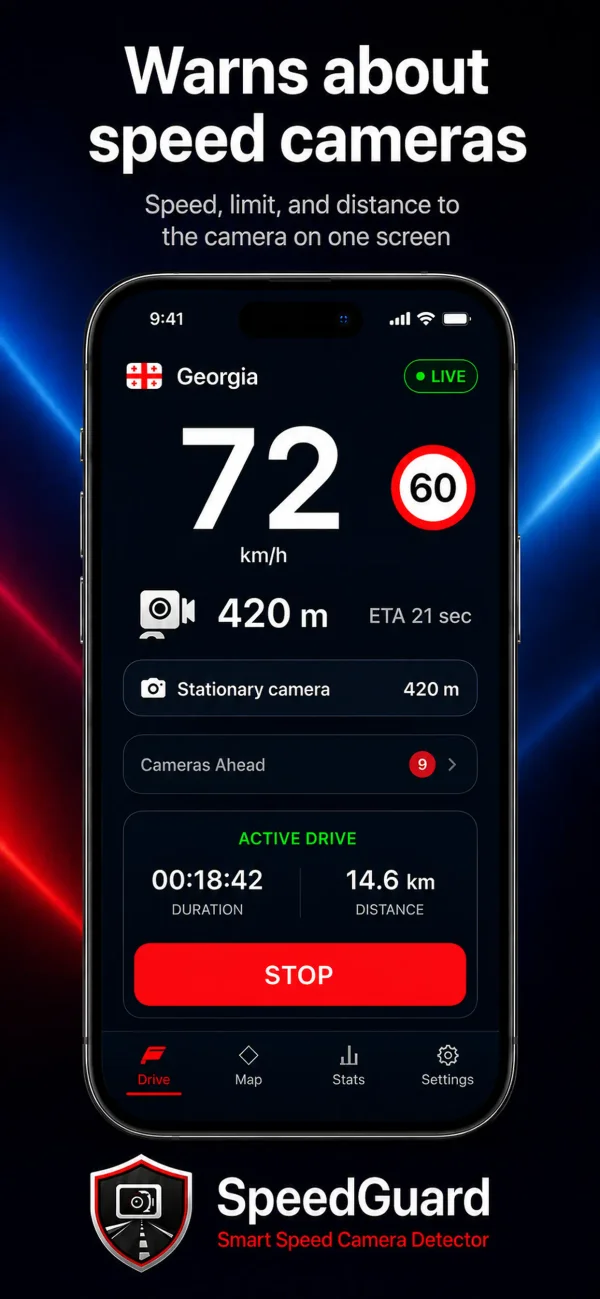
• Speed, limit, and distance to the next camera on one screen
• Voice and sound alerts, including Smart Sonar
• Live Activity on the Lock Screen
• Offline Europe camera packs
• Background alerts when you allow Always location during a drive
• Siri shortcuts to start and stop a drive hands-free
APPLE WATCH
• Companion app on a paired Apple Watch
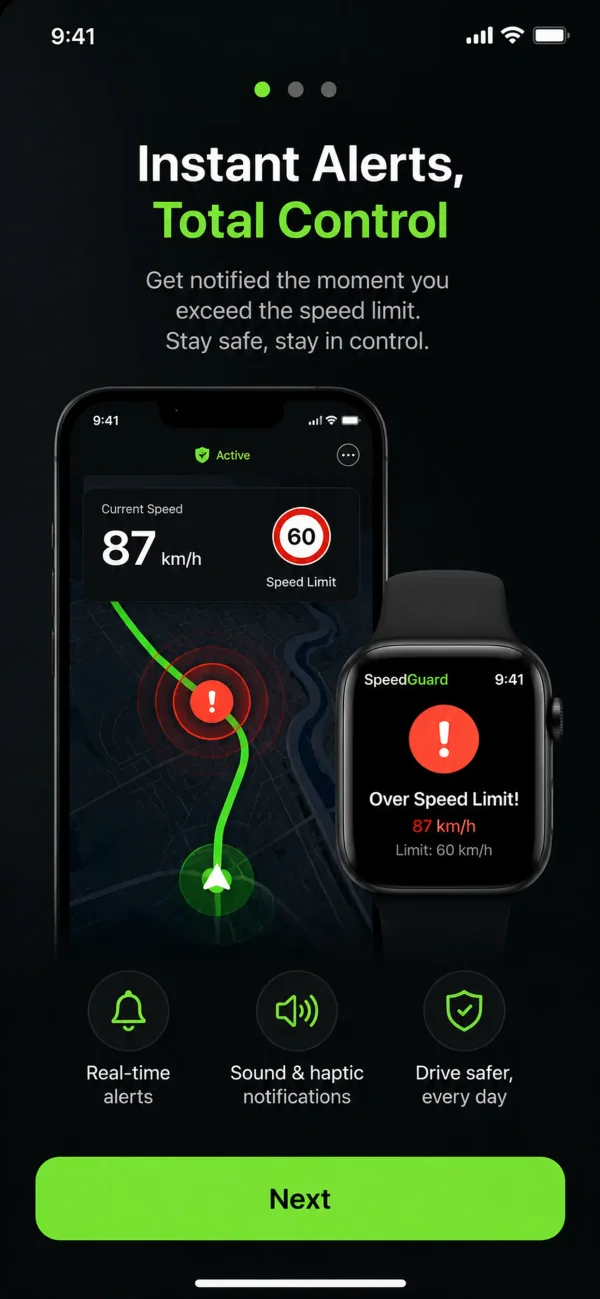
• Haptic cues as you approach a camera
CARPLAY
• Speed, limit, and distance to the next camera on the car display
• Camera alerts in the car, shown as a CarPlay driving task
HOW IT WORKS
Start a drive, keep the iPhone in the car, and SpeedGuard watches nearby cameras from the pack you downloaded. End the trip to stop background monitoring.
SPEEDGUARD PRO
New installs include a 3-day demo with full Pro features on this device. After that, SpeedGuard Pro is required (weekly, monthly, or yearly). The weekly and yearly plans include a 3-day free trial for eligible new subscribers.
Subscriptions renew automatically unless auto-renew is turned off at least 24 hours before the end of the current period. Your Apple Account is charged for renewal within 24 hours before the period ends. Prices are shown in the app before you buy. You can manage or cancel a subscription in Settings on your device. Any unused part of a free trial is forfeited when you buy a subscription.
SpeedGuard is a driver aid. Camera data can be incomplete or outdated. It does not replace road signs, and it does not guarantee you will avoid a ticket.
Privacy Policy: https://speedguardapp.com/privacy
Terms of Use: https://speedguardapp.com/terms
Terms of Use (EULA): https://www.apple.com/legal/internet-services/itunes/dev/stdeula/
What’s new
Version 1.8 · Nov 8, 2026
SpeedGuard 1.8
• Auto start and stop a drive when you connect to the car or begin moving
• Alerts stay on Dynamic Island / Live Activity while Maps is open
• Report a camera — we send it to the server, at least into the pack queue
• Road speed limit from OpenStreetMap, not only from a camera
App privacy
What Dmitry Senchikhin declares on the App Store about how this app handles data.
-
Data not collected
The developer does not collect any data from this app.
Privacy practices may vary, for example with the features you use or your age.
Information
- Seller
- Dmitry Senchikhin
- Category
- Navigation
- Version
- 1.8
- Updated
- Nov 8, 2026
- Released
- Sep 16, 2026
- Size
- 4.6 MB
- Requires
- iOS 17.2 or later
- Age rating
- 4+
- Price
- Free
- In-app purchases
- Yes
- Languages
- English, French, Georgian, German, Italian, Polish, Russian, Spanish, Turkish, Ukrainian
- Copyright
- © Dmitrii Senchikhin
You might also like
-
 Doroga : радар-детекторNavigation
-
 SpeedGuard: Speed Limit AlertsGPS Speedometer, Voice Warning
-
 Waivr Offline Moto GPS & VoiceOffline moto GPS and radar
-
 MEGZURlAverage speed tracker
-
 RadarGO: Speed Camera & AlertsCameras, limits & live alerts
-
 SpeedCam Smart RadarSpeedCam & Police trap radar
-
 Visterra:Map GPS CameraGPS Map Camera & Golden Hour
-
 GPS Speedometer & HUD TrackerSpeed Limit Alert & Odometer
-
 Watch Speedometer Pro CarPlayGPS Speed, Widget & History
-
 Amanda: GPS EuropeNavigation, ZTL & Parking