Speedometer: GPS Live Speed
Speed Alerts & Trip History
Designed for iPhone
Free · In-app purchases
- Age rating4+
- CategoryNavigation
- DeveloperUMUT CAN ARDUC
- LanguagesEnglish+ 15 more
- Size16.9 MB
Links to the official App Store page
Download.org hosts no file of Speedometer: GPS Live Speed. The button opens its official App Store page, published by UMUT CAN ARDUC. Listing last checked on Nov 23, 2026.
Screenshots

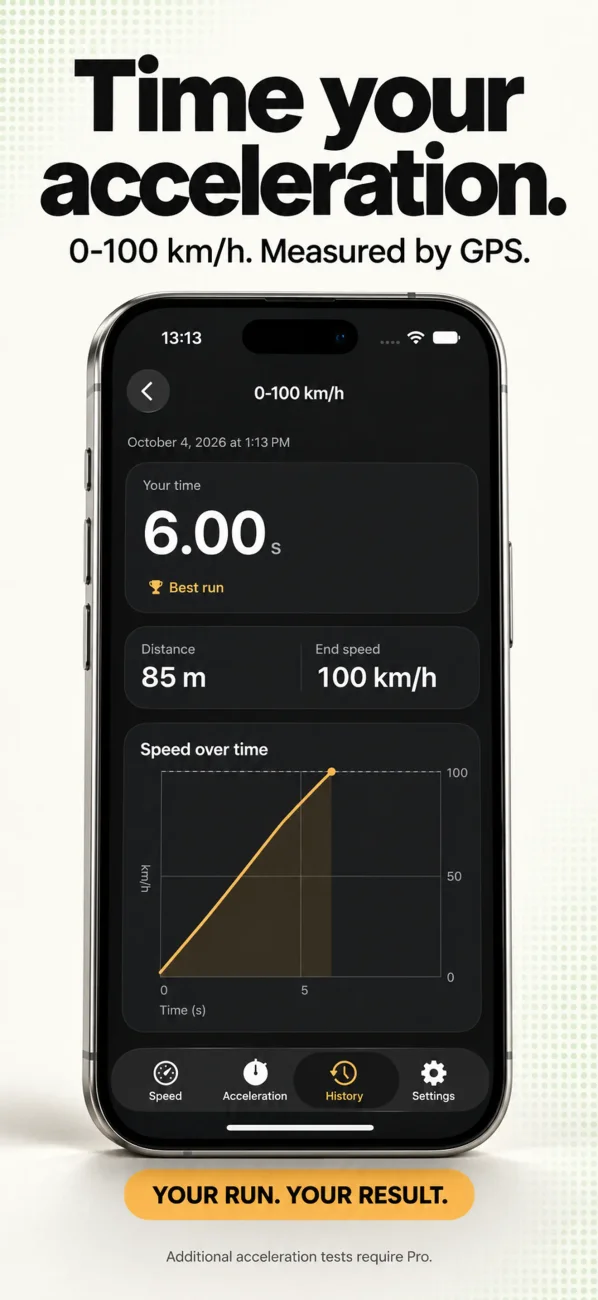
About
A GPS speedometer with your live speed in a big, clear gauge, alerts as you near your speed limit, and every trip saved with its route map.
DriveGrade grades every drive and tells you how it went. Record a Trip, tap Finish, and see your Trip Score, your Driving Style and a short note from Trip Coach, written on your iPhone by on-device AI.
TRIP SCORE AND DRIVING STYLE
Every finished Trip earns a Trip Score from A+ to D, based on how well you kept to the speed limit and how smoothly you accelerated and braked. Speed alone never lowers your score. Each Trip also gets a Driving Style: calm, steady, dynamic or aggressive.
TRIP COACH, ON-DEVICE AI
When a Trip ends, Trip Coach writes a headline and two sentences about that drive: the long smooth stretch, the sharp stop, the one change that would lift your score. On iPhones with Apple Intelligence, Apple's on-device model writes it and the note is marked "On-device AI". Your Trip is never sent to a server for it. On other iPhones, you get a note built from the same measurements.
ACCELERATION RUNS
Start from a standstill and time 0-60 mph, 0-100 km/h or your own target speed with GPS. Every Acceleration Run saves a speed chart, so you can compare it with your best run.
APPLE WATCH
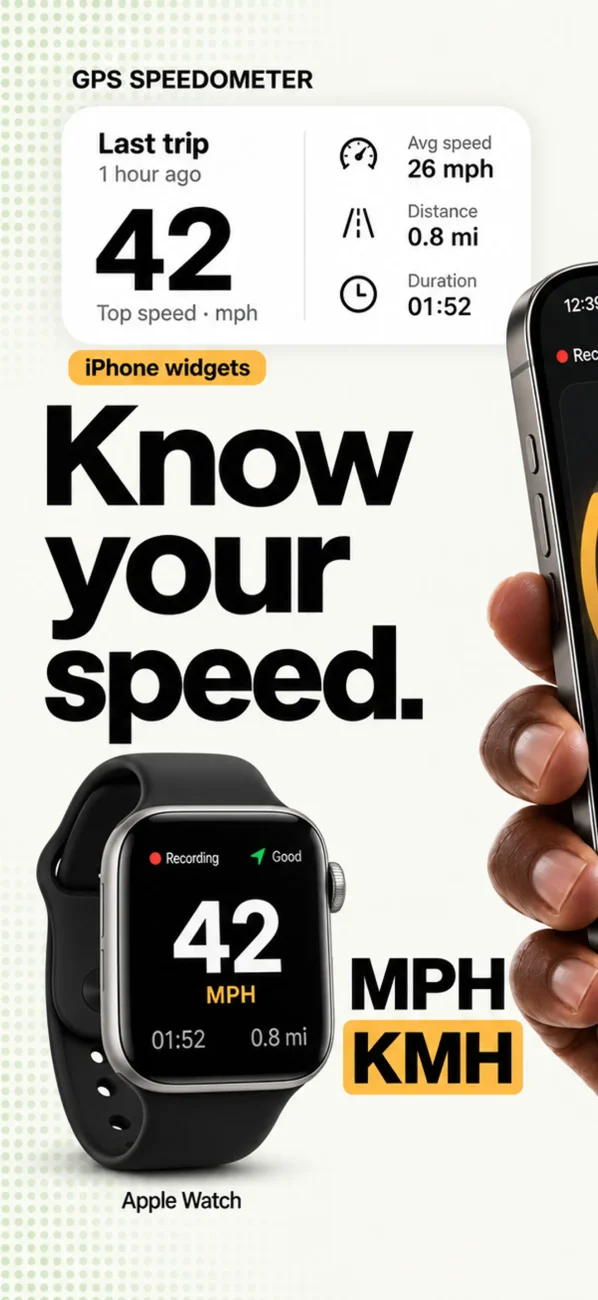
Start, pause and finish a Trip from your wrist and see your live speed. When you finish, the Watch shows your Trip Score, Driving Style and the Trip Coach headline. Put your last Trip Score on your watch face with the complication. Your iPhone records the Trip, so keep it with you.
WIDGETS AND CONTROLS
- Trip Score widget for the Home Screen and Lock Screen: last grade, Driving Style and Trip Coach headline
- Start Trip control for Control Center, the Lock Screen and the Action button
- Live Activity on the Lock Screen and in the Dynamic Island while you record
MIRRORED HUD AND 10 GAUGES
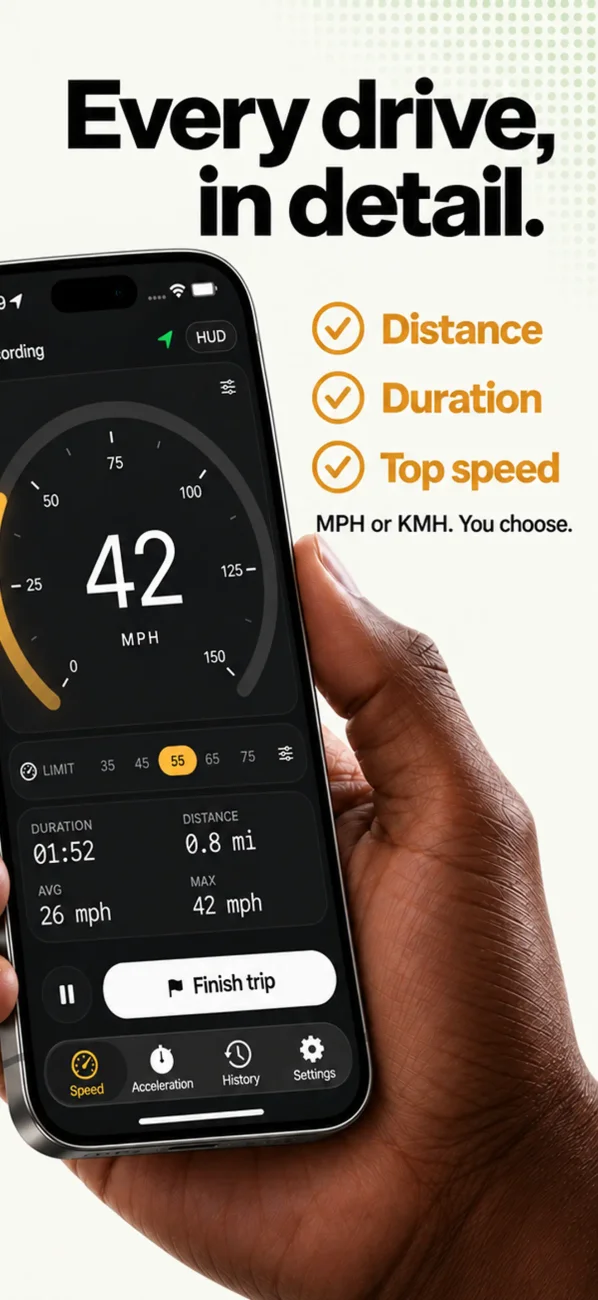
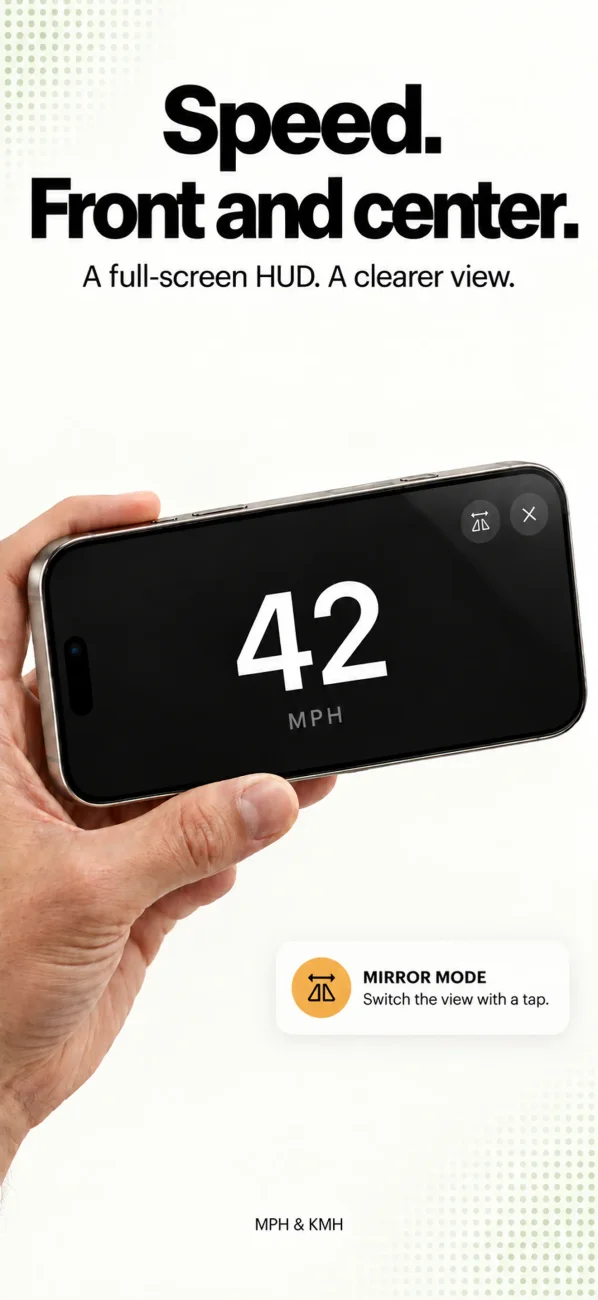
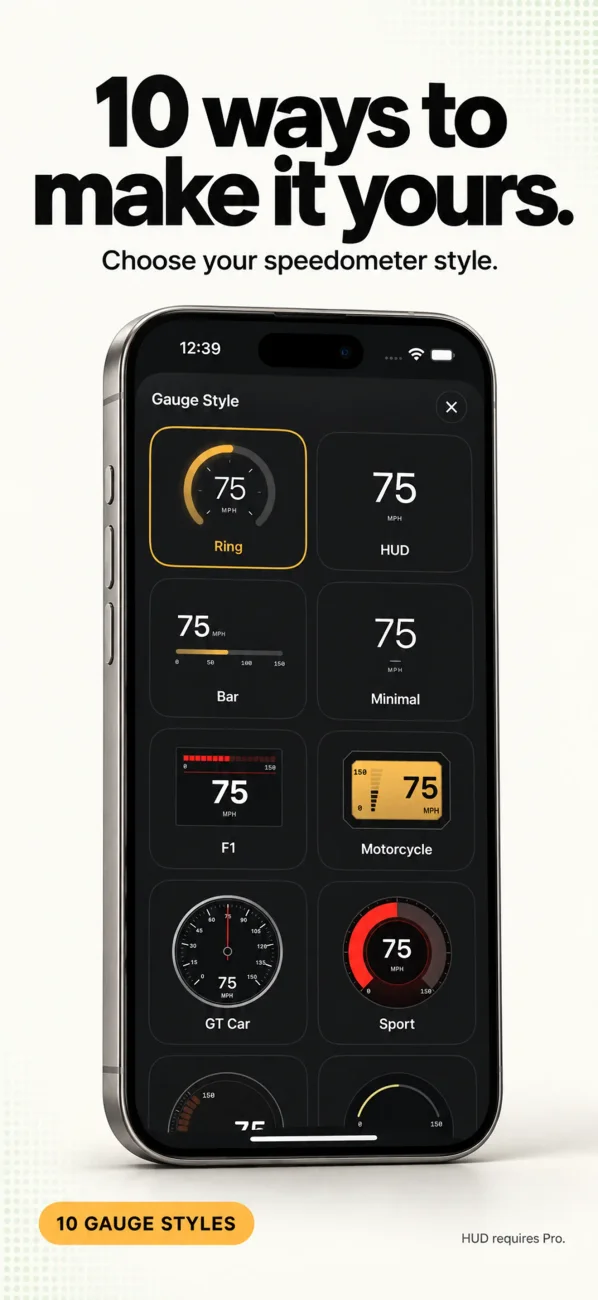
At night, lay your iPhone on the dashboard and read your speed reflected in the windshield. By day, pick one of 10 gauges, from F1 and GT Car to Minimal, in km/h, mph or m/s.
SPEED-LIMIT ALERTS
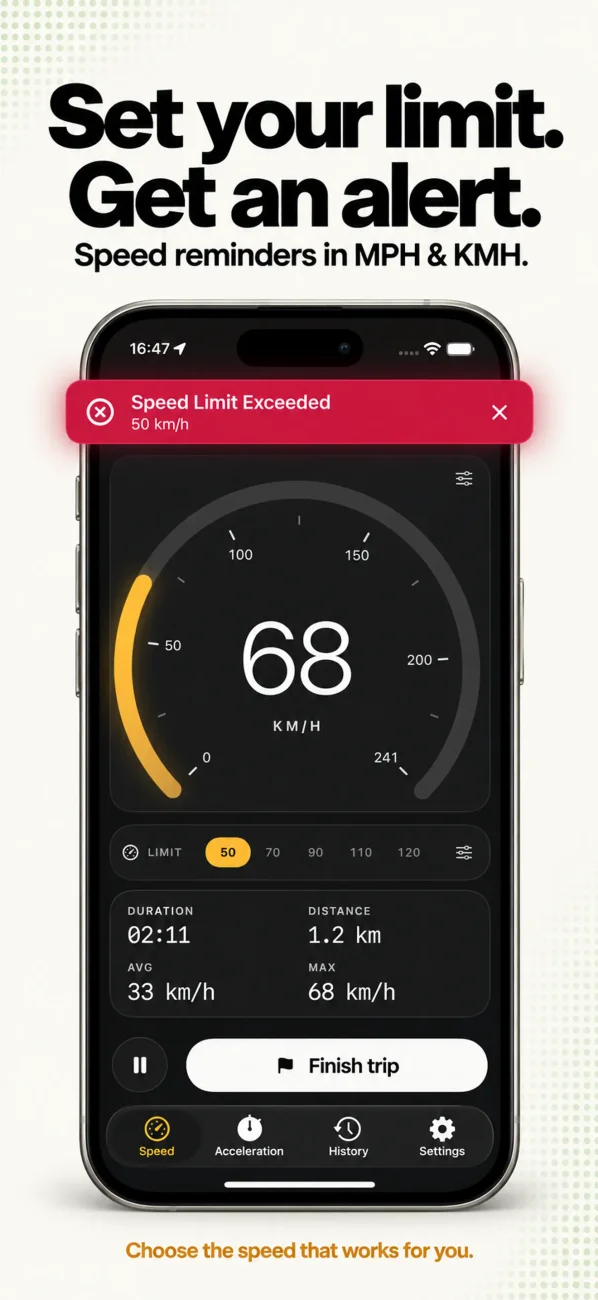
Choose a limit from presets that match where you drive: 50 to 120 km/h, 35 to 75 mph in the US, 30 to 70 mph in the UK. You get an alert and a haptic as you get close and when you go over.
HISTORY AND EXPORT
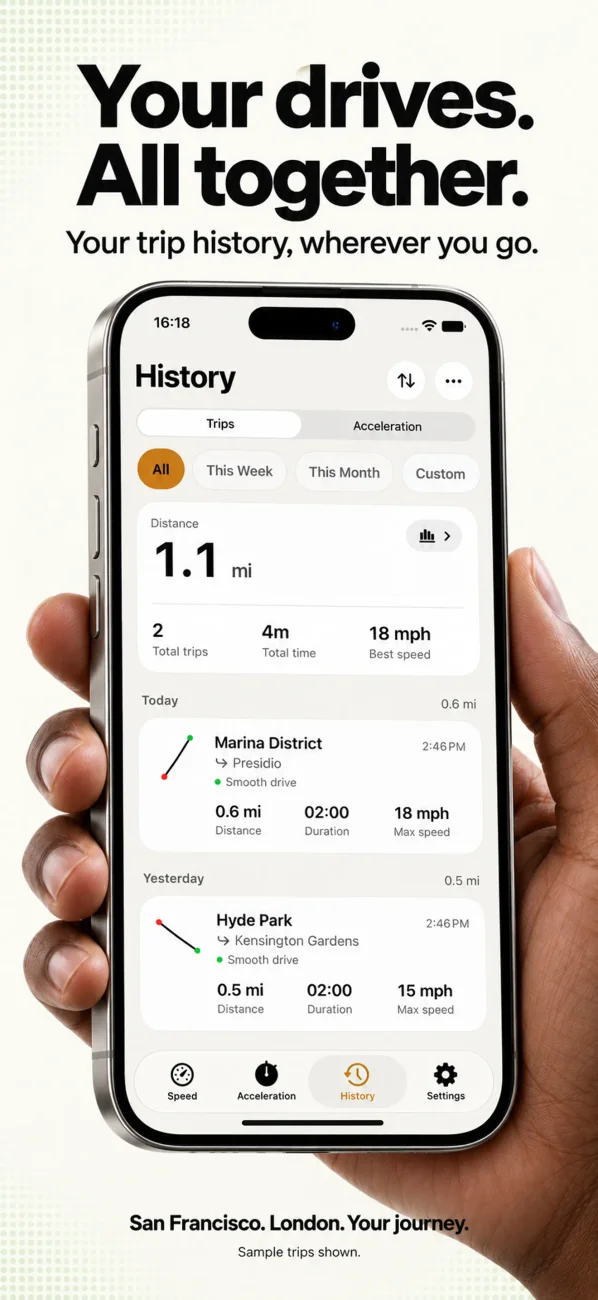
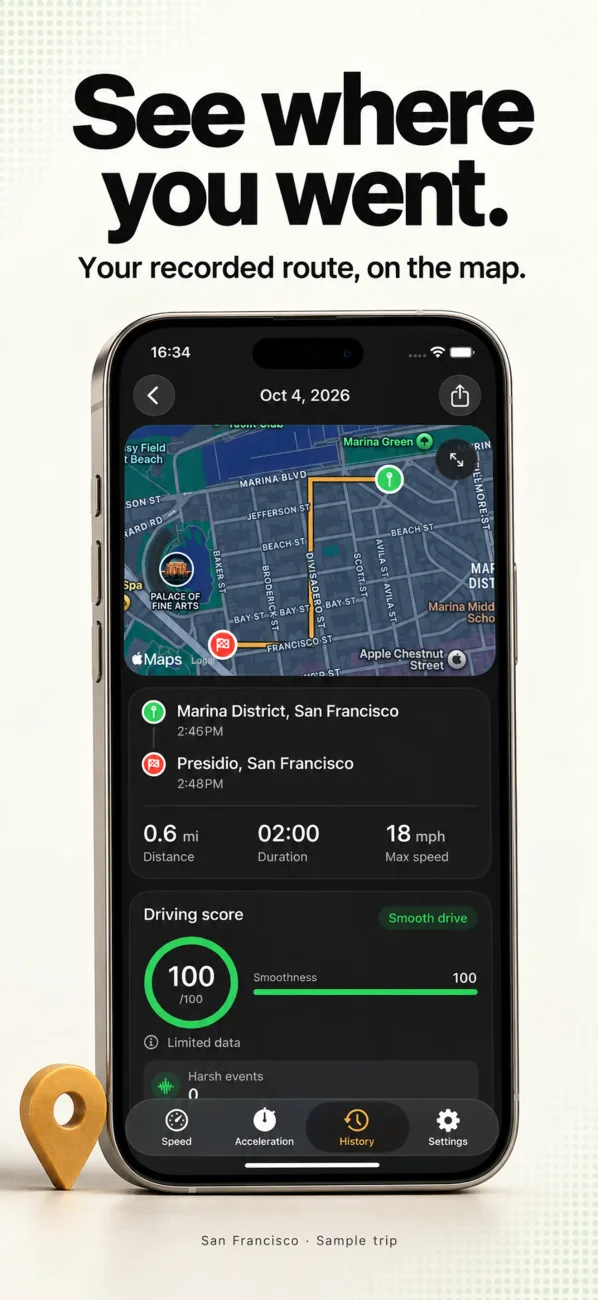
Every Trip is saved with its route map, speed chart, distance and duration. Driving stats sum up your week, month and year. Share a Trip snapshot or export your Trips to a file.
DRIVEGRADE PRO
Pro is required to continue after onboarding. Choose a Weekly or Yearly auto-renewing subscription, or unlock Pro with a one-time Lifetime purchase. Subscriptions renew automatically unless turned off at least 24 hours before the current period ends. Manage subscriptions in your Apple Account settings.
Terms of Use: https://www.apple.com/legal/internet-services/itunes/dev/stdeula/
Privacy Policy: https://umutarduc.com/privacy.html
GPS speed depends on satellite reception. Set up before you drive, keep your eyes on the road, and do Acceleration Runs only where it is safe and legal.
What’s new
Version 2.2.2 · Nov 22, 2026
Choose Lifetime Pro with a one-time purchase.
You can now retry if the Pro offer fails to load when you open the app. We also fixed how the offer opens from widgets that require Pro.
App privacy
What UMUT CAN ARDUC declares on the App Store about how this app handles data.
-
Data not collected
The developer does not collect any data from this app.
Privacy practices may vary, for example with the features you use or your age.
Information
- Seller
- UMUT CAN ARDUC
- Category
- Navigation
- Version
- 2.2.2
- Updated
- Nov 22, 2026
- Released
- Oct 2, 2025
- Size
- 16.9 MB
- Requires
- iOS 18.6 or later
- Age rating
- 4+
- Price
- Free
- In-app purchases
- Yes
- Languages
- English, Arabic, Dutch, French, German, Hindi, Italian, Japanese, Korean, Polish, Portuguese, Russian + 4 more
- Copyright
- © 2025 Umut Arduç
You might also like
-
 Kauai Offline Island GuideKauai’s Best Photo Spots
-
 Jet Lag Time Zone ShifterBeat Jet Lag: Circadian Plan
-
 eutrain – Europe’s TrainsBook Trains Across Europe
-
 Speedometer GPS – MPH SpeedDigital HUD Tracker & Odometer
-
 Multi-Stop Route XK PlannerPlan multi-stop routes easily
-
 GPS Speedometer - MPH TrackerOdometer & Speed Monitor
-
 Just a simple speedometeriOS and WatchOS speedometer
-
 Speedometer – How Fast Am I?Just another Speedometer app
-
 Find Your People: GPS LocationParental Control app Tracking
-
 Video Translator: Voice & AIAI Photo & Text Translation