
SpeedRead: RSVP Trainer
Read Faster Word by Word
Designed for iPhone, iPad
In-app purchases
- Age rating+4
- CategoryEducation
- DeveloperTakumi Sekiguchi
- LanguagesPortuguese+ 14 more
- Size6.4 MB
Links to the official App Store page
Download.org hosts no file of SpeedRead: RSVP Trainer. The button opens its official App Store page, published by Takumi Sekiguchi. Listing last checked on Nov 12, 2026.
Screenshots
About
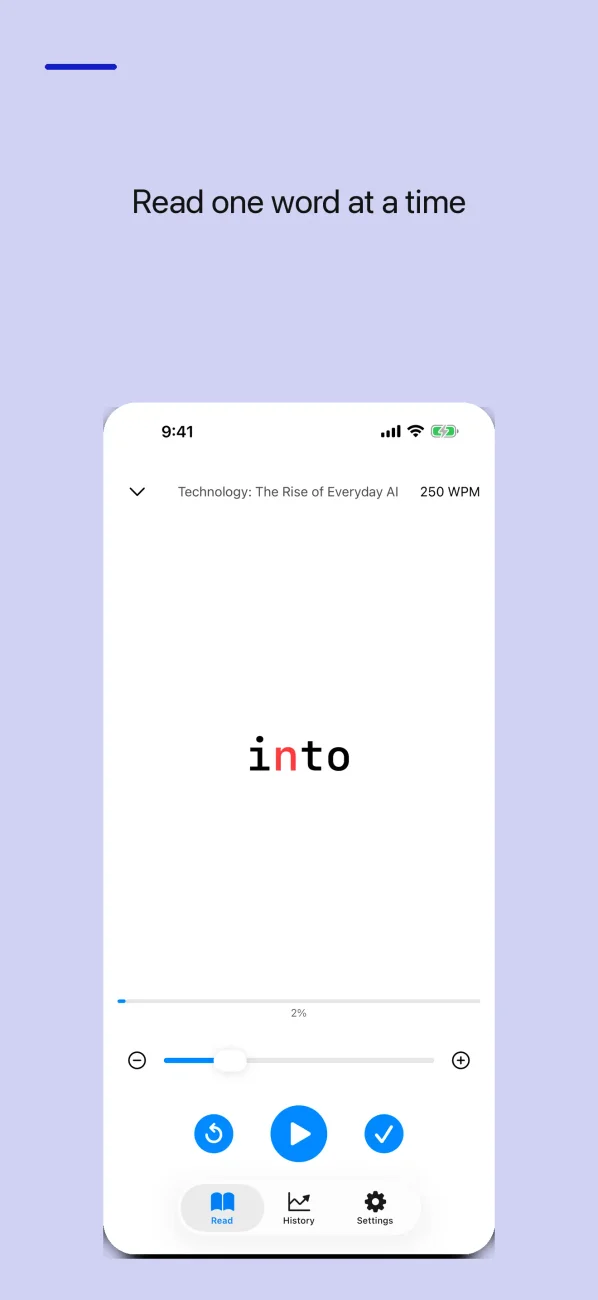
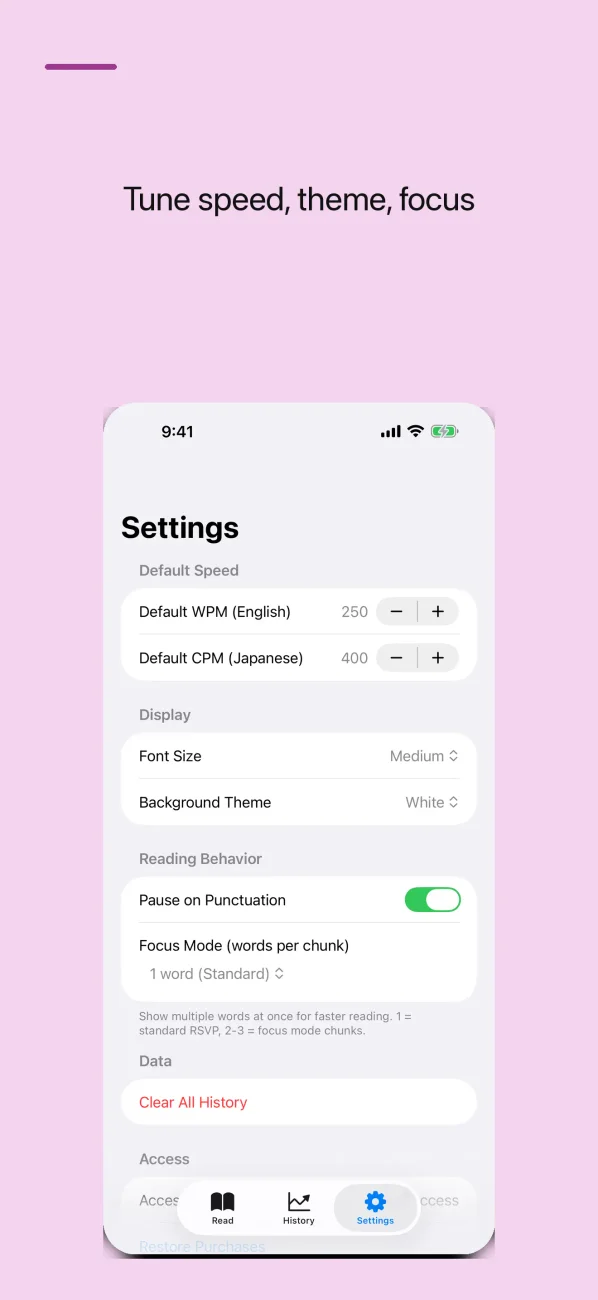
SpeedRead trains you to read faster using the RSVP (Rapid Serial Visual Presentation) technique. Words appear one at a time in a fixed spot, so your eyes stop darting across the page. Build your speed gradually with customizable settings.
Features:
- Word-by-word RSVP display
- Speed range: 50-1000 WPM
- Focus mode: show 1, 2 or 3 words at a time for space-separated text such as English (the speed counts one display as one, so showing 2 or 3 words gives more words per minute than the set speed)
- Japanese and Chinese text is shown in fixed 4-character chunks, and its speed is set in characters per minute (100-1800 CPM)
- Optional pauses at punctuation for easier comprehension
- White, dark and sepia themes with adjustable font size
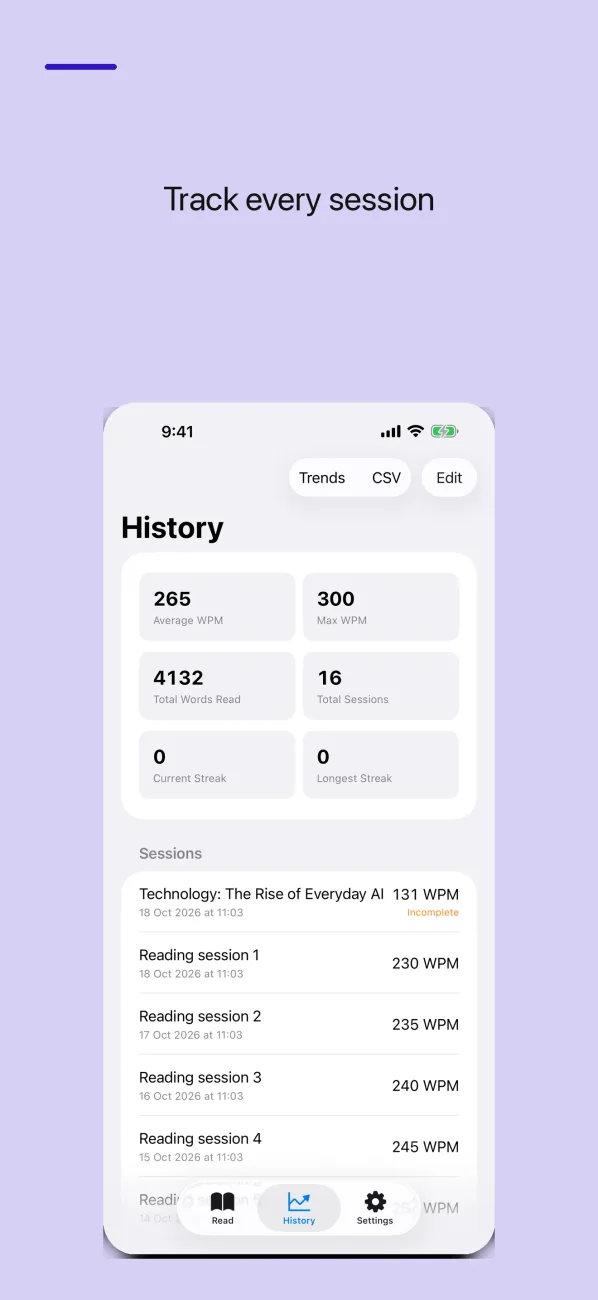
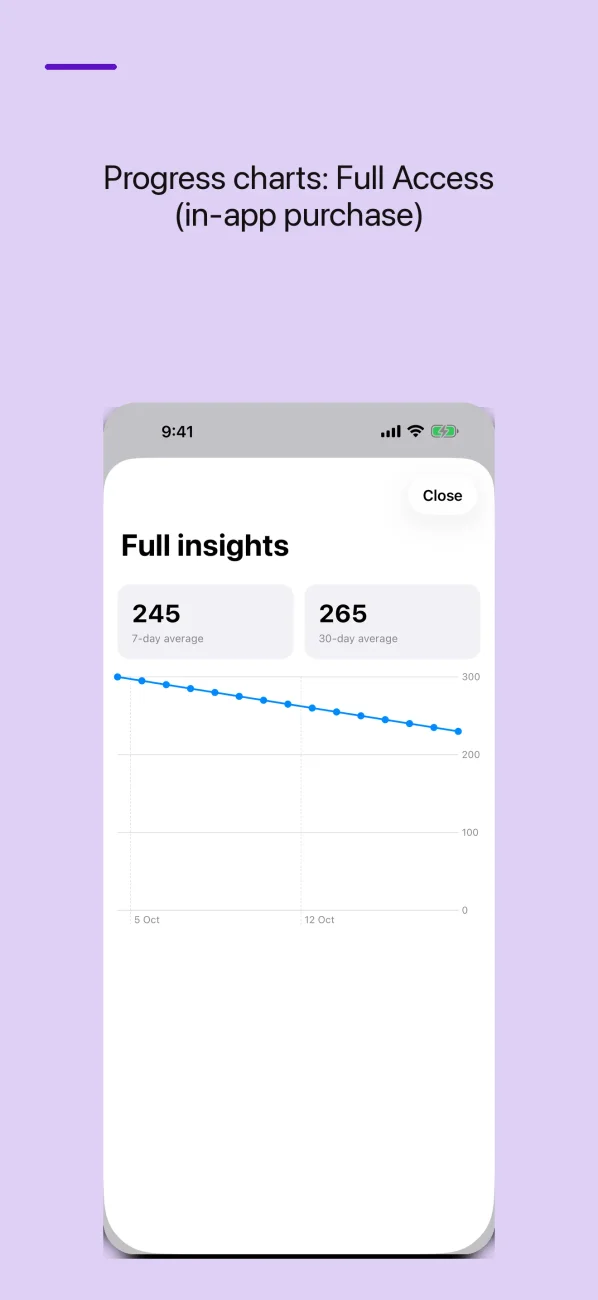
- Reading statistics, session history and progress tracking
- Daily reading streak to keep you practising
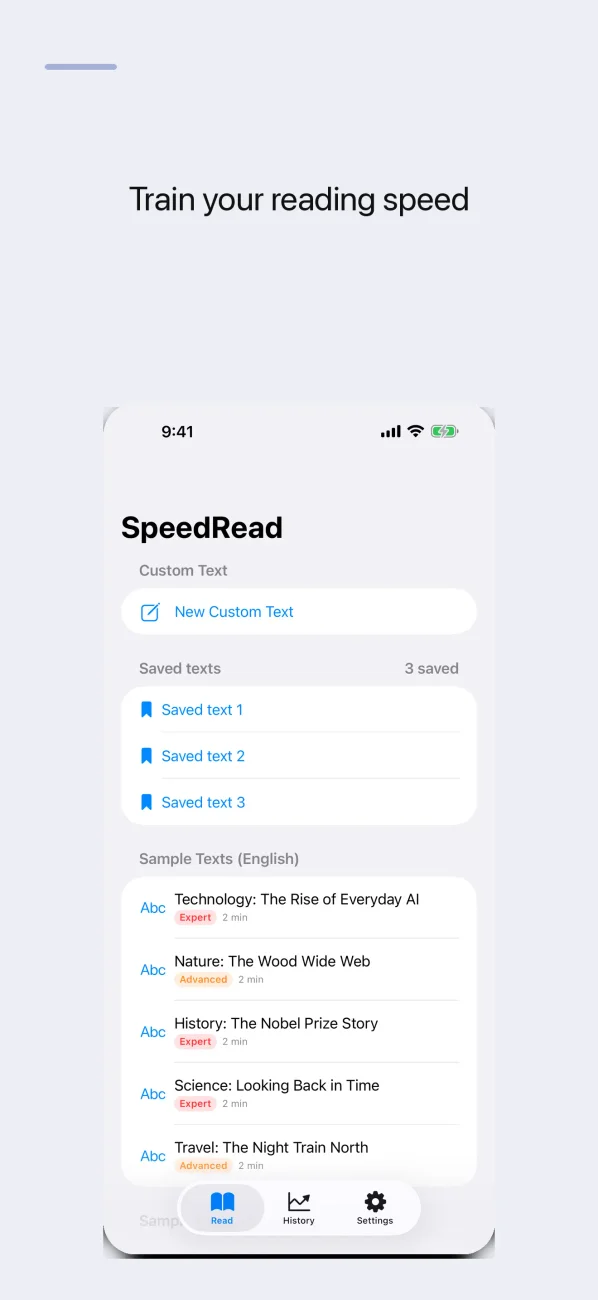
- Add your own texts or paste articles and book excerpts
- Reading level and estimated reading time for the built-in sample texts, an on-screen progress percentage while reading, and unfinished sessions marked in History
FREE VERSION AND FULL ACCESS
The free version displays banner ads. A one-time Full Access purchase unlocks every feature and removes ads. Customers who previously bought the paid app also continue without ads. The free version includes up to 3 saved texts and up to 14 sessions in History. Analytics charts and CSV export require Full Access.
Privacy Policy: https://smallappworks.com/speedread/privacy/
Support: https://smallappworks.com/speedread/support/
What’s new
Version 1.0.7 · Oct 20, 2026
Reading now works in 18 languages, including the in-app text. After the ad consent check, the app now asks for tracking permission. Free version limits: up to 3 saved texts and 14 sessions in History; Analytics charts and CSV export need Full Access.
App privacy
What Takumi Sekiguchi declares on the App Store about how this app handles data.
-
Data used to track you
May be used to track you across apps and websites owned by other companies.
- Identifiers
- Usage data
-
Data linked to you
May be collected and linked to your identity.
- Identifiers
- Usage data
- Diagnostics
-
Data not linked to you
May be collected but is not linked to your identity.
- Location
- Diagnostics
Privacy practices may vary, for example with the features you use or your age.
Information
- Seller
- Takumi Sekiguchi
- Category
- Education
- Version
- 1.0.7
- Updated
- Oct 20, 2026
- Released
- Jul 12, 2026
- Size
- 6.4 MB
- Requires
- iOS 16.0 or later
- Age rating
- +4
- In-app purchases
- Yes
- Languages
- Portuguese, German, Simplified Chinese, Traditional Chinese, Korean, Spanish, French, Hindi, Indonesian, English, Italian, Japanese + 3 more
- Copyright
- © 2026 Small App Works
You might also like
-
 Lampo ReaderLeggi più velocemente
-
 WordPulse - Speed ReadSpeed Reader for Any Doc
-
 ReadFlow: Speed ReadingRead Faster, Understand More
-
 Speed Reading - RiveRSVP Trainer & WPM Boost
-
 速読チャレンジEducation
-
 第1種衛生管理者 「30日合格プログラム」Education
-
 Schulte Table: ConcentrationBrain Games for Focus & Speed
-
 【LITE版】 漢字検定2級 「30日合格プログラム」Education
-
 ReaderPro: Speed ReadingRead Faster & Focus: WPM Test