
SpeedTask: Swipe Habit Tracker
Finish your habits in seconds
Designed for iPhone
In-app purchases
- Age rating4+
- CategoryProductivity
- DeveloperSHIHO CHIHARA
- LanguagesJapanese+ 1 more
- Size16.7 MB
Links to the official App Store page
Download.org hosts no file of SpeedTask: Swipe Habit Tracker. The button opens its official App Store page, published by SHIHO CHIHARA. Listing last checked on Nov 25, 2026.
Screenshots
About
■ It's not about willpower
Open a habit app and you see a list.
That's where the question "which one first?" starts.
A screen full of unchecked items becomes a weight of its own.
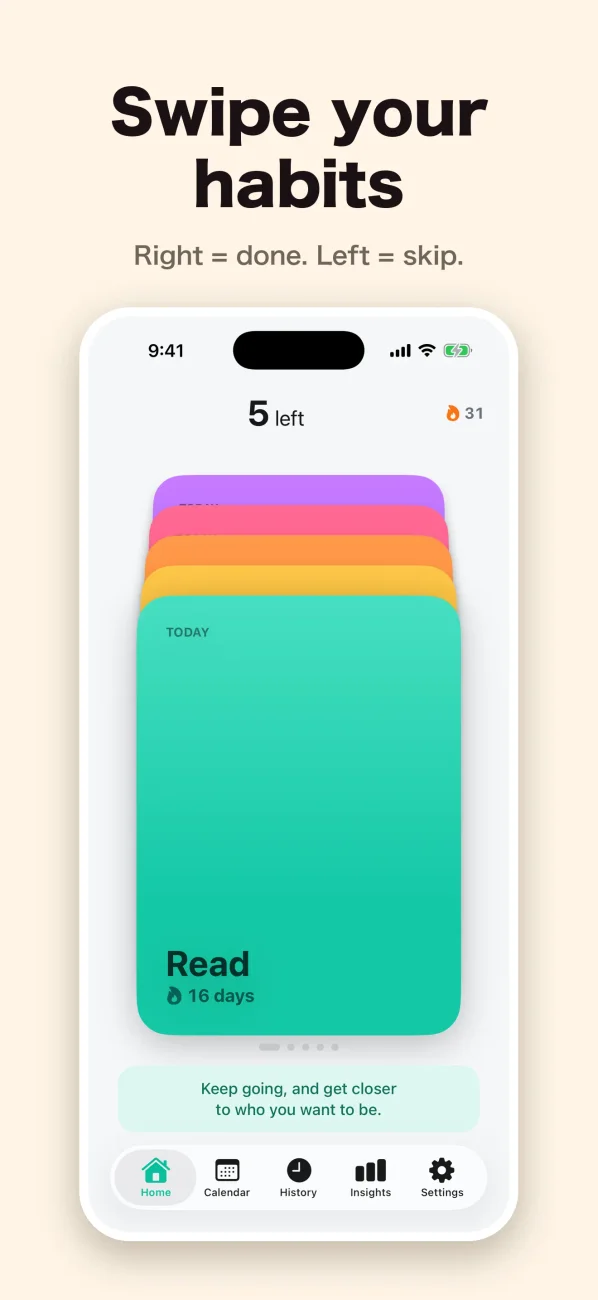
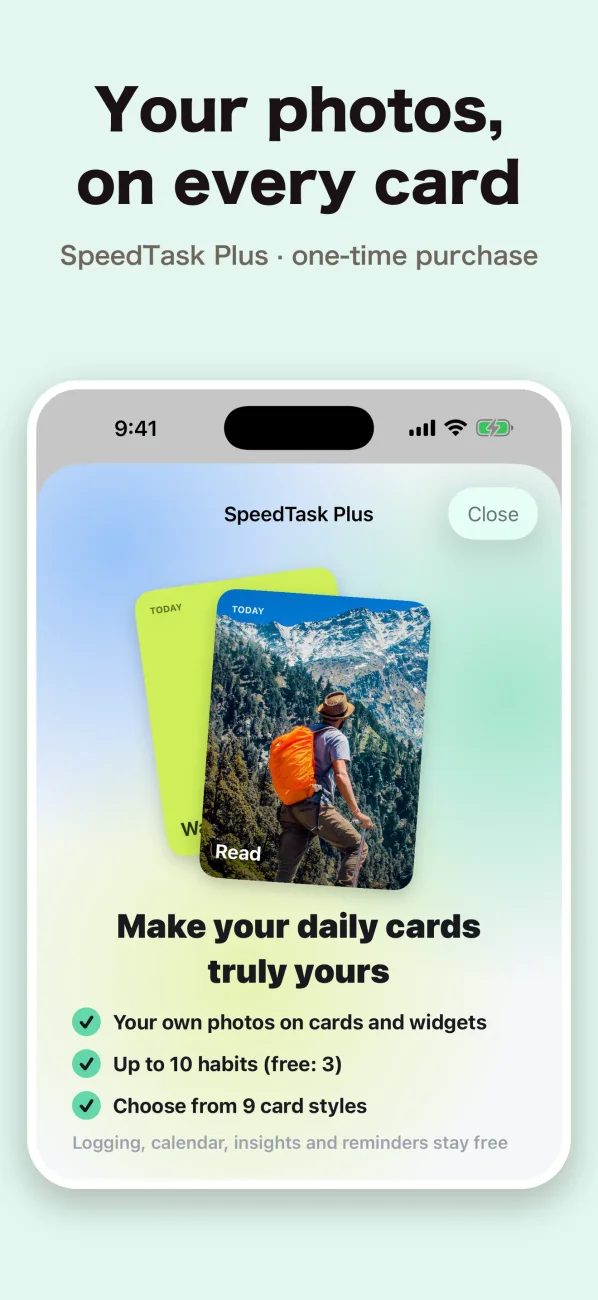
SpeedTask doesn't show you a list. It shows one card at a time.
■ Right if you did it, left to skip
Just swipe the card in front of you.
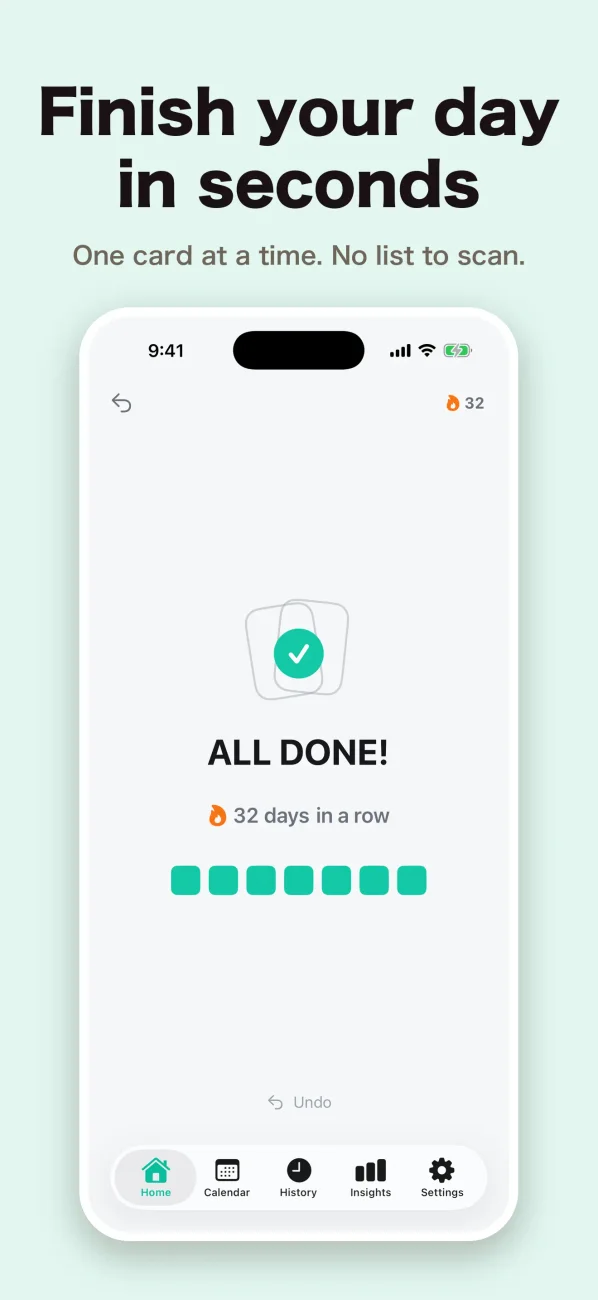
Right means done. Left means skip. There's nothing to think about, so it takes seconds.
Skipping doesn't mean "not doing it." It means "ask me again later."
Skipped cards come back the next time you open the app.
Swiped the wrong way? Undo from the top left as many times as you need.
■ The real problem isn't logging. It's forgetting to open the app.
So your home screen widget shows today's stack of cards.
Tap the check and a card flies away as the stack gets thinner. No need to open the app.
The flame widget shows your streak and this week as flames.
It works in StandBy too, when your iPhone is charging on its side.
In the evening, if cards are left, your Lock Screen and Dynamic Island show the time until the day ends.
Tap "Done" right there to log.
Notifications work the same way: they show what's left, and you can log right there.
On days you're already done, no notification comes.
■ Start with up to 3
You can add up to 3 habits for free.
"8 left" tends to feel like pressure before it feels like motivation.
Finishing a few every day is what keeps you going.
Want more? SpeedTask Plus lets you add up to 10.
■ Look back on what you've built
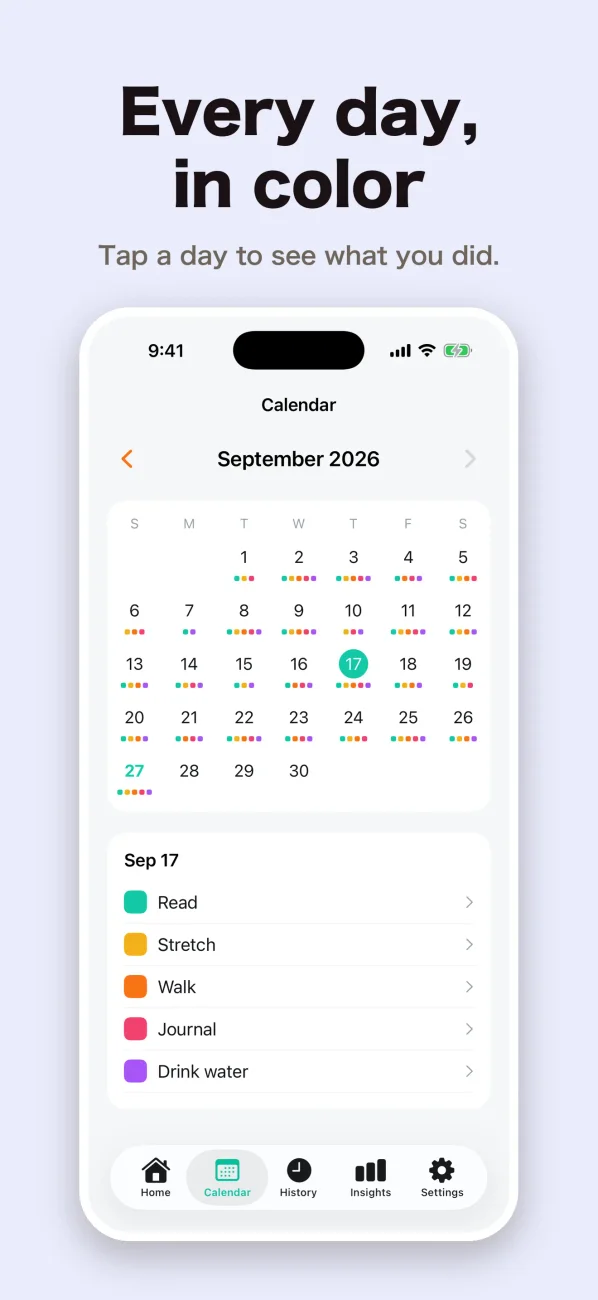
- Calendar: colored dots show which habits you did each day
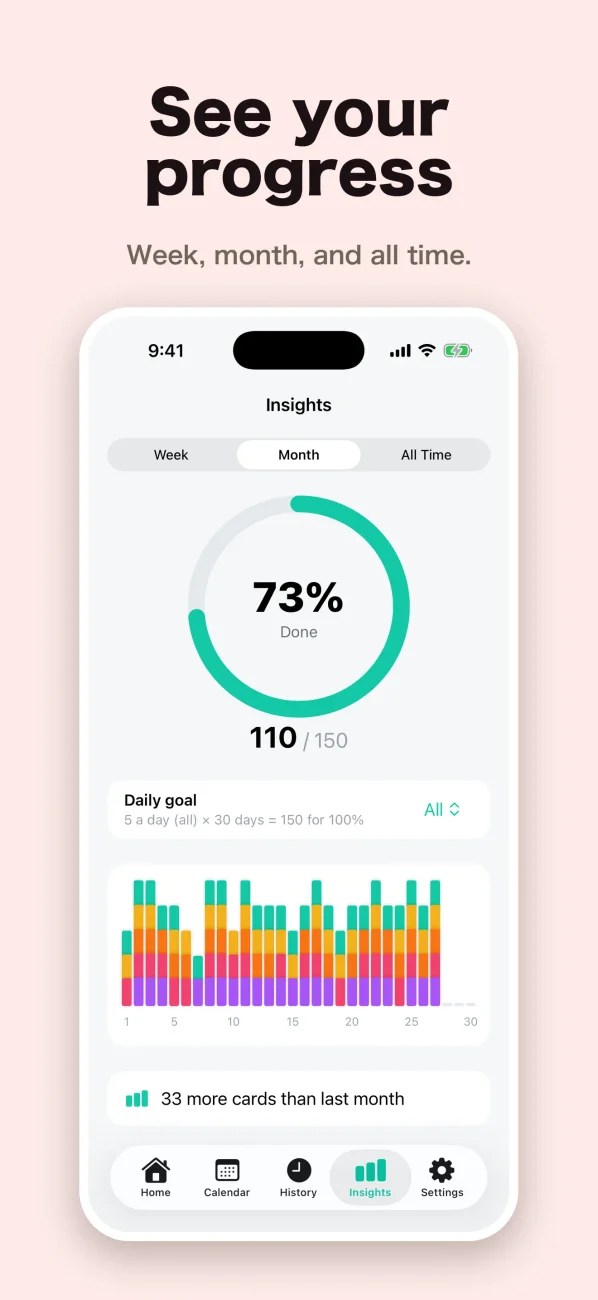
- Insights: completion rate by week, month, and all time. You choose your own daily goal
- Account: your current streak and your longest one
A day doesn't reset to zero just because you didn't do everything.
Any day you do at least one counts toward your streak.
Busy days won't break your streak and make you want to quit.
■ SpeedTask Plus (one-time purchase)
Up to 10 habits, your own photos on cards and widgets, and 9 card styles.
Pay once and keep it forever. It's not a subscription: no renewals and no extra charges.
Logging, the calendar, insights and reminders stay free without Plus.
Terms of Use: https://scrublystore37-afk.github.io/speedtask-legal/#terms-en
■ Privacy
Your habit names and daily records are stored only on your device.
They are never sent anywhere. No account needed.
- No account
- No ads
- Nothing you type is ever sent
What’s new
Version 1.7.0 · Nov 24, 2026
- SpeedTask Plus is now a one-time purchase. It's not a subscription
- New widgets: Today's Cards, where a card flies away when you tap the check, and Streak Flame
- In the evening, if cards are left, your Lock Screen and Dynamic Island show the time until the day ends
- A new account screen from the top left of Home shows your streak and your longest one
- Pick your reminder time in 15-minute steps
- A step-by-step guide for adding the widget
App privacy
What SHIHO CHIHARA declares on the App Store about how this app handles data.
-
Data not linked to you
May be collected but is not linked to your identity.
- Purchases
- Identifiers
- Usage data
Privacy practices may vary, for example with the features you use or your age.
Information
- Seller
- SHIHO CHIHARA
- Category
- Productivity
- Version
- 1.7.0
- Updated
- Nov 24, 2026
- Released
- Sep 23, 2026
- Size
- 16.7 MB
- Requires
- iOS 17.0 or later
- Age rating
- 4+
- In-app purchases
- Yes
- Languages
- Japanese, English
- Copyright
- © 2026 Shiho Chihara
You might also like
-
 SuguMemo - Voice & ReminderSave ideas before forget
-
 HyoMemo: Table ChecklistPacking, groceries, routines
-
 とじまる - スマホ制限・集中・先延ばし対策Productivity
-
 Sabiowl - 習慣RPGProductivity
-
 PTimer: Pomodoro Focus TimerCustom Colors, Sounds & Fonts
-
 Mendow –AI Task ManagerAI breaks tasks.
-
 TimeNote: Daily Planner Chart24h schedule & time tracker
-
 PaperPilot PDFDocument Scanner & PDF Maker
-
 ShiftMatchProductivity
-
 Calculator Keyboard - CalkeyCalc Keyboard-Tip & Split Bill