Spelling Bee Training
English Words & Voice Practice
Designed for iPhone, iPad
Free · In-app purchases
- Age rating4+
- CategoryEducation
- DeveloperMyCloudVIP Corporation
- LanguagesEnglish
- Size49.1 MB
Links to the official App Store page
Download.org hosts no file of Spelling Bee Training. The button opens its official App Store page, published by MyCloudVIP Corporation. Listing last checked on Nov 12, 2026.
Screenshots
About
Let their voice fly high!
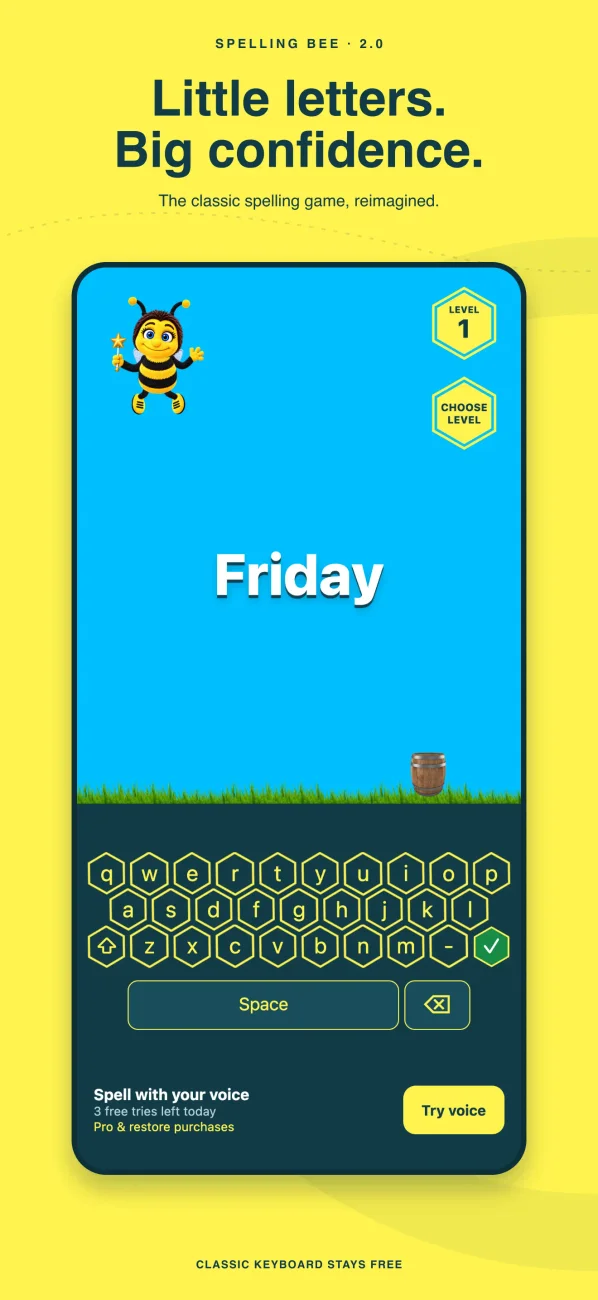
Spelling Bee 2.0 brings a major refresh to the classic spelling game, with two ways to practice: the familiar keyboard and new on-device voice recognition. Listen to a word, spell it your way, and keep learning one letter at a time.
TWO WAYS TO SPELL
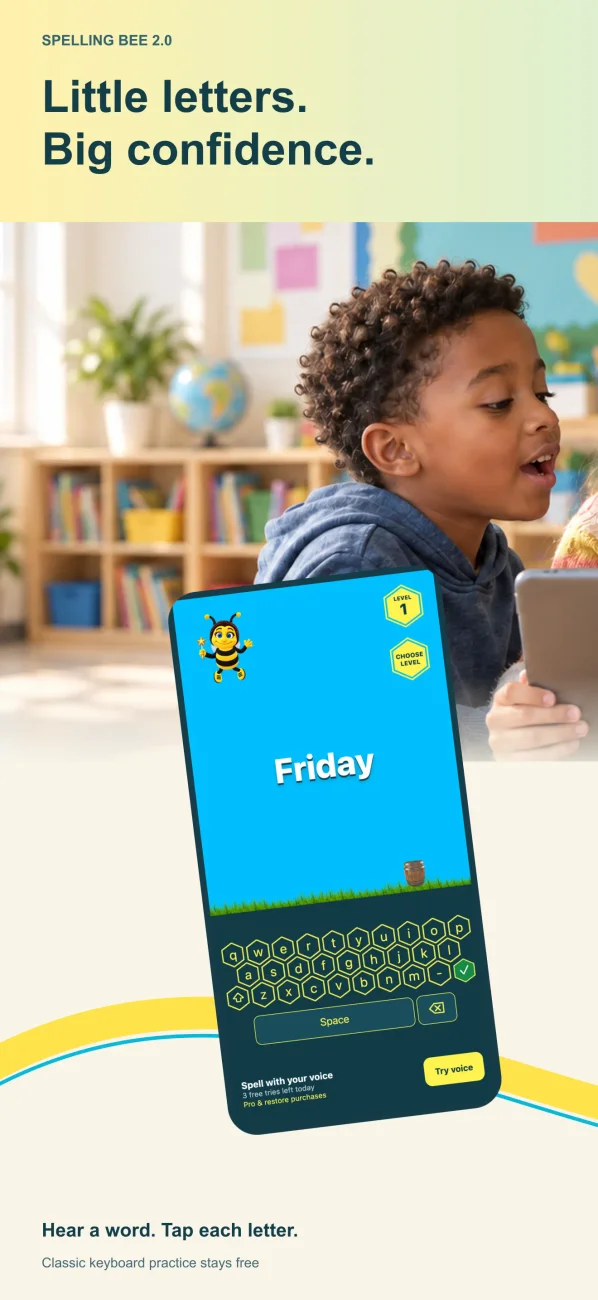
• Classic keyboard: tap the bright honeycomb keys to build your answer.
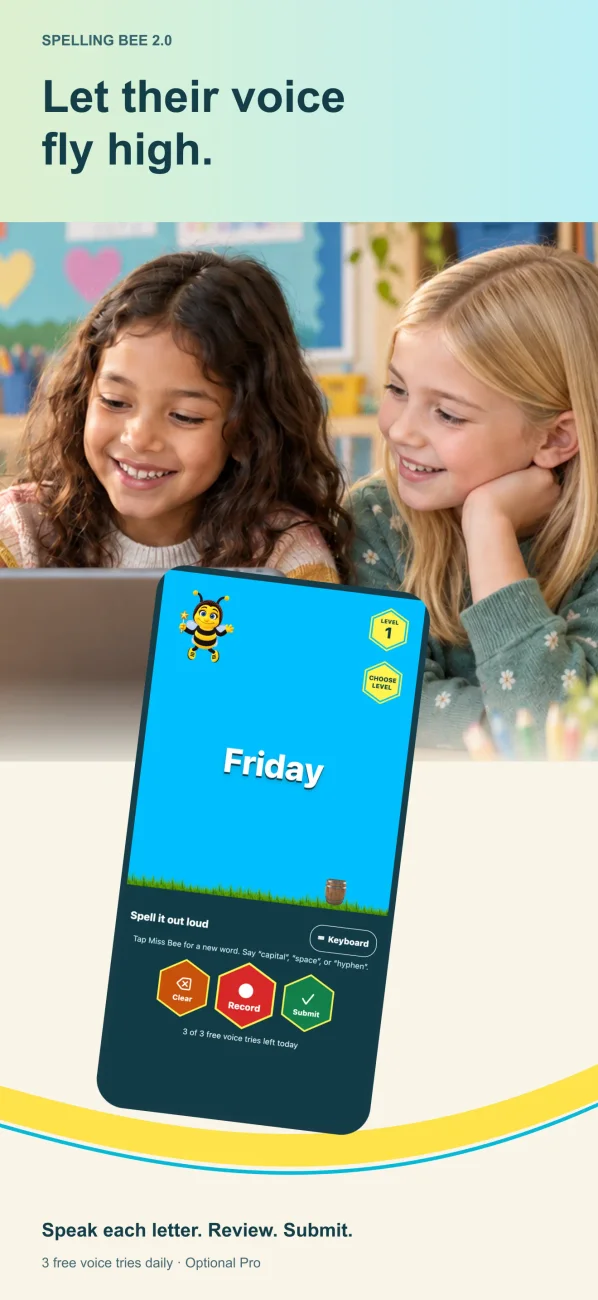
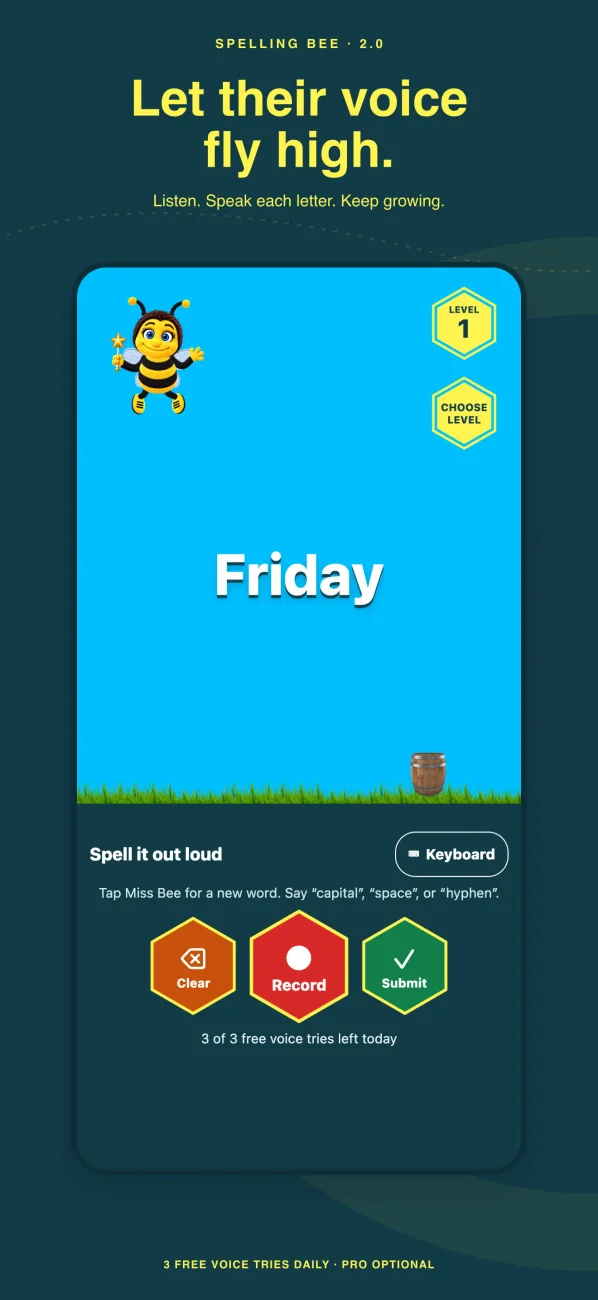
• Voice practice: say each letter aloud, review the letters on screen, then tap Submit.
• Switch between keyboard and voice whenever you like.
• Say “capital” before any letter, “space” between words, or “hyphen” when needed.
A LITTLE HELP FROM FRIENDS
• Tap Miss Bee to hear a new word from your chosen level.
• Tap the wooden keg for a friendly peek at the expected spelling.
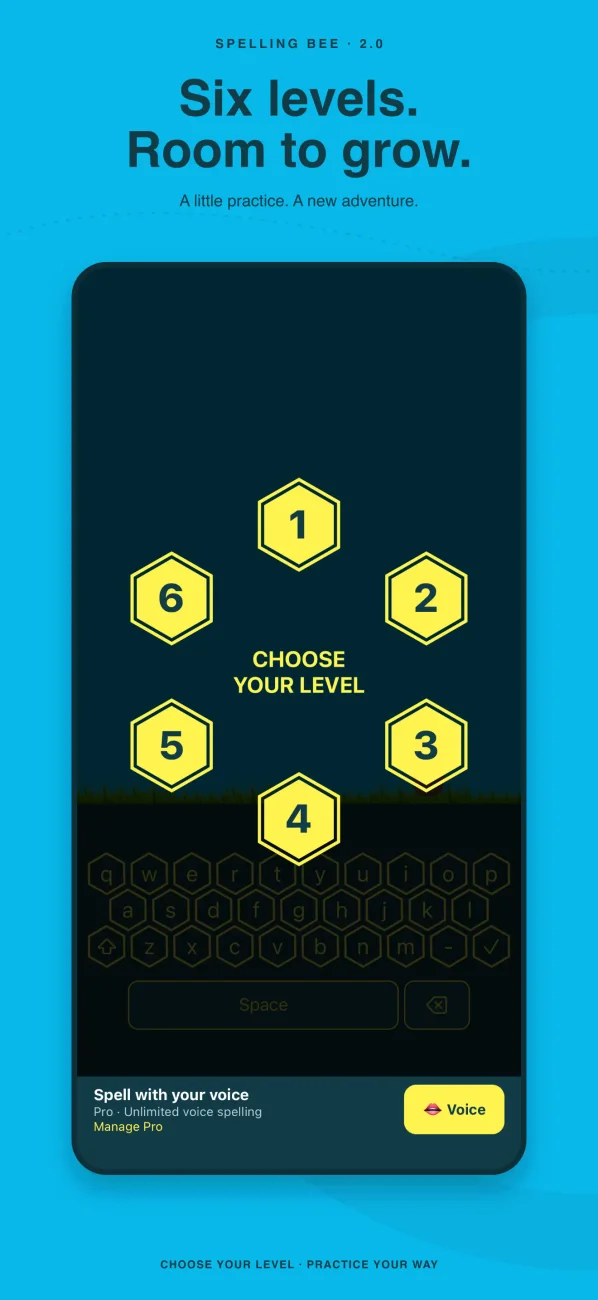
• Choose from six levels and practice at your own pace.
• Enjoy animated characters, encouraging audio, and confetti for correct answers.
• A refreshed interface fits iPhone and iPad.
VOICE PRIVACY BY DESIGN
Voice spelling uses native on-device speech recognition. Your microphone audio is processed on your device; the app does not save voice recordings or send your voice or spoken spelling to our servers or a cloud speech service. Voice practice requires supported on-device English recognition. If unavailable, you can keep playing with the keyboard.
FREE CLASSIC PLAY. OPTIONAL PRO VOICE.
Classic keyboard practice stays free. Everyone gets 3 submitted voice tries each day. Optional Monthly Pro and Annual Pro subscriptions unlock unlimited voice spelling while active. Parents and grown-ups can purchase, manage, or restore Pro in the app.
Internet access is needed to load game content and audio and to manage purchases. On-device speech processing does not mean the entire game works offline.
Subscriptions renew automatically unless canceled at least 24 hours before the current period ends. Payment is charged to your Apple Account. Manage or cancel subscriptions in your App Store account settings.
Privacy Policy: https://mycloudvip.com/PrivacyPolicy
Terms of Use: https://mycloudvip.com/TOS
What’s new
Version 2.0.1 · Sep 28, 2026
• Improvements to voice spelling and audio feedback.
• Improved subscription and purchase-flow reliability.
• Added usage analytics to help us improve practice and understand subscription issues. Voice recordings and spoken spellings are not sent to analytics.
App privacy
What MyCloudVIP Corporation declares on the App Store about how this app handles data.
-
Data not linked to you
May be collected but is not linked to your identity.
- Purchases
- Identifiers
- Usage data
- Diagnostics
Privacy practices may vary, for example with the features you use or your age.
Information
- Seller
- MyCloudVIP Corporation
- Category
- Education
- Version
- 2.0.1
- Updated
- Sep 28, 2026
- Released
- Apr 15, 2022
- Size
- 49.1 MB
- Requires
- iOS 16.4 or later
- Age rating
- 4+
- Price
- Free
- In-app purchases
- Yes
- Languages
- English
- Copyright
- © 2026 MyCloudVIP Corporation
You might also like
-
 A+ Spelling Bee English WordsPreschool Kids Spell Games App
-
 WordsTrain - Spelling Bee Game3 Letter to 7 Letters Game App
-
 Spelling Bee: English WordsLearn,alphabet,vocabulary,game
-
 Spelling Bee: Custom wordsGet ready for the spelling bee
-
 Spelling Bee: Practice & GamesWord Test, Quiz & Pronouncer
-
 Top Speller Spelling Bee GamesWord Tests for Kids, Grade 1-7
-
 VocaMatch: Learn to SpellKids Learn to Spell and Read
-
 Learn Spelling 1st GradePractice Spelling on Your Own!
-
 Spelling Test: Listen & SpellWeekly Words Practice & Quiz
-
 Spelling!!!Education