
Spend Easy - Expense Tracker
Category budget, no bank login
Designed for iPhone, iPad
- Age rating4+
- CategoryFinance
- DeveloperMatthew Strickland
- LanguagesEnglish
- Size4.4 MB
Links to the official App Store page
Download.org hosts no file of Spend Easy - Expense Tracker. The button opens its official App Store page, published by Matthew Strickland. Listing last checked on Nov 8, 2026.
Screenshots
About
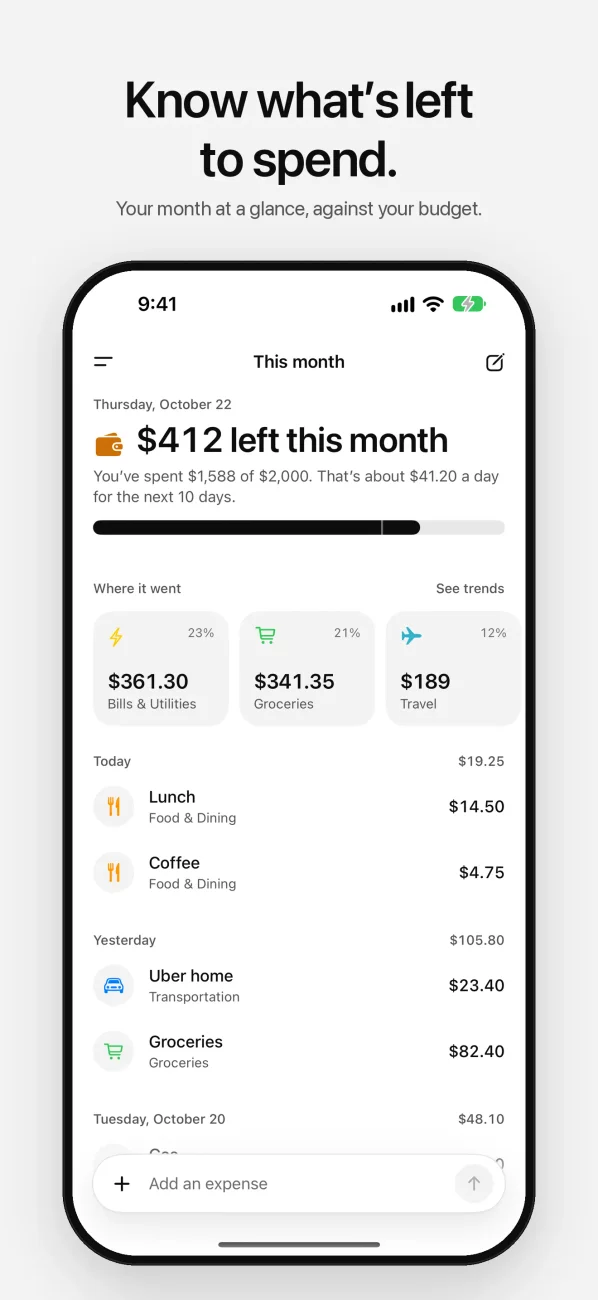
Know what’s left to spend, without handing over your bank login.
Spend Easy is a simple, private expense tracker. Type what you spent in a few words, set a budget, and see what’s left this month. Everything stays on your device: no bank connections, no accounts, no cloud sync and no subscriptions.
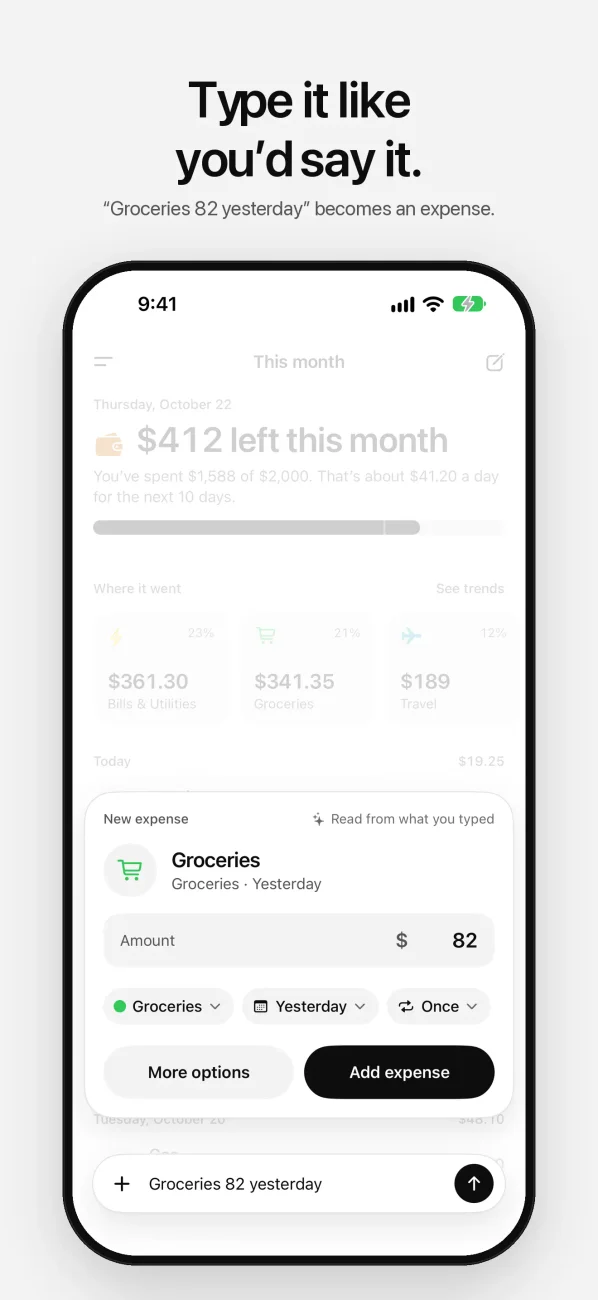
ADD AN EXPENSE IN A SENTENCE
Type “Lunch 14.50” or “Groceries 82 yesterday” and Spend Easy reads the amount, the category and the day. Check it, then add it. Or use the full form, and read the total from a receipt photo on your device.
SEE WHAT’S LEFT
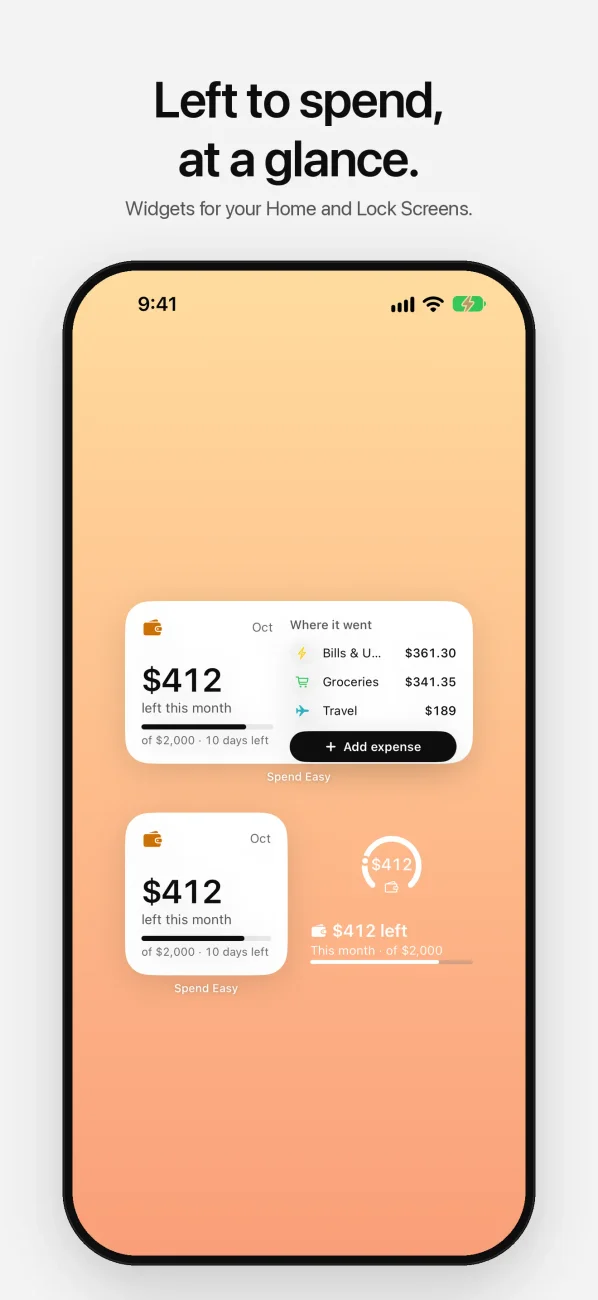
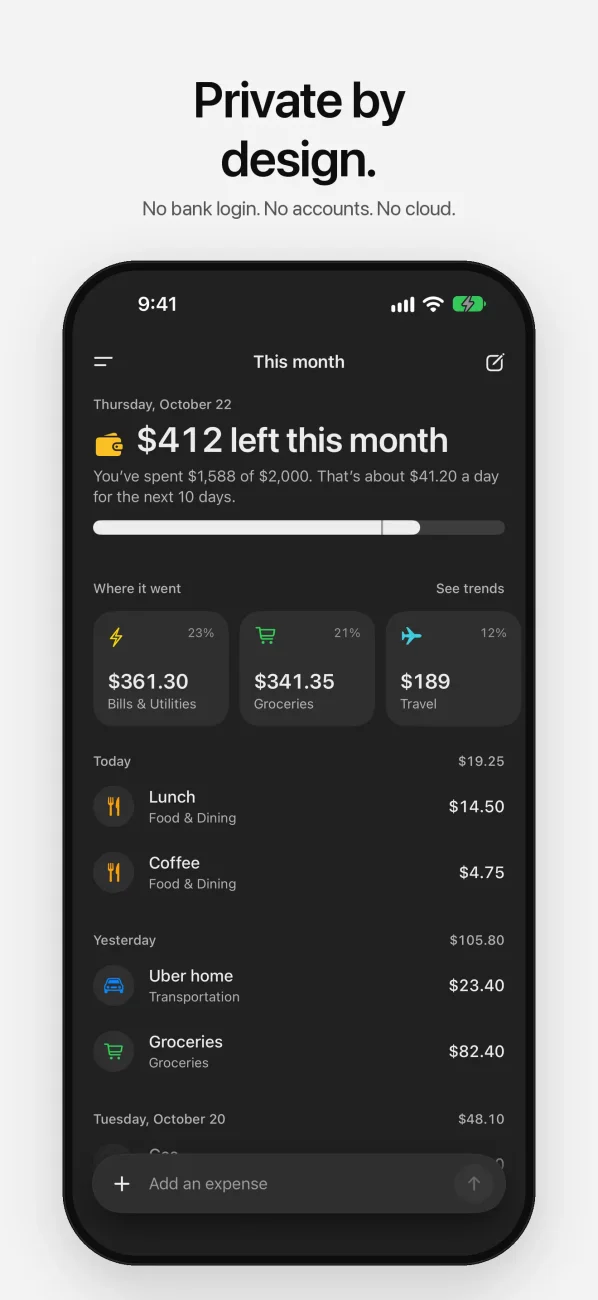
This month leads with what’s left in your budget and what that means for each day left. It tells you when you’re close to the limit, and where the money went, category by category.
BUDGETS AND ALERTS
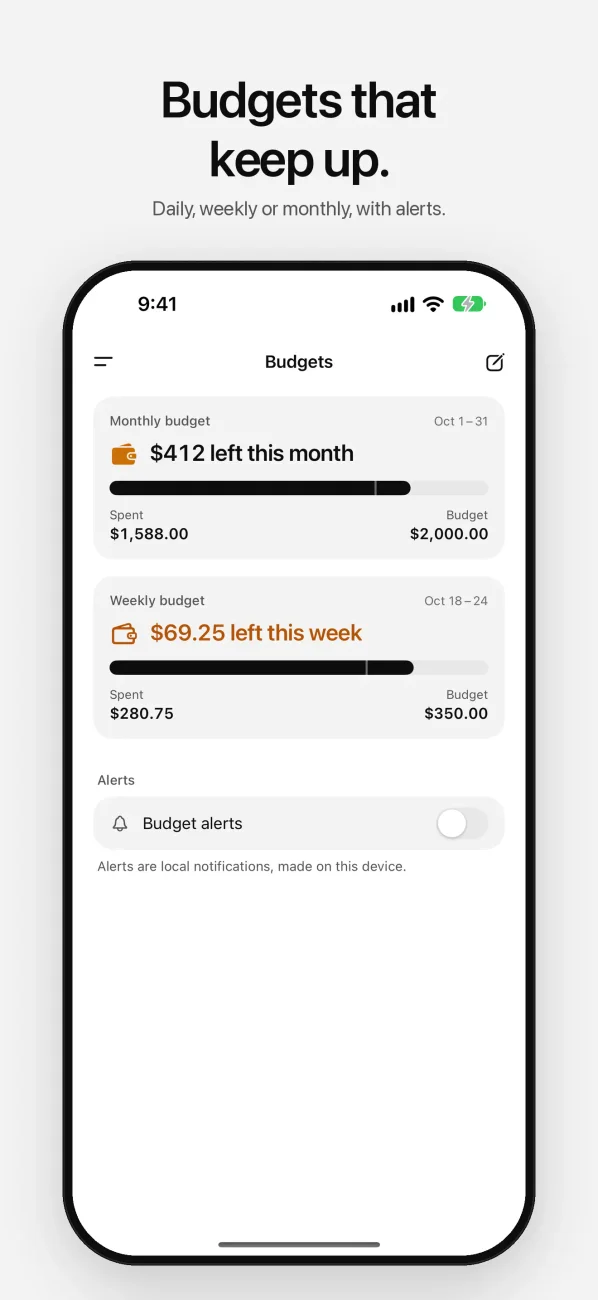
Set a daily, weekly or monthly budget. Turn on budget alerts to get a heads-up when you reach the level you pick, and again if you go over.
LIMITS FOR SINGLE CATEGORIES
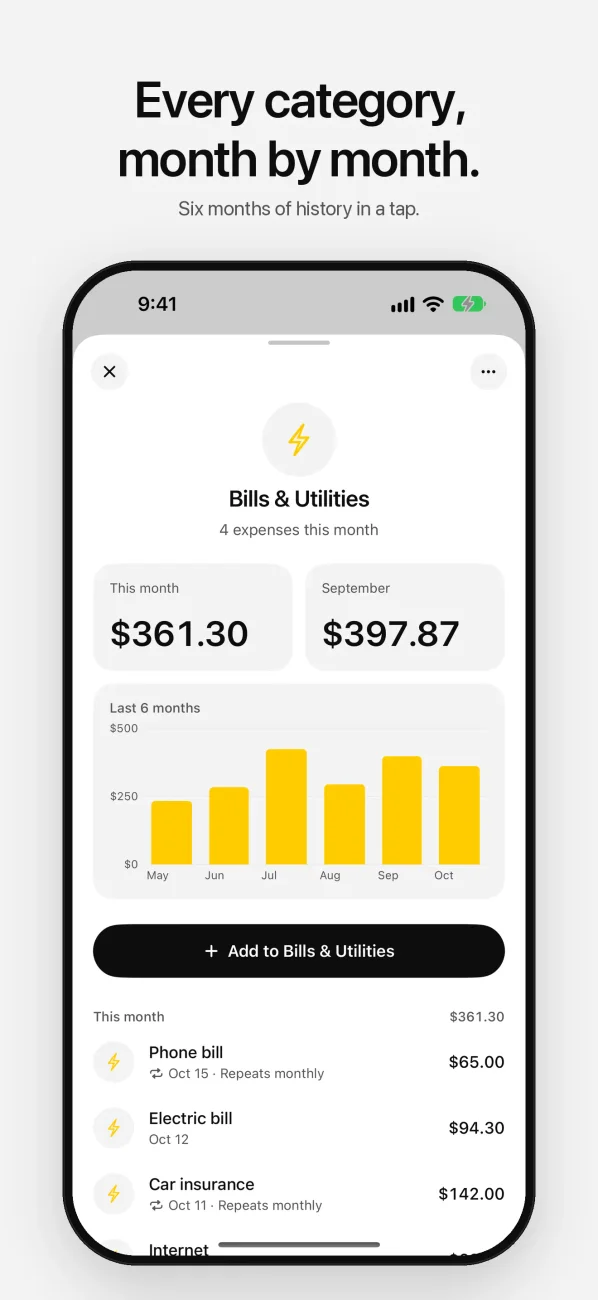
Groceries creeping up? Give that one category its own monthly cap, say 400, and Budgets lists what’s left in each capped category with a thin bar. Open a category to see its cap beside six months of history. Alerts cover caps too.
REPEATING EXPENSES
Rent, phone, subscriptions: mark an expense as repeating and Spend Easy adds it again on each date.
TRENDS
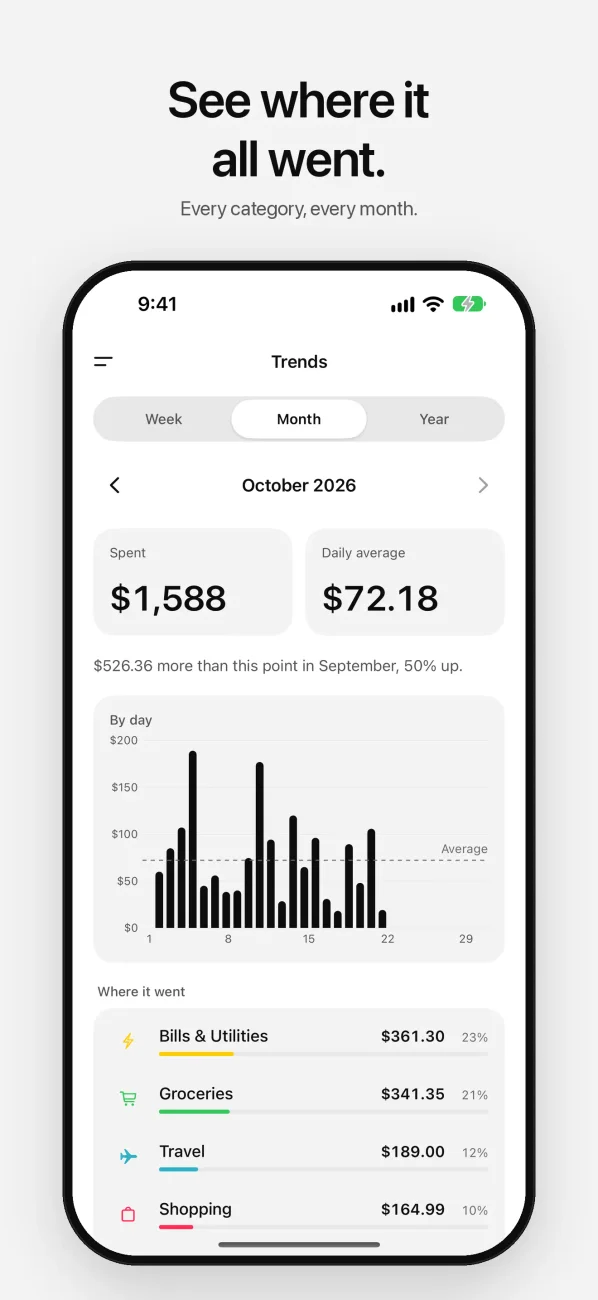
Look back a week, a month or a year at a time, compare it with the one before, and see every category’s share.
YOUR CATEGORIES
Name them, pick an icon and a color, and put them in your order.
WIDGETS
See what’s left on your Home Screen and Lock Screen. The medium widget opens straight to a new expense.
YOUR DATA, YOUR WAY
Export every expense as a CSV file whenever you like. Amounts are exact, in your region’s currency or any currency you pick.
PRIVATE BY DESIGN
No bank login. No accounts. No cloud sync. No tracking. No subscriptions. Your expenses live in the app and its widget, on your device, and nowhere else.
What’s new
Version 1.3.1 · Nov 6, 2026
Typing an expense and adding one are quicker when you've logged a lot: This month and the menu now count your budget from the current month instead of rereading every expense you've ever entered. Each keystroke does about a quarter less work, and the pause after adding or deleting is much shorter.
• Category limits from 1.3 work as before.
App privacy
What Matthew Strickland declares on the App Store about how this app handles data.
-
Data not collected
The developer does not collect any data from this app.
Privacy practices may vary, for example with the features you use or your age.
Information
- Seller
- Matthew Strickland
- Category
- Finance
- Version
- 1.3.1
- Updated
- Nov 6, 2026
- Released
- Feb 22, 2026
- Size
- 4.4 MB
- Requires
- iOS 17.0 or later
- Age rating
- 4+
- Languages
- English
- Copyright
- © 2026 IdleFusion
You might also like
-
 QuickSpend: Expense TrackerFast Budget & Spending Log
-
 Teiki: Bills & SubscriptionsPayment tracker & reminders
-
 Waisly: Money & Budget TrackerReceipts, SMS & smart budgets
-
 Spendly: Track Your ExpensesExpense Tracker
-
 Money Log: Voice TrackerSpending, Budget & Analysis
-
 Receipt Scanner & ExpensesScan Expenses for Tax Report
-
 Simple Spend TrackerSimple Money Tracking
-
 Finta : Expense and BudgetPlan, Track, Grow. All-in-One.
-
 CustomBudget: Envelope BudgetExpense Tracker, No Bank Login
-
 Fintool AppFinancial calculators