
SpendGrid: Expense Tracker
Daily Budget & Money Tracker
Designed for iPhone, iPad
Free · In-app purchases
- Age rating4+
- CategoryFinance
- DeveloperJanki Kachhiya
- LanguagesEnglish
- Size18.8 MB
Links to the official App Store page
Download.org hosts no file of SpendGrid: Expense Tracker. The button opens its official App Store page, published by Janki Kachhiya. Listing last checked on Nov 18, 2026.
Screenshots

About
SpendGrid: Expense Tracker
Take control of your money with SpendGrid — your clean, modern daily
budget & expense tracker built for iOS.
SpendGrid makes it effortless to log every income and expense, understand
where your money goes, and stay on top of your monthly budget. With a
beautiful iOS-native interface, powerful insights, and flexible storage
options, it's the perfect companion for everyday personal finance.
KEY FEATURES
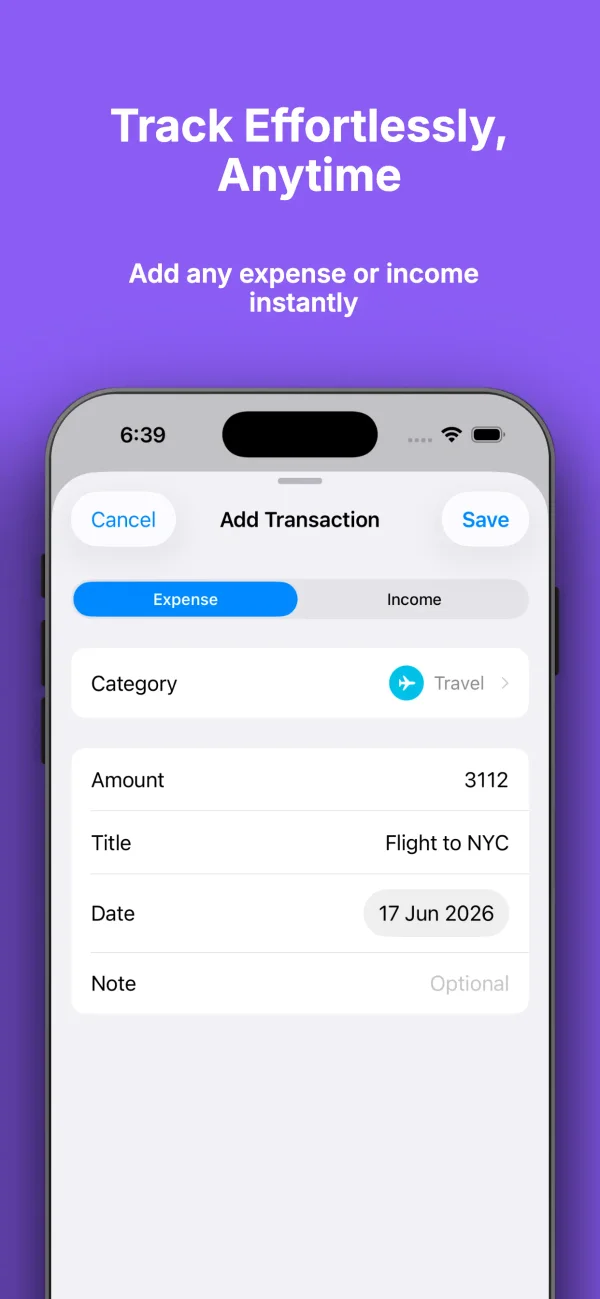
• Fast Transaction Logging
Add income and expenses in seconds with titles, amounts, dates, and
categories. Edit or delete entries anytime, right from your transaction
history.
• Smart Categorization
Start with pre-seeded categories for food, bills, transport, subscriptions,
and more — then customize or create your own with personal color labels.
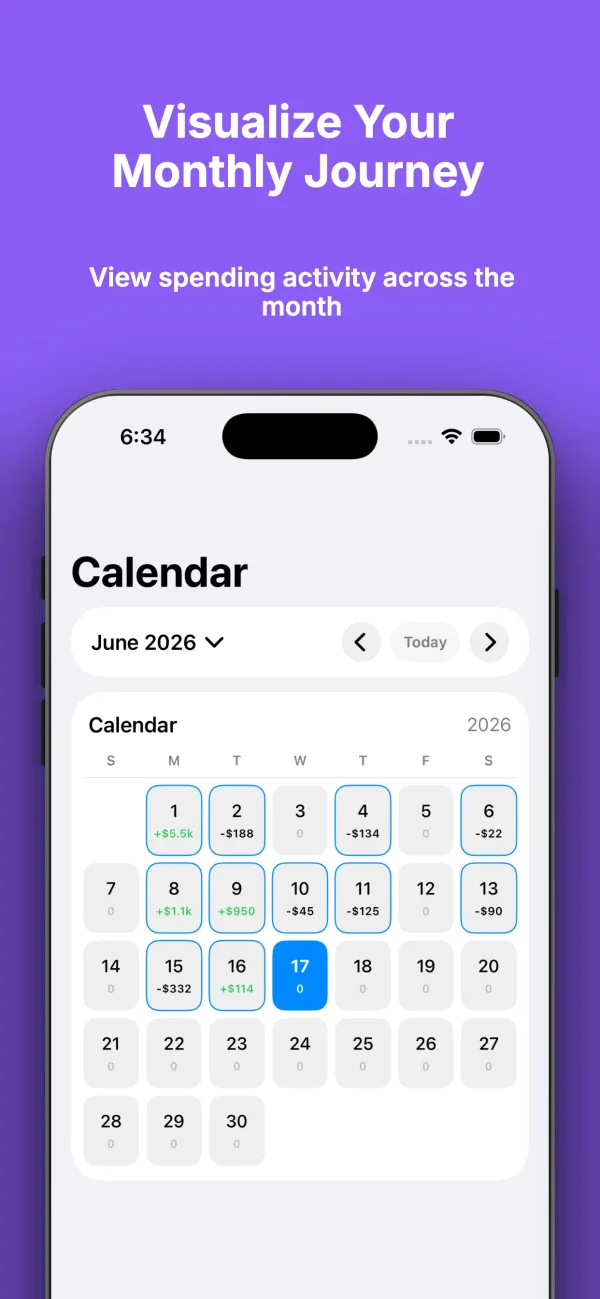
• Calendar View (Pro)
Browse your spending day by day with a full calendar layout. Tap any date
to see exactly what you spent and earned.
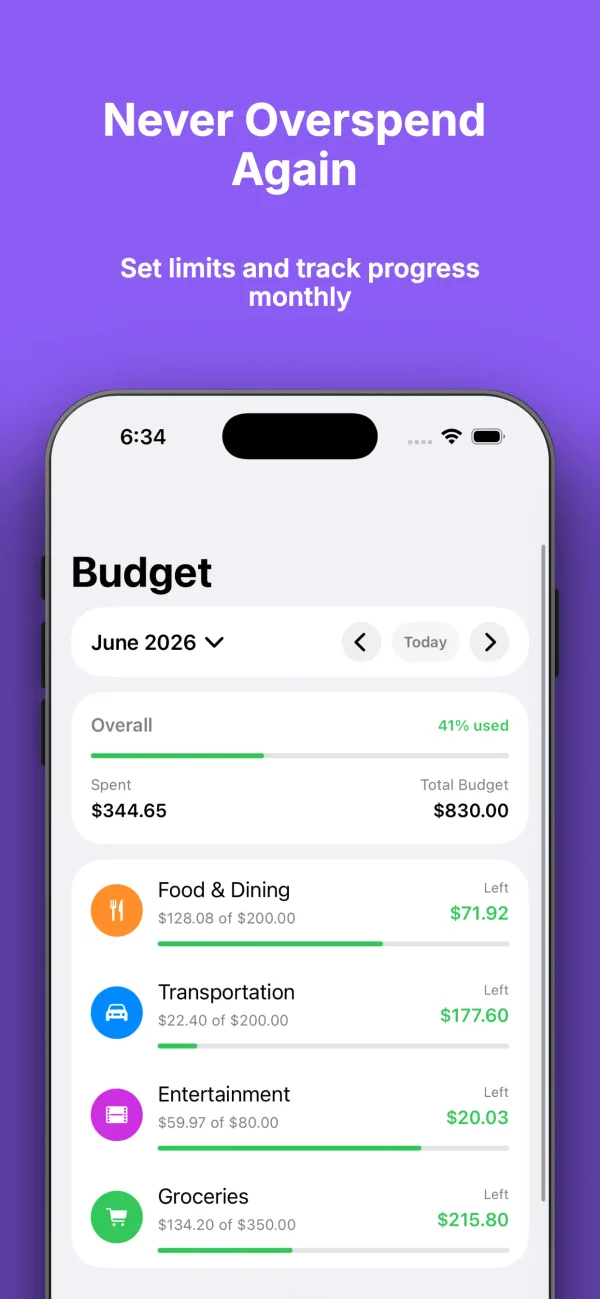
• Budget Tracking (Pro)
Set monthly budgets per category and track your progress in real time.
Timeline budgets keep you accountable all month long.
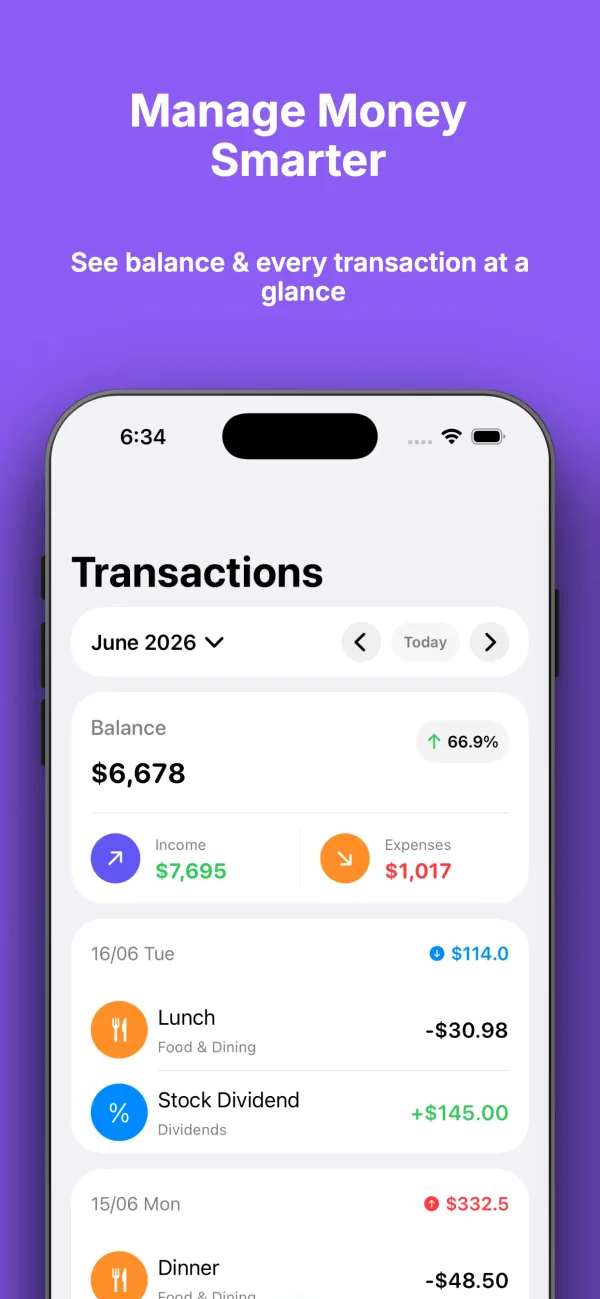
• Clear Monthly Overview
See total income, total expenses, and current balance at a glance. Quickly
jump between months and track progress over time.
• Daily Spending Breakdown
View transactions grouped by day with per-day totals so you can pinpoint
exactly when and where your money is going.
• Rich Visual Insights (Pro)
Explore charts and summaries that highlight spending trends, overspending
areas, and saving opportunities — all in one place.
• Import & Export
Import transactions from CSV or export your full history in CSV format via
the system share sheet — great for backups, tax prep, or sharing with an
accountant.
• Private & Local by Design
Your transaction data is stored locally on your device by default for fast
performance and full control over your personal finances.
• Custom Currency & Themes
Choose from 100+ currencies with a searchable full-screen picker. Enjoy
Dark Mode support with a modern, clean layout.
---
SPENDGRID PRO
Unlock the full SpendGrid experience with a Pro subscription:
• iCloud backup & restore to keep your data safe across devices
• Unlimited budgets per category
• Access to Calendar View, Visual Insights, and all Pro features
Try Pro free for 7 days. Plans available monthly, annually, or as a
one-time lifetime purchase.
---
Whether you're tracking a daily budget, managing bills, monitoring income,
or planning savings, SpendGrid gives you the clarity you need to make
smarter money decisions every day.
---
Terms of Use (Apple Standard EULA):
https://www.apple.com/legal/internet-services/itunes/dev/stdeula/
Privacy Policy:
https://kachhiyadhruvit1992.github.io/ExpenseTrackerProWeb/privacy.html
What’s new
Version 1.4 · Jun 25, 2026
• Recurring Transactions
Set any transaction to repeat — Daily, Weekly, Monthly, Every 3 or 6 Months, or Yearly. SpendGrid logs each occurrence automatically, even if you missed a few. An upcoming card on the Home screen keeps your next due items front and center. Manage all your rules from Settings → Recurring, with options to pause, edit, or delete.
• Budget Alerts
Get a notification when a category hits 80% and again when it hits 100% of your monthly budget — so you can course-correct before you overspend.
• Notifications Settings
All your notification preferences — daily reminders, budget alerts, and recurring transaction reminders — are now in one place under Settings → Notifications, each with its own time picker.
• Bug Fixes
Restoring from iCloud no longer creates duplicate transactions when the same data was previously imported via CSV.
App privacy
What Janki Kachhiya declares on the App Store about how this app handles data.
-
Data used to track you
May be used to track you across apps and websites owned by other companies.
- Location
- Identifiers
- Usage data
-
Data linked to you
May be collected and linked to your identity.
- Purchases
-
Data not linked to you
May be collected but is not linked to your identity.
- Location
- Identifiers
- Usage data
- Diagnostics
Privacy practices may vary, for example with the features you use or your age.
Information
- Seller
- Janki Kachhiya
- Category
- Finance
- Version
- 1.4
- Updated
- Jun 25, 2026
- Released
- May 11, 2026
- Size
- 18.8 MB
- Requires
- iOS 18.6 or later
- Age rating
- 4+
- Price
- Free
- In-app purchases
- Yes
- Languages
- English
- Copyright
- © 2026 Janki Kachhiya. All rights reserved.
You might also like
-
 Briven: Budget & ExpensesNo Bank Link. 100% Private.
-
 Meridian: Money TrackerBills, expenses & cash flow
-
 OnlyPurse: Wallet ManagementYour finances, simplified
-
 iFinance: Money TrackerTrack expenses. Save money
-
 Spendr: Expense & BudgetingBudget & Spending Tracker
-
 Nema : Budget & Money TrackerAI Debt Plan, Bills & Savings
-
 Expense Tracker: BudgetingPrivate & Offline Tracker
-
 Vault: Budget, Bills & GoalsPrivate Personal Finance
-
 MakeChange: Budget TrackerBudget calendar & bill planner
-
 Finnly: Budget & Money TrackerExpense, Net Worth & Savings