
Monex - Money Calendar
Daily expense & money log
Designed for iPhone
In-app purchases
- Age rating4+
- CategoryFinance
- DeveloperPhung Doanh
- LanguagesEnglish+ 16 more
- Size6.2 MB
Links to the official App Store page
Download.org hosts no file of Monex - Money Calendar. The button opens its official App Store page, published by Phung Doanh. Listing last checked on Nov 24, 2026.
Screenshots
About
Monex is the simplest way to know where your money goes.
No bank login. No account. No ads. You write down what you spend — and the app turns it into a picture you actually understand.
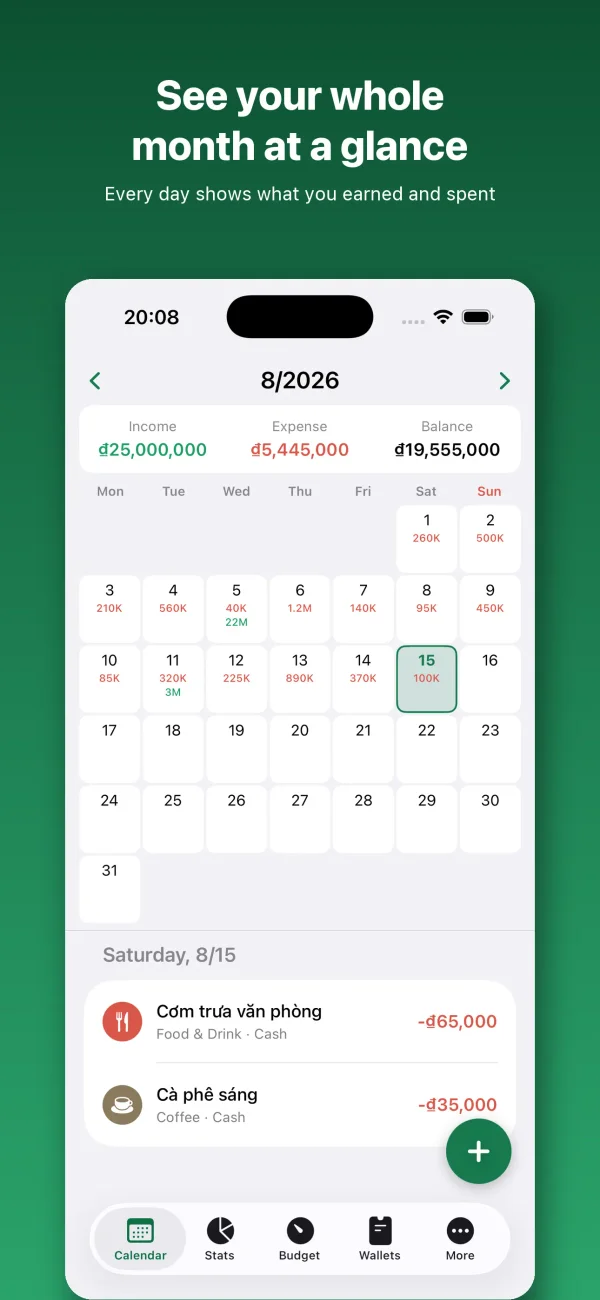
A CALENDAR, NOT A SPREADSHEET
Every day shows what you earned and spent, right on the month grid. One look tells you whether this month is going well. Tap any day to see the details.
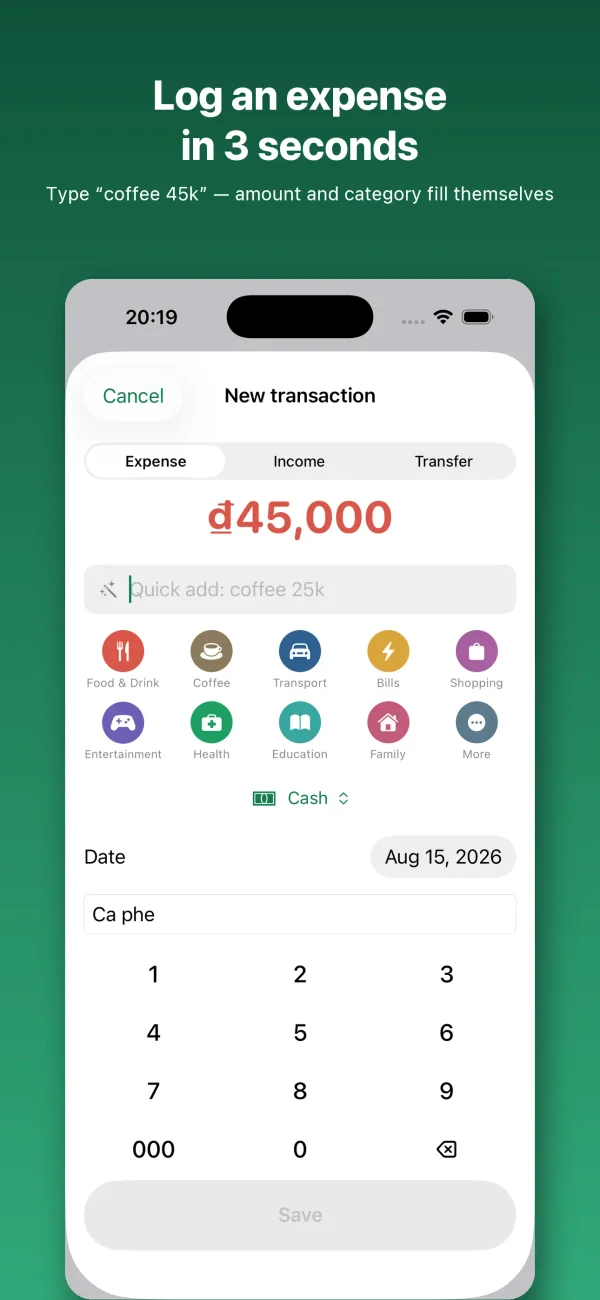
LOG AN EXPENSE IN THREE SECONDS
• Big number pad with a 000 key, built for real prices
• Quick add: type "coffee 45k" and the amount and category fill themselves
• Pick a photo of a receipt or a transfer notification screenshot — the amount is read on your device
• Add from the home screen widget, the Lock Screen, or your Apple Watch
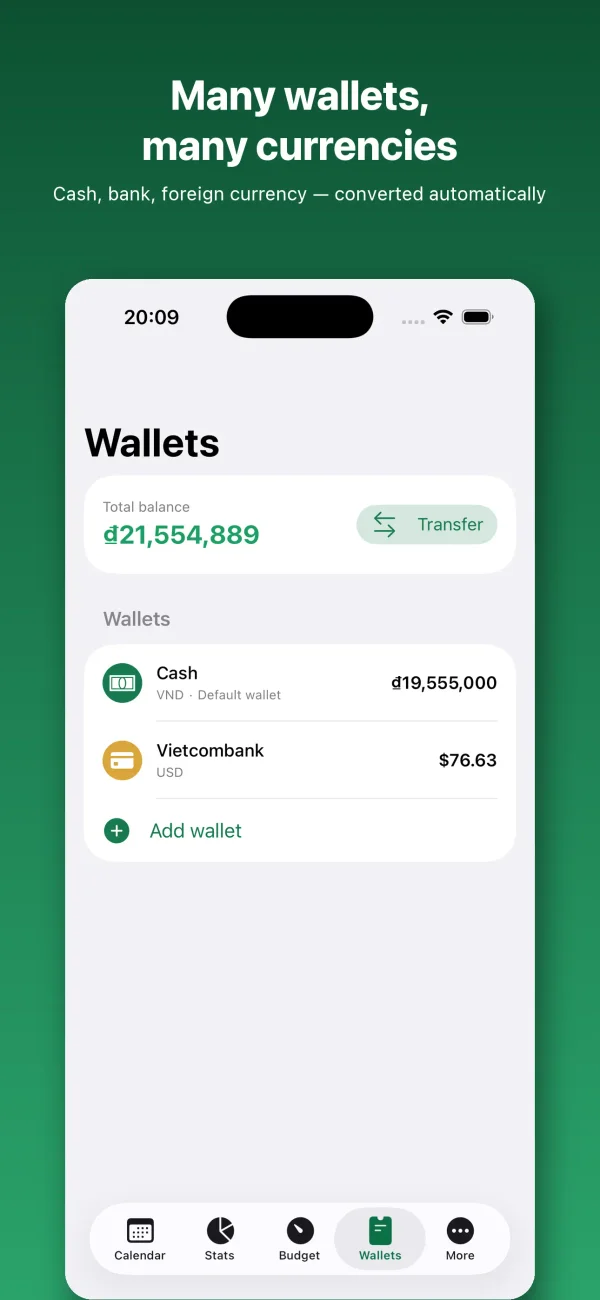
MANY WALLETS, MANY CURRENCIES
Keep cash, a bank account and a foreign-currency card side by side. Each wallet has its own currency and shows its own symbol and decimals. Totals, charts and budgets are converted to your main currency using live exchange rates, and the rates keep working offline.
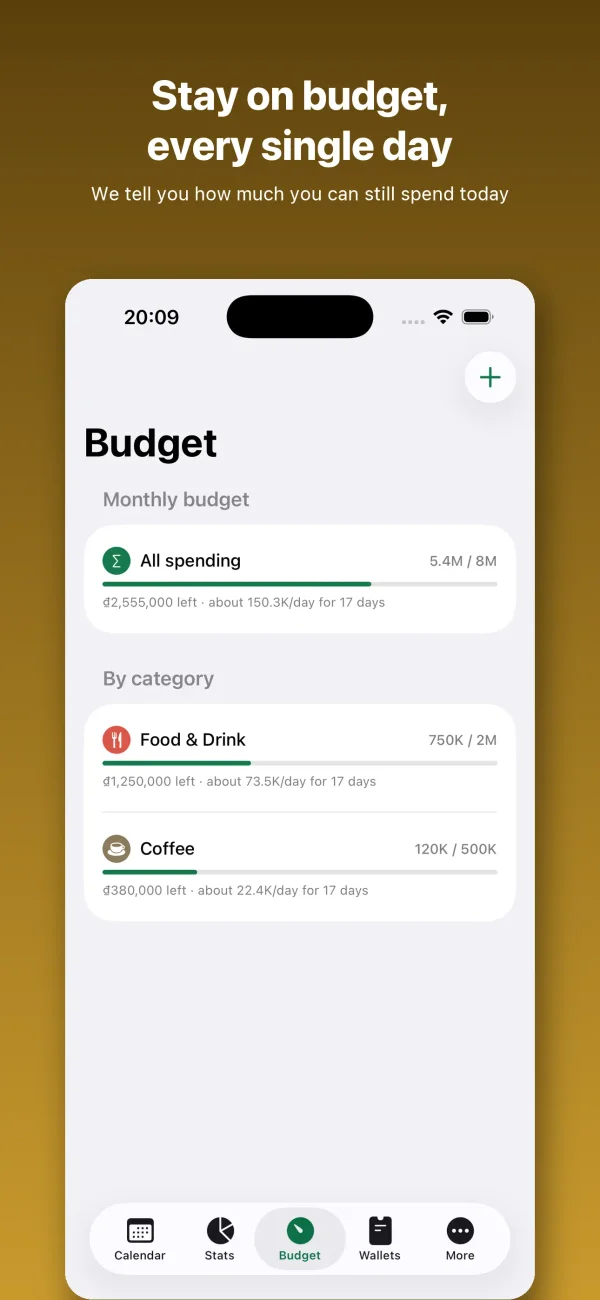
BUDGETS THAT ACTUALLY HELP
Set a monthly limit overall or per category. Instead of a number you have to interpret, the app tells you plainly how much you can still spend each day for the rest of the month.
RECURRING AND SUBSCRIPTIONS
Rent, salary, Netflix — set them once and they are recorded on time. The subscription screen adds up what you pay every month, so hidden costs stop being hidden.
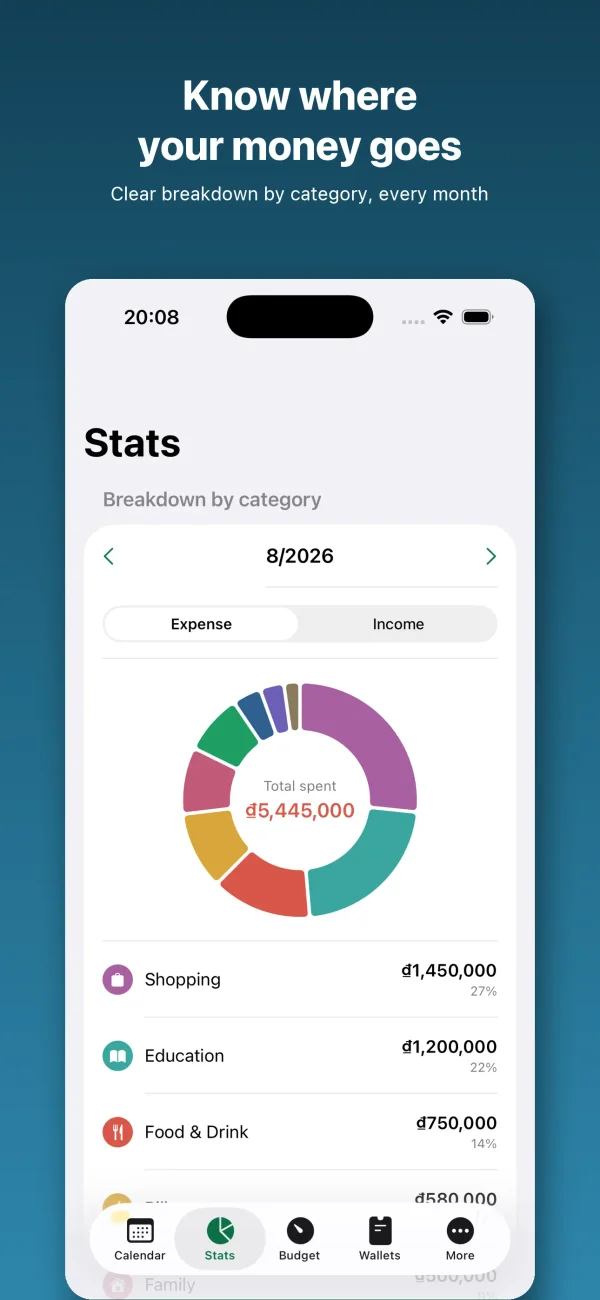
SEE THE PATTERN
A clean donut chart by category, six months of income against spending, and percentages that make the story obvious.
YOUR DATA STAYS YOURS
Everything is stored on your device. There is no account to create and nothing is uploaded. Turn on iCloud sync only if you want your own devices to share the same book. Lock the app with Face ID. Export everything to CSV whenever you like.
17 LANGUAGES
English, Vietnamese, Chinese (Simplified and Traditional), Japanese, Korean, Thai, Indonesian, Hindi, Spanish, Portuguese, French, German, Italian, Russian, Turkish and Arabic. Change the language inside the app — it does not have to match your phone.
FREE AND PREMIUM
The free version is a real app, not a trial: unlimited transactions, the calendar, budgets, recurring rules, charts, reading amounts from photos, and CSV export. Premium is a one-time purchase that adds unlimited wallets and categories — pay once, use forever.
Terms of Use: https://phungdoanh.github.io/term.html
Privacy Policy: https://phungdoanh.github.io/privacy_policy.html
What’s new
Version 1.2 · Nov 23, 2026
New: debt tracking, a spending heat-map calendar, yearly recurring bills with due-date reminders, and a light/dark appearance switch.
App privacy
What Phung Doanh declares on the App Store about how this app handles data.
-
Data not collected
The developer does not collect any data from this app.
Privacy practices may vary, for example with the features you use or your age.
Information
- Seller
- Phung Doanh
- Category
- Finance
- Version
- 1.2
- Updated
- Nov 23, 2026
- Released
- Aug 19, 2026
- Size
- 6.2 MB
- Requires
- iOS 17.0 or later
- Age rating
- 4+
- In-app purchases
- Yes
- Languages
- English, Arabic, French, German, Hindi, Indonesian, Italian, Japanese, Korean, Portuguese, Russian, Simplified Chinese + 5 more
- Copyright
- © 2026 DatViet Inc
You might also like
-
 TOMI:Expense Tracker & RoadmapGood money. Better you
-
 Moneybook: Spend, Lend & OweExpenses, loans & who owes you
-
 FinMate: Quản lý chi tiêuFinance
-
 Đủ - ghi chi tiêu mỗi ngàyFinance
-
 Sổ Thu Chi: Expense TrackerBudget & Money Manager
-
 Miso: Budget & Expense TrackerExpense Tracker, No Bank Login
-
 Wellet: Budget & Family MoneyTrack expenses, save together
-
 FinSnap: Expense TrackerBudget, Bills & Receipts
-
 SpendWhat - Expense trackerBudget & expense tracker
-
 Cỏ: Chi Tiêu Cá NhânFinance