SpendLens — Expense Tracker
Private Budget & Money Tracker
Designed for iPhone, iPad
Free · In-app purchases
- Age rating17+
- CategoryFinance
- DeveloperZeeshan Ahmed
- LanguagesEnglish+ 1 more
- Size45.6 MB
Links to the official App Store page
Download.org hosts no file of SpendLens — Expense Tracker. The button opens its official App Store page, published by Zeeshan Ahmed. Listing last checked on Nov 23, 2026.
Screenshots
About
SpendLens helps you see exactly where every dirham, riyal, and dollar goes — without connecting your bank or creating an account. Track daily spending, let purchases from Apple Pay and your bank's texts and notifications add themselves, and see where every month went with a private, beautiful expense tracker built for your iPhone.
Most people underestimate their daily spending by 30%. SpendLens closes that gap.
TRACK EVERY EXPENSE IN SECONDS
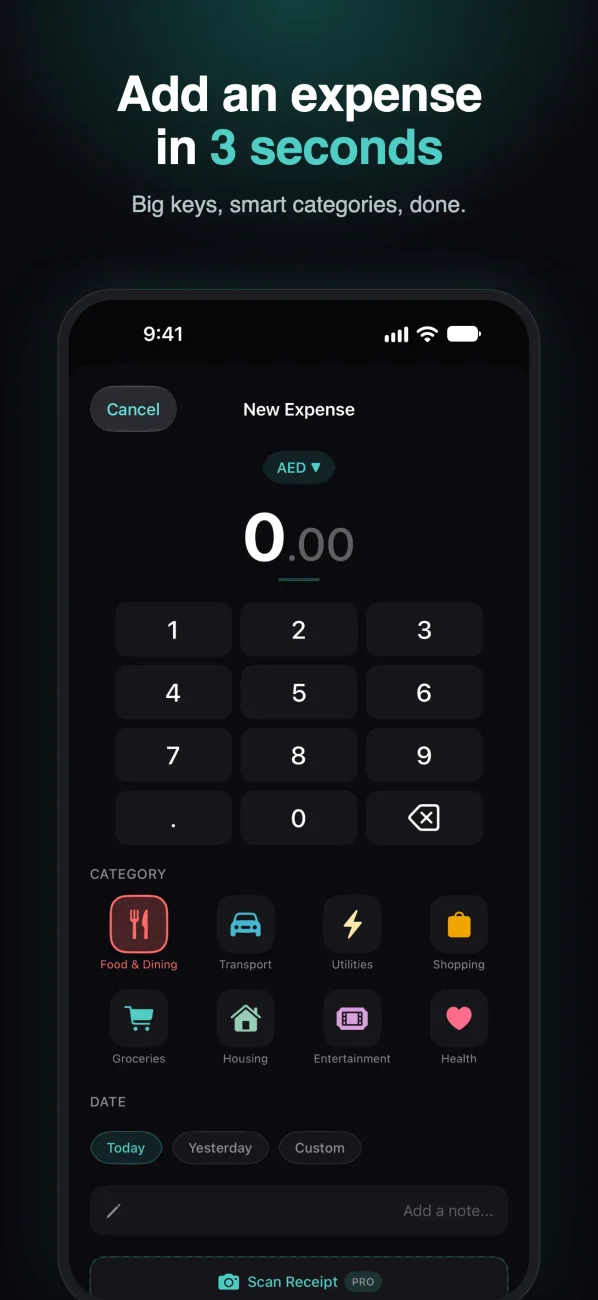
Add expenses with a single tap on the floating action button. Pick a category from the grid, enter the amount, optionally add a note. Done in under three seconds.
PURCHASES THAT ADD THEMSELVES — FREE
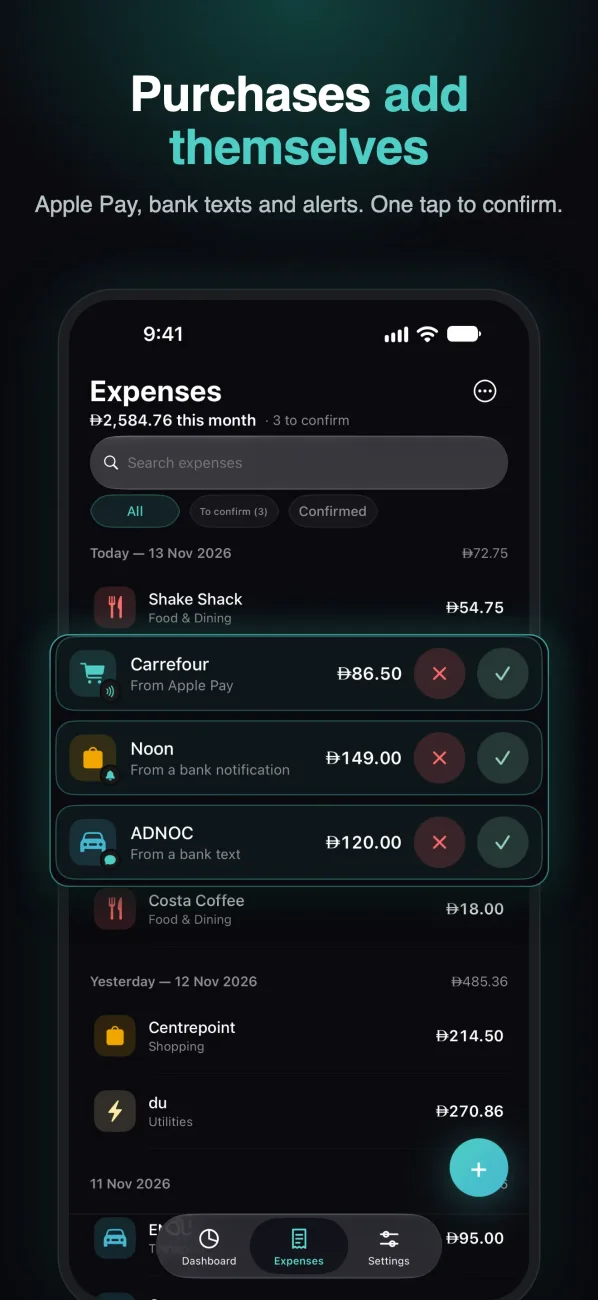
• Bank texts: when your bank texts you a transaction alert, SpendLens turns it into an expense. Set it up once with a simple Shortcuts automation — no bank login, no account linking.
• Apple Pay in shops: tap to pay and the purchase appears with the shop's real name. It never leaves your iPhone.
• Bank app notifications (iOS 27): catch online and in-app purchases too.
• If the same purchase arrives from more than one place, it's counted once.
SCAN RECEIPTS ON YOUR DEVICE
Snap a photo of any receipt and SpendLens reads the amount, date, and merchant — completely on-device. The image never leaves your phone.
SEE WHERE EVERY MONTH WENT
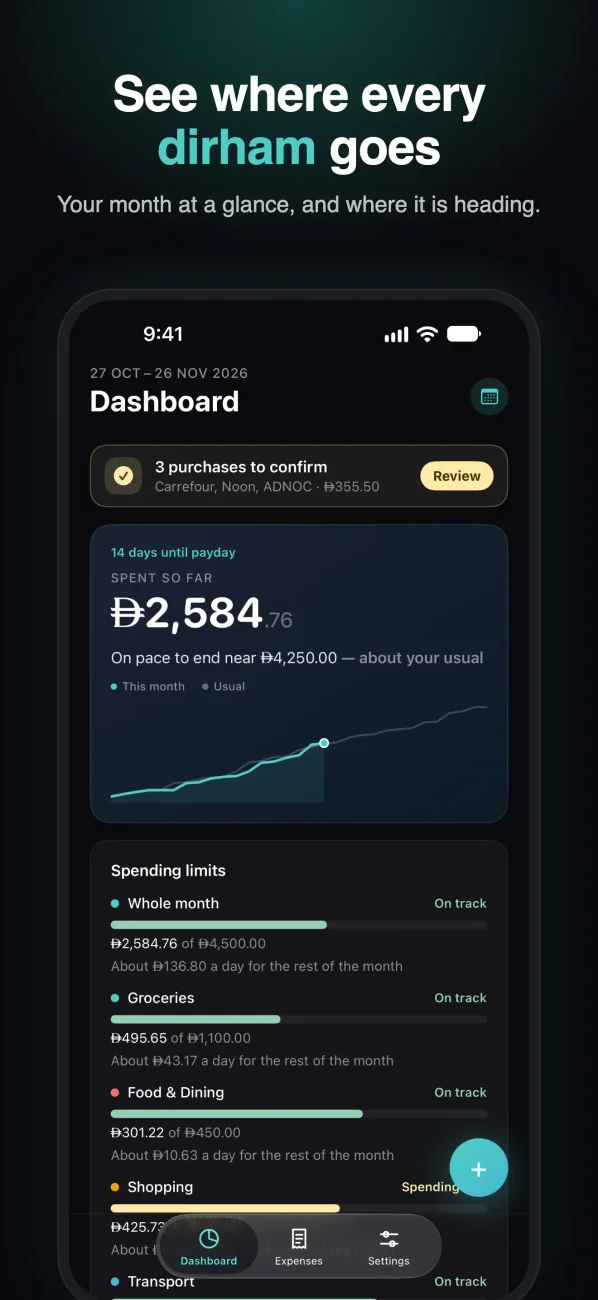
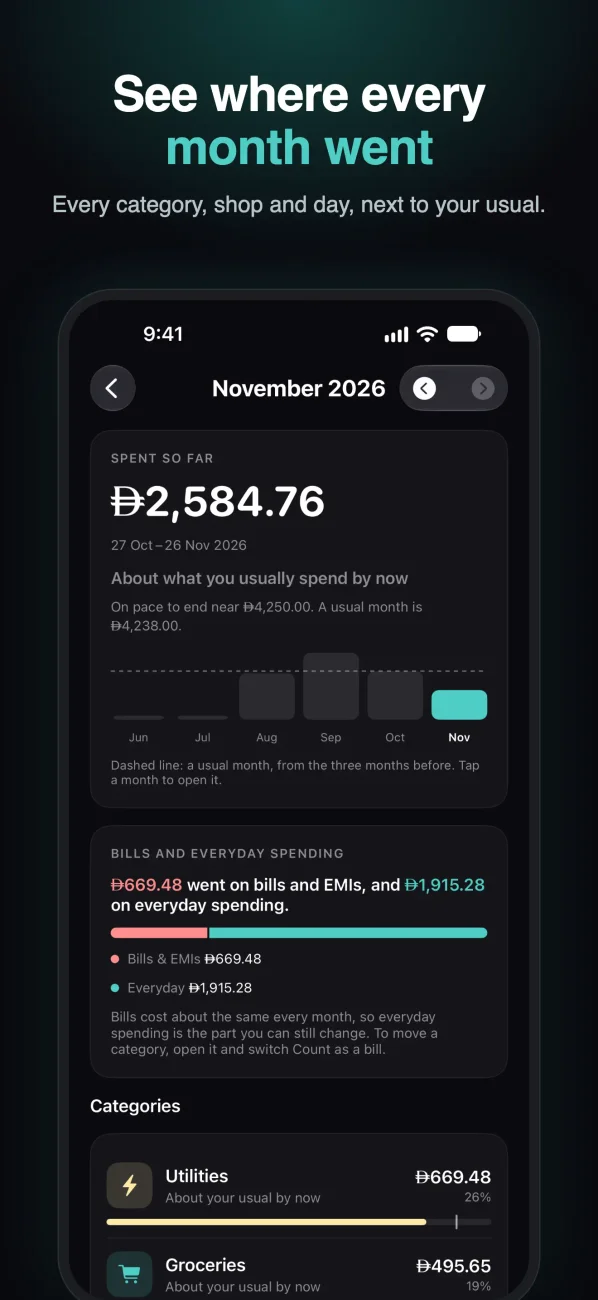
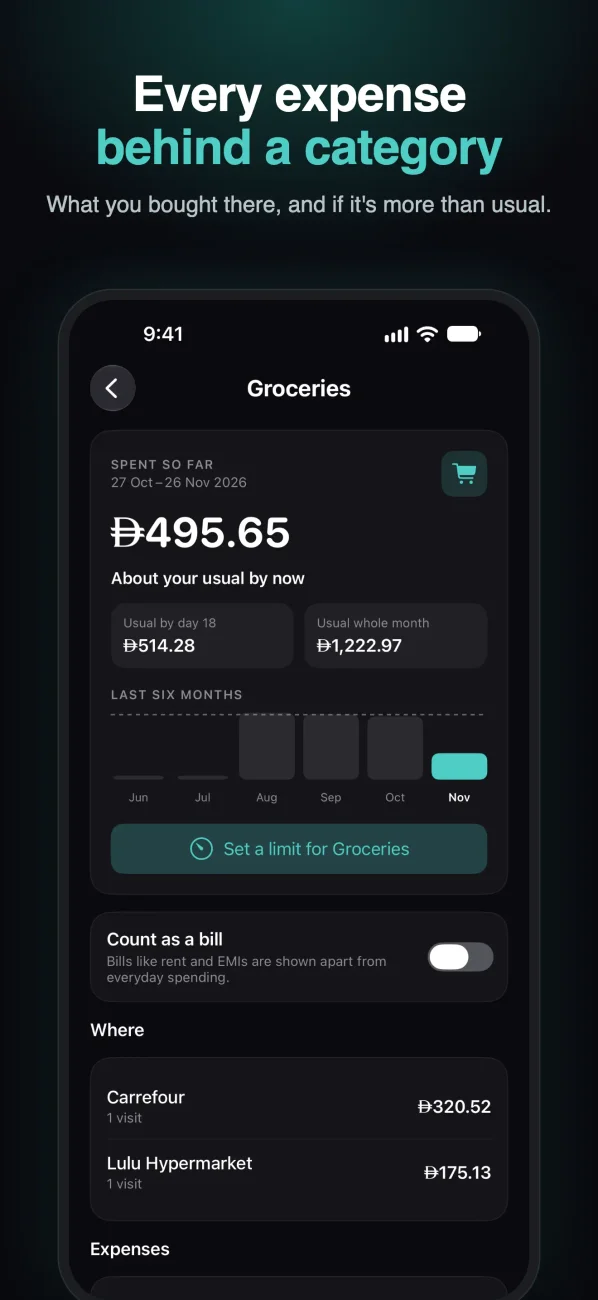
Open any month and see every category it went on. Tap a category to see every expense behind it. With Pro, see how each month and category compares with your usual month, the shops you use most and your spending day by day, with bills and EMIs shown apart from everyday spending — the part you can still change.
SPENDING LIMITS, WHEN YOU'RE READY
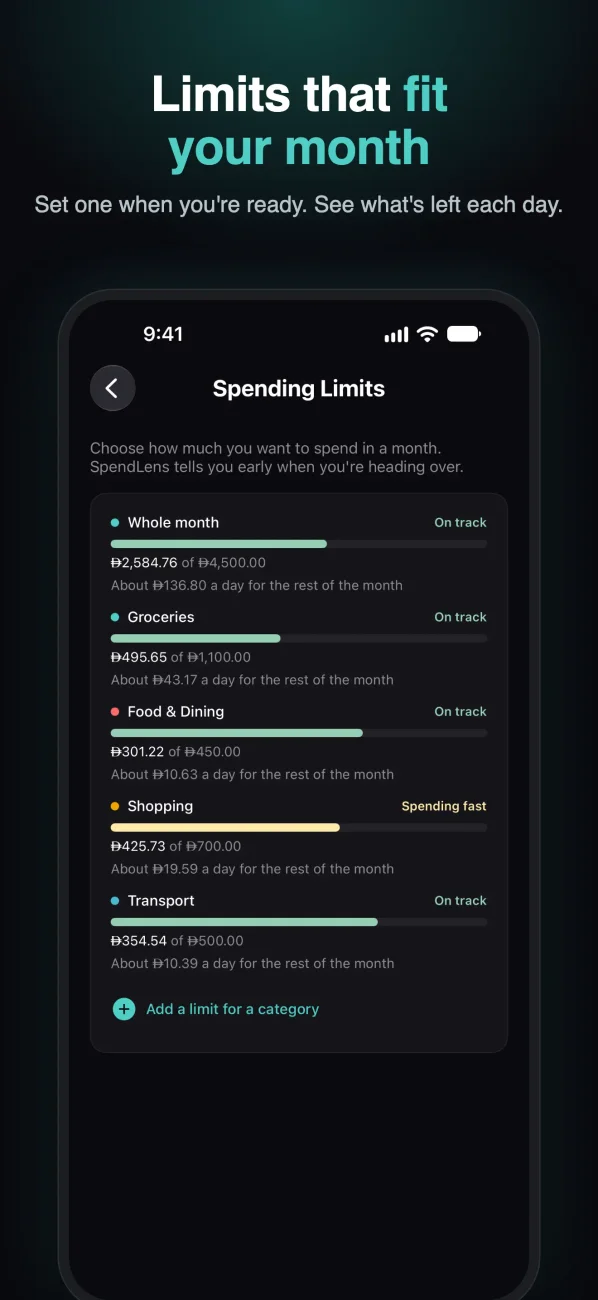
Track first. When you're ready, set a monthly limit and see how much you can still spend each day — SpendLens can even suggest one from your usual month. With Pro, get a heads-up when you're spending fast, and set limits for single categories like eating out.
57 CURRENCIES
Travel, expat life, mixed currencies — no problem. Track expenses in any currency and SpendLens converts everything to your home currency automatically. Original amounts are always kept.
WIDGETS FOR EVERY MOMENT
See today's spending right on your home screen. Five widget variants included: small (free), medium and large (Pro), plus circular and rectangular lock screen widgets (Pro).
EXPORT YOUR DATA
Export expenses as CSV for spreadsheets, or as beautifully formatted PDF reports for taxes and reimbursements. Your data, your way.
SIRI & SHORTCUTS
Say "Add expense in SpendLens" to jump straight to the add screen, or ask Siri how much you spent today or this month and get an instant answer.
FULLY IN ARABIC
A complete right-to-left Arabic interface, with clear, easy-to-read numbers.
PRIVATE BY DESIGN
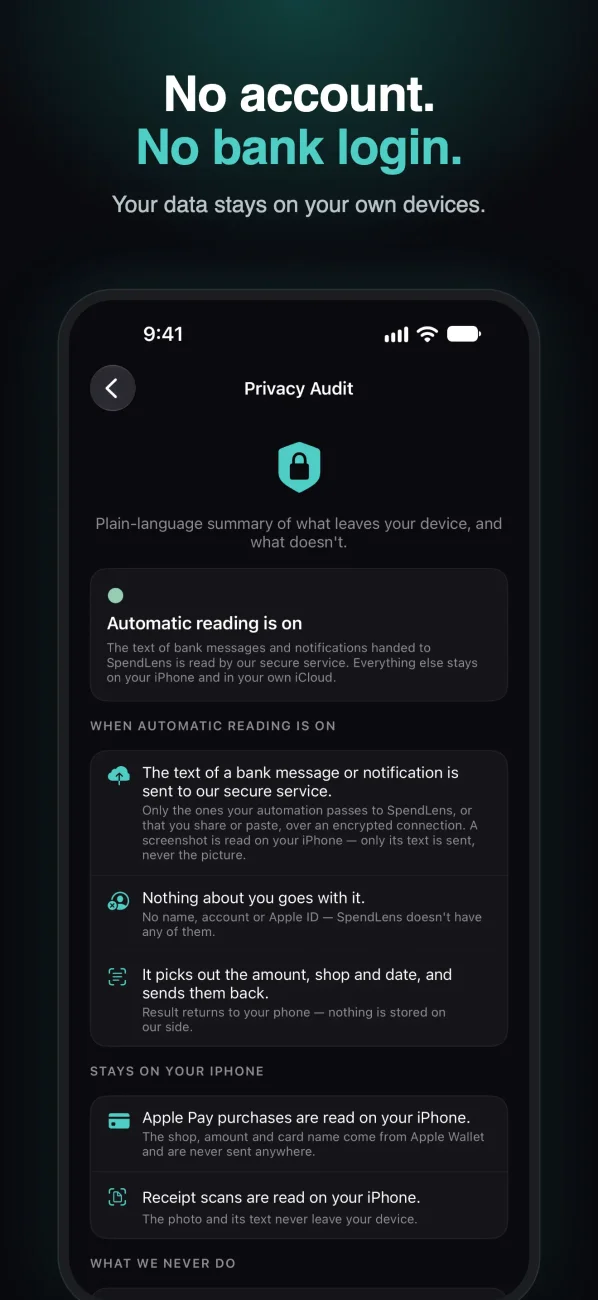
No accounts. No bank linking. No ads. No third-party trackers or analytics SDKs. Everything you enter stays on your device, with optional iCloud sync across your Apple devices. The one feature that uses the internet — automatic reading of your bank's texts and notifications — is opt-in, off by default, and never stores or sells your data. You're always in control.
SpendLens Pro unlocks spending alerts and category limits, custom categories, receipt scanning, dashboard insights, month-by-month comparisons, all widgets, CSV & PDF export, and custom app icons — for a one-time purchase. No subscription needed. (Adding purchases automatically is free for everyone.)
Made with care in Abu Dhabi.
What’s new
Version 1.8 · Nov 13, 2026
See where every month went. Open any month and tap a category to see every expense behind it.
With Pro, see how each month compares with your usual, your top shops and your spending day by day, with bills and EMIs shown apart from everyday spending.
Fresh category icons, and amounts that look the same everywhere, including your widgets.
Enjoying SpendLens? A quick rating helps others find it.
App privacy
What Zeeshan Ahmed declares on the App Store about how this app handles data.
-
Data not linked to you
May be collected but is not linked to your identity.
- Financial info
Privacy practices may vary, for example with the features you use or your age.
Information
- Seller
- Zeeshan Ahmed
- Category
- Finance
- Version
- 1.8
- Updated
- Nov 13, 2026
- Released
- Apr 28, 2026
- Size
- 45.6 MB
- Requires
- iOS 17.0 or later
- Age rating
- 17+
- Price
- Free
- In-app purchases
- Yes
- Languages
- English, Arabic
- Copyright
- © 2026 Zeeshan Ahmed
You might also like
-
 SpendLensAI Receipts & Smart Budgets
-
 Masarifi - Expense TrackerLogs expenses from bank SMS
-
 iLekka - Expense TrackerBank SMS Expense Tracker
-
 Expensly: Auto Budget TrackerAuto-log Bank SMS & Card Taps
-
 YooToo: UAE Budget TrackerTrack AED, Save & Plan
-
 SpendLens: Order AnalyticsUnderstand your spending
-
 Spento: Voice Expense TrackerSpeak naturally. Track easily.
-
 SpendLens: Budget EnvelopesEnvelope budgeting, offline
-
 SpendZy - Auto Expense TrackerLend, save & track money