
Spendline: Expense Tracker
Daily Budget & Spending Log
Designed for iPhone, iPad
Free
- Age rating4+
- CategoryFinance
- DeveloperAlper Sumer Guc
- LanguagesEnglish+ 11 more
- Size4.9 MB
Links to the official App Store page
Download.org hosts no file of Spendline: Expense Tracker. The button opens its official App Store page, published by Alper Sumer Guc. Listing last checked on Nov 12, 2026.
Screenshots
About
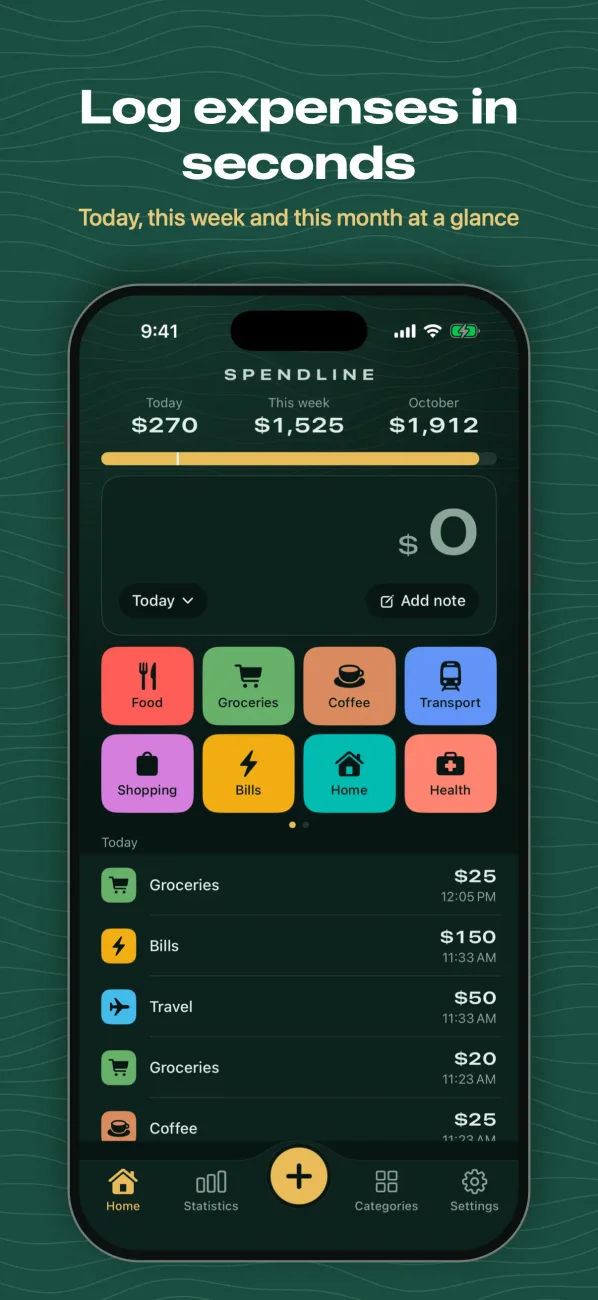
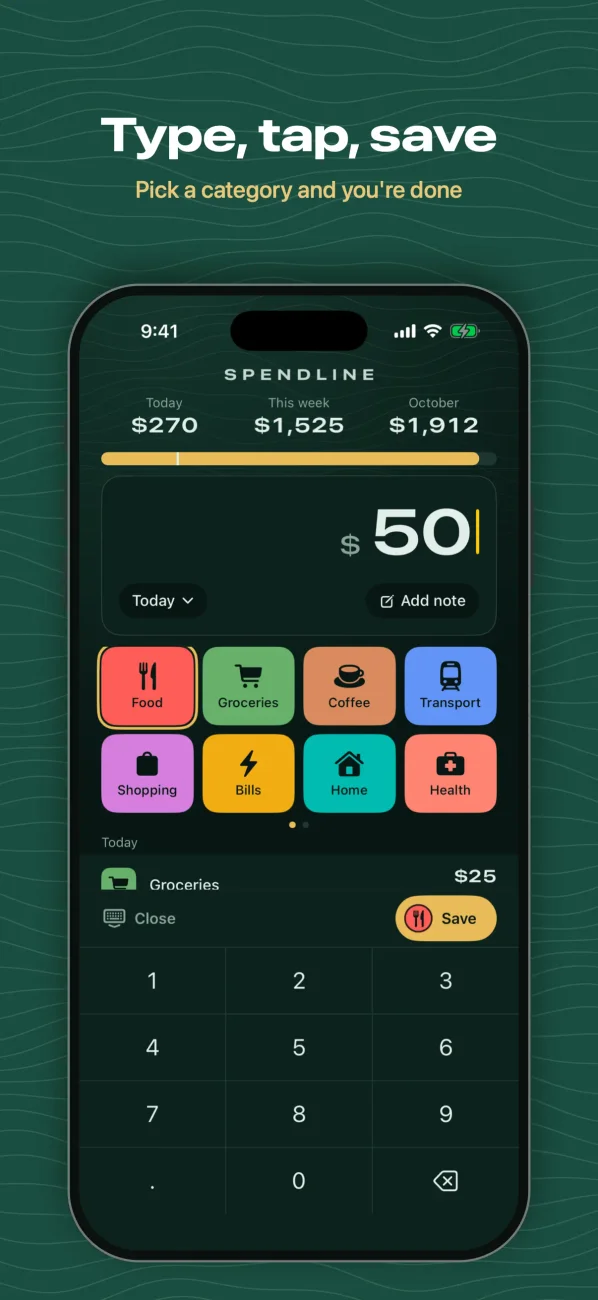
Spendline is the expense tracker that keeps it to one line: type the amount, tap a category, save. No forms, no setup, no spreadsheets. Just a clear picture of where your money goes.
LOG IN SECONDS
• A big keypad and colorful category tiles right on the main screen
• Add a note or pick another date when you need to
• Tapped the wrong category? Undo right after saving
KNOW WHERE YOU STAND
• Today, this week and this month totals always at the top
• Set a monthly budget and see what is left and how much you can spend per day
• A pace line shows whether you are spending faster than planned
STATISTICS THAT MAKE SENSE
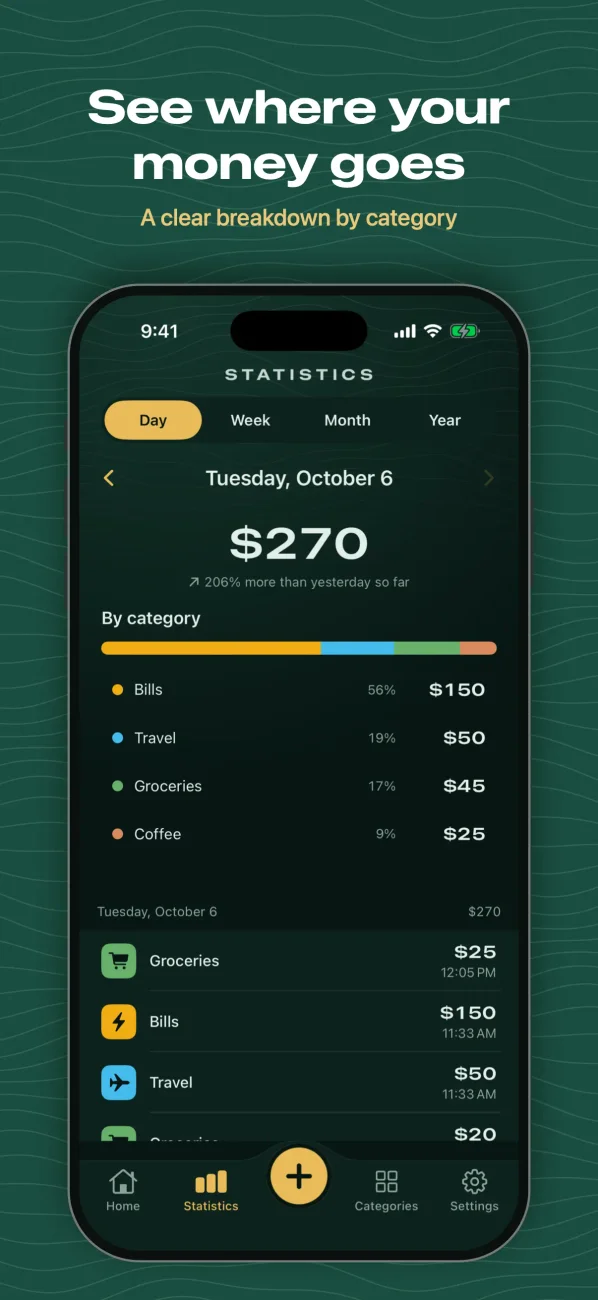
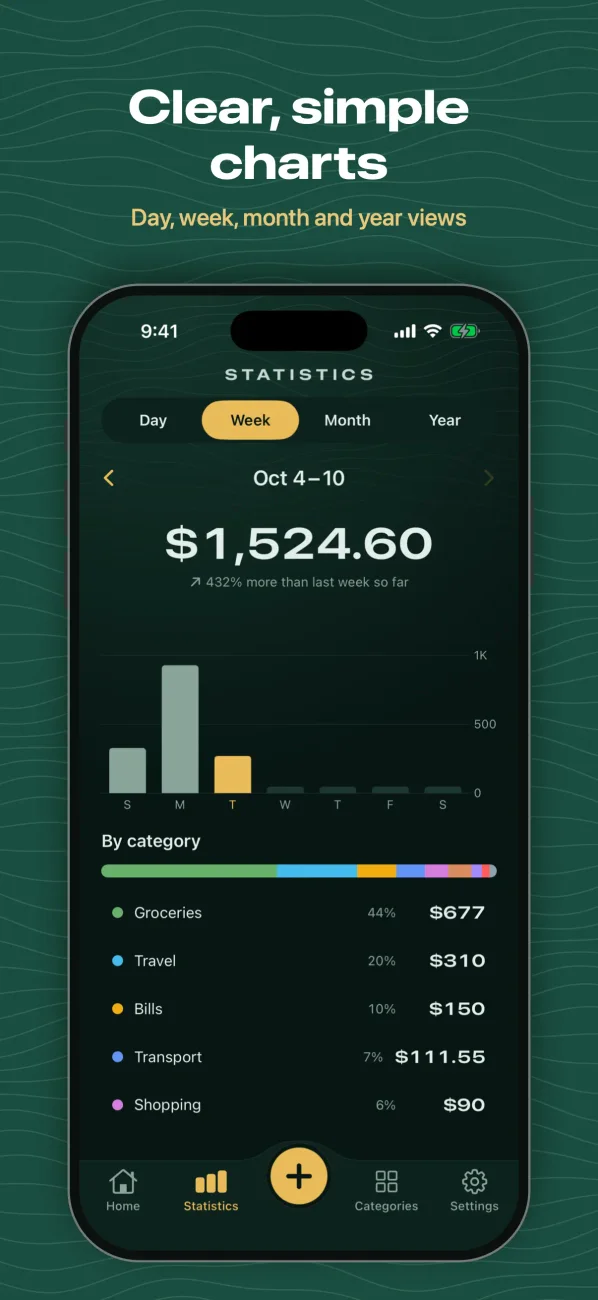
• Day, week, month and year views
• Bar charts and a running total, compared with the previous period
• Tap any bar to see its exact amount
• The category breakdown shows what takes the biggest share
YOUR CATEGORIES, YOUR WAY
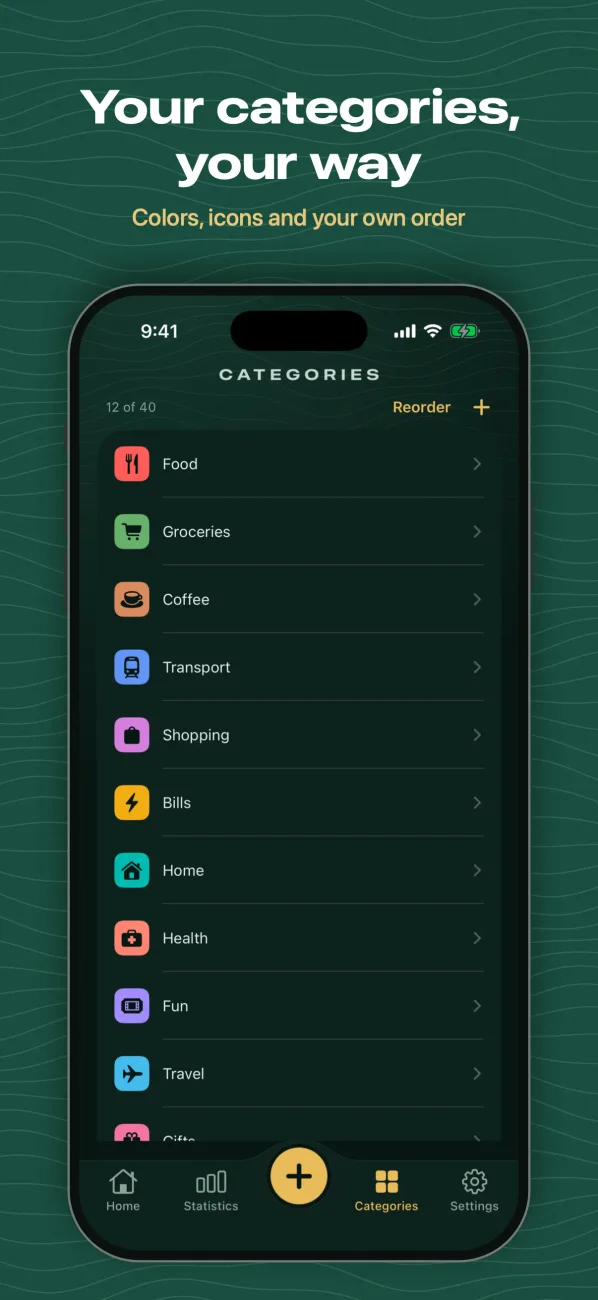
• 12 ready-made categories to start with
• Create your own with colors and icons, reorder or archive them; your history is kept
RECURRING EXPENSES
• Rent, subscriptions, bills: daily, weekly, monthly or yearly
• Confirm or skip each one when it comes due
ALWAYS WITHIN REACH
• Home Screen and Lock Screen widgets
• A Control Center button for quick entry
• Siri and Shortcuts: log an expense with your voice
SYNCED AND PRIVATE
• iCloud sync keeps your expenses, categories and budget up to date on all your devices
• No sign-up needed; your data stays on your device and in your private iCloud
• Lock the app with Face ID, Touch ID or your passcode
• Choose your currency and the day your week and month start (handy if you count from payday)
• Export everything to CSV
• Dark mode and 12 languages
Start today and see your spending in a whole new line.
What’s new
Version 1.2 · Nov 9, 2026
• Expense tracker on iPad: a roomy layout for your budget and spending charts
• Ready for iPhone Duo, on both the outer and inner screen
• Ask Siri "How much did I spend this month in Spendline" for your spending total, or open your charts
• Choose a new app icon in Settings: Classic, Gold, Paper or Midnight
• Better accessibility: stronger text with Increase Contrast, and larger text support
App privacy
What Alper Sumer Guc declares on the App Store about how this app handles data.
-
Data not collected
The developer does not collect any data from this app.
Privacy practices may vary, for example with the features you use or your age.
Information
- Seller
- Alper Sumer Guc
- Category
- Finance
- Version
- 1.2
- Updated
- Nov 9, 2026
- Released
- Oct 7, 2026
- Size
- 4.9 MB
- Requires
- iOS 18.0 or later
- Age rating
- 4+
- Price
- Free
- Languages
- English, French, German, Indonesian, Italian, Japanese, Korean, Portuguese, Russian, Simplified Chinese, Spanish, Turkish
- Copyright
- © 2026 deve.net
You might also like
-
 YunozaFinance
-
 OneBudget: Monthly PlannerExpense Tracker & Spending
-
 dueday - recurring costsBills, budgets and reminders
-
 Basic Budget: Expense TrackerOffline budgets, zero tracking
-
 Io Crediti&DebitiFinance
-
 Allowie: Daily Budget TrackerSafe to Spend Today & No-Spend
-
 Vesi: AI Expense TrackerBudget by voice. Scan receipts
-
 Savings: AI Expense TrackerAI receipt scan & quick add
-
 Freeboard: Personal FinanceKnow what’s really available
-
 Dostatok: Budget & ExpensesPrivate Money & Bill Tracker