
- Age rating4+
- CategoryFinance
- DeveloperHieu Xuan Leu
- LanguagesEnglish
- Size7.2 MB
Links to the official App Store page
Download.org hosts no file of Spendly. The button opens its official App Store page, published by Hieu Xuan Leu. Listing last checked on Nov 17, 2026.
Screenshots
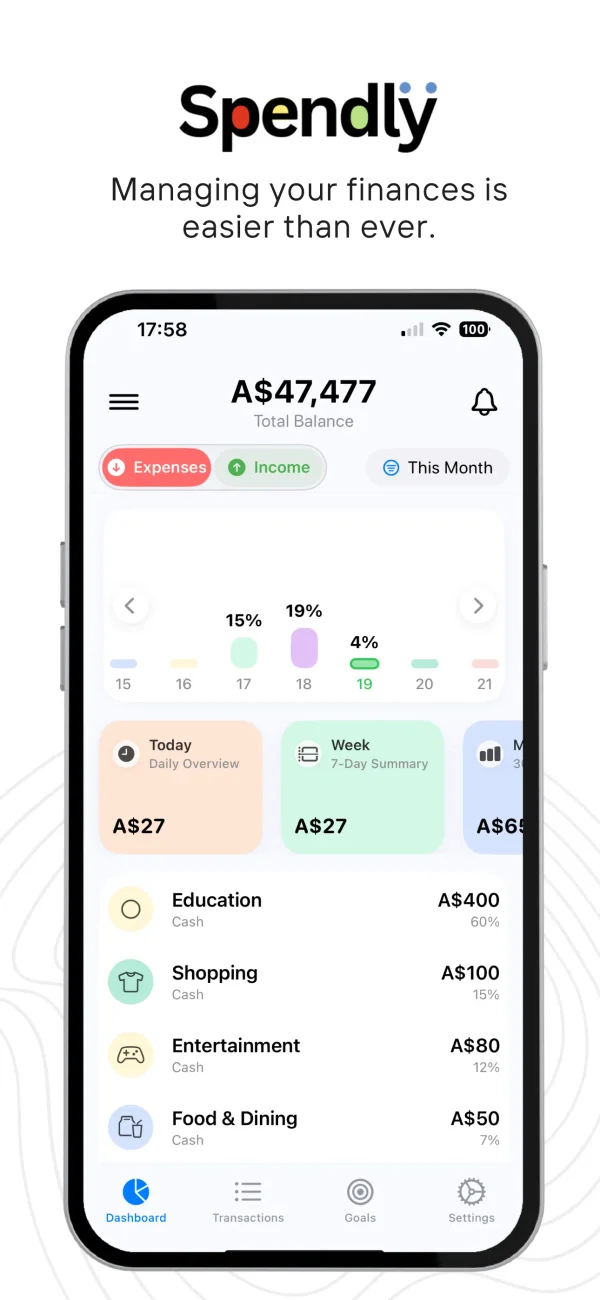
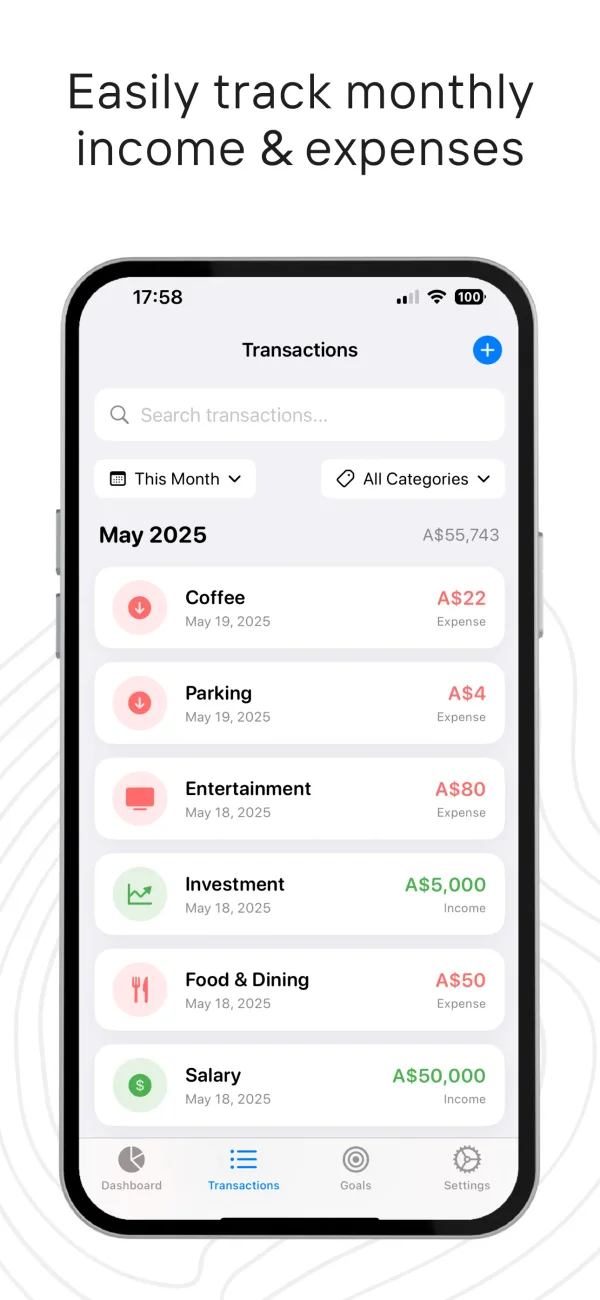
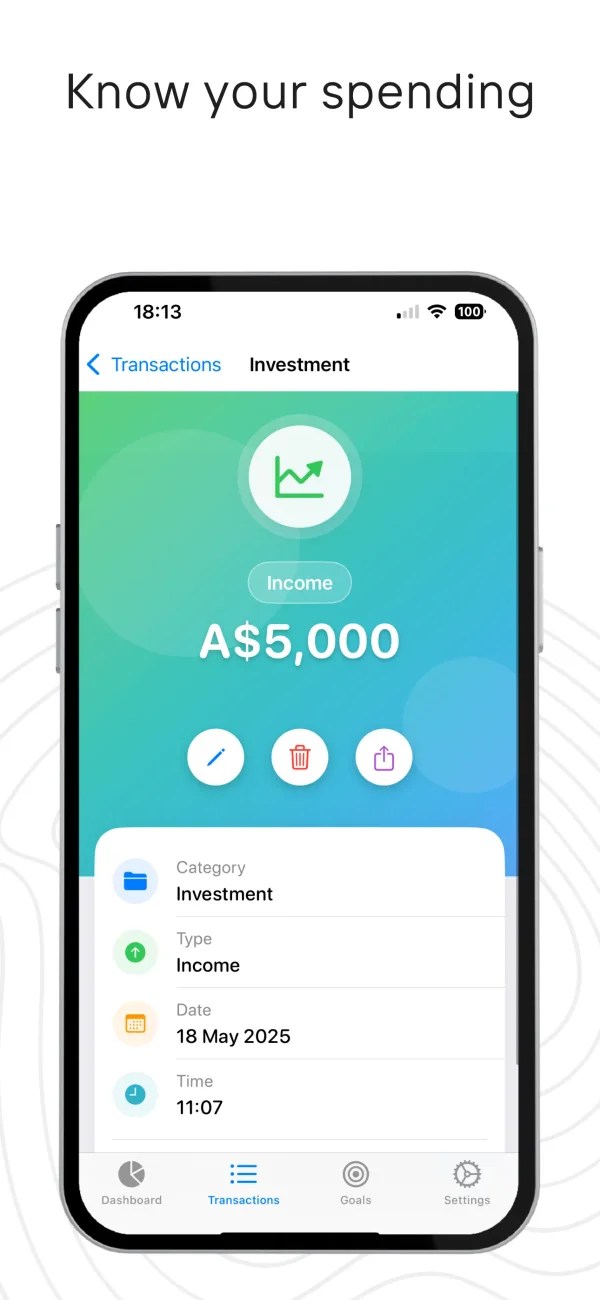

About
Spendly - a simple and effective personal finance management app. Track your spending, set savings goals, and easily keep track of your financial situation. No account required, no data collection - all information is securely stored on your device.
What’s new
Version 4.0.3 · Aug 27, 2026
The biggest Spendly update yet: a fresh look, and six new ways to stay on top of your money.
BUDGETS
Set a monthly limit for each category. The big number on screen is what you have LEFT, not what you have already spent, because that is the number you actually make decisions with. Turn on alerts and Spendly tells you before you go over.
SCHEDULED MONEY
Rent, salary, insurance, the gym. Set a repeat once and Spendly keeps posting it for you: weekly, fortnightly, monthly or yearly, with a reminder on the day it falls due.
SUBSCRIPTIONS
Spendly reads your existing history and finds the payments that quietly repeat: streaming, cloud storage, insurance, bank fees. It adds them up so you can finally see what your subscriptions cost every month, and it flags the ones that look like you already cancelled them. Nothing to set up.
IMPORT YOUR STATEMENT
Bring in CSV, OFX or QFX from any bank, in any country. You see exactly what is about to be added before a single line is saved. Duplicates are skipped, and transfers between your own accounts are left out because they move money rather than earn or spend it. Re-categorise a merchant once and Spendly remembers it for every import after that.
SAY IT INSTEAD OF TYPING IT
"Twelve dollars, coffee." Spendly turns what you said into a draft you can check and edit before saving. It works for saving goals too.
STATISTICS
Pick a day, a month or a year and see totals, a trend line, and a category breakdown that answers the question that matters: where did the money actually go?
HOME SCREEN WIDGET
Income, spending and balance at a glance, in three sizes, always in the currency you have chosen in the app.
ALSO IN THIS RELEASE
- Redesigned throughout: new colours, type, cards and tab bar, in both light and dark
- Every notification switch now lives in one place in Settings, so turning things down takes one trip
- Currency picker you can search by code, name or symbol
- Remove Ads as a one-time purchase, or earn a temporary ad-free pass
- Fixes and performance work across the app
Thank you for using Spendly.
App privacy
What Hieu Xuan Leu declares on the App Store about how this app handles data.
-
Data not linked to you
May be collected but is not linked to your identity.
- Location
- Identifiers
- Usage data
- Other data
Privacy practices may vary, for example with the features you use or your age.
Information
- Seller
- Hieu Xuan Leu
- Category
- Finance
- Version
- 4.0.3
- Updated
- Aug 27, 2026
- Released
- Jan 7, 2025
- Size
- 7.2 MB
- Requires
- iOS 16.6 or later
- Age rating
- 4+
- Price
- Free
- In-app purchases
- Yes
- Languages
- English
- Copyright
- © Delegate Labs
You might also like
-
 Spendly – Budget TrackerSmart Money Made Simple
-
 Spendly: Visual Expense LogTrack Spending With Photos
-
 Spending Tracker - SpendlyCash tracker and money flow
-
 MoneyBook: Family FinancesHousehold Money, Together
-
 Ignitte: Private AI AccountingOn-Device Books for Small Biz
-
 Expense Tracker: BudgetingPrivate & Offline Tracker
-
 Spend Tracker & BudgetVoice expense & money manager
-
 My Wallets - Finance TrackingRecord keeping management
-
 SlipSync: Split & SettleShared Expenses & Ledger
-
 Expense tracker Money managerTrack Income, Spending & Bills