
- Age rating4+
- CategoryFinance
- DeveloperAmbion Softwares FZ-LLC
- LanguagesEnglish
- Size6.7 MB
Links to the official App Store page
Download.org hosts no file of Spenvo. The button opens its official App Store page, published by Ambion Softwares FZ-LLC. Listing last checked on Nov 6, 2026.
Screenshots

About
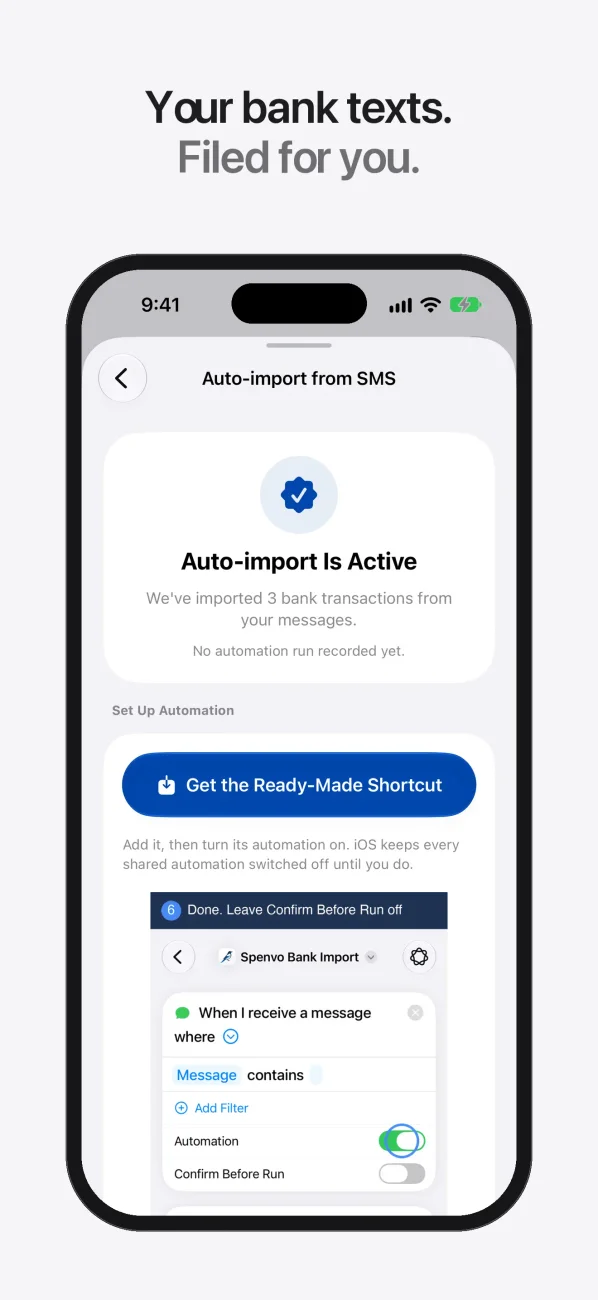
Your bank already texts you every time you spend. Spenvo turns those texts into your expense list for you, after a one-time setup, and keeps everything on your iPhone. No typing. No bank login.
Every expense tracker asks the same thing of you: open the app and type in what you just bought. Almost nobody keeps that up. The person who built Spenvo never lasted a week. Your bank, meanwhile, already sends the most honest record of your spending there is: a text the moment money leaves your account, with the merchant, the amount and the time. Spenvo is built around that text.
HOW IT WORKS
Spenvo can't read your messages by itself; iOS doesn't allow it. So you add a ready-made Shortcuts automation from inside the app and switch it on. That takes a minute, once. From then on every bank text is handed to Spenvo and filed as an expense. You do nothing.
Spenvo knows a purchase from a refund, an incoming credit, a failed payment, a one-time passcode or a card-bill payment, and leaves those out. Only money that actually left your account is counted.
Every message is read on your iPhone. Several banks in the UAE and India work on any iPhone. For other banks Spenvo uses Apple Intelligence, which needs an iPhone 15 Pro or later with it switched on. Banks that send app notifications instead of texts work through a notification automation.
FOR EVERYTHING ELSE
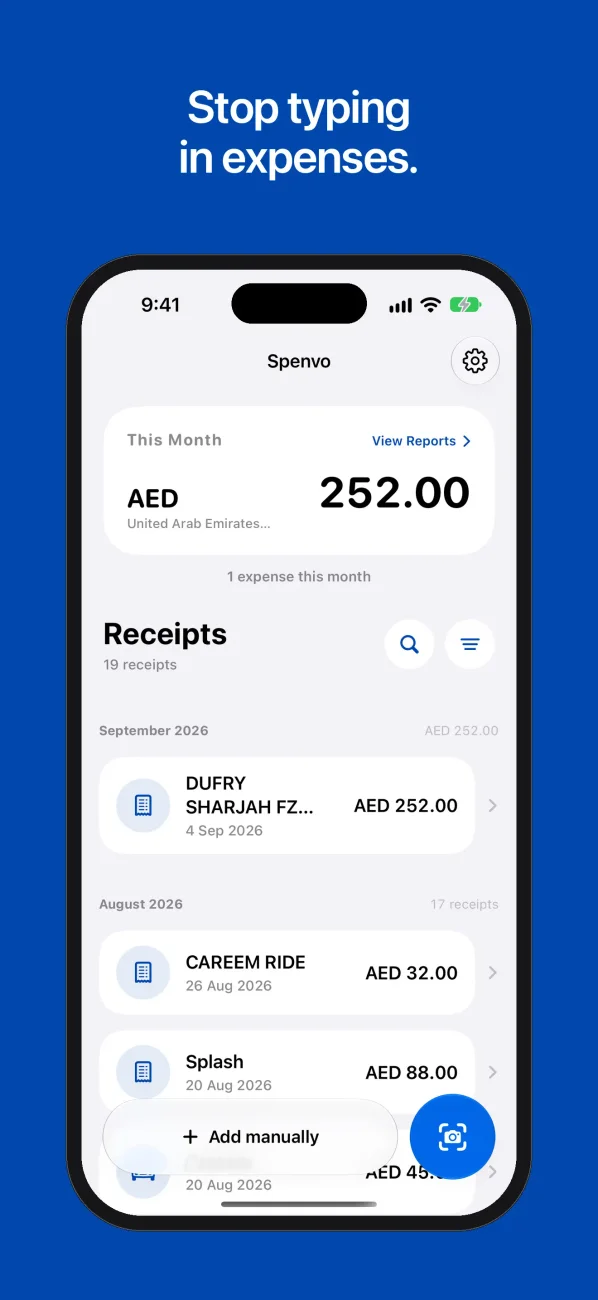
• Scan a receipt. Point the camera and Spenvo reads the merchant, the date and the total. The photo stays with the entry.
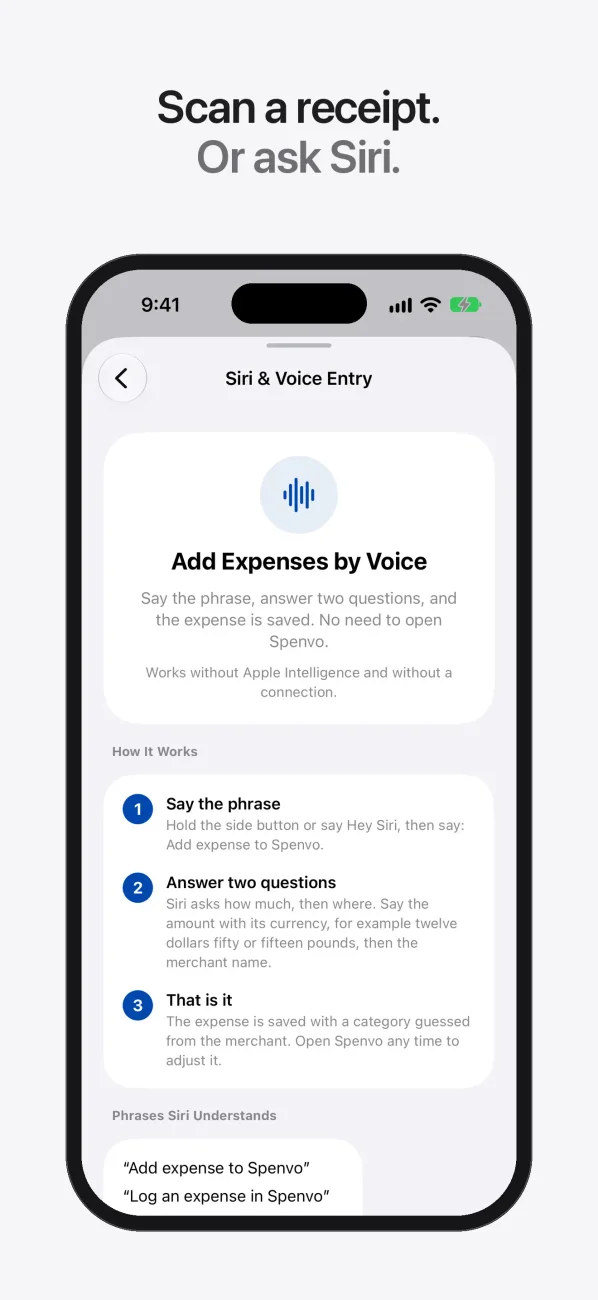
• Tell Siri. Say "Add expense to Spenvo". Siri asks how much and where.
• Type it in. For cash, or anything else. Merchant, amount, category, done.
SEE WHERE IT WENT
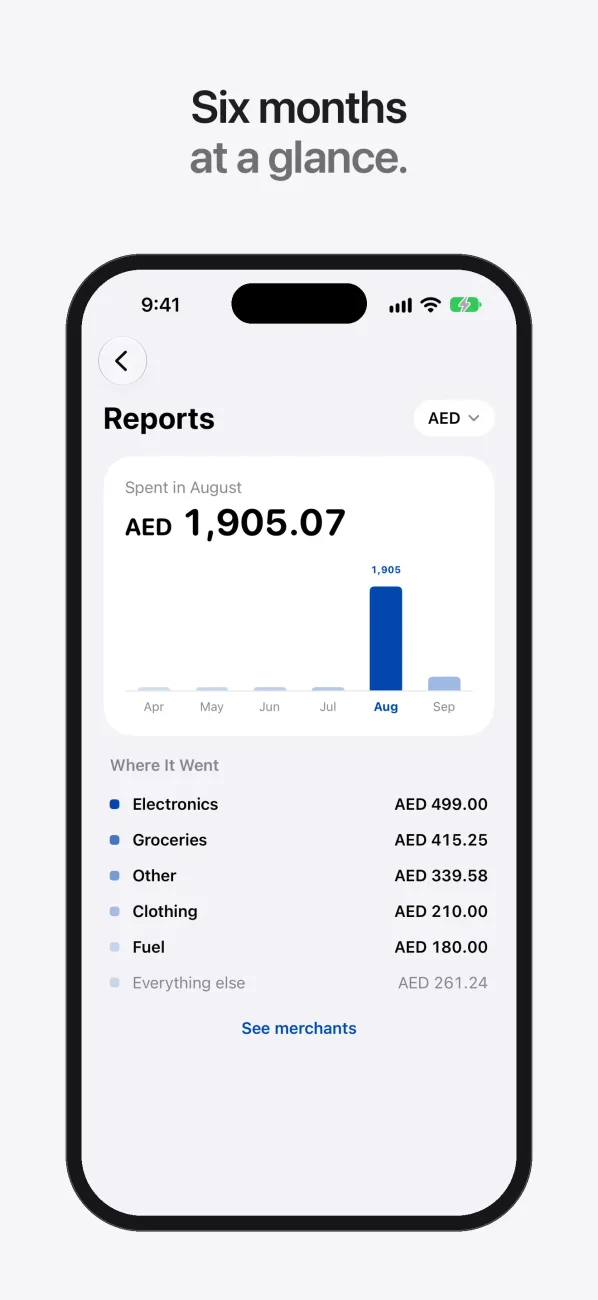
Reports opens on six months of spending, so the first thing you see is whether this month is unusual. Tap a month to break it down by category or merchant. Spend in more than one currency and each stays in its own; Spenvo has no exchange rates and won't invent them.
NOTHING LEAVES YOUR IPHONE
No account, no server, no analytics or ads, no third-party code. Your expenses and receipt photos are stored on your iPhone, not on any server of ours. We couldn't look at your spending if we tried. Export a CSV or a full backup whenever you like. Delete the app and the data goes with it.
That also means no sync between devices. Your expenses live on the iPhone you log them on.
FREE FOR 30 EXPENSES A MONTH
That covers every way of adding an expense, and resets each calendar month. Premium removes the limit, as a yearly subscription or a one-time lifetime purchase. Your expenses, exports and backups always stay available, on the free plan too.
Requires iOS 27 or later. iPhone only.
Terms of Use (EULA): https://spenvo.app/terms
Privacy Policy: https://spenvo.app/privacy
What’s new
Version 2.0 · Oct 23, 2026
Expenses that add themselves. Spenvo 2.0 is a new app around the same promise: your bank texts you when you spend, and Spenvo turns those texts and notifications into your expense list on your iPhone, with nothing to type.
Reports goes month by month: pick a month, see where it went, and how each category or merchant compares with the month before. The bar on Reports answers questions in your own words, like "how much on transport this month" or "what subscriptions do I have", worked out on your phone from your own expenses.
Recurring finds your subscriptions and bills from the charges Spenvo already sees: what is committed next month, when each renews, and a reminder a week before a yearly renewal. Add one by hand, or answer when Spenvo asks whether a charge repeats.
Profile holds your name, currency, appearance, Premium and your data. A dark Deep look is the default, with Light under Appearance.
The first screen explains how auto-import works and offers the setup, and the install pages show the ready-made shortcut with an animated guide under the button.
App privacy
What Ambion Softwares FZ-LLC declares on the App Store about how this app handles data.
-
Data not collected
The developer does not collect any data from this app.
Privacy practices may vary, for example with the features you use or your age.
Information
- Seller
- Ambion Softwares FZ-LLC
- Category
- Finance
- Version
- 2.0
- Updated
- Oct 23, 2026
- Released
- Sep 22, 2026
- Size
- 6.7 MB
- Requires
- iOS 27.0 or later
- Age rating
- 4+
- In-app purchases
- Yes
- Languages
- English
- Copyright
- © 2026 Ambion Softwares FZ-LLC
You might also like
-
 SplitivaTrack, budget & split bills
-
 Spendo: Expense & GST TrackerScan bills, track every rupee
-
 Xpense Manager: smart and easyExpenses import and tracking
-
 Expense Tracker - MoneyFluxSubscription. Net worth. Debts
-
 Masarifi - Expense TrackerLogs expenses from bank SMS
-
 Floosy: Money TrackerKnow where your money goes.
-
 Owemio: Debts & BudgetInstallments & reminders
-
 Duezo: Bill & BNPL TrackerPay Later Due Date Reminders
-
 Expensly: Auto Budget TrackerAuto-log Bank SMS & Card Taps
-
 SpendZy - Auto Expense TrackerLend, save & track money