
Spiral: Screen Time App
App limits that actually work
Designed for iPhone
Free · In-app purchases
- Age rating4+
- CategoryProductivity
- DeveloperHarry O'Brien
- LanguagesEnglish
- Size15.7 MB
Links to the official App Store page
Download.org hosts no file of Spiral: Screen Time App. The button opens its official App Store page, published by Harry O'Brien. Listing last checked on Nov 14, 2026.
Screenshots
About
Smart screen time limits that actually work.
You meant to check one thing. Forty minutes later, you're still scrolling. That's the spiral, and willpower alone rarely breaks it. Spiral does it for you.
Most screen time apps fail for the same reasons: they block everything all for hours, they're trivial to bypass, or they nag you with reminders you swipe away. Spiral is built differently, it works with you not against to help limit your doomscrolling.
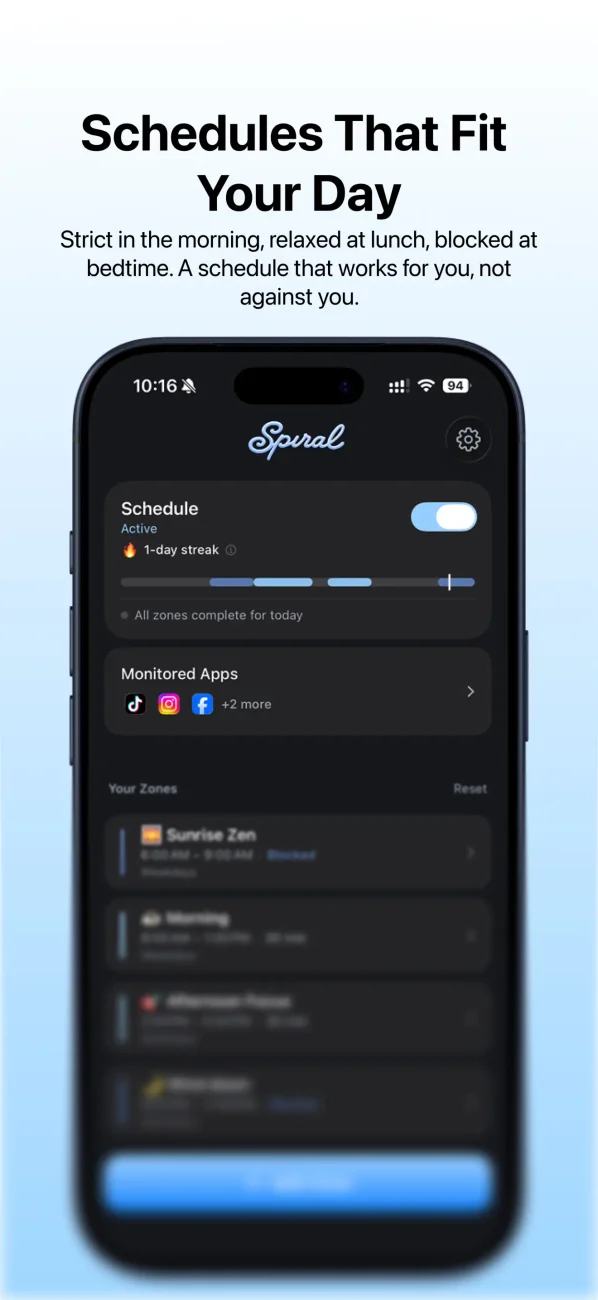
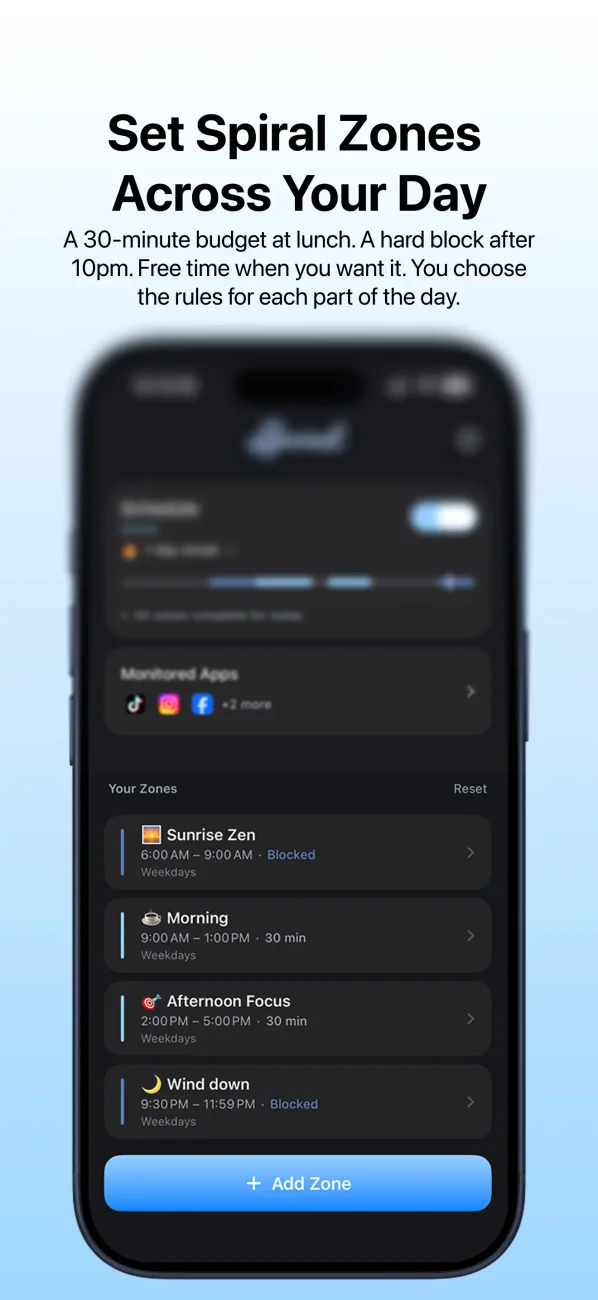
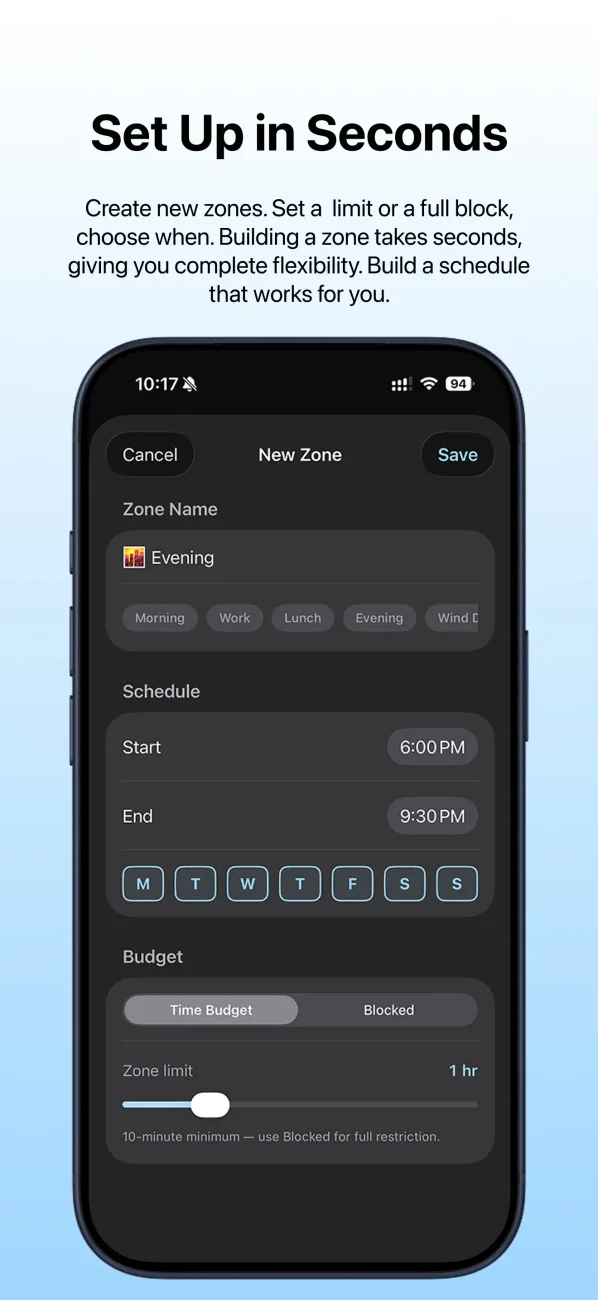
Set zones across your day
Instead of rigid all-day blocks, Spiral works in zones. Give yourself a 30-minute budget for social apps in the morning. Hard-block everything after 10pm. Leave the afternoon free. Your limits flex around your real life - work, downtime, sleep - instead of fighting it.
Pick the apps that pull you in
Choose exactly which apps to limit - Instagram, TikTok, X, whatever you find most distracting. Everything else stays untouched.
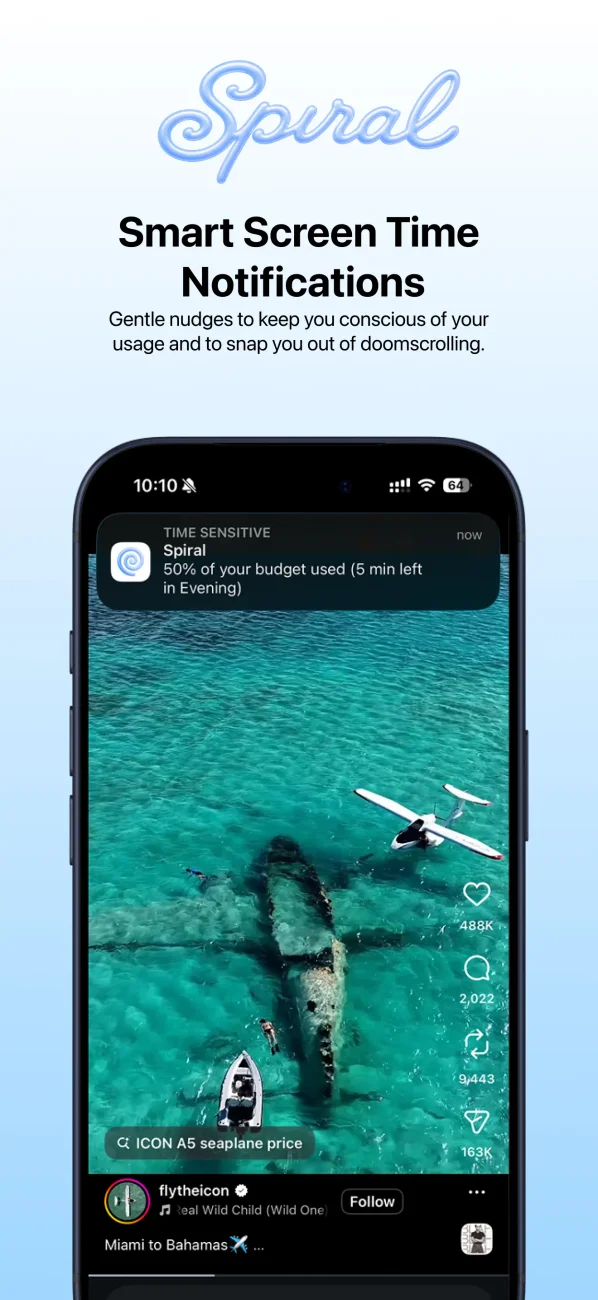
Get a heads-up before you hit the wall
Spiral warns you with notifications as you approach your limit, so nothing comes out of nowhere. You stay aware of your time without having to think about it.
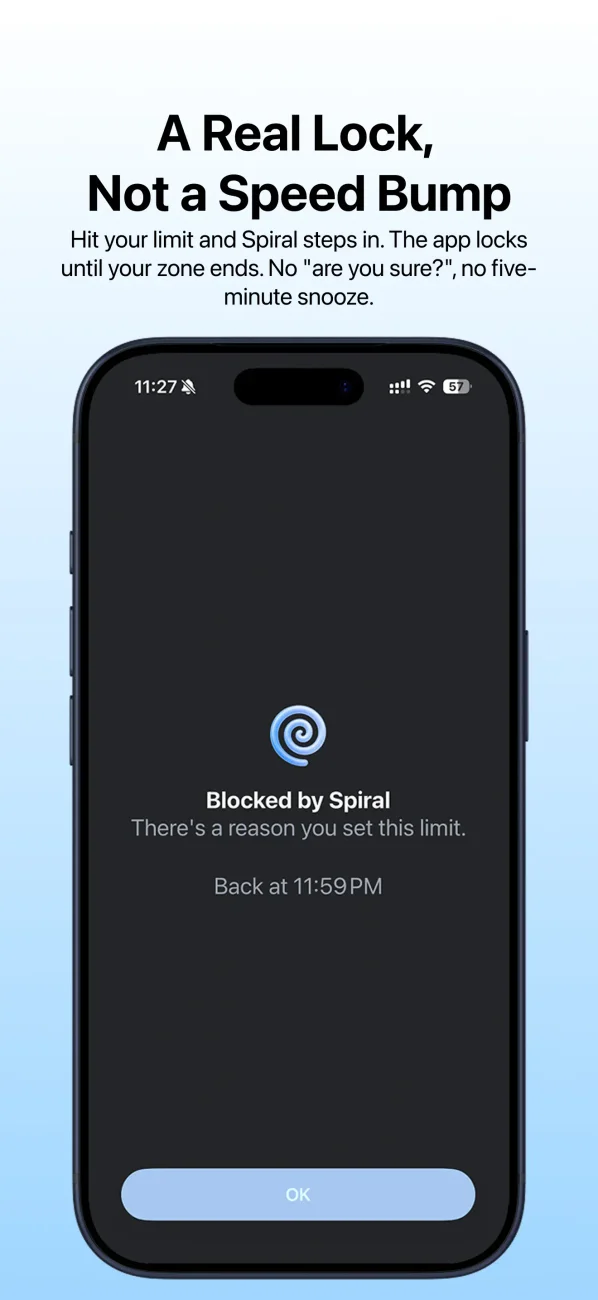
A real lock, not a speed bump
When you hit your limit, Spiral's shield steps in and actually locks the app until your zone ends. No "are you sure?" that you tap straight through. No five-minute snooze that turns into an hour. A limit that holds.
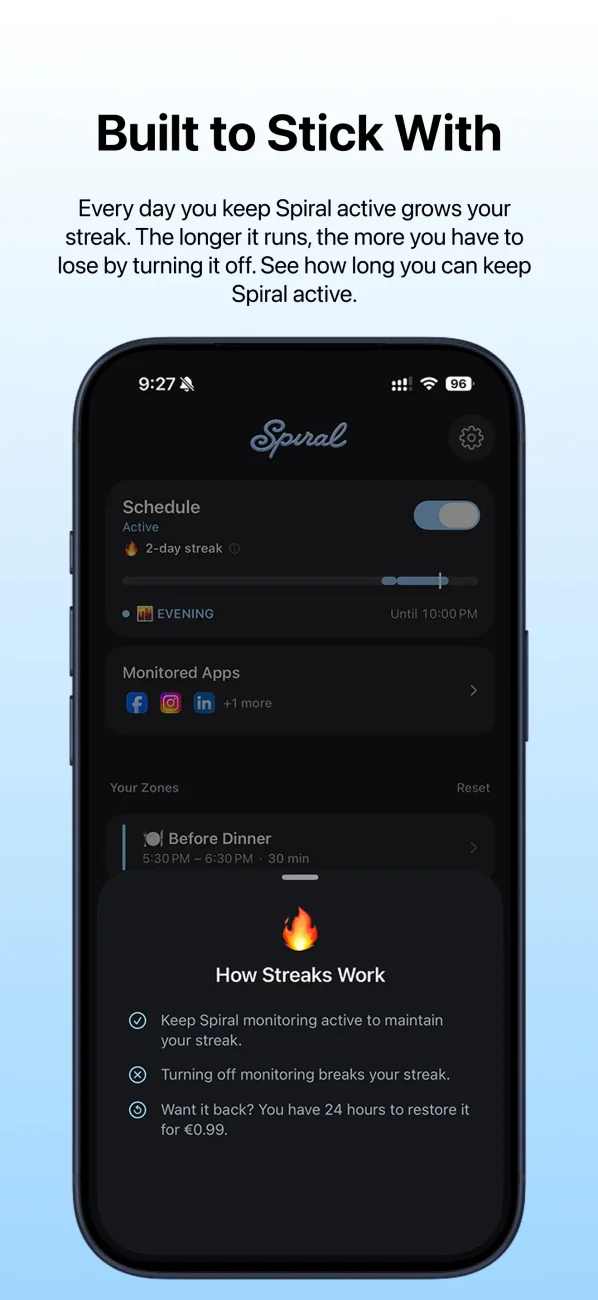
Build a streak worth keeping
Every day you keep Spiral active builds your streak. The longer it grows, the more you have to lose by turning it off, a simple, powerful reason to stick with it. See how long you can keep Spiral active.
Private by design
Spiral runs entirely on Apple's Screen Time framework. Your app usage never leaves your phone. No VPN. No proxy. No servers collecting your data. No account required. What you do on your phone stays on your phone.
Why Spiral works when others didn't
– Zones that match your day instead of blocking everything
– Enforcement that actually holds at your limit
– 60-second setup, no complicated shortcuts or profiles
– Built natively on Apple Screen Time - no hacky workarounds
– Designed to step in, not to shame you
If you've tried screen time apps before and given up, Spiral is the one built to hold you to it.
Download Spiral and break the cycle.
Terms of Use: https://spiralapp.io/legal/terms
Privacy Policy: https://spiralapp.io/legal/privacy-policy
App privacy
What Harry O'Brien declares on the App Store about how this app handles data.
-
Data not linked to you
May be collected but is not linked to your identity.
- Purchases
- Identifiers
Privacy practices may vary, for example with the features you use or your age.
Information
- Seller
- Harry O'Brien
- Category
- Productivity
- Version
- 1.0
- Updated
- Jun 9, 2026
- Released
- Jun 9, 2026
- Size
- 15.7 MB
- Requires
- iOS 16.6 or later
- Age rating
- 4+
- Price
- Free
- In-app purchases
- Yes
- Languages
- English
- Copyright
- © 2026 Spiral
You might also like
-
 Well Earned: Earn Screen TimeHabit Tracker & App Blocker
-
 Transly Pocket: Voice to TextTranscribe & translate offline
-
 HoldOn: Block Apps & Save TimeSlow Down Before You Open Apps
-
 SmartPomo TimerProductivity
-
 Fridge: Lock Screen NotesSticky to-do checklist widget
-
 Uncooked: Screen Time ControlFocus. Brainrot. Be Present.
-
 Earn Screen Time — UnlockStop Doomscrolling with Steps
-
 FocusVault: Screen Time FocusBlock apps, reduce screen time
-
 Intentional: Screen Time CtrlProductivity
-
 Oath - AI AccountabilityTodo list and Habit tracker