
- Age rating9+
- CategoryEducation
- DeveloperMarc Hogemann
- LanguagesEnglish+ 1 more
- Size89.7 MB
Links to the official App Store page
Download.org hosts no file of Spitzfeder. The button opens its official App Store page, published by Marc Hogemann. Listing last checked on Nov 22, 2026.
Screenshots



About
Learn Kurrent - the historic German handwriting
Spitzfeder is your interactive course for the old German Kurrent script. Whether you want to decipher old family letters, read historical documents, or learn the fascinating cursive handwriting of your ancestors yourself—Spitzfeder guides you step by step to your goal.
The app grew out of a personal story: the desire to be able to read the last letter of an ancestor who sank in 1892 as the captain of a sailing ship on a voyage from New York to London. His words written in Kurrent script were the inspiration to develop an app that gives everyone access to this historic handwriting.
TWO LEARNING MODES
Script Workshop
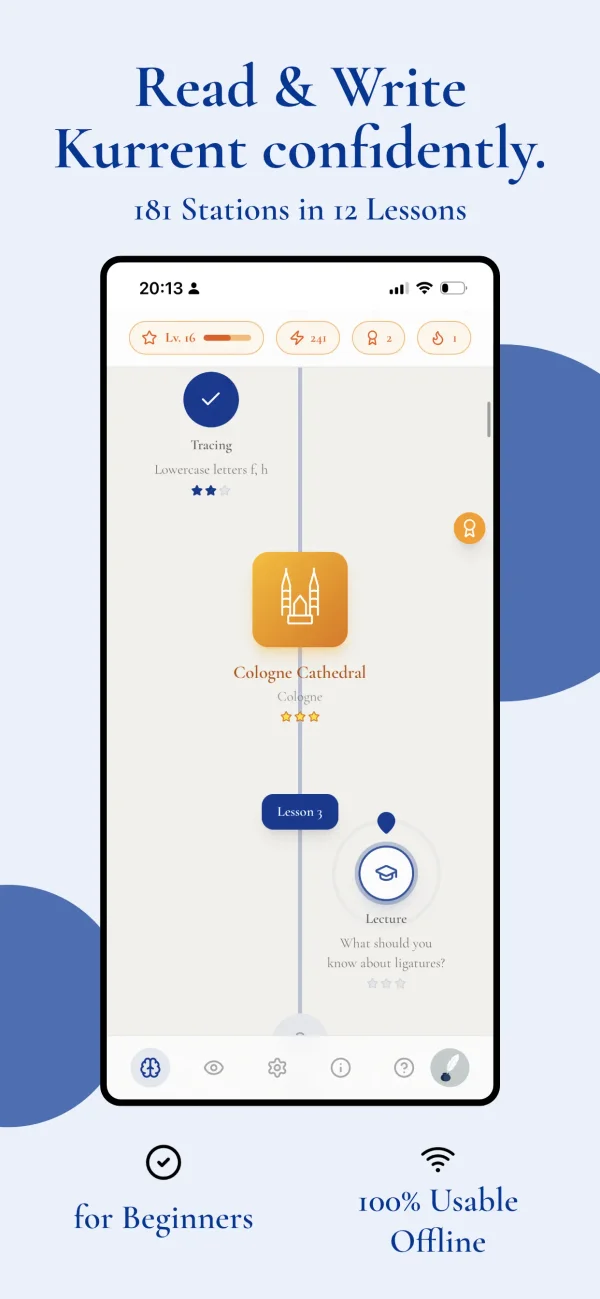
A digital learning path with 12 lessons and 181 stations. The lessons build systematically on one another—from the simplest letters to complex words and historical texts.
Letter Foundry
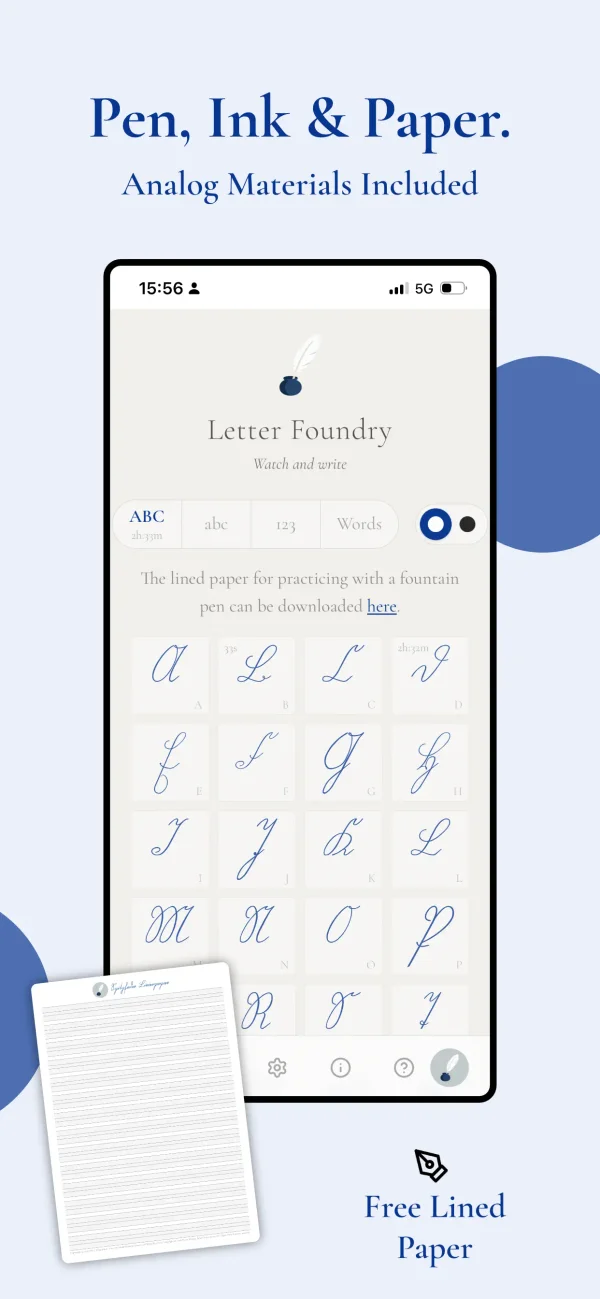
Use Spitzfeder as a companion while writing with fountain pen and ink on real lined paper. The app shows each letter with animated stroke order and tracks your practice time. Matching lined paper can be downloaded directly from the app.
8 ACTIVITY TYPES
Lesson - Interactive learning units convey historical and technical background knowledge about the Kurrent script.
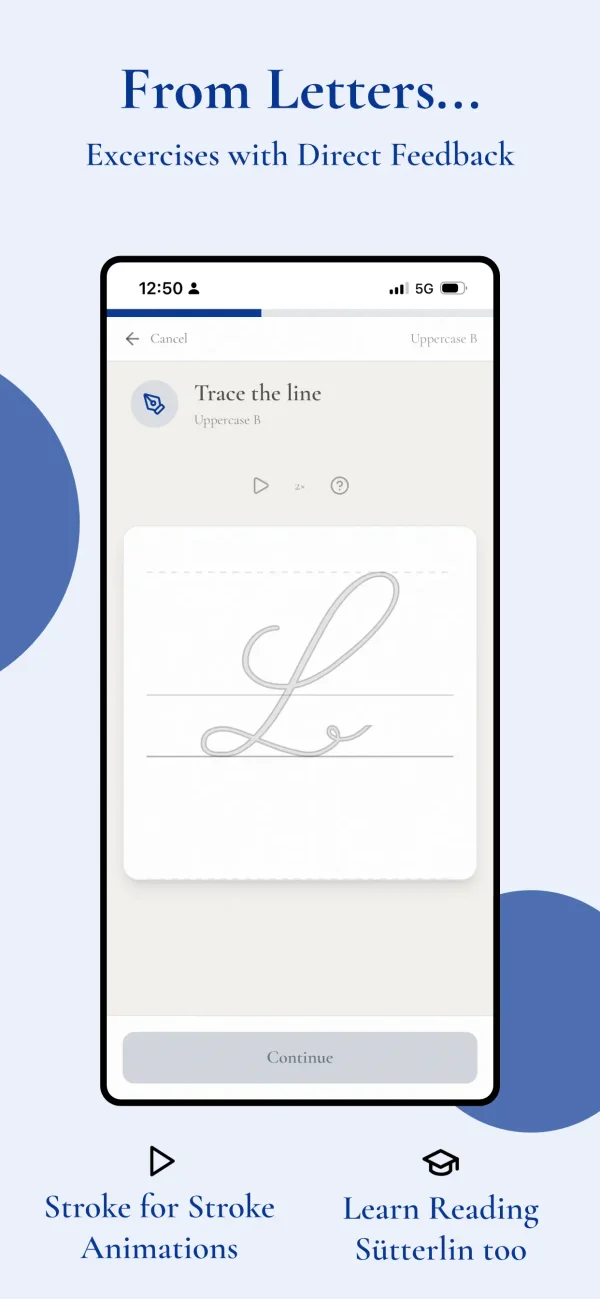
Tracing - Follow the strokes of each letter directly on the screen. Instant feedback shows how accurate you are.
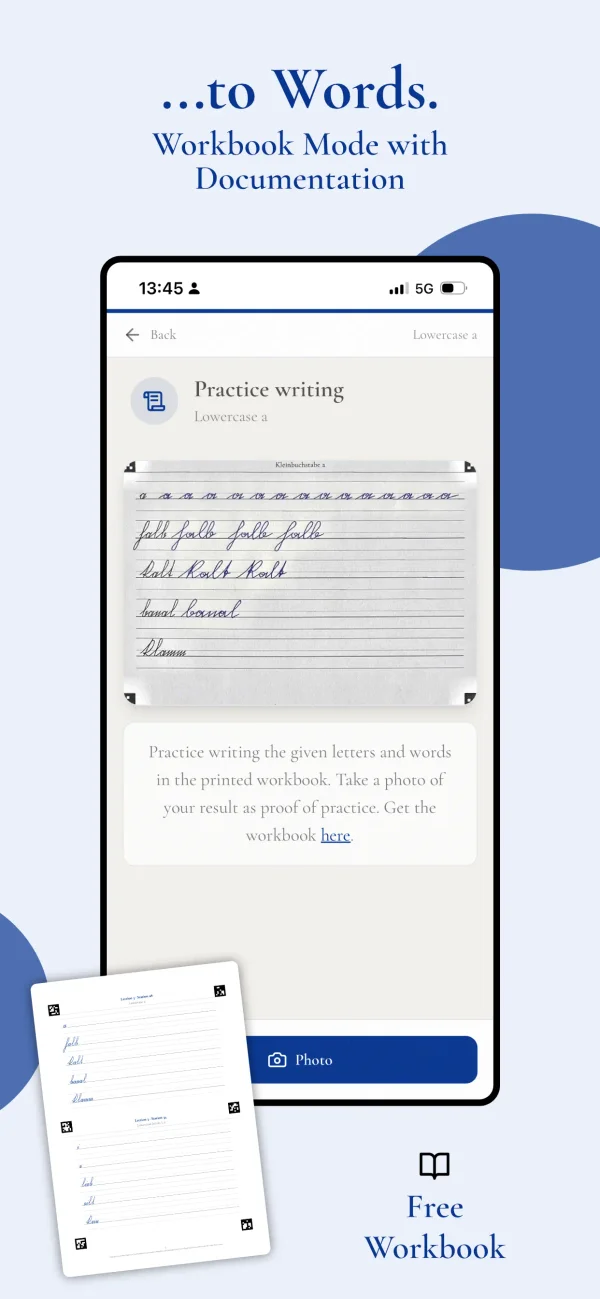
Writing - Write complete words on a lined system, fully digital and pressure-sensitive on a tablet or with a fountain pen in a free workbook with app support.
Reading - Decipher Kurrent words and prepare yourself for reading old letters and documents.
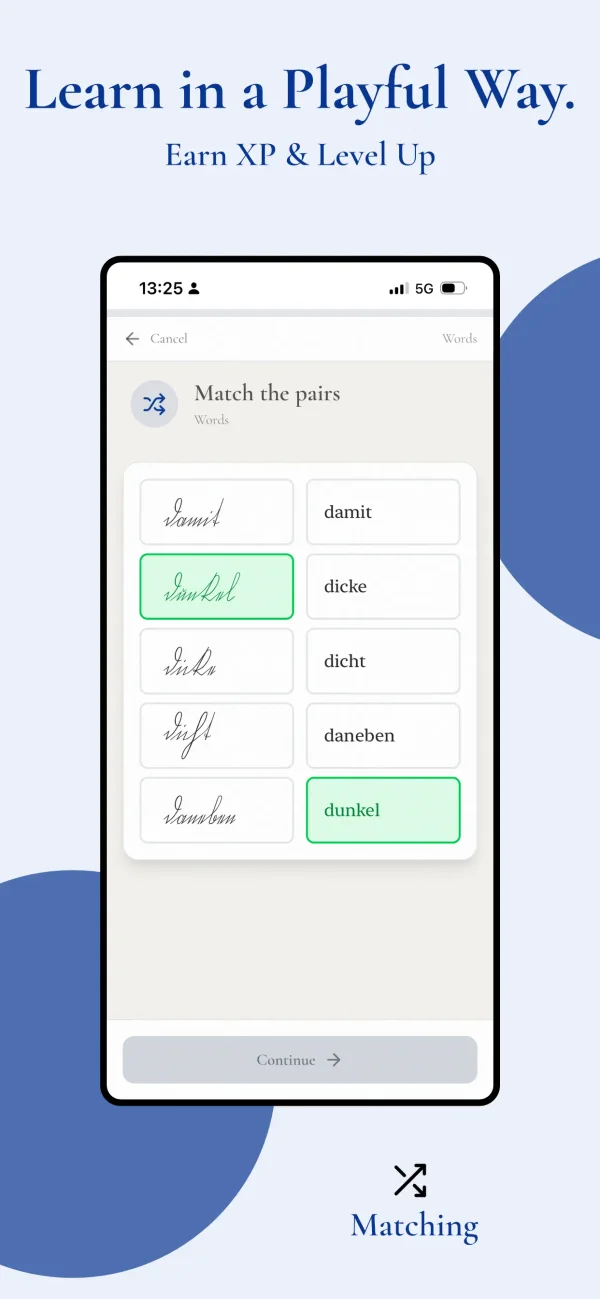
Matching - Match Kurrent letters to their Latin equivalents and reinforce your skills in a playful way.
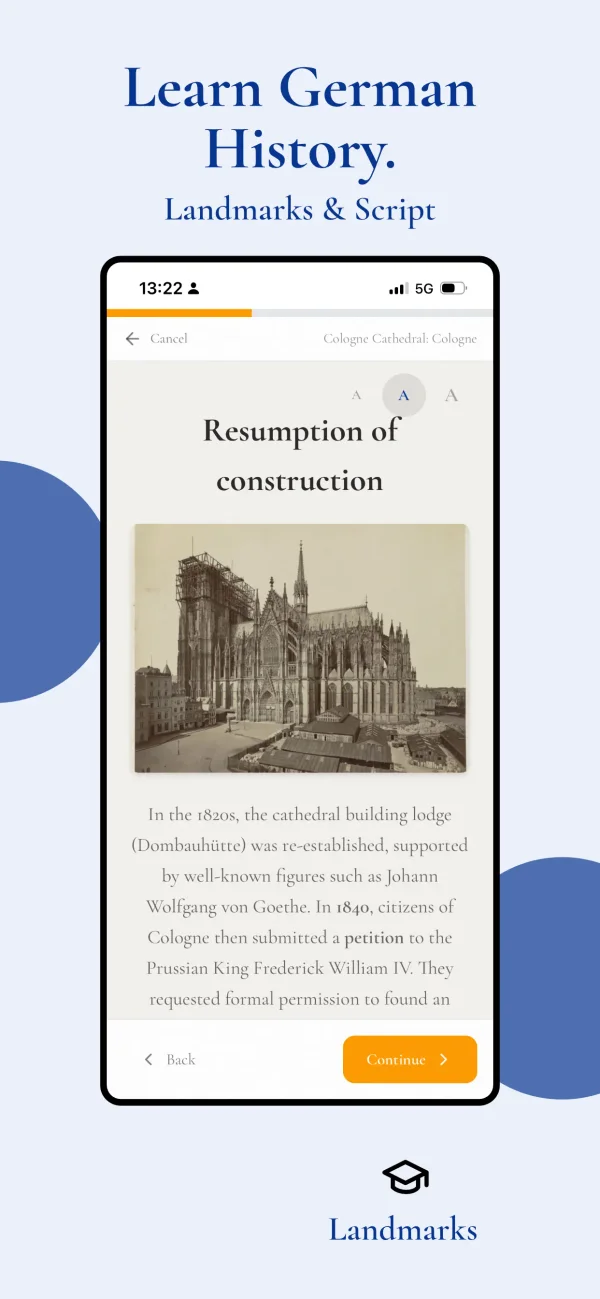
Monument - Discover historical backgrounds and fascinating stories about German monuments and the era of the Kurrent script.
Research - Apply your knowledge to real historical sources and decipher original documents.
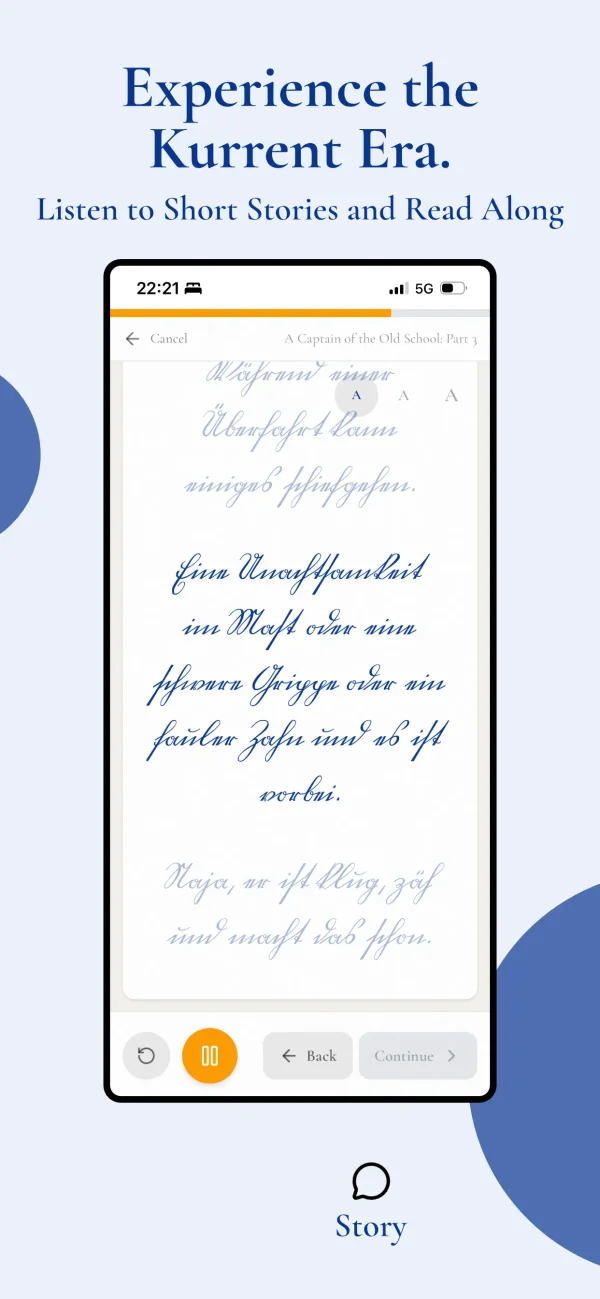
Story - Listen to short audio plays based on fascinating 19th-century sailor stories and read along in Kurrent.
FEATURES
Pressure-sensitive writing on tablets - Spitzfeder detects the pressure of your digital pen and varies stroke width like writing with a real fountain pen.
Free handwriting practice workbook – Specially designed for smartphones, but also usable on tablets: write on paper with a fountain pen and document it using your mobile device.
Letter animations - Watch how each letter is written stroke by stroke, with an animated preview of the correct writing flow.
XP and levels - Collect experience points, progress through 60 levels, and track your progress across all 12 lessons. Star ratings motivate you to master every station.
Three learning pillars - Productive (tracing and writing), receptive (reading and deciphering), and playful (matching and quizzes)—for sustainable learning.
Completely offline - All content is included in the app. No internet required.
WHO IS SPITZFEDER FOR?
Family and genealogy researchers who want to decipher old parish records, letters, and documents on their own
Students and teachers in history, German studies, or archival science
Anyone interested in historical handwriting and German cultural history
Calligraphy fans who want to learn a script with flowing movements and clear proportions
No prior knowledge required—Spitzfeder is designed for absolute beginners.
REQUIREMENTS
Spitzfeder can be used without digital pens via both the workbook mode and the finger mode, and it's also fun to use.
If you want to write on iPad, a pressure-sensitive stylus is recommended. On iPhones, a passive stylus - also known as a disc stylus - can be used for tracing letters.
What’s new
Version 4.0 · Sep 19, 2026
• Content update: new series of short audio dramas for reading along, with a total of 6 episodes
App privacy
What Marc Hogemann declares on the App Store about how this app handles data.
-
Data not linked to you
May be collected but is not linked to your identity.
- Location
- Identifiers
- Usage data
Privacy practices may vary, for example with the features you use or your age.
Information
- Seller
- Marc Hoegemann
- Category
- Education
- Version
- 4.0
- Updated
- Sep 19, 2026
- Released
- Mar 4, 2026
- Size
- 89.7 MB
- Requires
- iOS 16.6 or later
- Age rating
- 9+
- Price
- $8.99
- Languages
- English, German
- Copyright
- © 2026 Marc Högemann
You might also like
-
 US Capitals PuzzleFind the US state capitals
-
 YUMORIS - das kleine 1x1Education
-
 GotteshausReference
-
 Kinship RelationsFamily Relation Calculator
-
 The Divine ComedyIllustrated by Gustave Doré
-
 5-Fold Global MinistriesEducation
-
 Sensonym: Vocabulary StoriesLearn Korean, Spanish & More
-
 Cursive Lens: Old HandwritingCursive to text translator
-
 PilotSpeak: AI Pilot TrainingPractice ATC calls out loud
-
 Handrift: Old HandwritingRead old records & wills