
Split Bills & Expenses – Evere
Travel, groups, multi-currency
Designed for iPhone, iPad, iPod touch
In-app purchases
- Age rating4+
- CategoryFinance
- DeveloperRyugo Imada
- LanguagesJapanese+ 5 more
- Size62.9 MB
Links to the official App Store page
Download.org hosts no file of Split Bills & Expenses – Evere. The button opens its official App Store page, published by Ryugo Imada. Listing last checked on Nov 17, 2026.
Screenshots


About
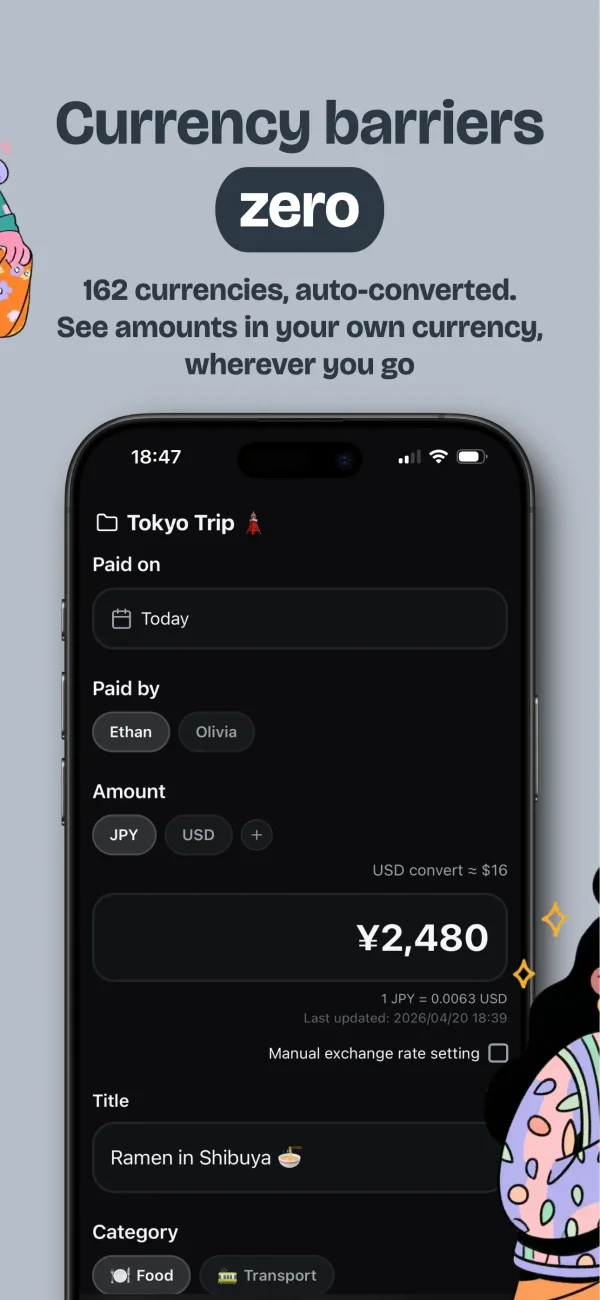
For two or a crowd. Just log your payments and instantly see currency conversions, balances, and who owes what to whom.
No account needed. Open the app and start right away.
【Why Choose Evere】
- Record in any currency — Converts automatically at real-time rates. No need to look up exchange rates
- No sign-up, instant start — Inviting members is optional. Add a name and you're good to go
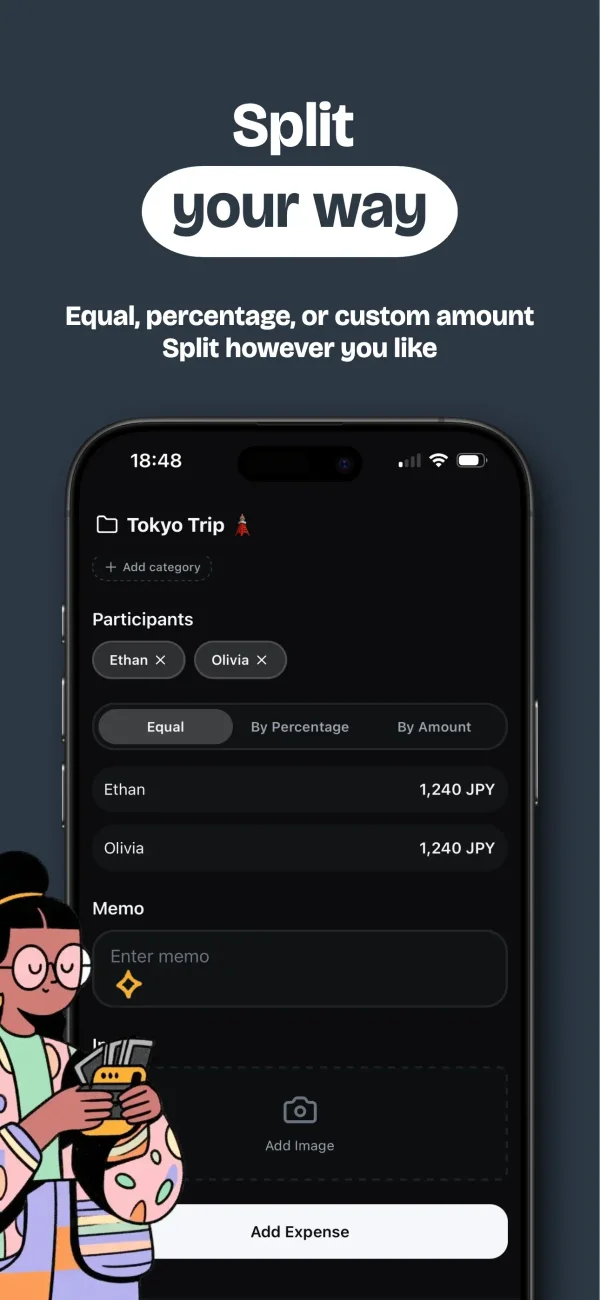
- 3 ways to split — Equal, by ratio, or custom amounts. Handle any split, any way you like
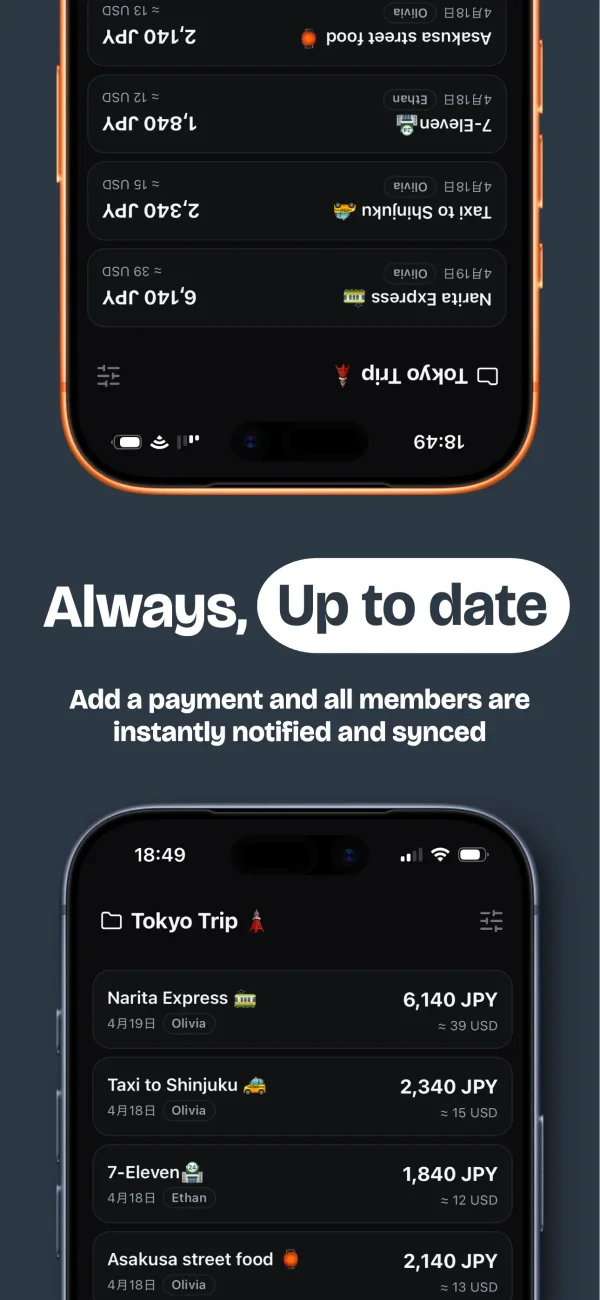
- Real-time sync & notifications — The moment someone logs a payment, everyone sees it instantly
- Attach photos to payments — Save receipt photos alongside your expenses. Check back anytime
- Works offline — Record expenses without a connection. Syncs automatically when you're back online
- Budget alerts — Set a limit per trip. Get notified before you overspend
【Perfect for】
- Group travel and trip expenses
- Dining out and splitting bills
- Couples and families managing shared costs
- Daily multi-currency tracking for expats
- Tracking your own everyday spending
Terms of Use: https://evereapp.com/en/terms/
What’s new
Version 1.1.4 · Nov 11, 2026
Hi everyone!
Thanks so much for using Evere!
This update adds a brand-new receipt scanning feature!
Just take a photo of a receipt, and AI automatically reads the store name, date, amount, and items, and adds it as an expense. Receipts from your travels are read in the local currency, too. You can also assign each item to the people who had it.
The tab bar at the bottom of the screen now supports Liquid Glass and is even easier to use. Tap "+" on the right to scan a receipt right away.
Give it a try on your next trip or day out!
New Features
• You can now add an expense just by taking a photo of the receipt. Evere reads the store name, date, amount, and items for you. Tap "+" at the bottom of the screen and choose "Scan receipt." The Free plan includes 3 scans a month, and Pro is unlimited.
• For expenses added from a receipt, you can now assign each item to the people who had it. Under "Split," choose "By item." (Pro)
• We've redesigned the tab bar at the bottom of the screen. Tap "+" on the right to scan a receipt or add an expense manually. Evere now opens to your expense list.
Fixes & Improvements
• Fixed an issue where guests couldn't join a project from an invite link. You can now create an account right there and join, keeping everything you recorded as a guest.
• When you enter tax as a percentage and there's a service charge, tax is now calculated on the amount including the service charge (as with "++" prices in Thailand).
• Fixed an issue where Free plan members couldn't save changes to an expense that a Pro member added with a manual exchange rate.
• Fixed an issue where closing the App Store purchase sheet also closed the Pro plan screen.
• We now say "members" everywhere, instead of a mix of "participants" and "members."
• Other minor improvements and bug fixes.
App privacy
What Ryugo Imada declares on the App Store about how this app handles data.
-
Data linked to you
May be collected and linked to your identity.
- Purchases
- Contact info
- User content
- Identifiers
- Usage data
- Diagnostics
-
Data not linked to you
May be collected but is not linked to your identity.
- Identifiers
Privacy practices may vary, for example with the features you use or your age.
Information
- Seller
- Ryugo Imada
- Category
- Finance
- Version
- 1.1.4
- Updated
- Nov 11, 2026
- Released
- May 6, 2026
- Size
- 62.9 MB
- Requires
- iOS 15.1 or later
- Age rating
- 4+
- In-app purchases
- Yes
- Languages
- Japanese, Thai, Simplified Chinese, Traditional Chinese, English, Korean
- Copyright
- © 2026 Evere
You might also like
-
 Bill Splitter: Group ExpensesSplit & settle up money owed
-
 Owely - IOU & Loan LedgerIOUs, splits, requests — clear
-
 ふたり家計簿 - 旅行の割り勘・精算Finance
-
 Split CatSplit bills, the cat collects
-
 割り勘ペリカンFinance
-
 Pennylog: Expense TrackerTrack spending in any currency
-
 Splitly - Group ExpensesSplit bills, save friendships
-
 記帳手冊記帳・銀行帳戶・貸款管理・投資組合,全方位個人財務
-
 Group SpendingSplit cost & Divide expenses
-
 Penni: Expense TrackerCalm money tracking