
- Age rating9+
- CategoryPhoto & Video
- DeveloperEloi Carrelet
- Size4.6 MB
Links to the official App Store page
Download.org hosts no file of SplitCapture. The button opens its official App Store page, published by Eloi Carrelet. Listing last checked on Nov 18, 2026.
Screenshots
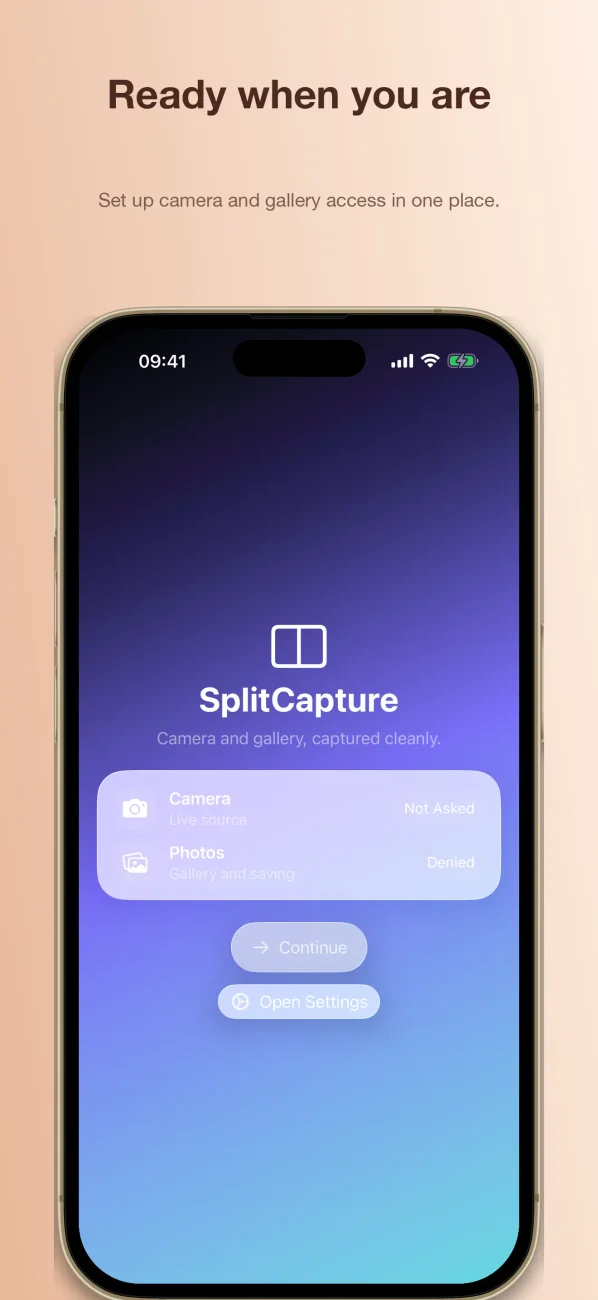
About
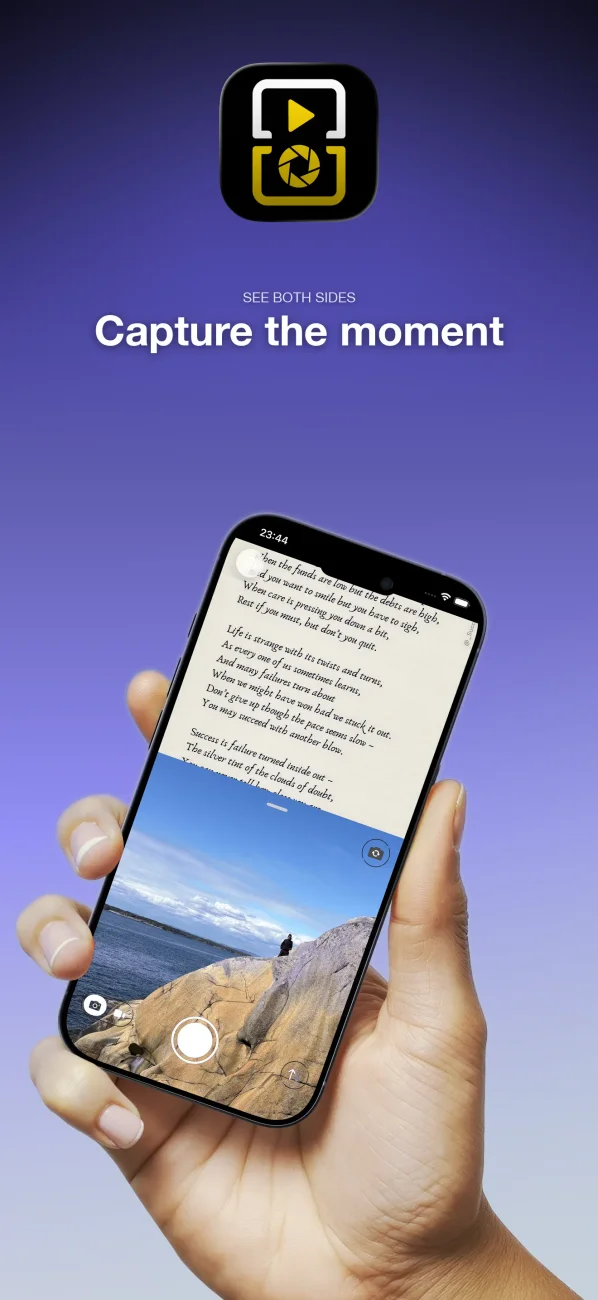
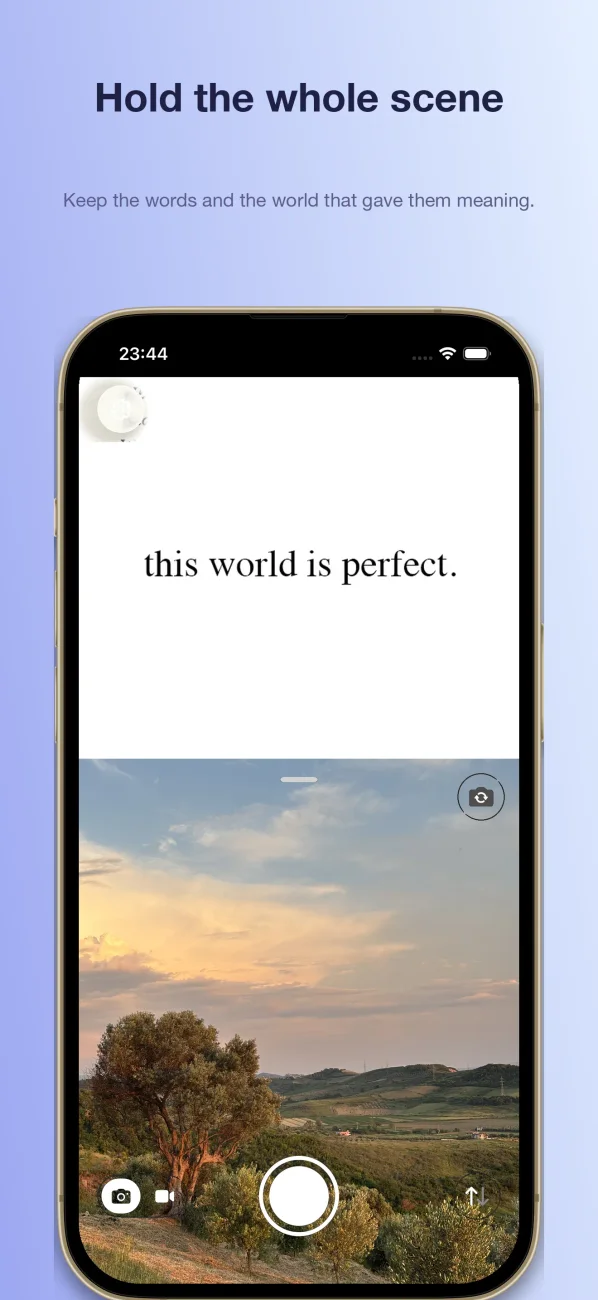
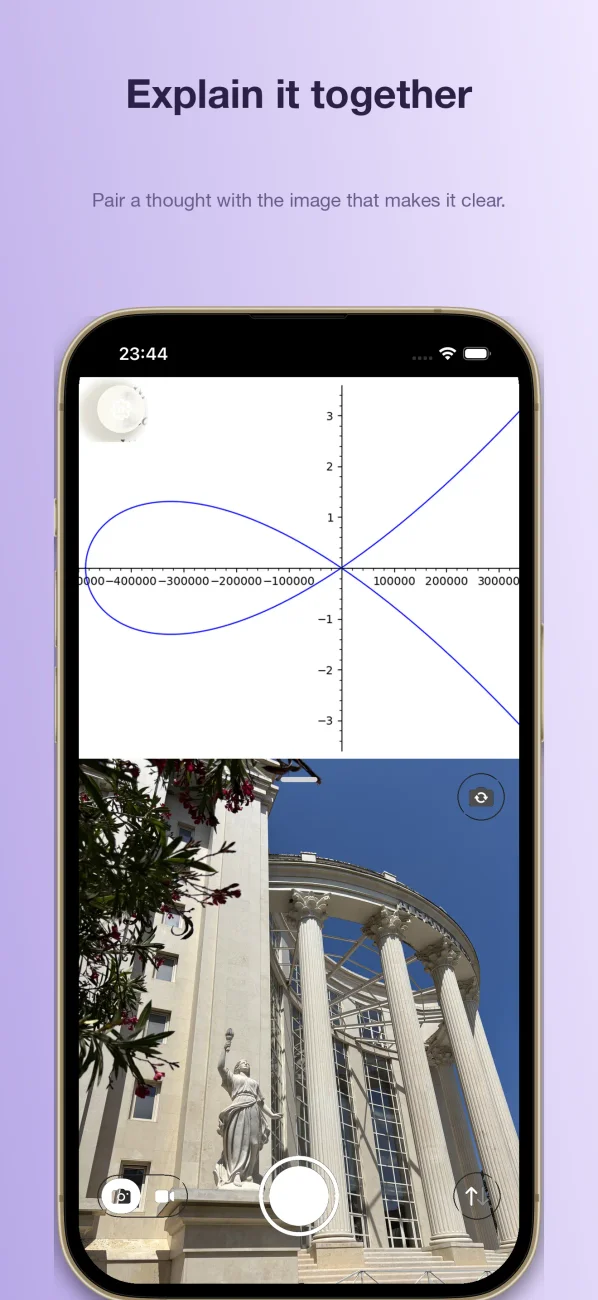
SplitCapture composes your live camera feed with a photo or video from your library, then exports a clean image or video straight to Photos.
HOW IT WORKS
- Shared canvas: bring the live camera feed and a recent photo or video together in one frame
- Shoot portrait or landscape, swap which source is on top, and switch cameras mid-shot
- On-device rendering: the final composite is processed on your iPhone and saved directly to Photos
WHY USE IT
Reaction shots, before/after comparisons, duet-style videos, or simply pairing a moment you just lived with a moment you captured earlier. SplitCapture keeps it to one clean export instead of stitching things together after the fact.
PRIVACY
SplitCapture only accesses the camera, microphone, and Photos to compose and save the media you ask for. Nothing leaves your device.
What’s new
Version 1.0.1 · Aug 17, 2026
Maintenance update with a refreshed release build.
App privacy
What Eloi Carrelet declares on the App Store about how this app handles data.
-
Data not collected
The developer does not collect any data from this app.
Privacy practices may vary, for example with the features you use or your age.
Information
- Seller
- Eloi Carrelet
- Category
- Photo & Video
- Version
- 1.0.1
- Updated
- Aug 17, 2026
- Released
- Jul 7, 2026
- Size
- 4.6 MB
- Requires
- iOS 26.0 or later
- Age rating
- 9+
- Copyright
- © 2026 lxucan Inc
You might also like
-
 SuperRes - Upscale & ColorizeAI Photo Enhance & Colorize
-
 Photo & Video Collage – CollajVideo grid maker, before/after
-
 Picin: Photo RoamingOrganize, Collage & Memories
-
 Face Cam: Camera RecorderRecording screen reactions
-
 iReact - Reaction VideosFilm Your Reaction
-
 Solar Arc: Golden Hour TrackerSun & Moon Times, Sky Widget
-
 Overlay Video & Image LayersPhoto Overlay | No Watermark
-
 AI Video Generator: Wiro AIAI Effects, Avatars, Photo
-
 Kaptioned: Automatic SubtitlesSubtitles Made Easy
-
 Blur Image Background - EditorBlur background photo editor