SplitJam:Audio Jam & Stems AI
Vocal Remover, Chords & BPM
Designed for iPhone, iPad, Mac
Free · In-app purchases
- Age rating4+
- CategoryMusic
- Developer家林 黎
- LanguagesEnglish+ 10 more
- Size155.4 MB
Links to the official App Store page
Download.org hosts no file of SplitJam:Audio Jam & Stems AI. The button opens its official App Store page, published by 家林 黎. Listing last checked on Nov 26, 2026.
Screenshots


About
Core Features
AI Stem Separation
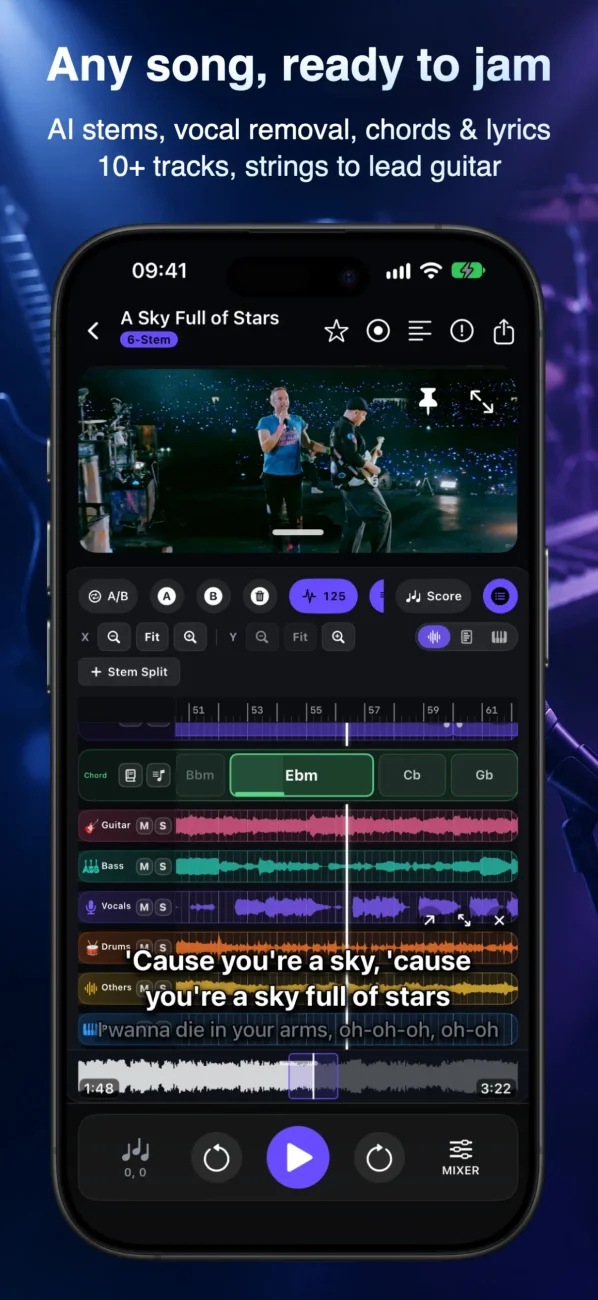
Separate any song into 6 individual tracks with one tap:
Drums
Bass
Piano
Guitar
Vocals
Other Instruments
Control each part independently for focused practice and listening.
Detailed Stems
The busiest tracks can be split one level deeper:
Lead Guitar
Rhythm Guitar
Acoustic Guitar
Strings
Synth
Brass
Saxophone
Back Vocal
Male Vocal
Female Vocal
Extracted parts become their own tracks, while the rest is grouped into "Guitar Other", "Remaining Other", and "Lead Vocal".
Toggle them any time, solo them, or export them alongside the base tracks.
Detail models download on demand and run entirely on your device, so your audio is never uploaded.
Male & Female Lead Vocal Split
Vocals can go one level deeper: male and female lead voices land on separate tracks.
In duets or shared choruses, listen to one, mute the other, and practise exactly the part you need.
Sheet Music
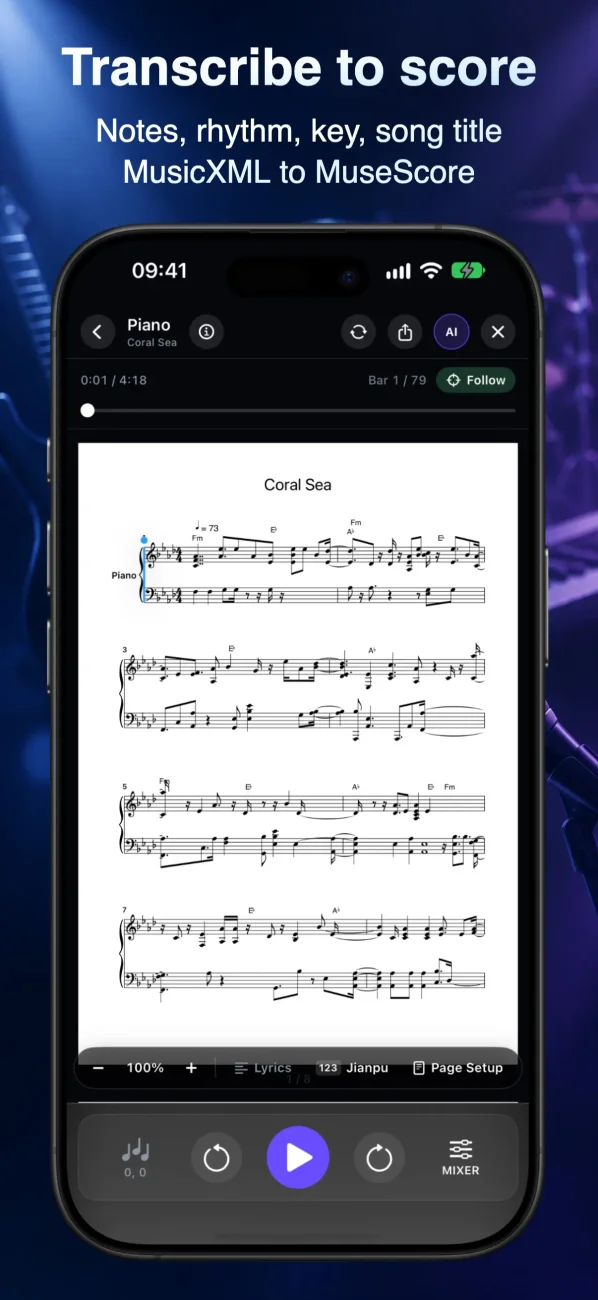
Turn a song into a score that follows along as it plays.
Jump straight to the passage you want to drill, or export the score and keep working in another tool.
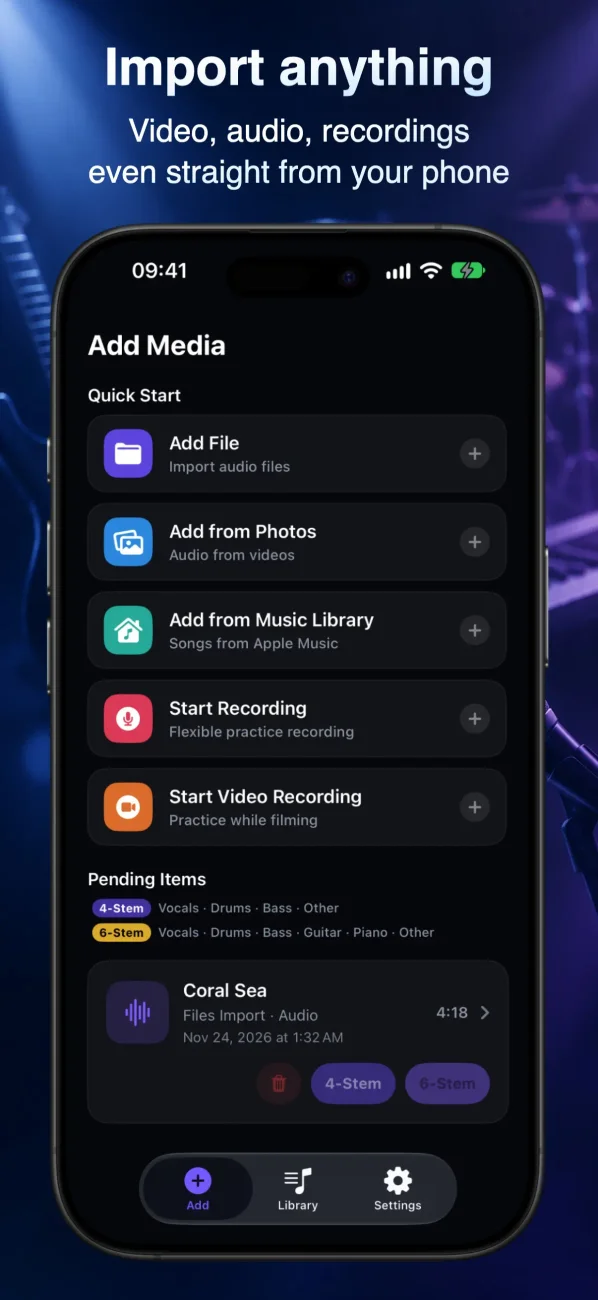
Import Audio or Video
Import audio and video files from local storage or your photo library.
You can also record audio or rehearsal videos for practice tracking and content collection.
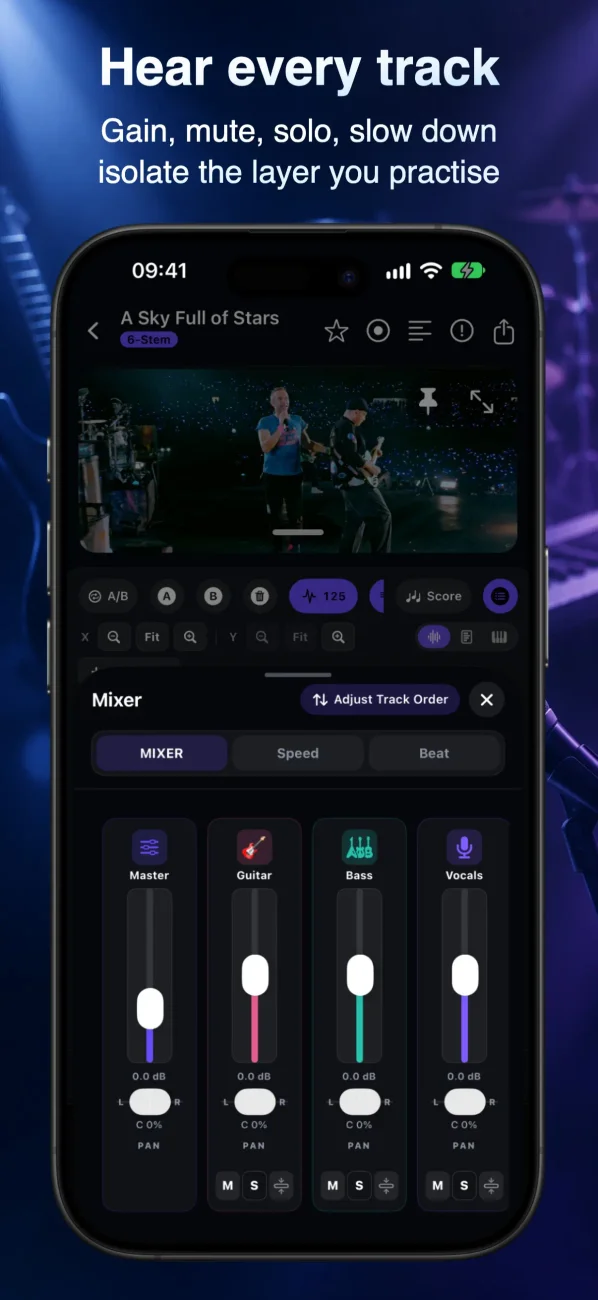
Mute, Solo, and Track Control
Mute instruments, solo individual parts, or adjust the volume balance of each track.
Focus on exactly what you want to hear and practice.
Auto-Detect Sections
One tap splits the whole song into sections, with the boundaries lined up to the bar.
Each section becomes a loop you can drill on its own — no markers to set by hand.
A/B Loop Practice
Create loop regions for difficult sections, save multiple practice segments, and quickly switch between them.
Improve repetition and training efficiency.
Speed Control
Adjust playback speed to slow down songs and hear rhythms, details, and performance nuances more clearly.
Ideal for transcription and slow practice.
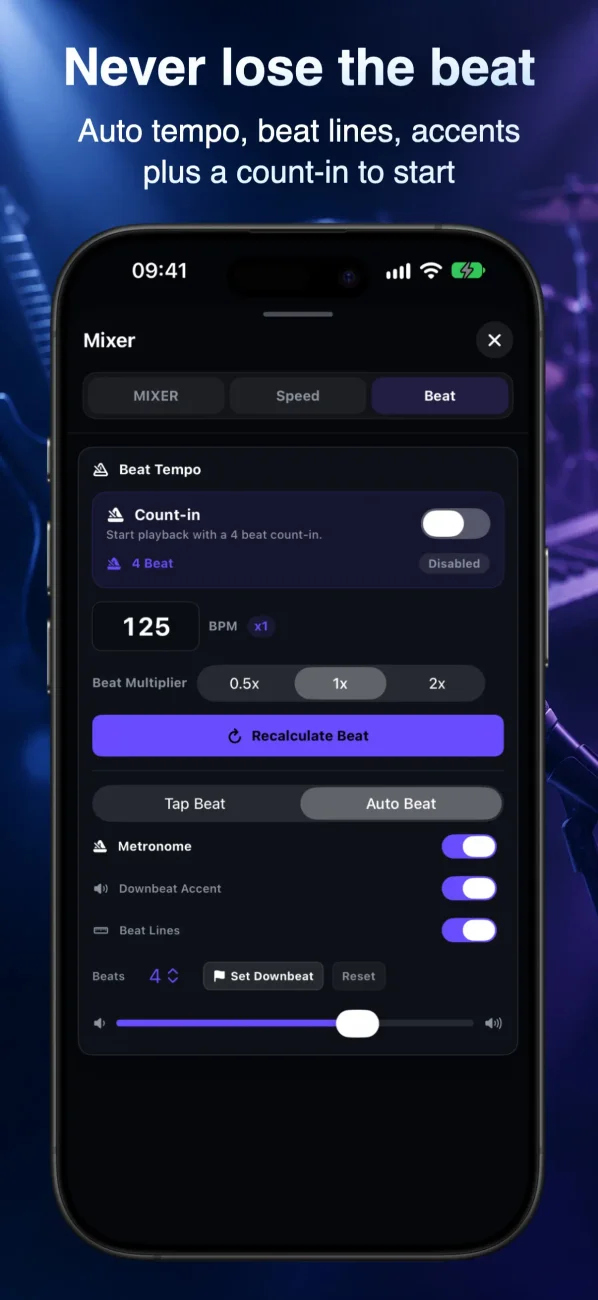
Segmented Beats
Add tempo markers anywhere on the timeline. Each segment has its own tempo and downbeat, so you can follow mid-song tempo changes and shifted accents exactly.
Pitch Shift
Change the key of a song without affecting playback speed.
Perfect for singers finding a comfortable vocal range and musicians practicing in different keys.
Project Saving
Automatically save practice projects and history so you can continue where you left off.
No need to re-import files or recreate settings.
Track Export
Export separated tracks for sharing, rehearsal, backing track creation, or further practice.
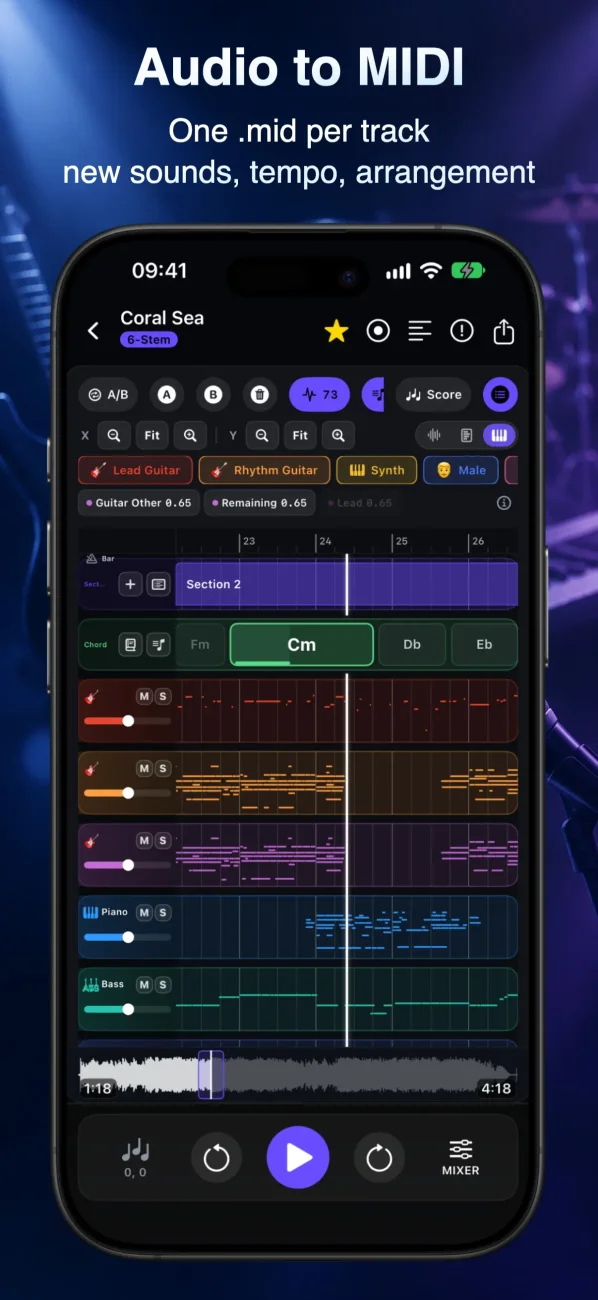
Stem MIDI Recognition & Export
Turn any stem into MIDI notes and see each note's pitch and length right on the waveform.
Export the notes as .mid files — one per track, at the song's own tempo, ready to drop into your DAW.
You can also export just the selected A/B loop.
Why Musicians Choose Jam
Turn full songs into practice tracks within seconds
Remove vocals for backing track practice
Practice individual instrument parts separately
Split guitars into lead, rhythm, and acoustic, or separate harmonies from the lead vocal
Loop difficult sections for focused repetition
Slow down songs to hear details more clearly
Change song keys to match different vocal ranges and practice needs
Support both audio and video practice workflows
Save long-term practice projects
Local processing for offline use and enhanced privacy
Practise male and female lead vocals separately
Follow the sheet music to see exactly what is being played
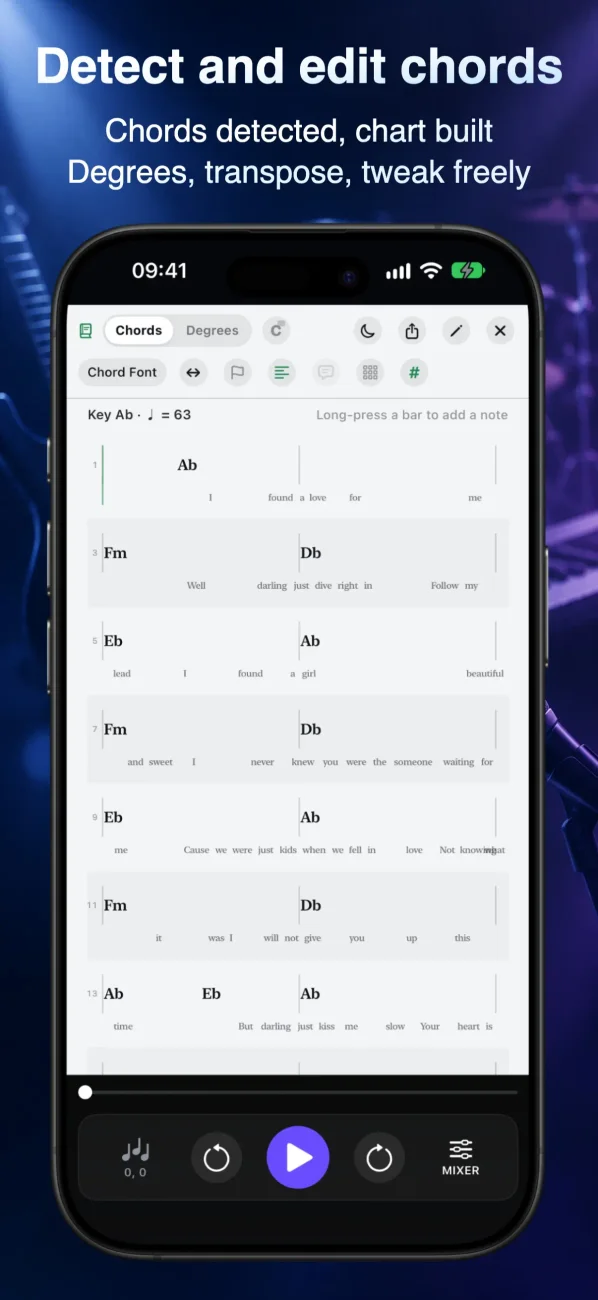
AI Chord Recognition Makes Learning and Playing Songs Easier
Chord Recognition by Beat
Chord Numbers Support
Flexible Key Switching
Who It’s For
Guitarists
Bassists
Drummers
Singers
Cover Musicians
Band Members
Music Students
Ear Training Learners
Transcription Practitioners
Rehearsal Preparation Users
EULA:
https://www.apple.com/legal/internet-services/itunes/dev/stdeula/
What’s new
Version 2.4.5 · Nov 26, 2026
Added segmented beats: place tempo markers anywhere on the timeline and set a different tempo and downbeat for each section.
Added MIDI generation and export for stems: turn any stem into MIDI notes and save them as .mid files at the song's tempo, ready for your DAW.
Fixed an issue with the key in numbered notation.
App privacy
What 家林 黎 declares on the App Store about how this app handles data.
-
Data not linked to you
May be collected but is not linked to your identity.
- Diagnostics
Privacy practices may vary, for example with the features you use or your age.
Information
- Seller
- 家林 黎
- Category
- Music
- Version
- 2.4.5
- Updated
- Nov 26, 2026
- Released
- May 4, 2026
- Size
- 155.4 MB
- Requires
- iOS 16.0 or later
- Age rating
- 4+
- Price
- Free
- In-app purchases
- Yes
- Languages
- English, French, German, Italian, Japanese, Korean, Russian, Simplified Chinese, Spanish, Thai, Traditional Chinese
- Copyright
- © Govo Studio
You might also like
-
 TrackPeel - AI Stem SplitterIsolate Stems & Detect Chords
-
 Audio Layrs - AI Vocal RemoverAI Stem Splitter & Pitch Fixer
-
 Stem Splitter - OffgridStemVocal Remover & Backing Tracks
-
 Song SeparatorMusic
-
 SoundLab - Stem SplitterAudio editor and stem splitter
-
 Coolo: Vocal Remover AISeparate Vocals & Instruments
-
 Riftone: AI Stem SplitterVocal, Drum & Bass Remover
-
 Stem Splitter - Vocal RemoverOffline AI Karaoke & Acapella
-
 BandFrameMusic
-
 StemulatorStudio Quality Audio Separator