Spoons: Energy & Task Planner
Spoon Theory To-Do Planner
Designed for iPhone, iPad, iPod touch
Free · In-app purchases
- Age rating4+
- CategoryProductivity
- DeveloperMatthew Beste
- LanguagesEnglish
- Size40.5 MB
Links to the official App Store page
Download.org hosts no file of Spoons: Energy & Task Planner. The button opens its official App Store page, published by Matthew Beste. Listing last checked on Nov 18, 2026.
Screenshots

About
Plan your day around the energy you actually have — not the energy you wish you had.
Spoons is an energy-aware task planner built around Spoon Theory. Set your capacity for the day, give each task an energy cost, and see what you can realistically take on before you've overcommitted.
Spoon theory was named by Christine Miserandino, who used a handful of spoons to explain to a friend what living with lupus felt like. The idea is simple: every task costs energy, and you only have so much to spend each day.
Spoons turns that idea into a practical planner.
HOW IT WORKS
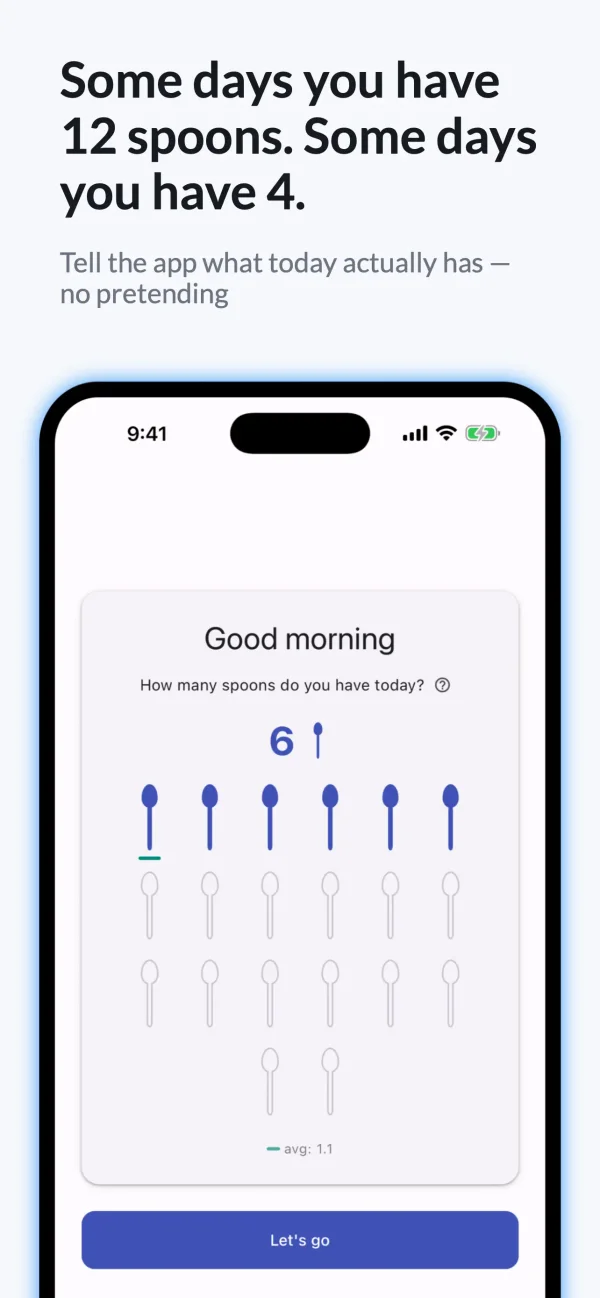
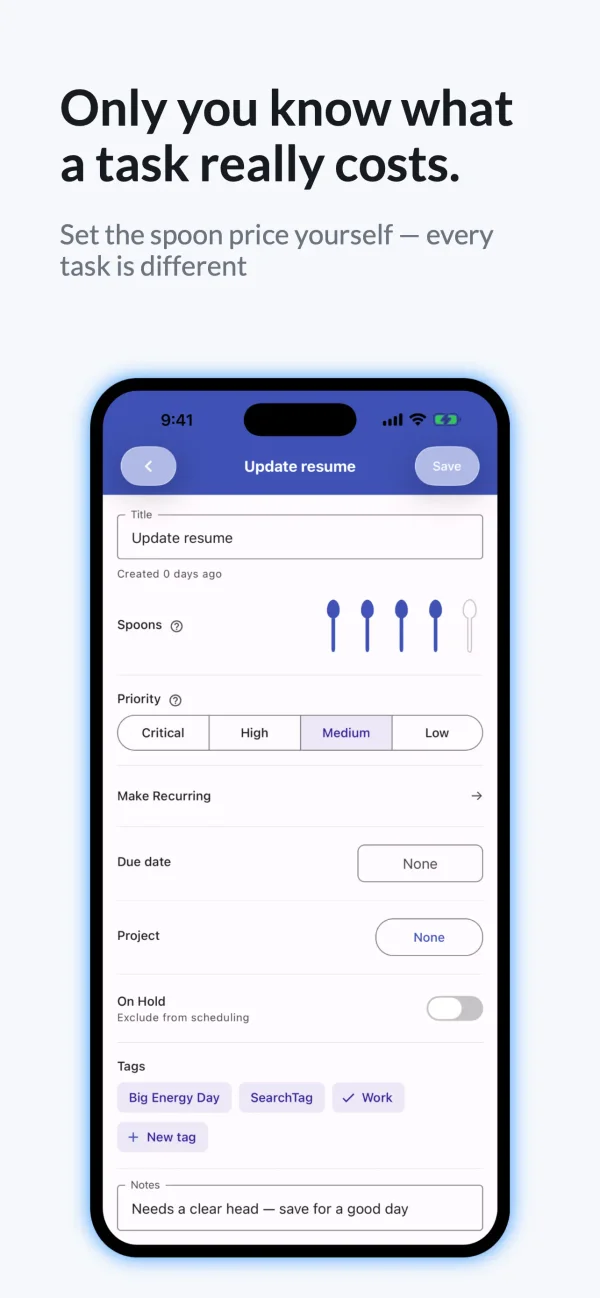
Each morning, tell Spoons how many spoons you have today. Rate tasks from 1 to 5 based on how much energy they take, then decide where they belong:
• Today
• Tomorrow
• Next Day
• Soon
• Someday
• On Hold
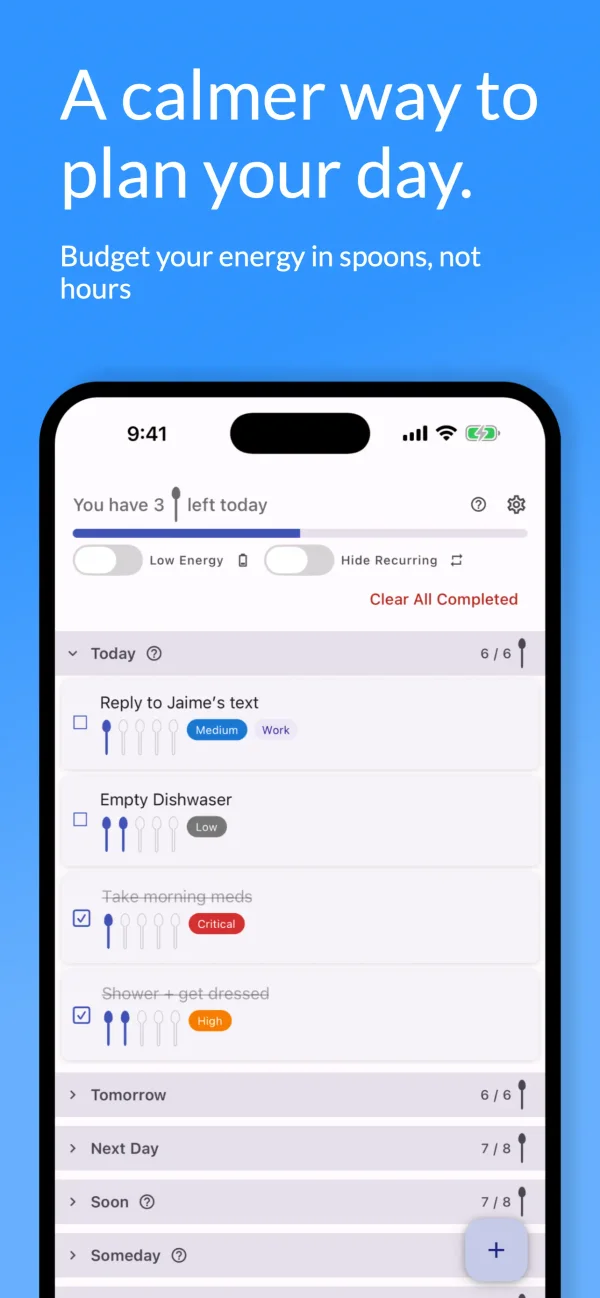
Each bucket has a spoon cap, so you can see how much of your available energy you've committed. If you're taking on too much, Spoons gently pushes back — rebalance your day, or consciously decide that today is a bigger day than usual.
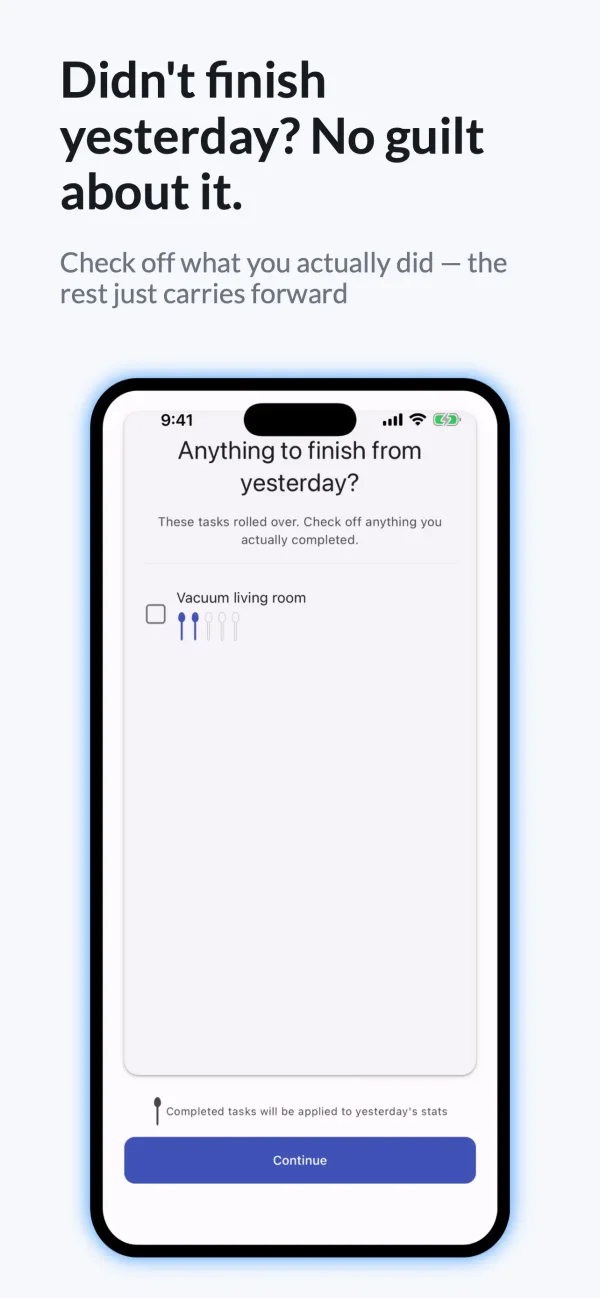
Anything you don't finish rolls forward automatically. No guilt. No streaks. No shame.
WHY SPOONS IS DIFFERENT
• Plan around energy, not just time. See what you can realistically fit into the capacity you have today.
• You stay in control. Place tasks where you want them. No algorithm decides what your day should look like.
• See your limits before you hit them. Spoon caps show how full your day is.
• Unfinished tasks roll forward instead of becoming another thing to feel guilty about.
• Built for low-energy days. Low Energy Mode hides everything that isn't Critical or High priority when you need to simplify your day.
• Projects, tags, due dates, and priorities give you the fundamentals of a task manager — without the pressure.
• Light and dark themes follow your system settings.
FREE FOREVER
The full task manager is free.
You don't need an account to use Spoons, and your tasks are stored locally on your device. There is no paywall blocking the core task-planning experience.
Use Spoons for as long as you want without paying for Premium.
PREMIUM
When you're ready for more:
• Cloud sync across iPhone, iPad, and soon the web
• Recurring tasks — daily, weekly, monthly, or every X days
• Full-text search across tasks, notes, and tags
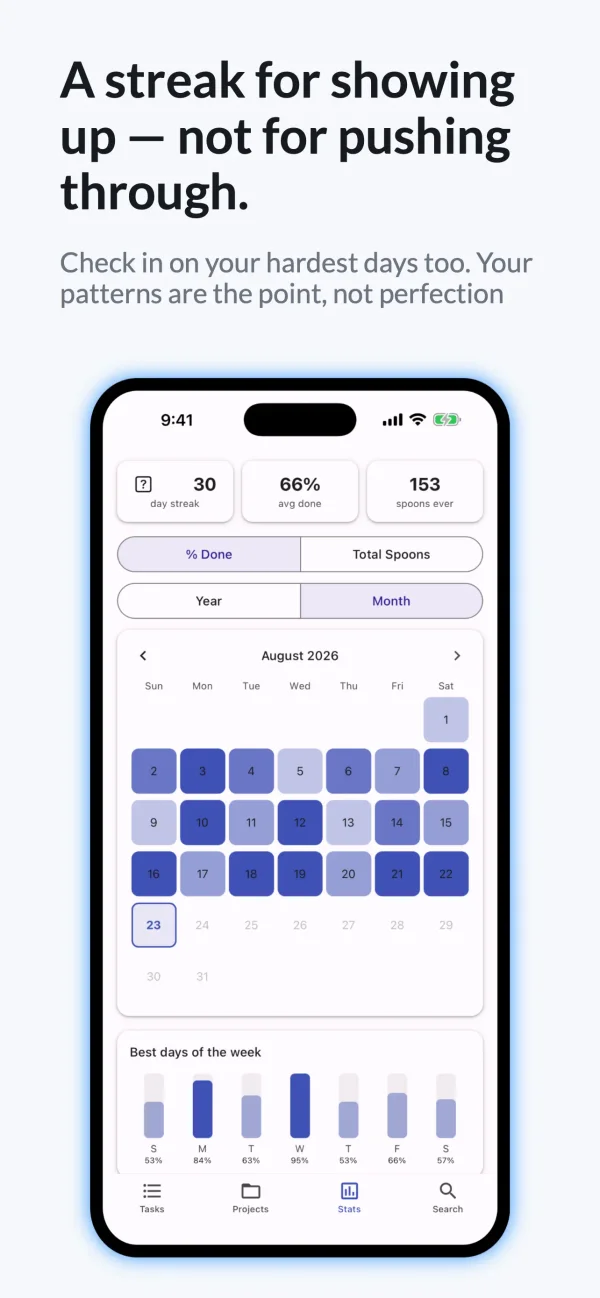
• Completion statistics and a yearly heatmap to see your patterns
• Quick-add bar — add a task without opening a detail screen
Premium is $3.99/month or $29.99/year and includes a 7-day free trial.
WHO IS SPOONS FOR?
• People living with chronic illness, fatigue, or pain conditions
• People with ADHD who need a smaller, more realistic to-do list
• Anyone recovering from burnout
• Anyone who regularly plans more than they can realistically accomplish
• Anyone who's tired of ending the day feeling like they "didn't do enough"
Your energy isn't unlimited. Your planner shouldn't pretend that it is.
PRIVACY
Free users never need to sign in, and your tasks stay on your device. Spoons collects basic, anonymous usage analytics — such as app opens, daily check-ins, and task activity — tied to a private device ID rather than your name or email. This helps us understand whether Spoons is helping people and improve the app.
There is no advertising, third-party analytics SDKs, ad tracking, or data brokerage. Premium cloud sync is opt-in and runs through Supabase. Subscriptions are managed through RevenueCat and Apple, which receive your purchase and subscription status.
We don't sell your data.
Spoons is inspired by Christine Miserandino's essay at butyoudontlooksick.com. Spoon theory belongs to the community; this app is a love letter to it.
Subscription terms: Spoons Premium automatically renews until cancelled. Manage or cancel through your Apple ID subscription settings. Cancelling stops future renewals; existing paid periods are not refunded. The free trial converts to a paid subscription unless cancelled at least 24 hours before it ends.
What’s new
Version 1.0.15 · Sep 23, 2026
Smoother everyday task management.
• Swipe right on any task to move it straight to Today.
• New tasks scroll into view automatically, so nothing gets lost in a long list.
• Give an on-hold task a resume date and it'll come back on its own.
• Check tasks off right from inside a project.
• Streamlined onboarding — one less popup before you get to your tasks.
• Quick-Add is a Premium feature again and no longer shows for free accounts.
• Fixed an issue where the free Search preview didn't fully restrict typing.
Spoons stays free forever for planning your day. Premium adds cloud sync, recurring tasks, full search, and stats — try it free for 7 days.
App privacy
What Matthew Beste declares on the App Store about how this app handles data.
-
Data linked to you
May be collected and linked to your identity.
- Purchases
- Contact info
- Identifiers
- Usage data
Privacy practices may vary, for example with the features you use or your age.
Information
- Seller
- 93 Creations LLC
- Category
- Productivity
- Version
- 1.0.15
- Updated
- Sep 23, 2026
- Released
- Aug 16, 2026
- Size
- 40.5 MB
- Requires
- iOS 15.1 or later
- Age rating
- 4+
- Price
- Free
- In-app purchases
- Yes
- Languages
- English
- Copyright
- © 2026 93 Creations LLC
You might also like
-
 Spoon ManagerDaily Energy & Spoon Tracker
-
 Daypart: Realistic Day PlanA day that will happen
-
 enough.Do less, Finish more.
-
 Daily: Day Planner & TasksWorkouts, habits & journal
-
 Decision Journal: ClarityReason, decide, review, learn
-
 Task&Log: Plan & ReflectPlan tasks, log what happened
-
 Tomorrow: Night Before PlannerPlan Top 5 Priorities & Focus
-
 Gently: Calm Planner & To DoADHD-friendly, cute & simple
-
 Yah.Nah. ADHD Task PlannerSwipe Apple Reminders to Focus
-
 LoreKeepStory Bible Builder