- Age rating4+
- CategoryDeveloper Tools
- Developermustafa hamdan
- LanguagesEnglish
- Size11.1 MB
Links to the official App Store page
Download.org hosts no file of SQL Professional Editor. The button opens its official App Store page, published by mustafa hamdan. Listing last checked on Nov 22, 2026.
Screenshots
About
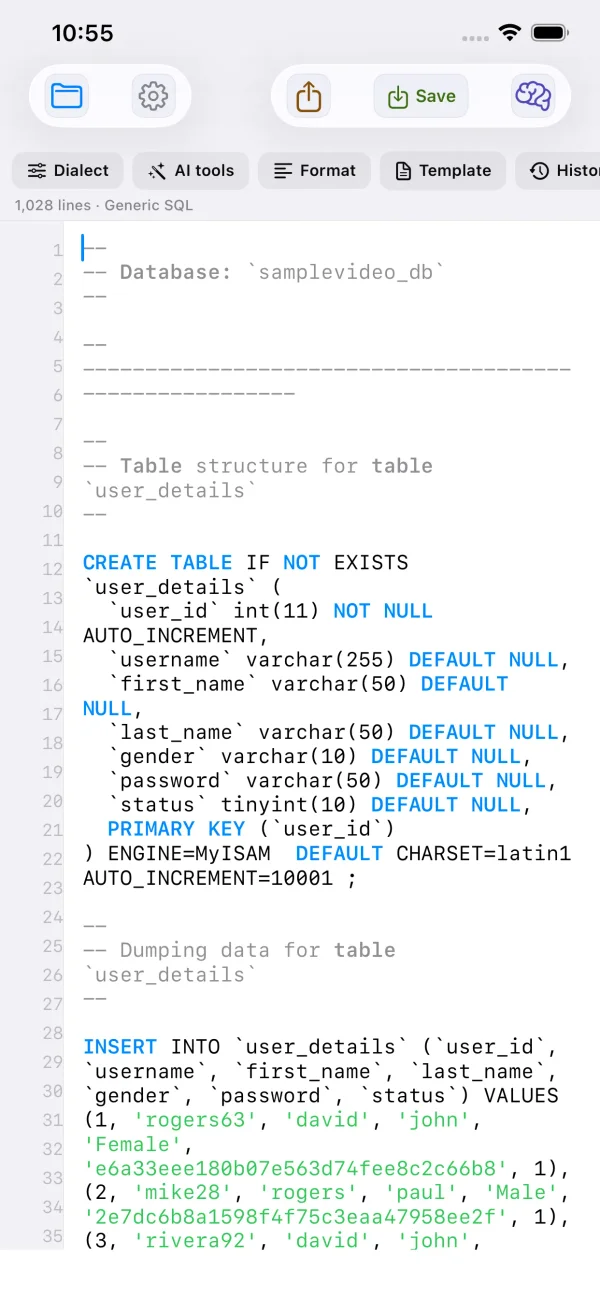
SQL Editor Pro is a focused SQL workspace for iPhone—built so you can author, refine, and ship queries without a laptop. Open scripts from Files, edit with syntax highlighting and line numbers, switch SQL dialects, then call an AI copilot when you want deeper analysis or fixes.
Who it’s for
Developers, analysts, DBAs, and students who need a fast, readable editor plus intelligent help—not another heavyweight IDE.
Editor & files
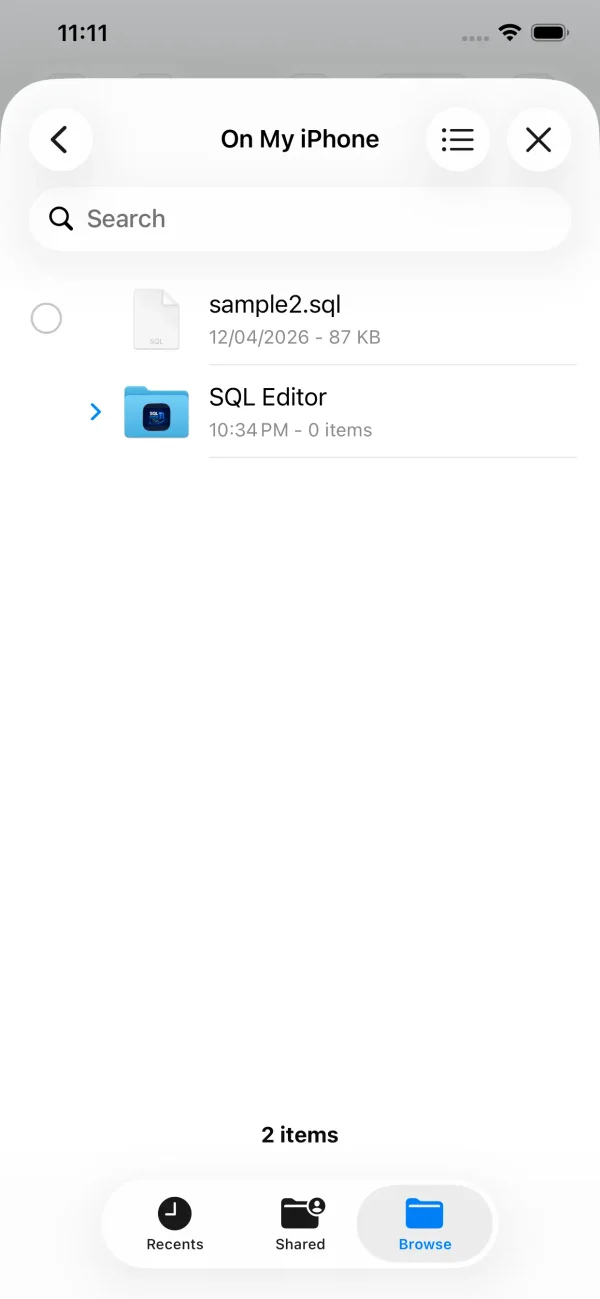
• Import .sql and plain-text scripts via the system document picker
• Edit with syntax-highlighted, monospace-friendly editing and line numbers
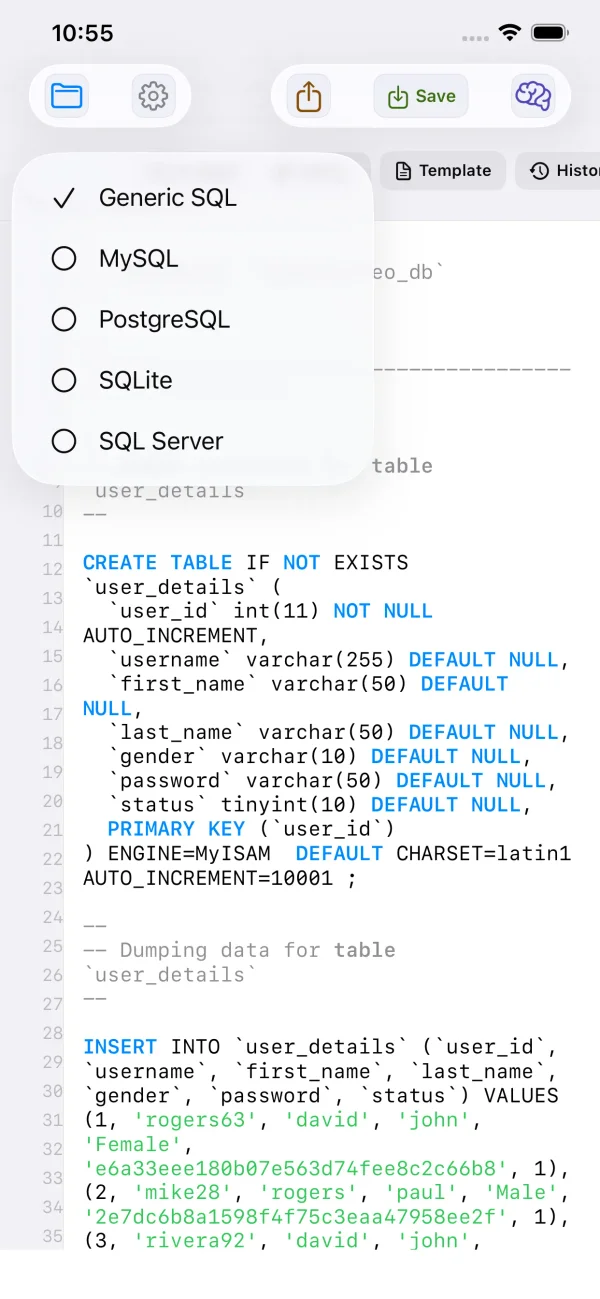
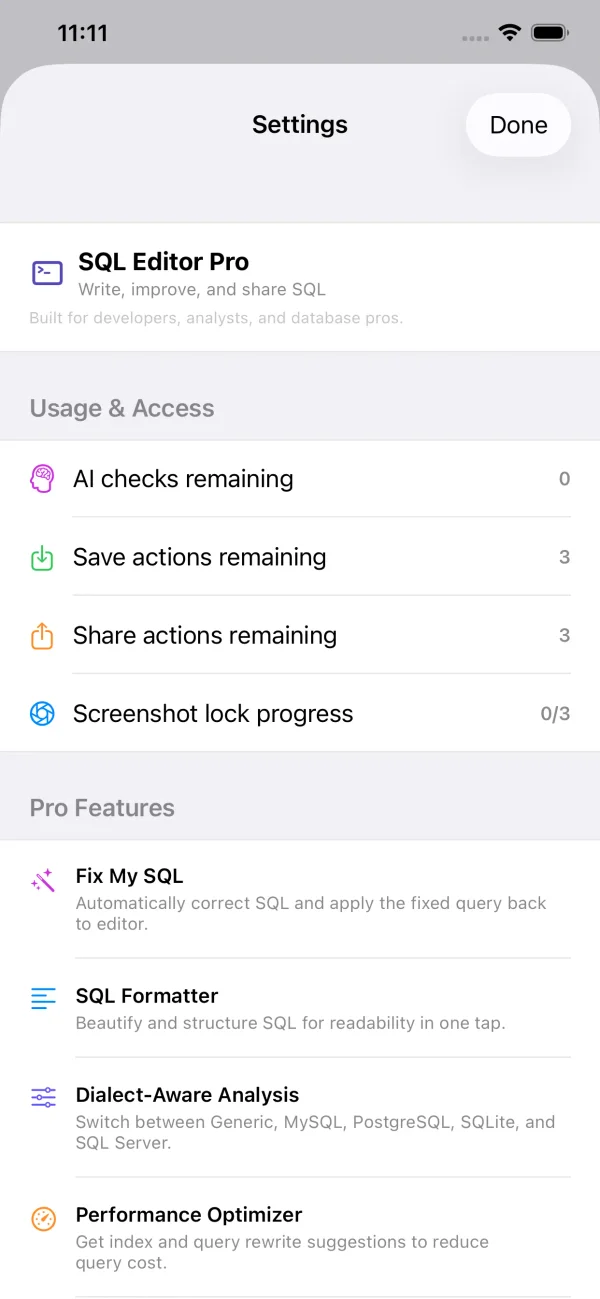
• Choose dialect-aware context: Generic, MySQL, PostgreSQL, SQLite, or SQL Server
• Save and share SQL using familiar iOS export and share flows
AI tools (requires internet)
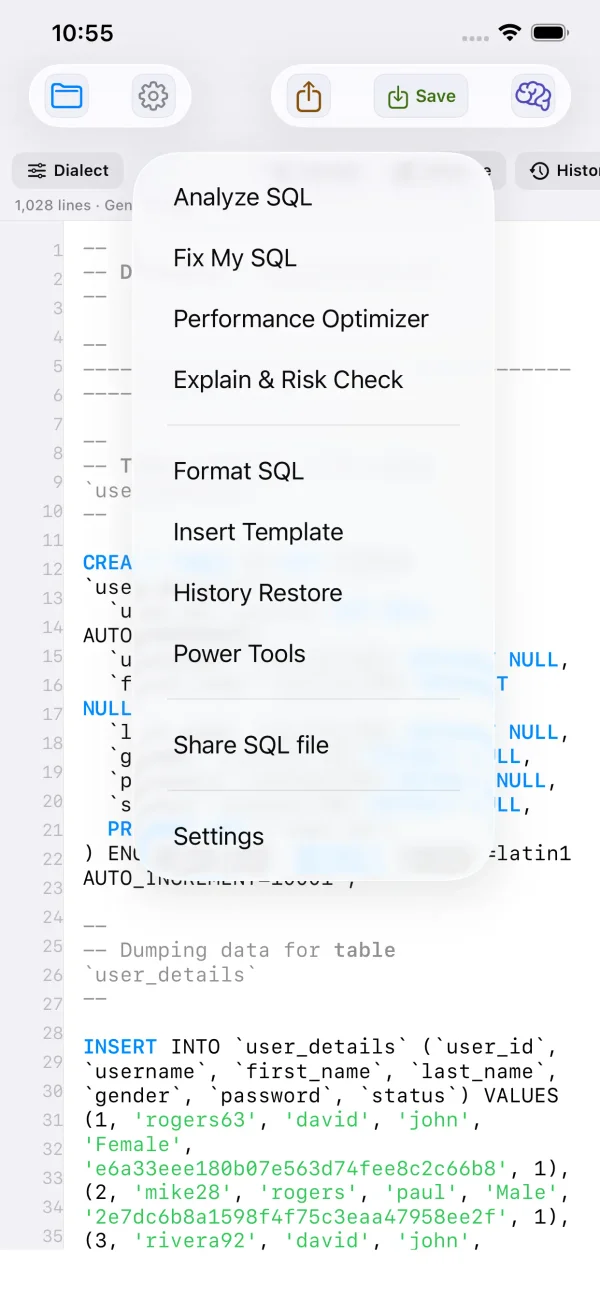
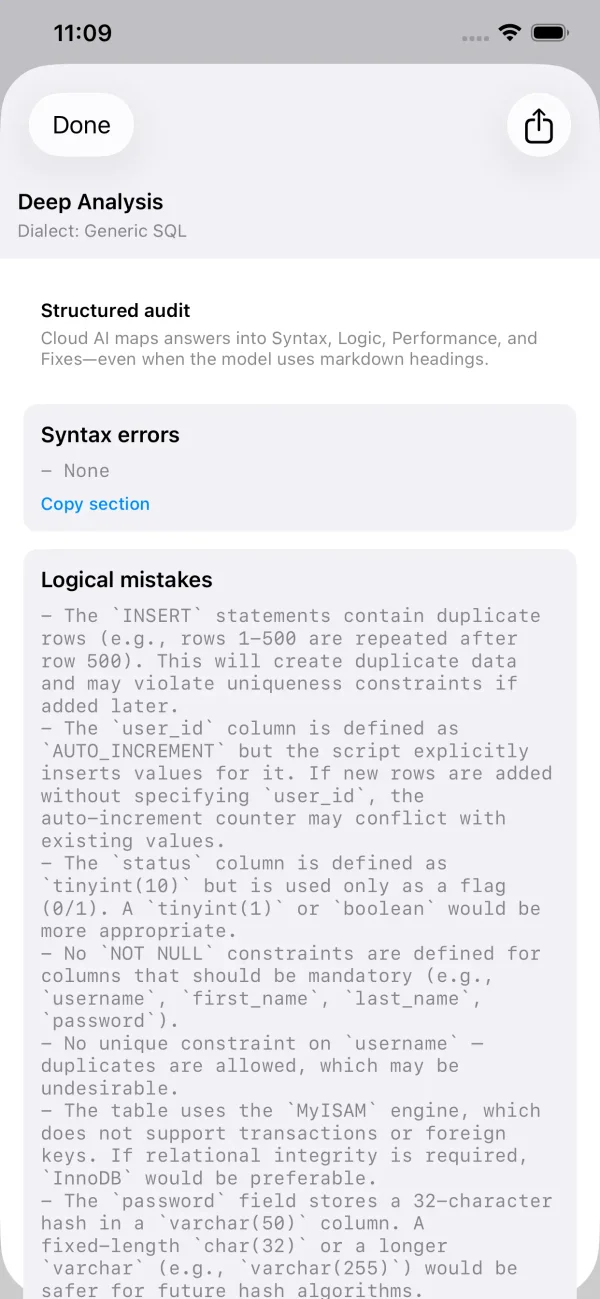
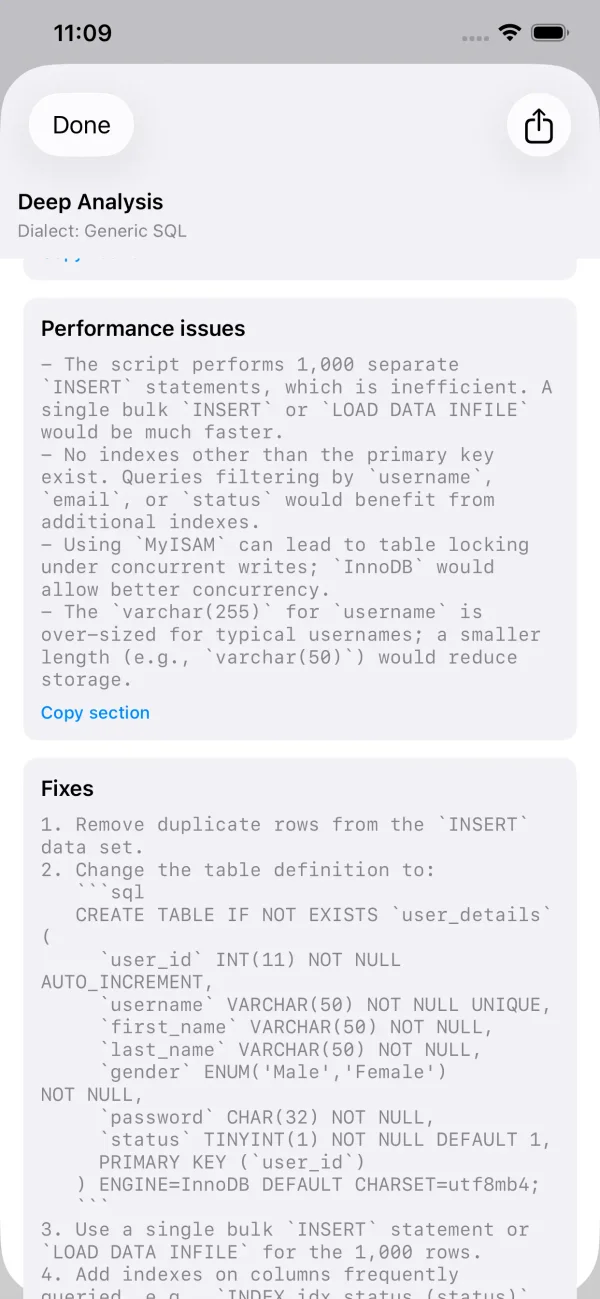
• Deep Analysis — structured review across syntax, logic, performance, and suggested fixes
• Fix My SQL — corrected SQL you can apply back into the editor
• Performance Optimizer — practical tuning angles for heavier workloads
• Explain & Risk Check — plain-language behavior notes and safer-run reminders
Power productivity
• SQL Formatter — clean up messy scripts for readability
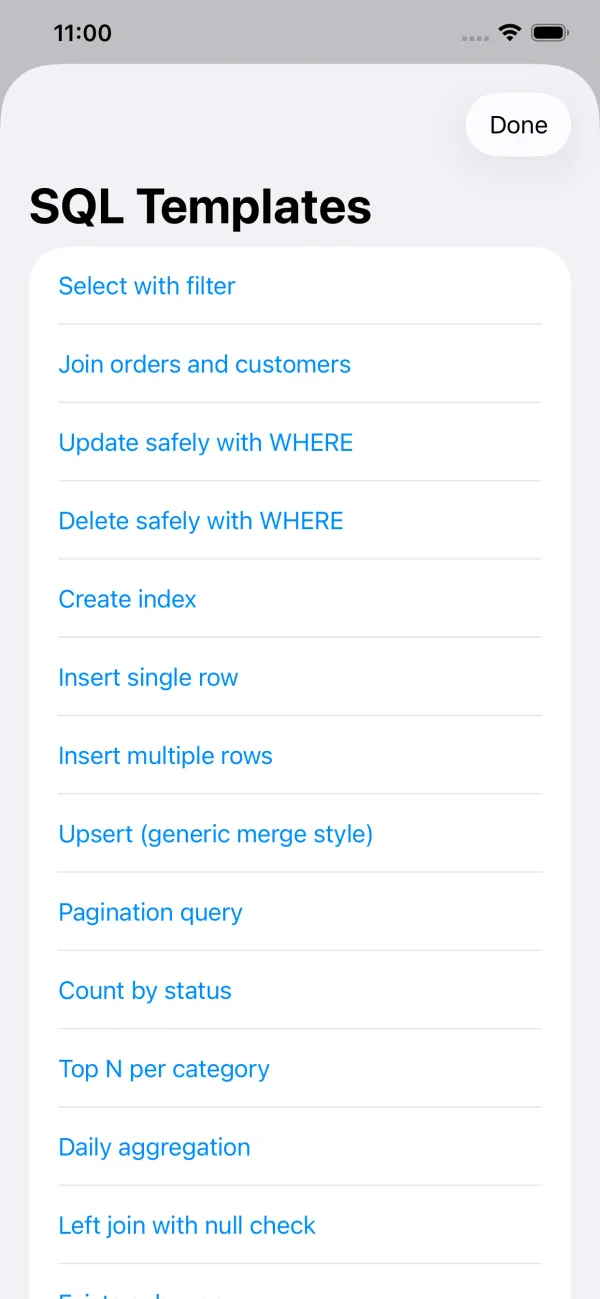
• Templates — start faster from curated patterns for common tasks
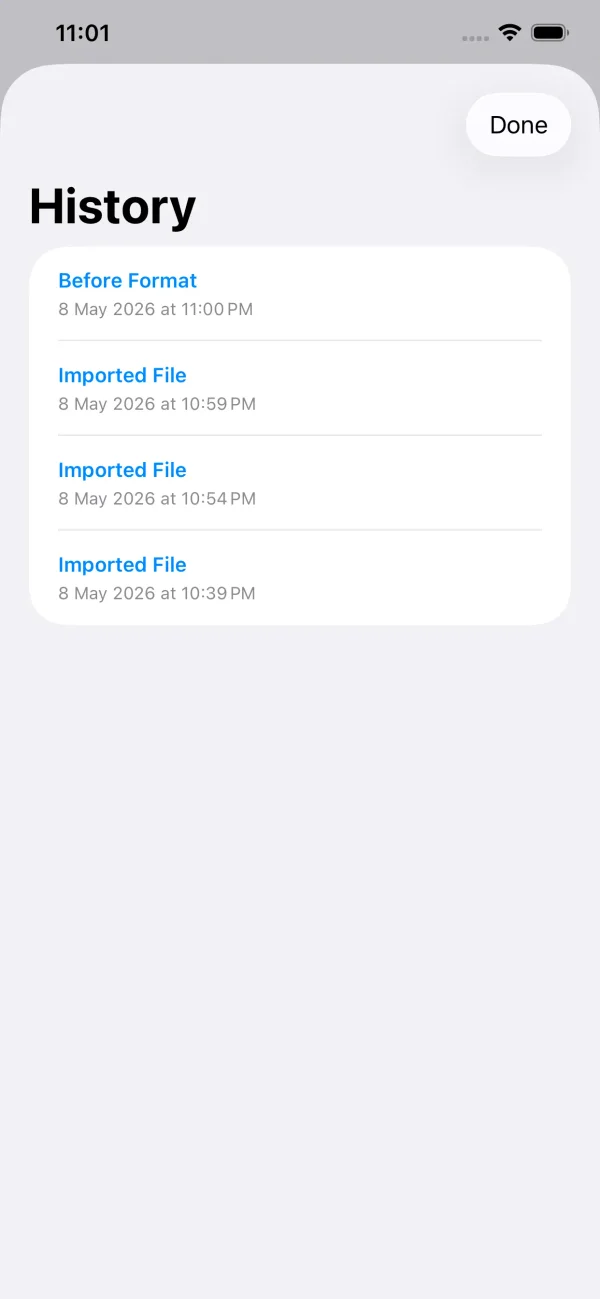
• History Restore — snapshots when you format, apply AI fixes, import templates, or capture manually
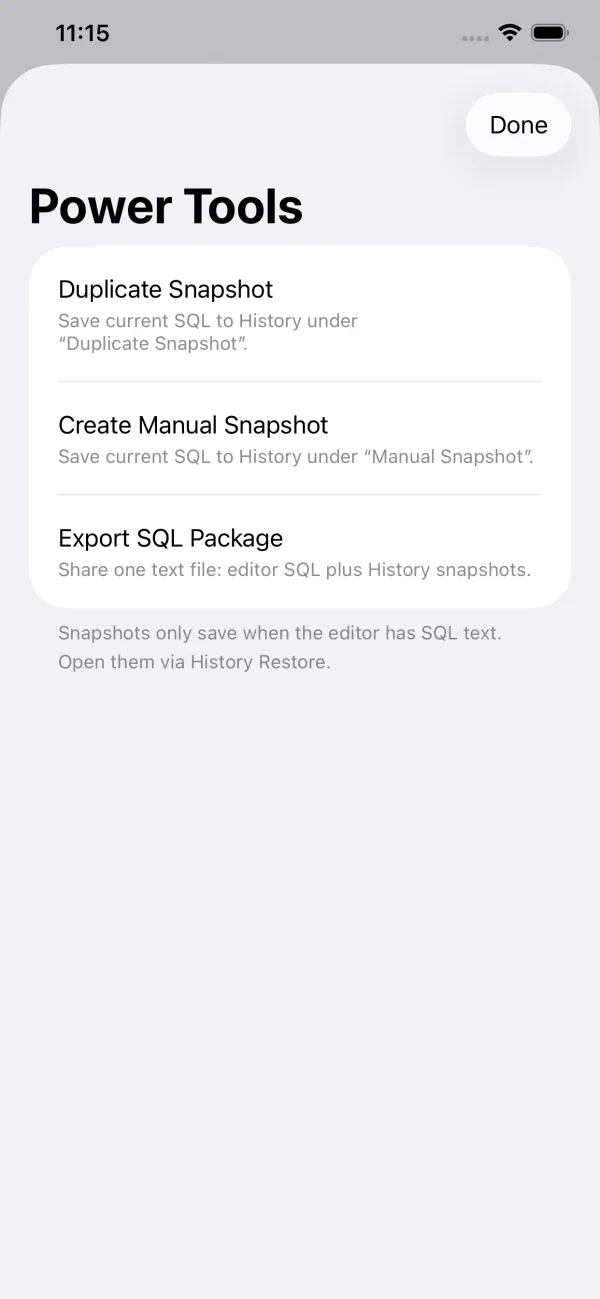
• Power Tools — duplicate/manual snapshots and export a packaged text bundle of your editor SQL plus history
Plans
SQL Editor Pro includes free starter usage for premium actions (AI, Save, Share), then Pro unlocks unlimited access via In‑App Purchase (subscriptions and a lifetime option where configured). Editing core functionality remains available on device; AI features need a network connection.
Privacy-conscious design
• No third‑party advertising or analytics SDKs bundled for tracking
• Cloud AI sends only what you submit when you run AI features (your SQL and related prompt context) over encrypted HTTPS to our AI routing provider; see Privacy Policy for details
• Local preferences, optional history snapshots, and usage counters may be stored on-device using standard iOS storage mechanisms
Important
AI output can be wrong—independent review is required before running SQL against real systems.
Terms of Use (Apple Standard EULA)
https://www.apple.com/legal/internet-services/itunes/dev/stdeula/
Privacy Policy
https://smarteyessup.github.io/SQL-Editor-Privacy-Policy/
What’s new
Version 2.7 · Nov 18, 2026
* Improved app performance and stability
* Enhanced overall user experience
* Bug fixes and other improvements
* Adding New AI Models
App privacy
What mustafa hamdan declares on the App Store about how this app handles data.
-
Data not collected
The developer does not collect any data from this app.
Privacy practices may vary, for example with the features you use or your age.
Information
- Seller
- mustafa hamdan
- Category
- Developer Tools
- Version
- 2.7
- Updated
- Nov 18, 2026
- Released
- Jan 7, 2026
- Size
- 11.1 MB
- Requires
- iOS 16.6 or later
- Age rating
- 4+
- Price
- Free
- In-app purchases
- Yes
- Languages
- English
- Copyright
- © 2026 Mustafa Hamdan
You might also like
-
 SQLite Editor & DB ViewerRun queries, edit & learn SQL
-
 Tablewright: SQLite EditorBrowse, Query & Edit Databases
-
 SQLite ExtractorSQLite database inspector
-
 Tablewright: PostgreSQL EditorPostgreSQL Client & Editor
-
 MySql EliteMySql Database Manager
-
 MagicSQL - SQL Client & EditorMySQL, Postgres, MariaDB & SSH
-
 SQLite Pro EditorSQLite & CSV Browser
-
 DB Compass for Oracle databaseBrowse Your Oracle Database
-
 SQLiteFlow - SQLite EditorManage your SQLite databases
-
 SQLite database clientby SQLPro