
- Age rating4+
- CategoryPhoto & Video
- DeveloperPedro Leandro Hemme
- LanguagesEnglish+ 2 more
- Size6.0 MB
Links to the official App Store page
Download.org hosts no file of Squish Video Compresor. The button opens its official App Store page, published by Pedro Leandro Hemme. Listing last checked on Nov 12, 2026.
Screenshots

About
Squish is the fastest and easiest video compressor for macOS.
Shrink your video files by up to 70% with no visible loss of
quality.
Whether you create content for social media, send videos by
email, or want to free up space on your Mac, Squish gets the
job done in seconds thanks to full optimization for Apple
Silicon.
▸ KEY FEATURES
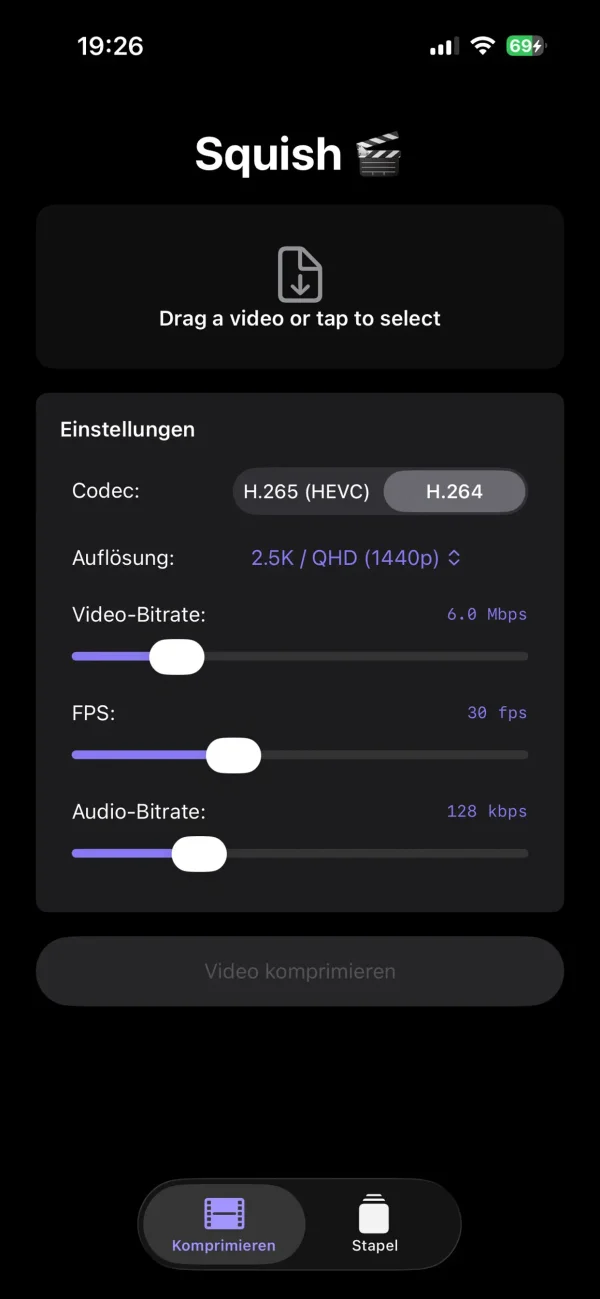
- Modern codecs: H.265 (HEVC) and H.264
- Resolutions from 480p to 4K UHD (including 2.5K / QHD)
- Three predefined presets: Extreme, Balanced, High Quality
- Fully customizable mode with real-time interactive sliders
- Manual control of bitrate, frame rate, and audio quality
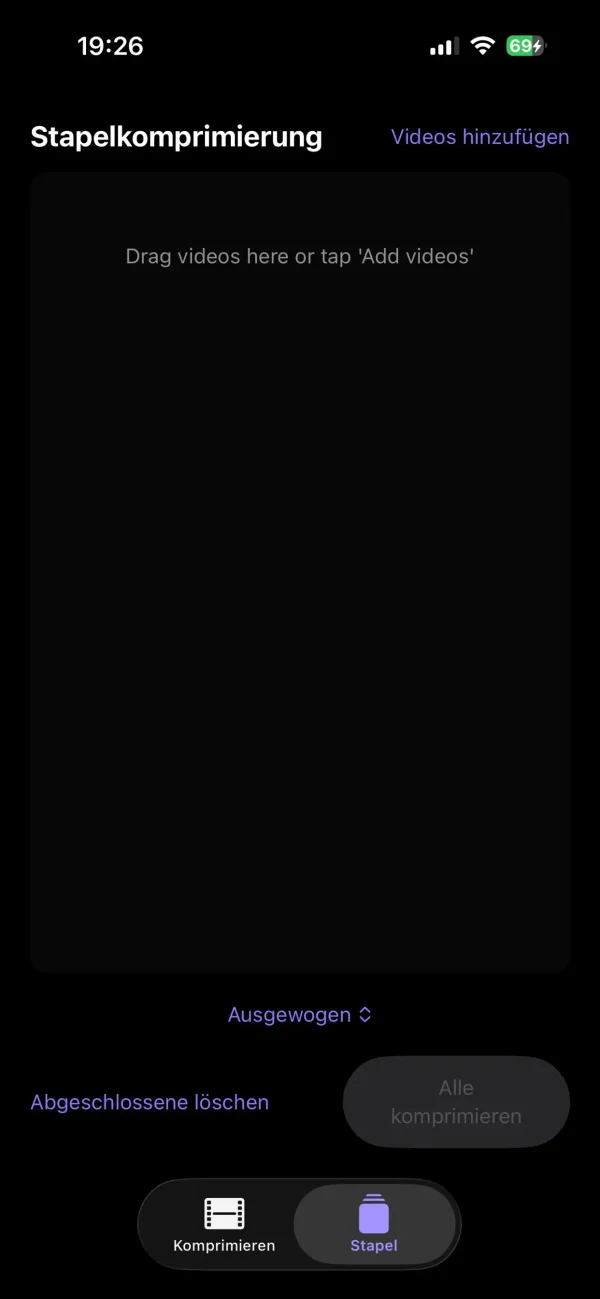
- Batch processing with individual progress per file
- Built-in preview powered by AVPlayer
- Precise video trimming before compression
- Real-time size estimator before processing
- Drag & drop directly into the window or onto the Dock icon
- System notifications when each compression finishes
- Multilingual interface: English, Spanish, and German
▸ WHO IS SQUISH FOR?
- Content creators optimizing videos for YouTube, Instagram,
or TikTok
- Students and professionals sharing large files via email
or cloud
- Video editors who need to export quick previews of their
projects
- Anyone who wants to save space on their Mac without
sacrificing quality
▸ OPTIMIZED FOR APPLE SILICON
On Macs with M1, M2, M3, or M4 chips, Squish takes advantage
of the built-in HEVC hardware codec, delivering compressions
up to 5 times faster and significantly lower battery
consumption.
▸ 100% PRIVATE AND LOCAL
Your videos never leave your Mac. All compression happens
locally using the native AVFoundation and AVAssetWriter
frameworks. No internet connection required, nothing
uploaded to the cloud.
▸ EASY FOR BEGINNERS, POWERFUL FOR PROFESSIONALS
Start with the presets for instant results or activate
advanced mode to control every parameter with precision.
Squish grows with your needs.
▸ SYSTEM REQUIREMENTS
- macOS 12 Monterey or later
- Minimum 8 GB RAM (16 GB recommended for 4K UHD)
- Compatible with Intel and Apple Silicon Macs
What’s new
Version 1.1 · Aug 31, 2026
Squish now integrates with Siri and Apple Shortcuts. Add text watermarks to videos or send them to the Batch queue without ever opening the app — just trigger your shortcut. Batch mode now supports custom output file names using {name}, {date}, and {resolution} tokens; retry failed jobs with a single tap; and apply a compression profile to all pending jobs at once. A live progress bar shows the overall batch progress with a real-time time estimate.
The welcome screen now shows all keyboard shortcuts at a glance. The full VoiceOver accessibility pass ensures every control has a label and a hint where it helps, and compression completion is announced automatically.
Core features:
• H.265 (HEVC) and H.264 hardware-accelerated compression
• Batch processing for up to 50 videos at once
• Text and image watermarks
• GIF creation, audio extraction, and format conversion
• Custom compression profiles with export/import
• Platform presets for WhatsApp, Instagram, YouTube, TikTok, and more
• Trim and preview before compressing
• 100% offline — no data ever leaves your Mac
App privacy
What Pedro Leandro Hemme declares on the App Store about how this app handles data.
-
Data not collected
The developer does not collect any data from this app.
Privacy practices may vary, for example with the features you use or your age.
Information
- Seller
- Pedro Leandro Hemme
- Category
- Photo & Video
- Version
- 1.1
- Updated
- Aug 31, 2026
- Released
- May 8, 2026
- Size
- 6.0 MB
- Requires
- iOS 18.6 or later
- Age rating
- 4+
- Price
- Free
- Languages
- English, German, Spanish
- Copyright
- © 2026 Squish Video Compresor All rights reserved
You might also like
-
 PhotoShrink: Photo CompressorVideo, Image Size & Converter
-
 HDMI Monitor - CineFocus peaking, LUT & scopes
-
 Video Compressor - SquishShrink & resize video to fit
-
 Minimo Studio: Compress & TrimConvert, join, GIF, audio
-
 Video Compressor · Resize MP4Compress videos, save space
-
 Squish: Video CompressorCompress & reduce video size
-
 Keeplay: Video & Photo PlayerFolder player, resume watching
-
 Convert MOV to MP4 VideoFast Video Converter · No Ads
-
 Compress: Photo & VideoShrink Files, Keep Your Dates
-
 VidCompress - Video CompressorFile Converter & Size Reducer