
SSAT Prep: Middle & Upper
Practice tests, worked answers
Designed for iPhone, iPad
Free · In-app purchases
- Age rating4+
- CategoryEducation
- DeveloperSimple Tree LLC
- LanguagesEnglish
- Size28.1 MB
Links to the official App Store page
Download.org hosts no file of SSAT Prep: Middle & Upper. The button opens its official App Store page, published by Simple Tree LLC. Listing last checked on Nov 12, 2026.
Screenshots


About
Most SSAT prep starts with drilling. That is the fastest way to waste the time you have, because you cannot study everything at once and you do not yet know what is weak.
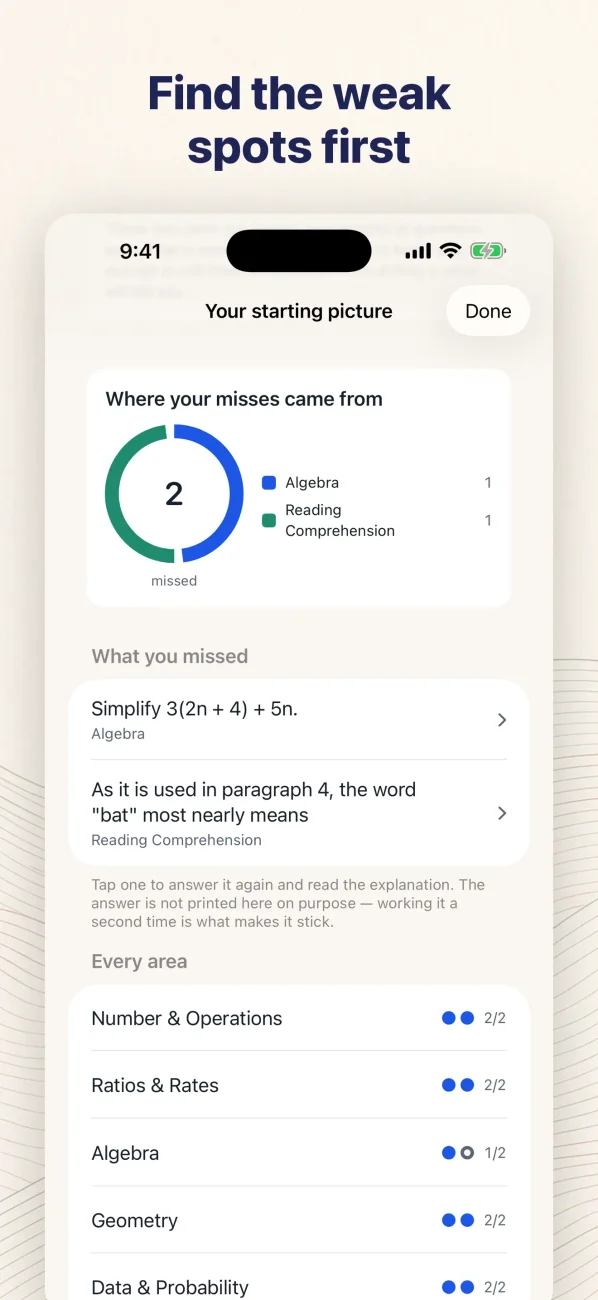
This app starts with a short free diagnostic. It is not a score. It tells you where to begin, and builds a study plan around your test date.
BUILT FOR THE TEST AS IT IS
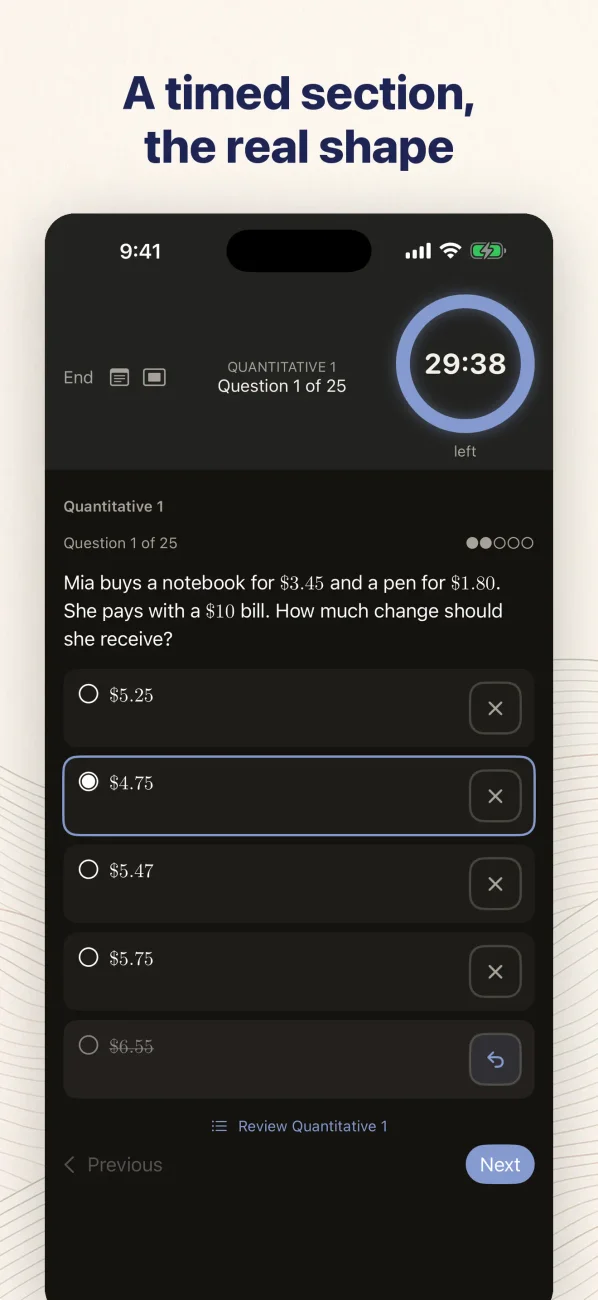
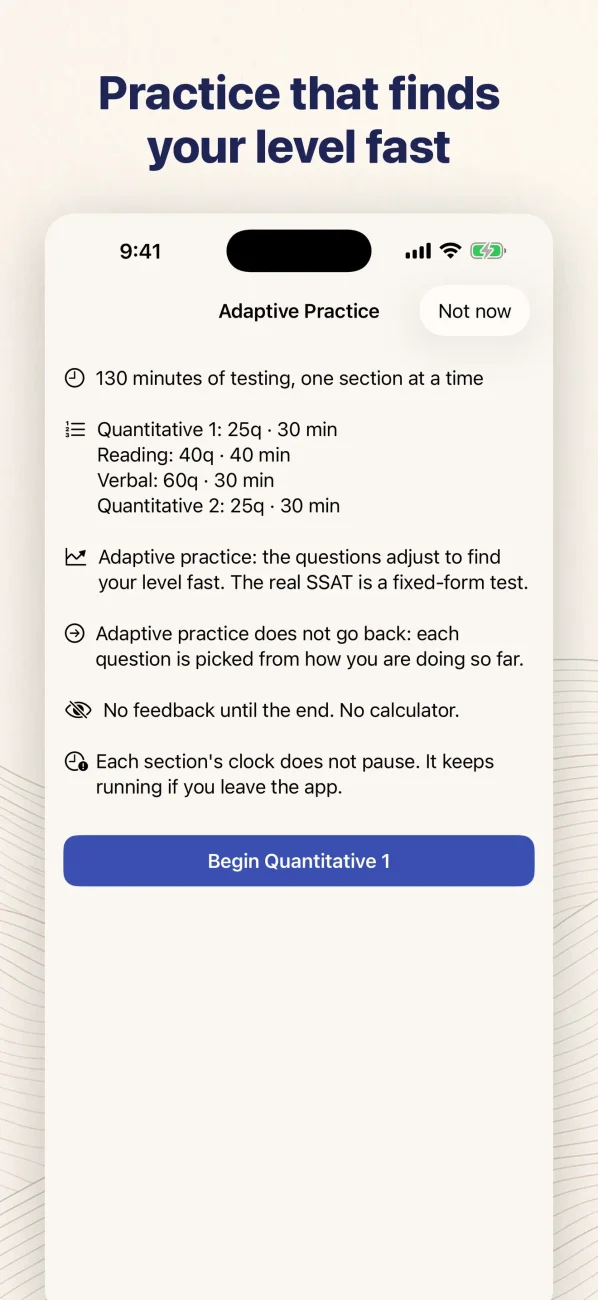
The SSAT is a fixed-form test with five answer choices and a ¼-point deduction for each wrong answer. Every practice test here runs by those rules: Quantitative, Reading, Verbal, then Quantitative again, each section timed separately, five choices, penalty scoring — so nothing on test day is new.
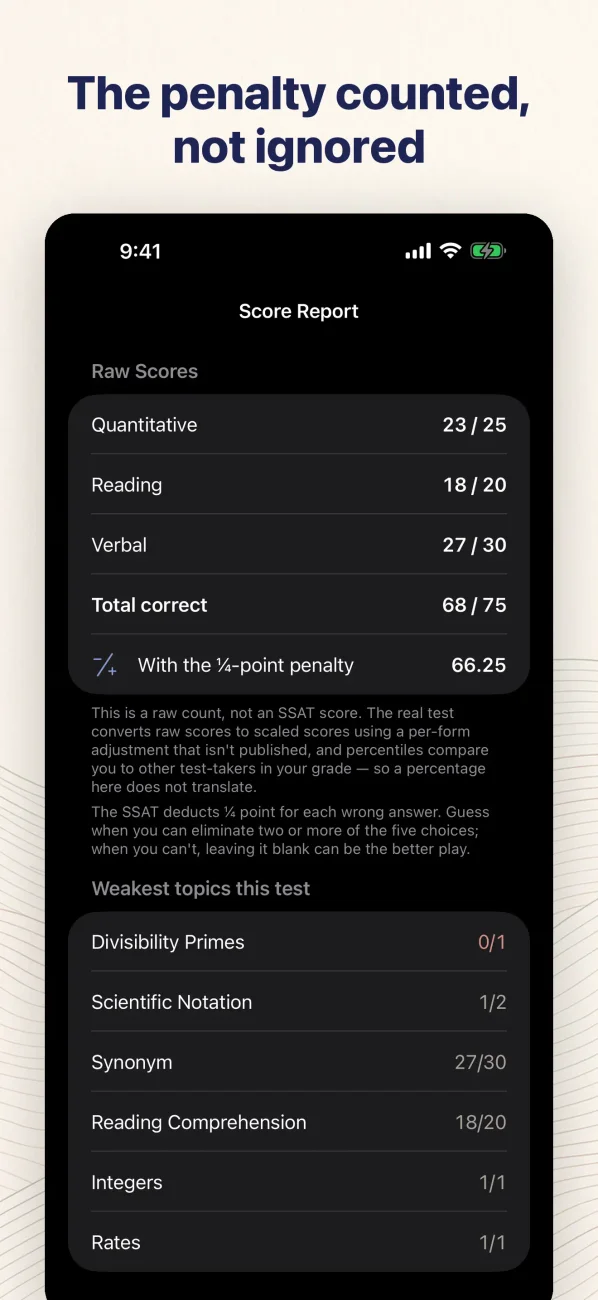
The penalty changes how you should play, and the app coaches it: guess when you can rule out two choices, and know when leaving a blank is the better move. Your score report shows both numbers — what you got right, and what the penalty arithmetic does to it.
There is also Adaptive Practice, a study mode that picks each next question from how you are doing, to find your level fast. It is a practice tool, not a test simulation — the real SSAT does not adapt, and the fixed-form tests above are the rehearsal.
WORKED ANSWERS, NOT ANSWER KEYS
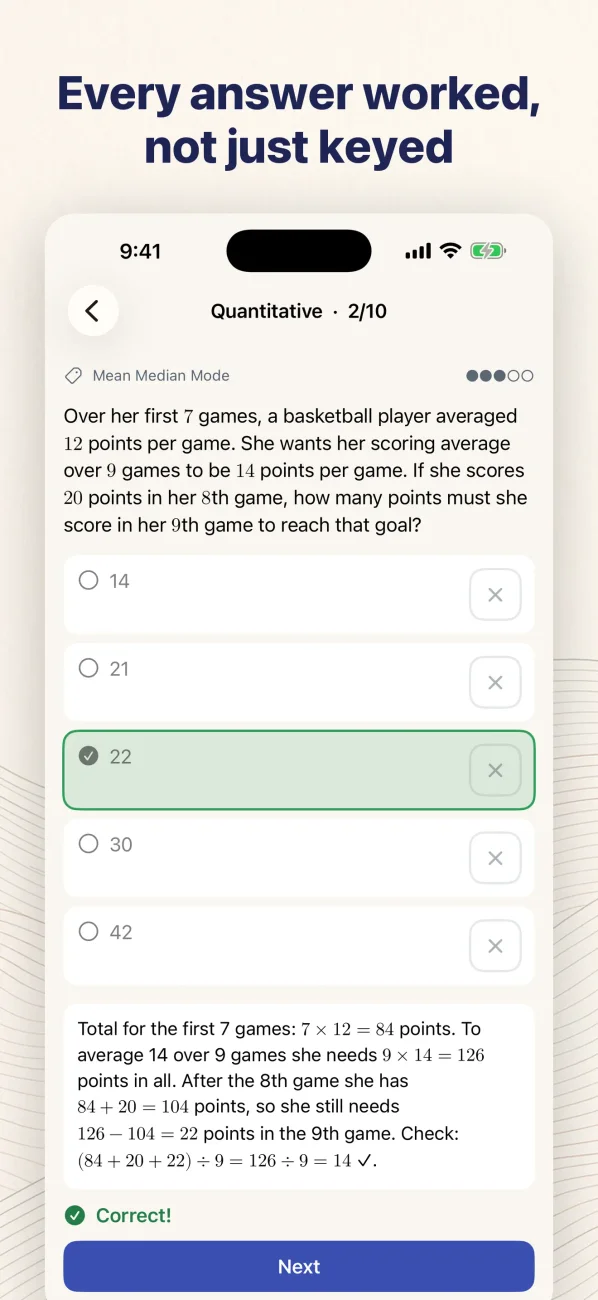
Every question shows the method, step by step. Get one wrong and you find out why, not just which letter you missed.
MADE FOR iPad, INCLUDING APPLE PENCIL
No calculator is allowed on the SSAT, so the working is the whole job. On iPad the question sits beside a scratch pad you can write on with Apple Pencil or a finger, and your working stays next to the worked explanation afterwards so you can compare them line by line.
Reading passages open side by side with their questions rather than folded into a drawer.
WHAT IS INSIDE
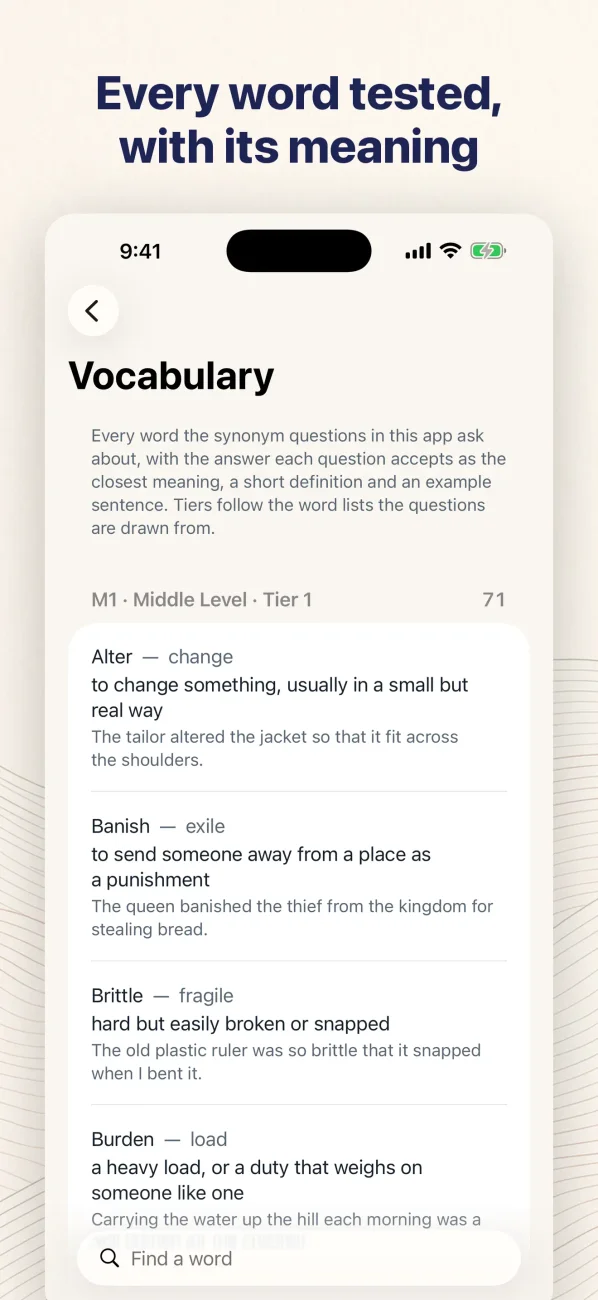
- 1,613 practice questions and counting — 1,175 for Middle Level, with Upper Level material on top
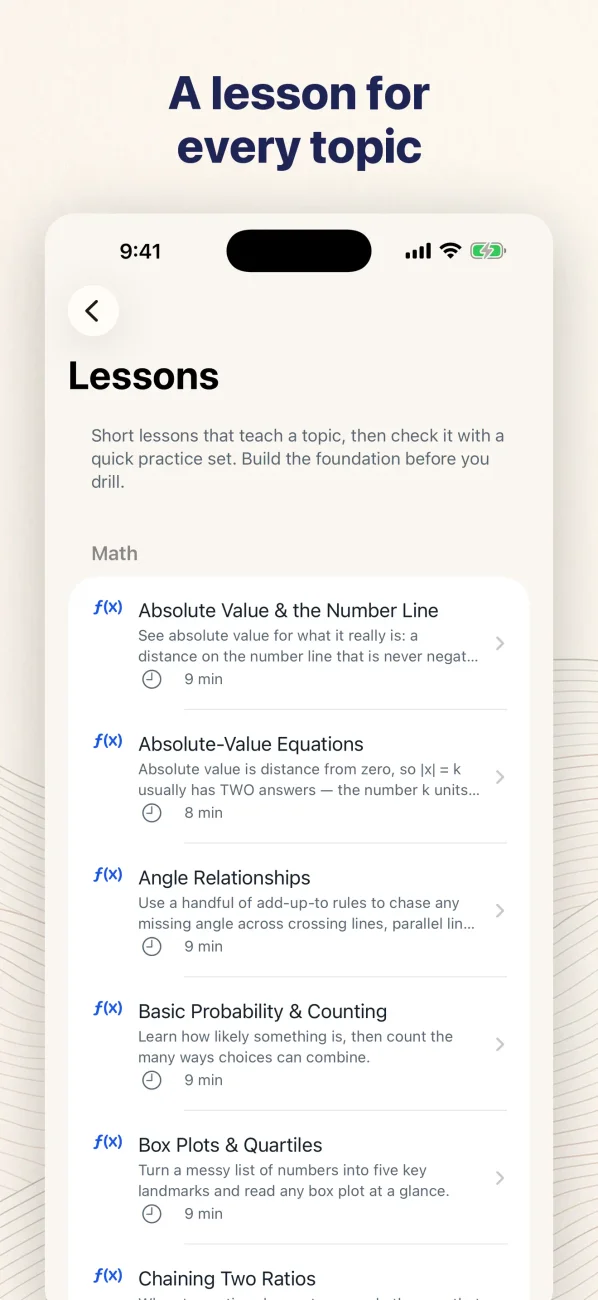
- 65 lessons with worked examples
- 73 reading passages, each with its full question set
- Full practice tests in the real four-section shape, plus mini tests and topic drills
- A one-page report your child can send you when they want to show how it is going
The pass unlocks all of it. What stays free is next.
FREE, PERMANENTLY
- The diagnostic and the study plan it builds
- Your error journal and your progress, always
- 10 new questions a day, up to 150 in total
- Unlimited redo of anything you have already answered
Your progress is never locked — with or without the pass, and after it expires.
THE PASS: ONE PAYMENT, NO AUTO-RENEWAL
It lasts 365 days from the day you buy it, it does not renew itself, and you will not be charged again. No subscription to remember to cancel.
It unlocks every full practice test, the whole lesson library, and the whole question bank with no daily limit.
NO DATA COLLECTED
No account. No sign-up. No analytics, no advertising, no tracking, and nothing sold to anyone. Your work syncs privately between your own devices through your iCloud account and goes nowhere else. The App Privacy section on this page says "Data Not Collected" because that is literally true.
Written for students taking the Middle Level SSAT (grades 5-7) or the Upper Level SSAT (grades 8-11).
What’s new
Version 1.0.4 · Sep 30, 2026
Fix: the Absolute Value & the Number Line lesson now shows its number line marking the distance between 1 and 15, which was missing before.
App privacy
What Simple Tree LLC declares on the App Store about how this app handles data.
-
Data not collected
The developer does not collect any data from this app.
Privacy practices may vary, for example with the features you use or your age.
Information
- Seller
- Simple Tree LLC
- Category
- Education
- Version
- 1.0.4
- Updated
- Sep 30, 2026
- Released
- Sep 4, 2026
- Size
- 28.1 MB
- Requires
- iOS 17.0 or later
- Age rating
- 4+
- Price
- Free
- In-app purchases
- Yes
- Languages
- English
- Copyright
- © 2026
You might also like
-
 Quizard : SSAT prepEducation
-
 ISEE/SSAT Vocabulary BuilderISEE & SSAT Verbal prep
-
 SAT BananaDaily SAT Reading & Writing
-
 ISEE Practice Exam Prep 2026Pass School Entrance Exam
-
 High School Physics PracticePractice Physics MCQs
-
 SSAT ISEE Test Prep – PracticeEntrance Exam Study Guide
-
 SSAT Practice Test Prep 2026Secondary School Admission
-
 Super SSAT Vocabulary Learner!#1 Way to Study for SSAT Vocab
-
 SSAT VerbalProBest tool to crack SSAT Verbal
-
 Saratoga Independent SchoolEducation