
- Age rating4+
- CategoryUtilities
- DeveloperSerena Traversi
- LanguagesGerman+ 9 more
- Size18.6 MB
Links to the official App Store page
Download.org hosts no file of SSHBorg. The button opens its official App Store page, published by Serena Traversi. Listing last checked on Nov 23, 2026.
Screenshots

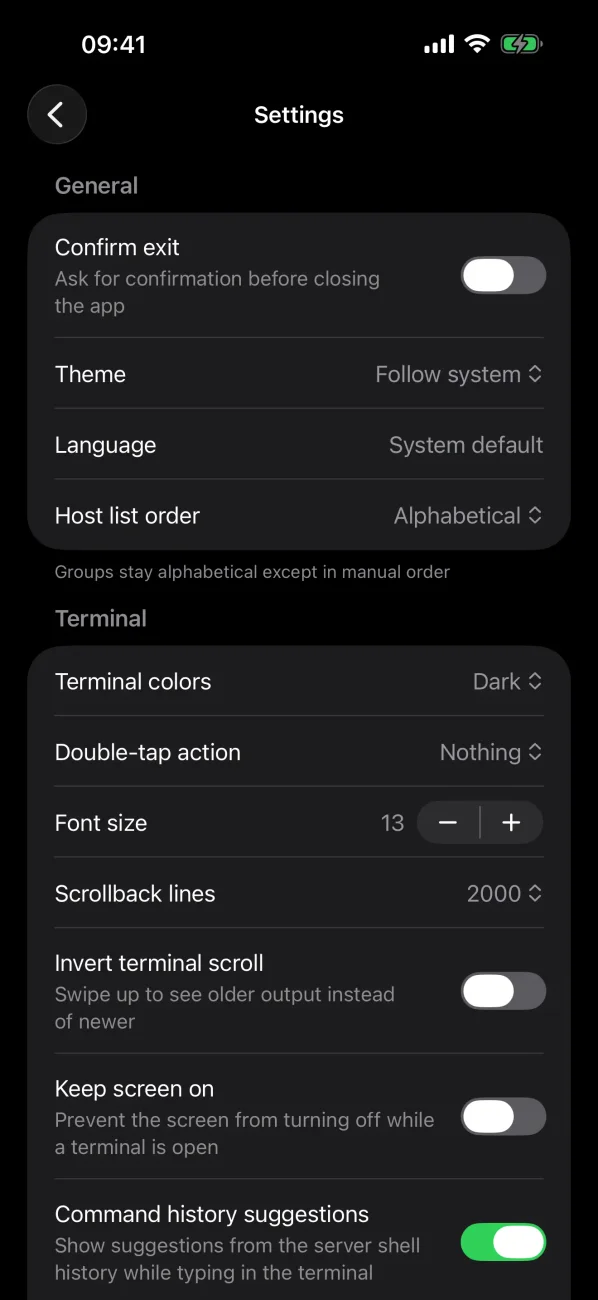
About
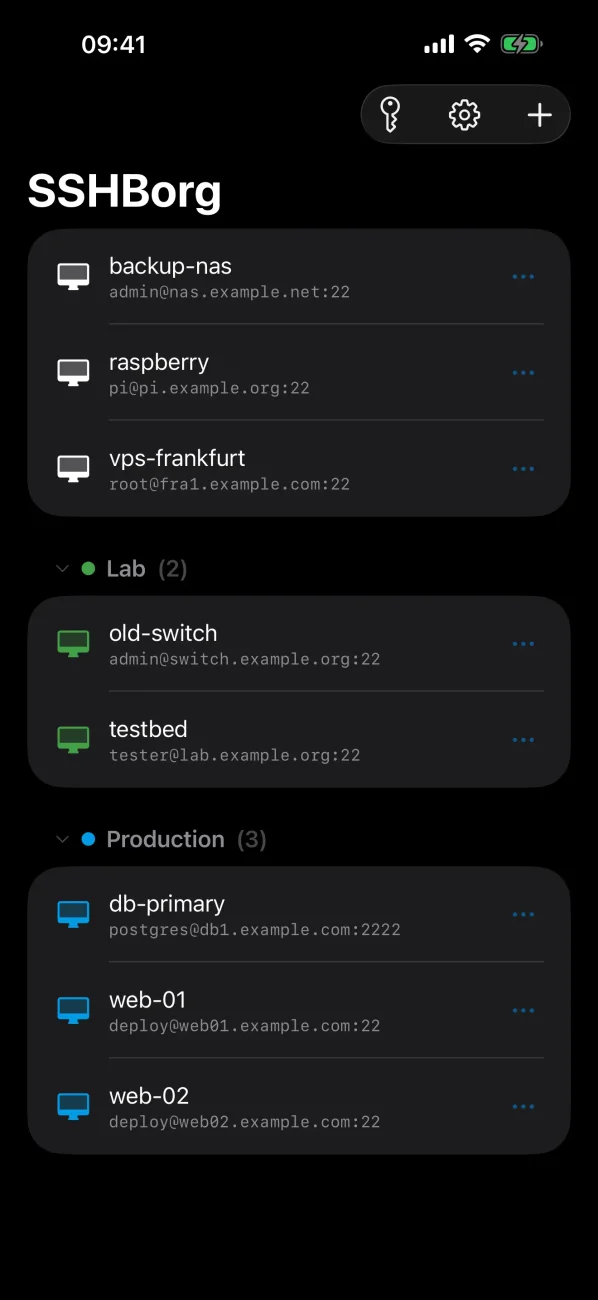
SSHBorg is a powerful SSH and SFTP client for iPhone and iPad. Manage your servers securely with key authentication, encrypted storage, and Face ID or Touch ID lock.
FEATURES
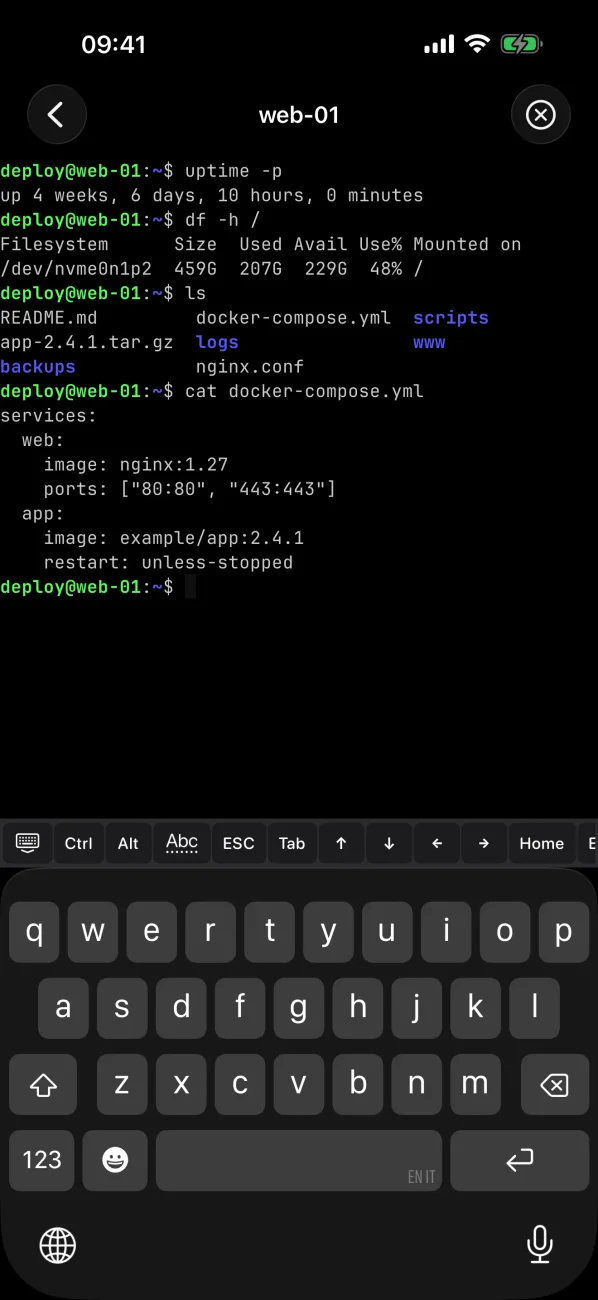
• Full SSH Terminal — Interactive terminal with VT100/xterm emulation, full UTF-8 support, and multiple concurrent sessions.
• Mosh (experimental) — A terminal that survives a change of network and the phone being put away: the shell keeps running on the server, and the screen catches up when you come back. Works through a bastion host too. Needs mosh-server on the server.
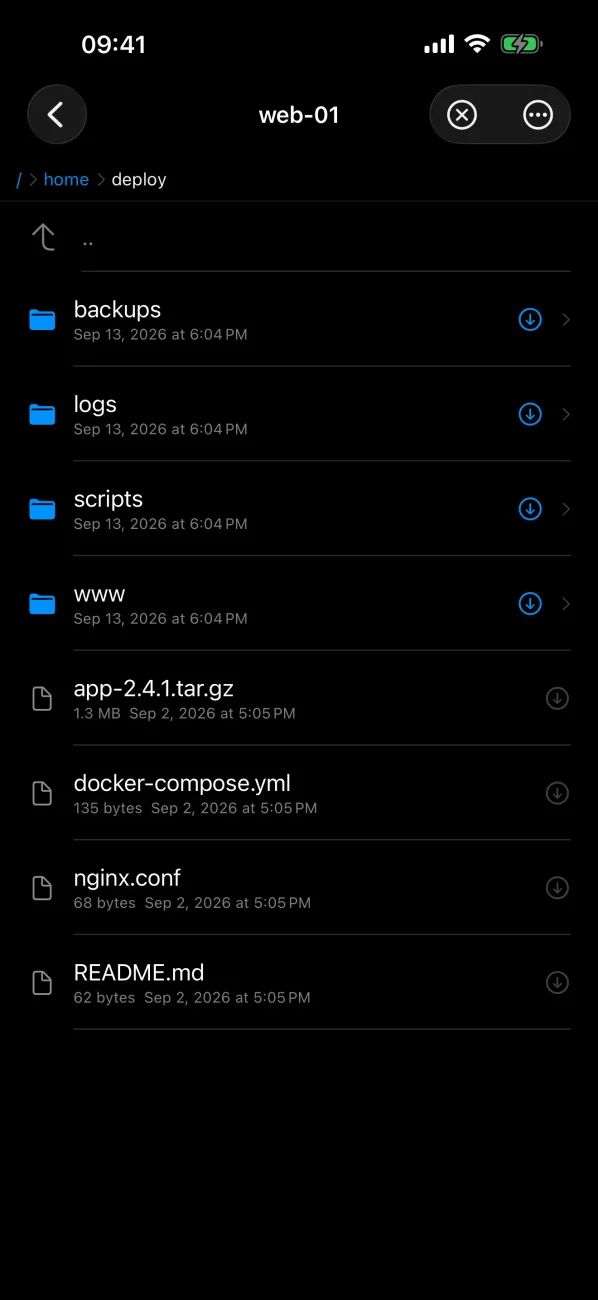
• SFTP File Manager — Browse, upload, download, rename, and delete files and folders on your servers.
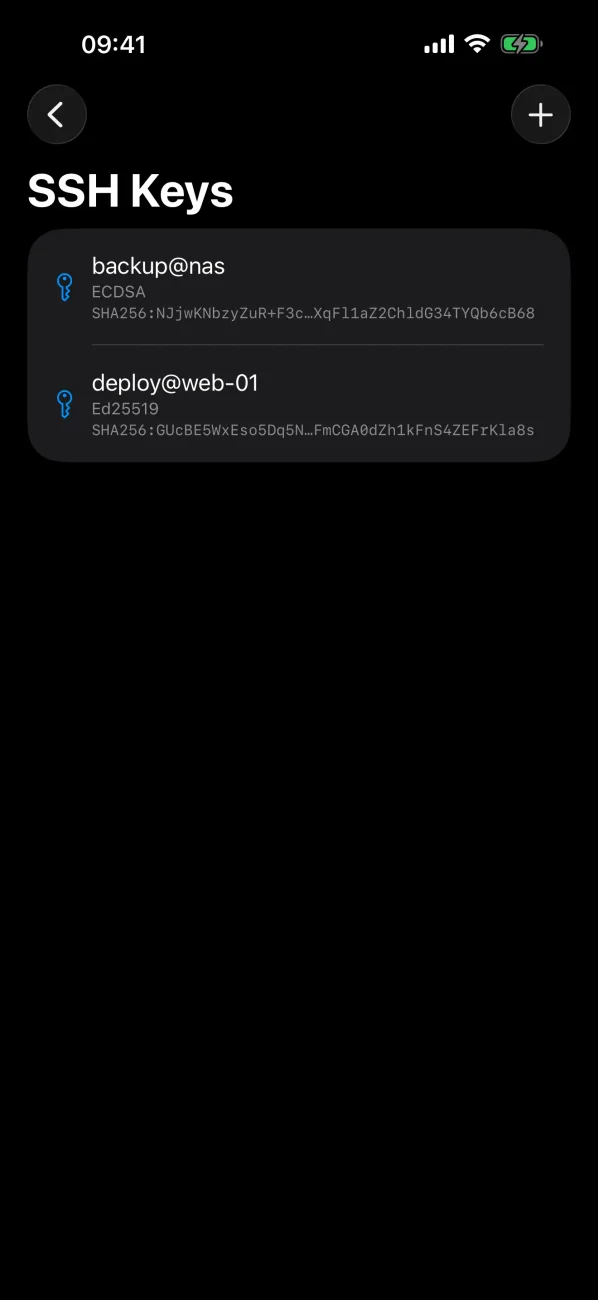
• SSH Key Auth — Generate Ed25519, ECDSA, and RSA keys directly on your device, or import your own. No passwords needed.
• Jump Host Support — Connect through one or more bastion hosts with transparent tunnelling. Full SSH agent forwarding.
• Port Forwarding — Reach services that are only visible from the server, with local (-L) forwards.
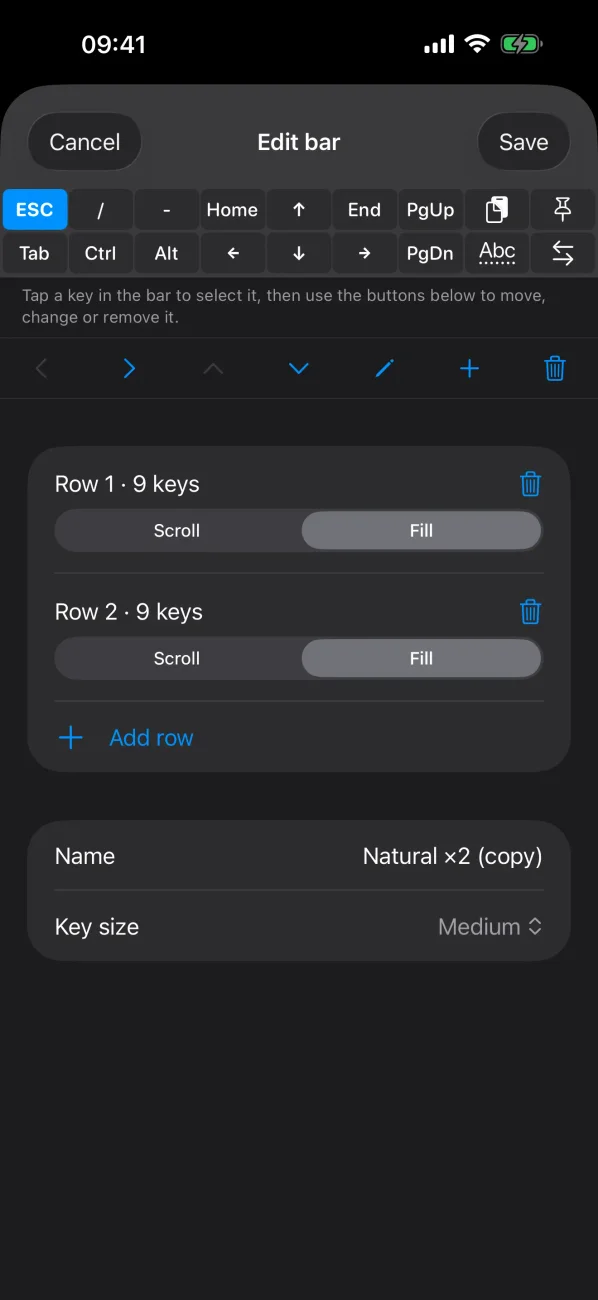
• Extra Key Bar — Ctrl, Esc, Tab, arrows and function keys above the keyboard, with layouts you can build yourself.
• App Lock — Protect access to your servers with Face ID, Touch ID, your device passcode, or a PIN or passphrase of your own. Configurable timeout.
• Backup — Export and import your hosts, groups and settings as a single file. Passwords and keys are never included.
• Multilingual — Available in English, Italian, French, German, Spanish, Portuguese, Ukrainian, Russian, Chinese, and Japanese.
• Dark & Light Theme — Follows the system theme or lets you choose.
• Multiple Sessions — Keep several SSH and SFTP sessions open at once and switch between them instantly.
GOOD TO KNOW
iOS closes network connections while an app is in the background. When you come back, SSHBorg reconnects your sessions automatically — and a Mosh session simply picks up where it was, with the same shell and your programs still running.
PRIVACY FIRST, BY DESIGN
SSHBorg never collects your data. Everything stays on your device — your credentials, your keys, your connections.
• No ads
• No tracking
• No cloud
• Open source — GPL v3
• No tracking or advertising SDKs
• Keys and passwords can be encrypted with the device's secure hardware
sshborg.com
What’s new
Version 1.4.0 · Nov 13, 2026
• The host list now shows when you last connected to each host.
• A mosh session can outlive a lost network for as long as you choose, up to a day, and costs less battery while out of contact.
• The backup now carries the terminal and file browser settings it had been missing.
• The keyboard no longer stays up over the lock screen.
• Unlocking with a PIN now has its own keypad, on iPhone and iPad alike, instead of the system keyboard.
App privacy
What Serena Traversi declares on the App Store about how this app handles data.
-
Data not collected
The developer does not collect any data from this app.
Privacy practices may vary, for example with the features you use or your age.
Information
- Seller
- Serena Traversi
- Category
- Utilities
- Version
- 1.4.0
- Updated
- Nov 13, 2026
- Released
- Sep 16, 2026
- Size
- 18.6 MB
- Requires
- iOS 16.0 or later
- Age rating
- 4+
- Languages
- German, English, French, Italian, Japanese, Portuguese, Russian, Spanish, Ukrainian, Simplified Chinese
- Copyright
- © 2026 Massimiliano Ballerini
You might also like
-
 Wallino ReaderRead & archive news articles
-
 XFiles: SFTP, FTP & NAS FilesDual-Pane File Manager & SSH
-
 Almaniac: A Calendar ConverterMany calendars, one date
-
 Writer365Create Anywhere, Anytime
-
 FrankenTTSPrivate voices, on device
-
 Luft KölnUtilities
-
 MagicPingWake on LAN für dein Heimnetz
-
 FileFlow Local File ManagerSecure Local File Management
-
 Glassy Desk: Remote DesktopScreen Sharing for Mac & VNC
-
 HTTPS Guard Pro: Bypass SNIBypassing by SNI Protection