SS⋅Hidden Camera Detector
Spy Cam Finder & Bug Scanner
Designed for iPhone, iPad
Free · In-app purchases
- Age rating4+
- CategoryUtilities
- DeveloperThuan Vu
- LanguagesEnglish+ 43 more
- Size35.4 MB
Links to the official App Store page
Download.org hosts no file of SS⋅Hidden Camera Detector. The button opens its official App Store page, published by Thuan Vu. Listing last checked on Nov 20, 2026.
Screenshots


About
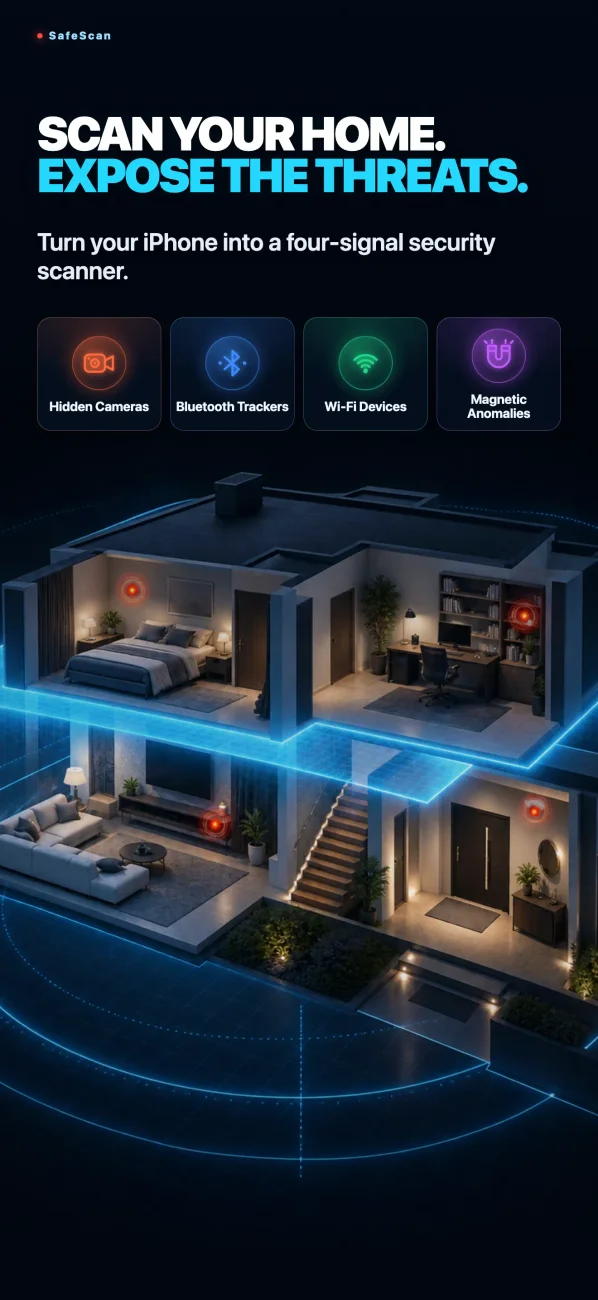
Check unfamiliar spaces with more confidence. SafeScan brings WiFi, Bluetooth, magnetic-field, and camera-lens inspection tools together on your iPhone—no extra hardware required.
A SMARTER WAY TO CHECK YOUR SPACE
Hidden cameras and tracking devices can be difficult to notice. Different devices leave different clues, so SafeScan helps you inspect a room in several ways instead of relying on a single signal.
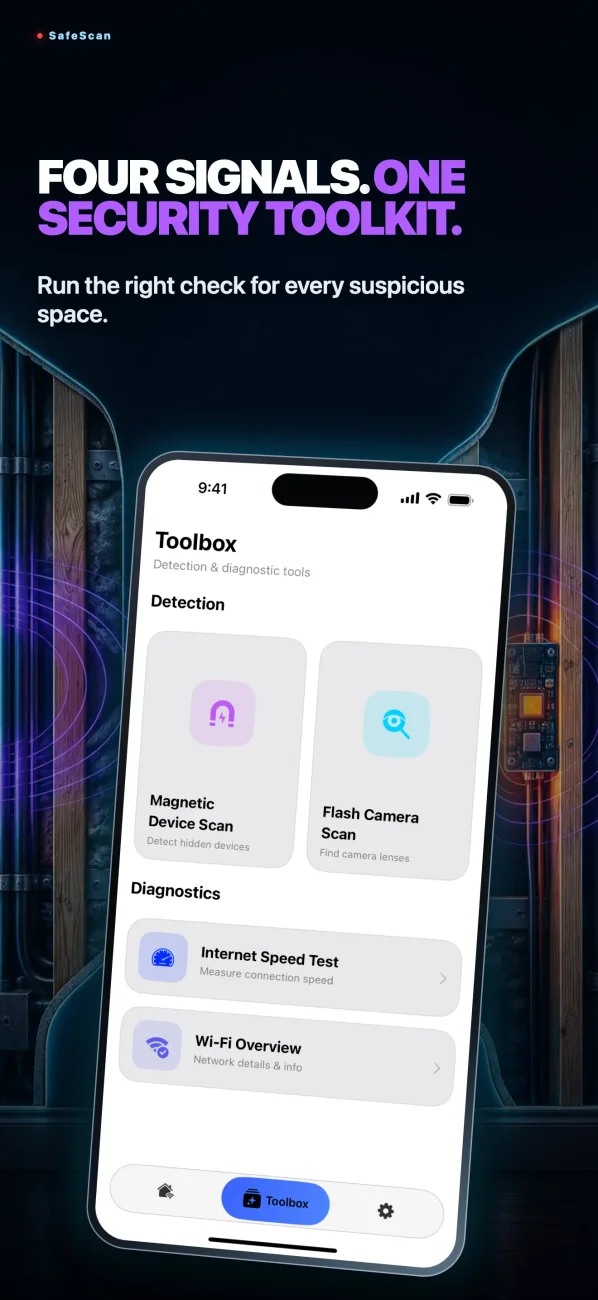
FOUR WAYS TO INSPECT
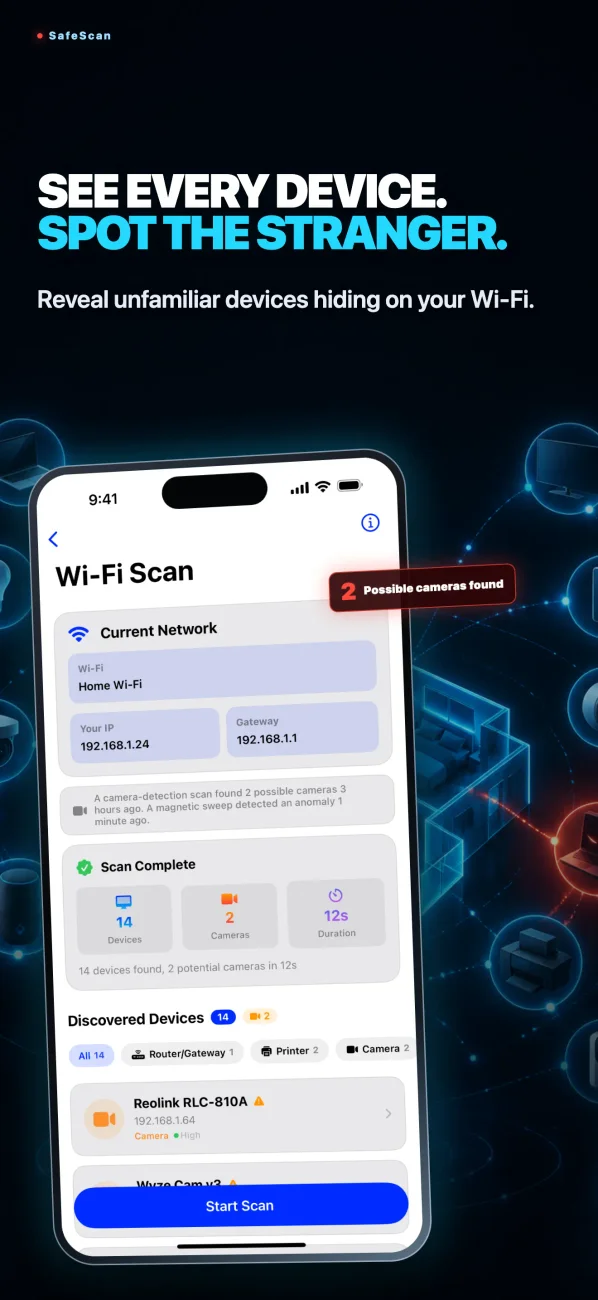
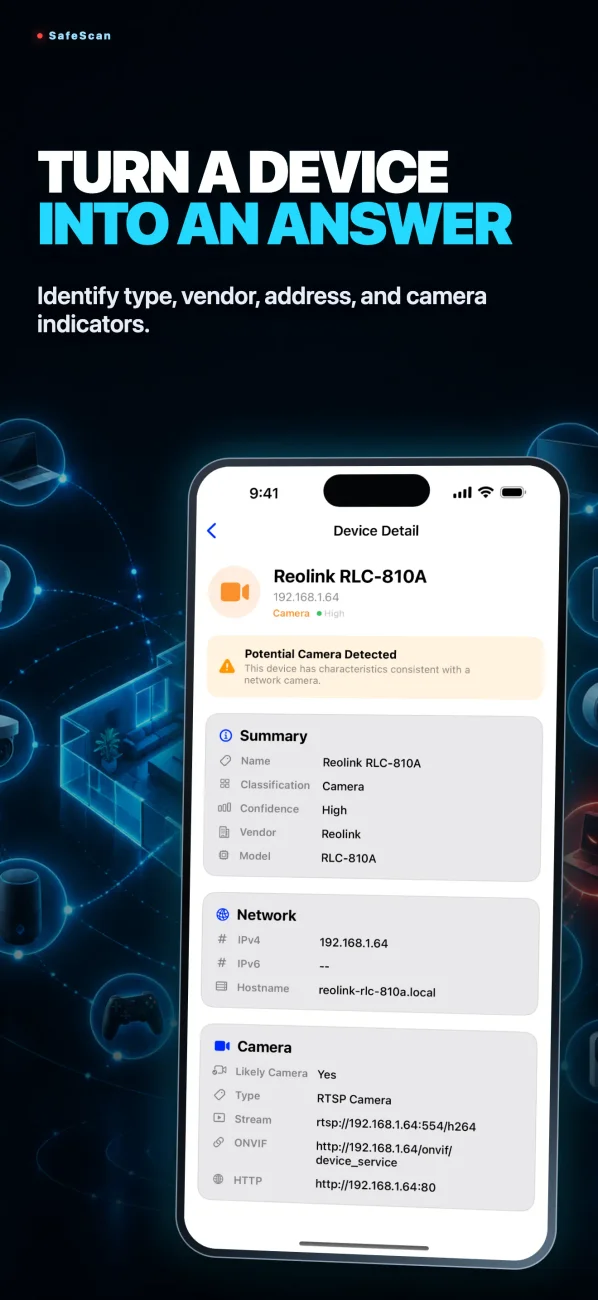
• Scan your WiFi network for connected devices, including possible cameras
• Check nearby Bluetooth devices that may require investigation
• Look for unusual magnetic-field changes around objects and surfaces
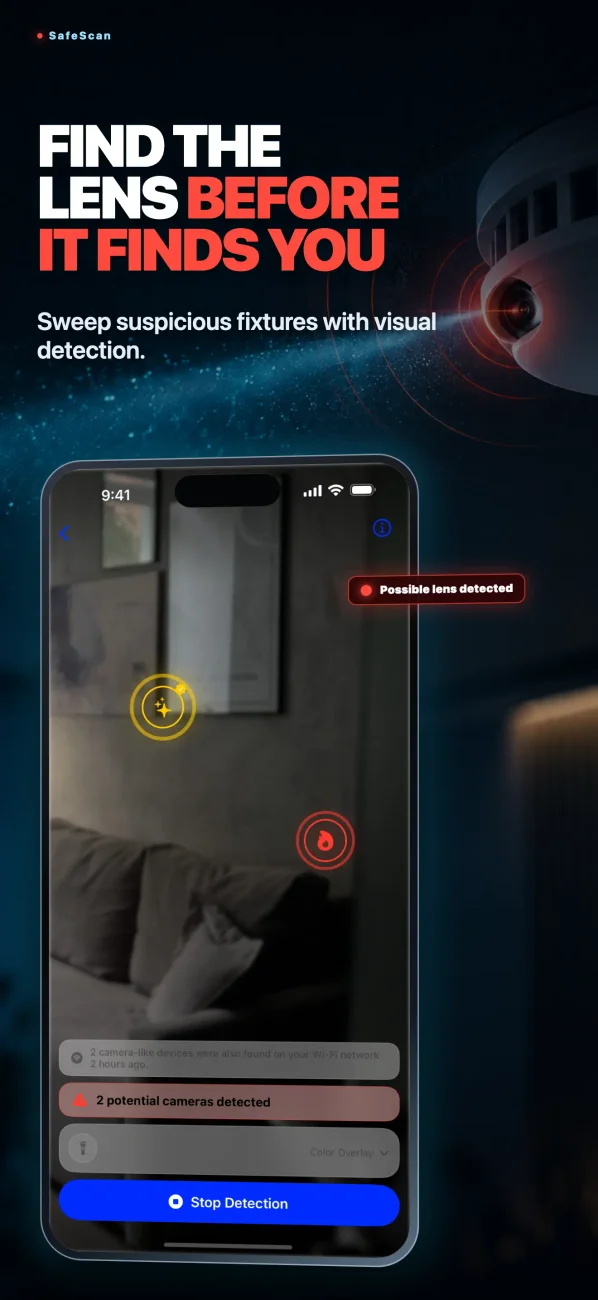
• Use your iPhone camera and flashlight to spot possible lens reflections or infrared light
TAKE A CLOSER LOOK
• AR Scan maps magnetic readings across your room and marks spots worth checking
• Bluetooth Find guides you to a nearby device, and Check identifies supported trackers and can make them play a sound
USE IT WHEREVER PRIVACY MATTERS
• Hotels, motels, and vacation rentals
• Bedrooms and living spaces
• Offices and conference rooms
• Changing rooms and locker areas
• Your home, vehicle, or personal belongings
HOW IT WORKS
1. Choose the inspection tool that fits what you want to check
2. Move through the space carefully and follow the on-screen guidance
3. Review anything unusual and inspect it more closely
UNDERSTAND YOUR RESULTS
SafeScan helps surface signals and devices that may deserve attention. Results are indicators for further inspection—not proof that a hidden camera, microphone, or tracking device is present. Mirrors, electronics, wiring, magnets, and other everyday objects can produce similar readings.
PRIVACY BY DESIGN
Camera, network, and sensor scan data is processed on your device and is not uploaded or shared. No account is required. Selected inspection tools can work without an internet connection. Anonymous usage analytics help us improve the app; see our Privacy Policy for details.
START FREE
Use SafeScan free with ads and included scan allowances. Optional Premium unlocks advanced tools and removes ads.
PREMIUM INCLUDES
• AR Scan room mapping
• Advanced network-device details
• Real-time Bluetooth proximity information
• Bluetooth tracker Find and Check without ads
• Magnetic-field strength readings
• Camera-lens and possible infrared-light inspection
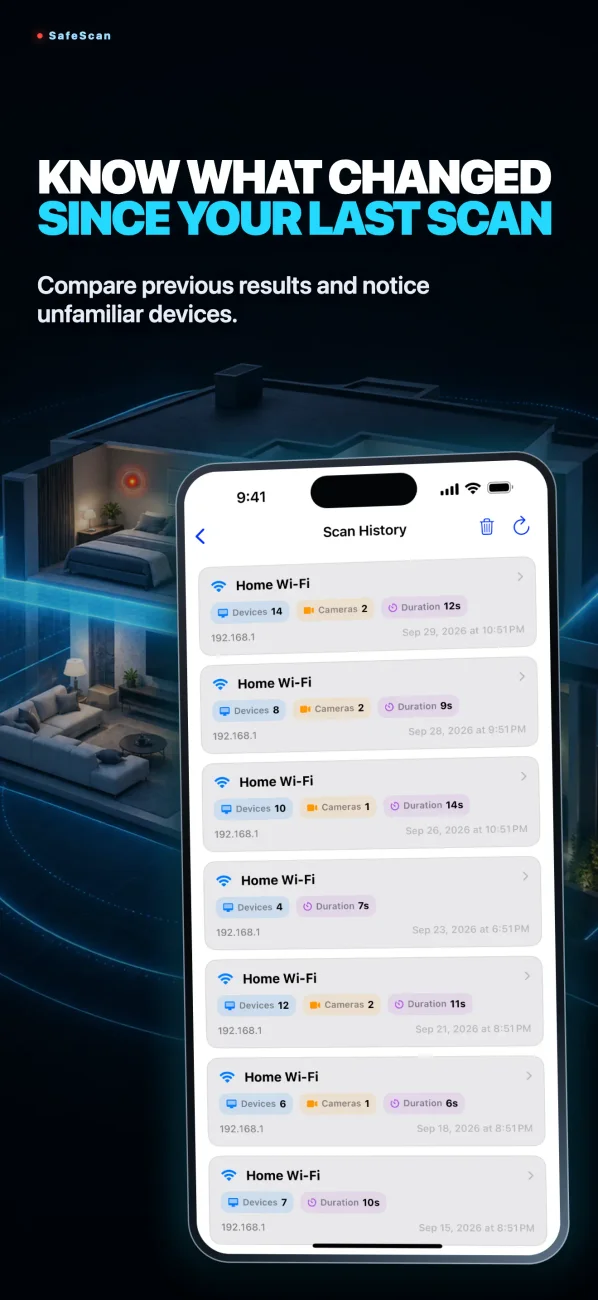
• Saved WiFi scan history
• Ad-free use
Whether you are traveling, checking a new rental, or protecting your space at home, SafeScan gives you a practical toolkit for a more informed privacy check.
Download SafeScan and check your surroundings with confidence.
Terms of Use: https://sites.google.com/view/safescaniostermsofuse/home
Privacy Policy: https://sites.google.com/view/safescaniosprivacy/home
What’s new
Version 1.5.1 · Nov 17, 2026
What's new:
• AR Scan (Premium): walk your room to map magnetic readings, with hotspots and possible lenses marked on a room map you can save or share
• Bluetooth: spot possible item trackers, use Find to get warmer or colder, and Check to identify supported trackers and play their sound
• Camera Detection: better lens spotting, Off / Steady / Blink flash, extra confirmation on Pro models, and save a photo of any spot
• WiFi scan: finds quieter devices, explains why a device was flagged, and keeps scanning after you leave the app on the latest iOS
• Magnetic detection improvements and bug fixes
App privacy
What Thuan Vu declares on the App Store about how this app handles data.
-
Data used to track you
May be used to track you across apps and websites owned by other companies.
- Location
- Identifiers
- Usage data
-
Data not linked to you
May be collected but is not linked to your identity.
- Purchases
- Location
- Identifiers
- Usage data
- Diagnostics
Privacy practices may vary, for example with the features you use or your age.
Information
- Seller
- Thuan Vu
- Category
- Utilities
- Version
- 1.5.1
- Updated
- Nov 17, 2026
- Released
- Apr 12, 2026
- Size
- 35.4 MB
- Requires
- iOS 16.0 or later
- Age rating
- 4+
- Price
- Free
- In-app purchases
- Yes
- Languages
- English, Arabic, Bengali, Catalan, Croatian, Czech, Danish, Dutch, Finnish, French, German, Greek + 32 more
- Copyright
- © 2026 T Vision Studio
You might also like
-
 Argus – Hidden Camera DetectorWiFi, Bluetooth & IR Scanner
-
 Hidden Camera Detector ScanAppFind Spy Cams & Bug Finder
-
 Hidden Camera Scanner: SpyzeroWifi,IR,Magnet Travel Detector
-
 RF Signal Detector, Anti SpyHidden Camera & Tracker Finder
-
 Spy Cam Detector: Bug RadarSpy Bug Finder RF Sweep
-
 Hidden Camera Finder ⁺Find and Detect WiFi Device
-
 Hidden - Spy Camera DetectorSpy & Hidden Camera Finder
-
 Hidden Device RadarUtilities
-
 CamClue Hidden Camera Detectorspy camera detector & camfind
-
 Sonar: Hidden Camera DetectorSpy & Hidden Camera Finder