
- Age rating4+
- CategoryGraphics & Design
- DeveloperSSHOW
- LanguagesEnglish+ 1 more
- Size88.0 MB
Links to the official App Store page
Download.org hosts no file of SSHOW. The button opens its official App Store page, published by SSHOW. Listing last checked on Nov 23, 2026.
Screenshots




About
Everything you imagined, on a single canvas.
SSHOW is an all-in-one design studio where you can complete design, animation, and interaction all at once.
Bring your stories to life. On an infinite canvas, you can create stunning designs, add dynamic motion, and build interactive narratives to communicate with your audience. From storytelling to general design, motion graphics, presentations, and prototyping—SSHOW is all you need.
[Design] A Canvas of Infinite Possibilities
• Pro-level Editing Tools: Experience the powerful features of advanced design tools.
• Full Vector & Bitmap Support: Detailed editing that seamlessly transitions between images and vectors.
• Dynamic Effects: Eye-catching advanced effects like gradient blur, glassmorphism, ink, and fire.
• Smart Workspace: Variables, templates, and various convenience features to speed up your workflow.
[Animation] The Completion of Dynamic Stories
• Auto-Morphing: Magical animations that automatically and smoothly connect identical objects during scene transitions.
• Animation: Detailed animation based on a timeline and graph editor
• Live Backgrounds: Breathing 'Dynamics' backgrounds like aurora, ink, and fire, exclusive to SSHOW.
• Unrivaled Effects: Motion effects like blur and perspective distortion that add incredible depth.
[Live Interaction] An Experience that Connects
• Various Event Triggers: Precise object control based on user reactions like click and hover.
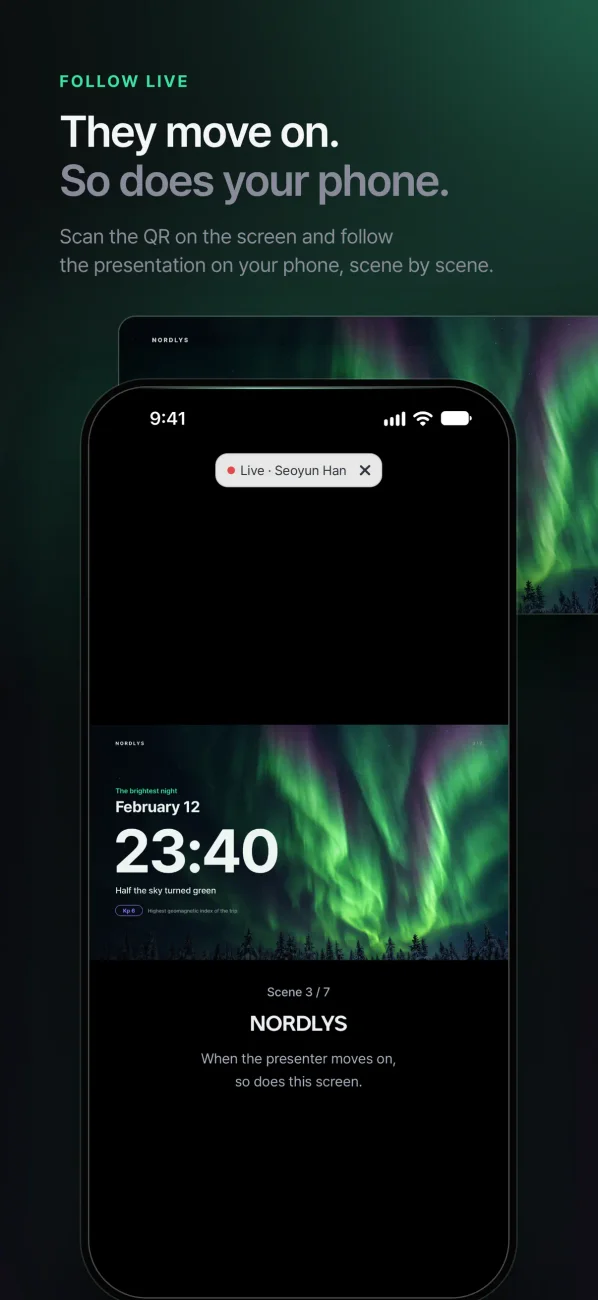
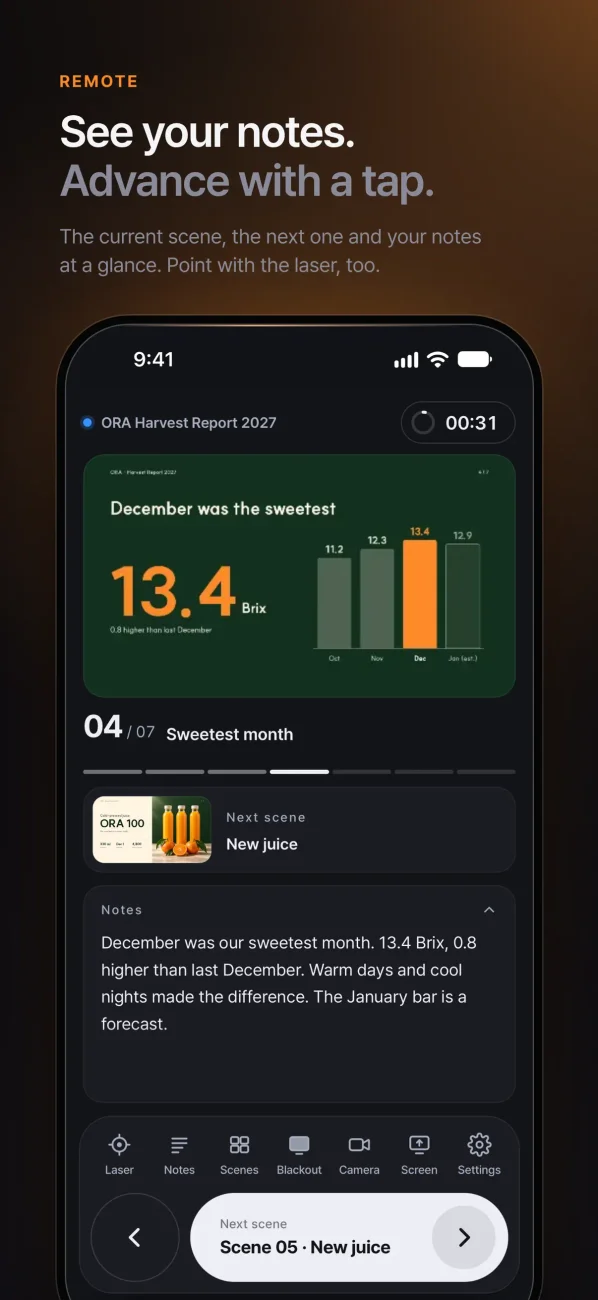
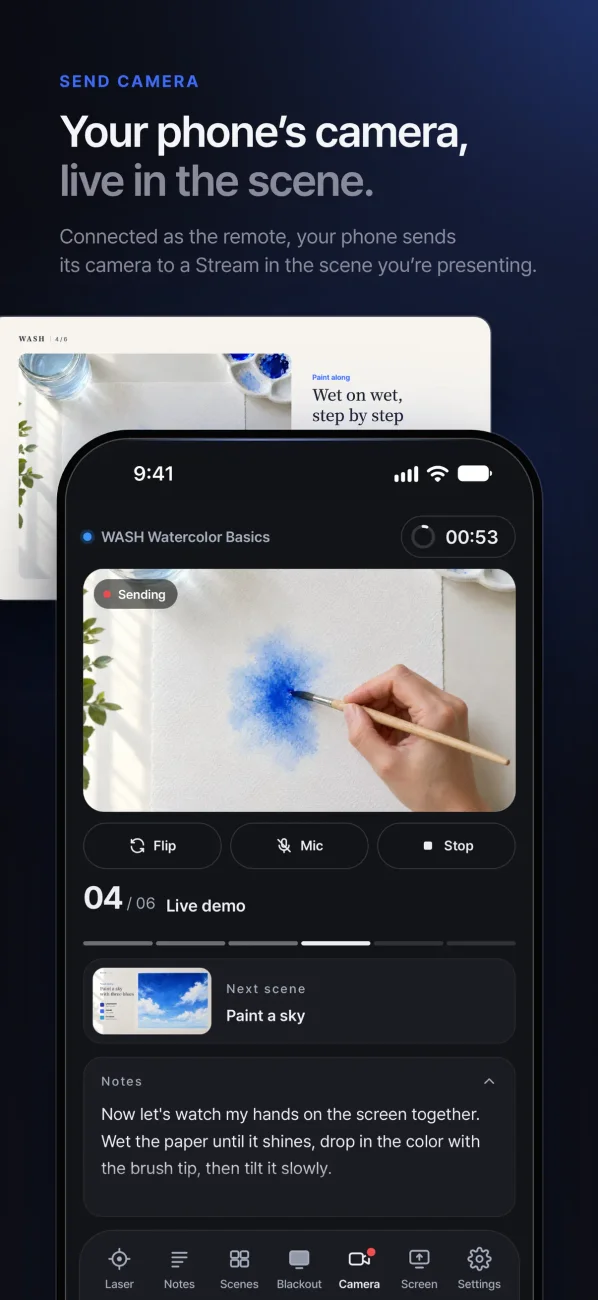
• Immersive Presentations: Go beyond static slides and experience a presentation environment that truly interacts with your audience.
[On Your iPad] The Full Studio, Not a Viewer
• The Same Editor: The full desktop editor — design, timeline, and interaction — runs on your iPad.
• Pick Up Where You Left Off: Your projects follow your account, so you can start on a desktop and finish on your iPad.
• Open .sshow Files Directly: Hand files over from the Files app or a share sheet.
• Present from Your iPad: Run your story full screen, straight from the device.
[Compatibility] Seamless Sharing and Importing
• Exclusive Format (.sshow): Consistent editing and viewing on any device without broken fonts or layouts.
• Versatile Export Options: Share as SSHOW presentations, PDFs, PowerPoint files, videos, or images to suit your needs.
• Easy Import: Quickly convert and edit PDF, PowerPoint, and SVG files as vectors or images.
We will continuously strive to become the ultimate tool for your storytelling.
Every narrative is extraordinary.
SSHOW is the studio that helps you tell your narrative to the world.
— Built effortlessly, felt beautifully.
What’s new
Version 0.0.16 · Nov 20, 2026
• Formatting part of a text — Select some characters while editing a text to give just those a solid color or a gradient from Fills in the Text panel, and an underline or a strikethrough too. They carry through scene transitions and PDF, PPT, SVG and HTML exports.
• Brush strokes — In a path’s Stroke settings, pick a Width Profile like Thin Ends or Brush Pen and a Brush like Flat Pen, and the width changes along the line. Set up your next line in the Pen panel; Apple Pencil pressure sets the width, and the line stays as it looked while you drew.
• Rulers and guides — Turn on Rulers on the bar at the bottom right and drag out a guide. Guides show on every scene and objects snap to them; place them by value, or several at once with Guide presets.
• Converting groups and frames — Right-click or long-press a group and choose Convert to Frame to make it a frame, or choose Convert to Group on a frame to turn it back. What’s inside and its animation stay as they are.
• Presentation — The next scene’s photos and videos are readied ahead, so scenes flow on more smoothly as you advance, and videos show from their first frame. While you present, edits from people editing with you show up right away.
• Motion panel — Open the Motion panel with the Transition button in the title bar of the Scene and Object panels, or in Animation mode with the chip between scenes in the Scenes list. You can drag easing handles past the graph, and it widens to keep the whole curve in view.
• AI — The AI Assistant and connected Claude and ChatGPT can give just a few words inside a text a color or a gradient, and draw brush strokes on paths.
• Various Features Added — Various other features have also been added and improved.
App privacy
What SSHOW declares on the App Store about how this app handles data.
-
Data linked to you
May be collected and linked to your identity.
- Contact info
- User content
- Identifiers
Privacy practices may vary, for example with the features you use or your age.
Information
- Seller
- SSHOW
- Category
- Graphics & Design
- Version
- 0.0.16
- Updated
- Nov 20, 2026
- Released
- Jun 28, 2026
- Size
- 88.0 MB
- Requires
- iOS 17.0 or later
- Age rating
- 4+
- Price
- Free
- Languages
- English, Korean
- Copyright
- © 2026 SSHOW
You might also like
-
 Motiaro: Motion DesignAnimated Text & Charts
-
 FliXplain Whiteboard AnimationCreate explainer videos
-
 JPG Converter.Convert HEIC to JPG
-
 Lilacpane: Screenshot DesignPhoto Frames & Promo Graphics
-
 Octane XFast unbiased GPU rendering
-
 Flowpaper: Drawing & AnimationPainting Sketchbook & Doodle
-
 Take Notes - cute note appnotepad,note taking
-
 Business Card Maker·Digital Business Card Designer
-
 AI Figurine & Image GeneratorAction Figure & Tattoo Maker