
- Age rating4+
- CategoryProductivity
- DeveloperKITOSO LLC
- LanguagesEnglish
- Size5.2 MB
Links to the official App Store page
Download.org hosts no file of Stage Sidekick. The button opens its official App Store page, published by KITOSO LLC. Listing last checked on Nov 6, 2026.
Screenshots
About
Description:
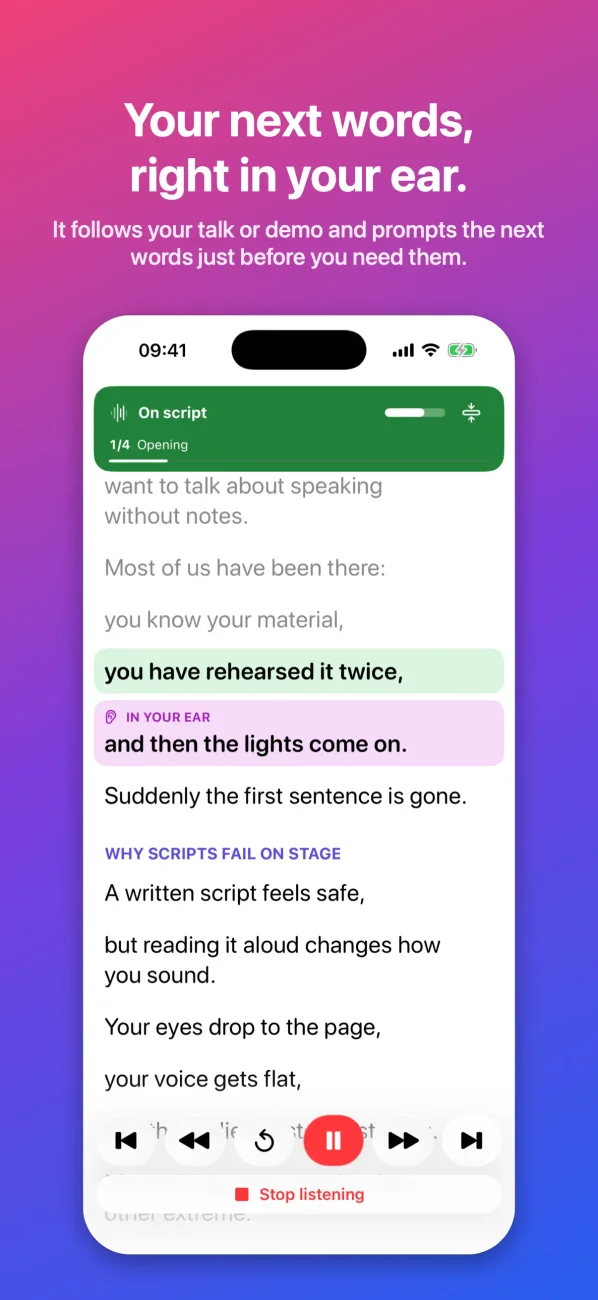
Stage Sidekick is an ear prompter for talks, presentations, live demos and speeches. It listens while you speak, follows where you are in your script, and speaks the next few words into your AirPods or headphones just before you need them. No more reading from a screen, no more losing your thread.
In a live demo your hands are on the product and your eyes on the audience. Stage Sidekick keeps the next step in your ear.
HOW IT WORKS
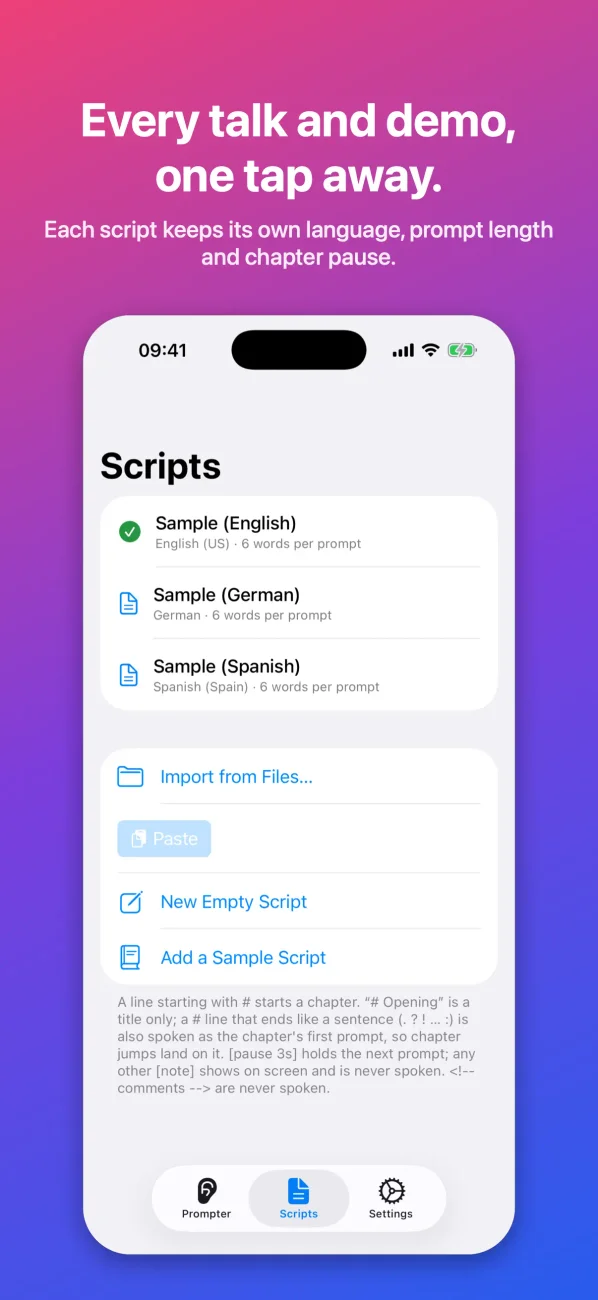
• Write or paste your script, or open a text or Markdown file. Lines starting with # become chapters; [pause 3s] and [notes] help you pace it.
• Confirm your earbuds as the earpiece and pick the microphone. Stage Sidekick only ever uses the devices you choose; if they disconnect, it waits instead of playing out loud.
• Press Start and talk. Prompts come a few words ahead of you. Go off script (answer a question, wait for a page to load) and it waits until you are back.
MADE FOR THE STAGE
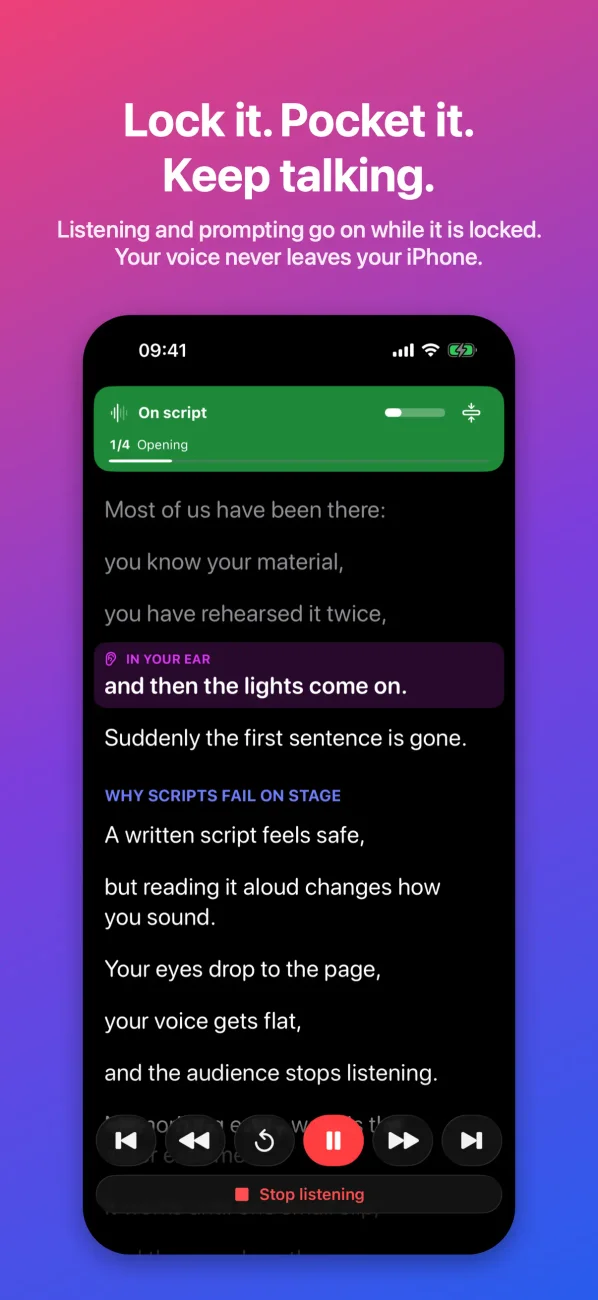
• Lock your iPhone and put it in your pocket: listening and prompting go on.
• A text view with your script in large type, following you as you speak.
• Lost your place? Say your own phrase, like "Where was I", and the last prompt plays again.
• AirPods: press to pause, double-press for the next chapter, triple-press for the previous one. Bluetooth clickers and keyboards work while the app is on screen.
• Talks and demos in parts: each # chapter is one section or demo step. An optional pause before each new chapter leaves time for applause, a slide change or a click in your demo.
• English, German and Spanish. Light and dark mode. iPhone, iPhone Duo and iPad.
PRIVATE BY DESIGN
Speech recognition runs on your device. Your voice is never recorded or sent anywhere. No account, no tracking, no ads. Whisper speech recognition is an optional download in Settings.
Requires iOS 26 or later.
App privacy
What KITOSO LLC declares on the App Store about how this app handles data.
-
Data not collected
The developer does not collect any data from this app.
Privacy practices may vary, for example with the features you use or your age.
Information
- Seller
- KITOSO LLC
- Category
- Productivity
- Version
- 1.0
- Updated
- Oct 31, 2026
- Released
- Oct 31, 2026
- Size
- 5.2 MB
- Requires
- iOS 26.0 or later
- Age rating
- 4+
- Languages
- English
- Copyright
- © KITOSO LLC
You might also like
-
 Cue Prompter - EarHintPublic Speaking Practice
-
 Bellow: Ear PrompterLearn Lines by Ear. Self-Tape
-
 Microsol ConnectProductivity
-
 WISE QatarProductivity
-
 SpeakNotes: Transcribe & NotesAI Voice & Meeting Summarizer
-
 PenToPrint Handwriting to PDFImage to Text Searchable Scan
-
 Magic ToDo: GoblinXSplit Task & Organizer & Timer
-
 NinjaRMM Screenshare UtilityProductivity
-
 ChattyPDF AI - Chat w/any DocDocument Question and Answer
-
 Allegion ENGAGEProductivity