
Stalker Task Force
Traffic Enforcement Interface
Designed for iPhone, iPad, iPod touch
Free
- Age rating4+
- CategoryUtilities
- DeveloperApplied Concepts Incorporated
- LanguagesEnglish
- Size96.5 MB
Links to the official App Store page
Download.org hosts no file of Stalker Task Force. The button opens its official App Store page, published by Applied Concepts Incorporated. Listing last checked on Nov 17, 2026.
Screenshots



About
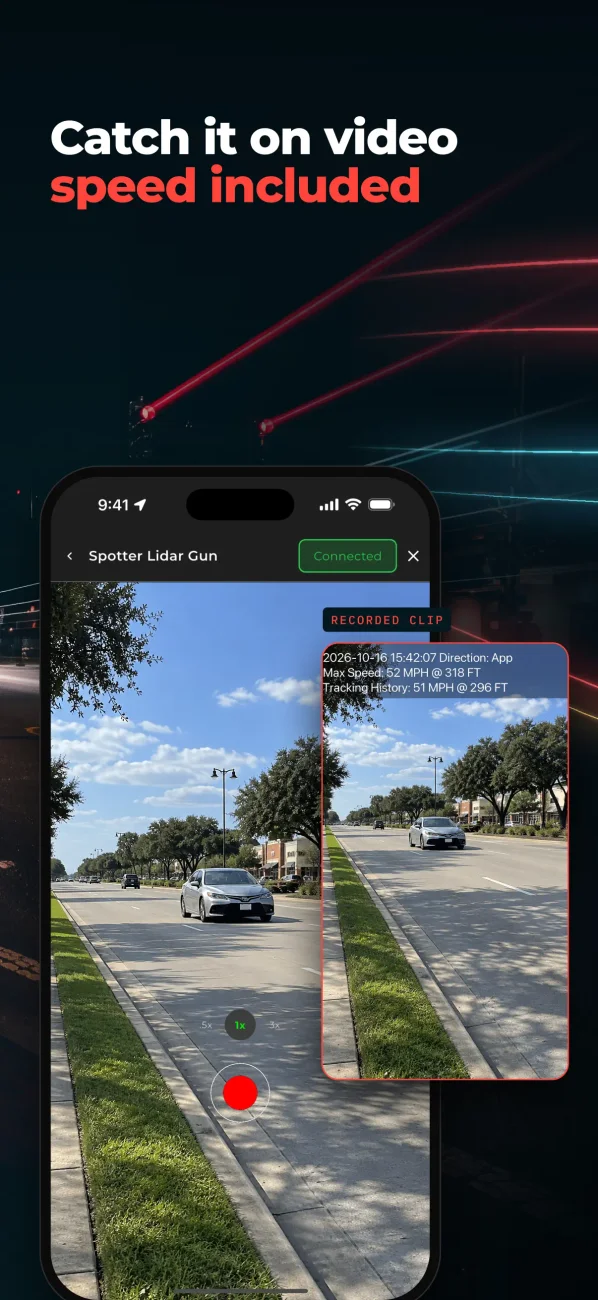
The real-time spotter and responder tool for traffic enforcement. Pair your Stalker Lidar RLR or Stalker DSR 2X+ radar with Task Force to capture speed violations with video, photo, audio, and location, then hand them to the officer making the stop.
One App. Two Modes. One Secure Portal.
• Spotter Mode: pull the RLR trigger to record the violation on video with its speed, distance, and location.
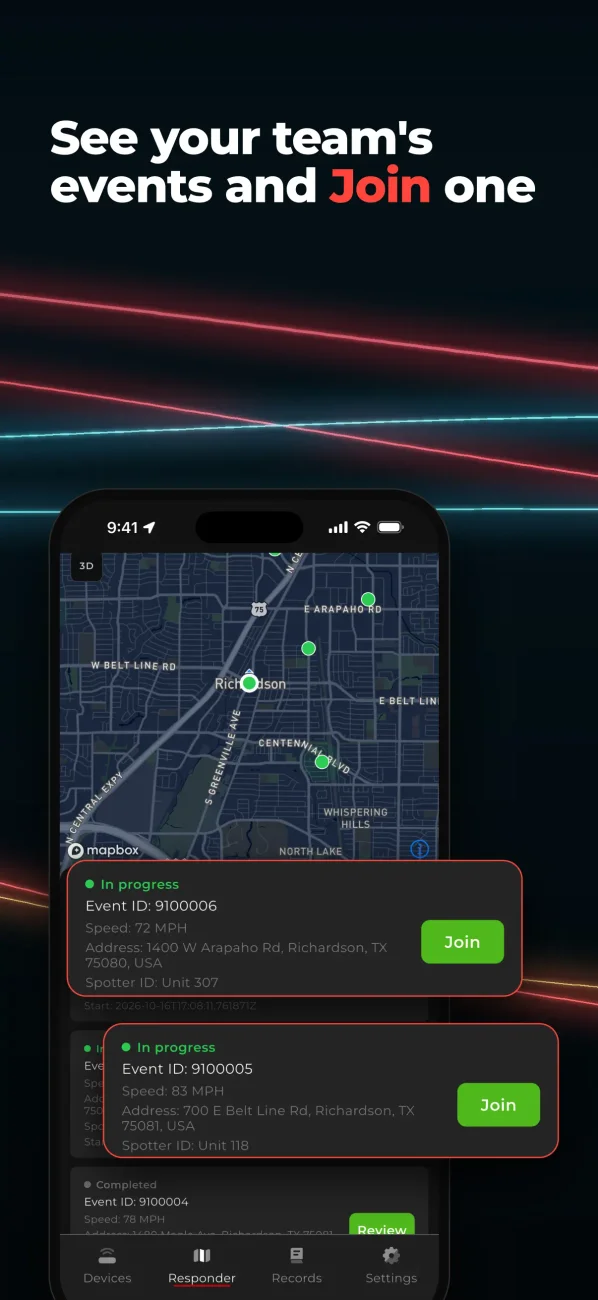
• Responder Mode: receive the alert, join the event, make the stop, and add photos or video to the evidence file.
• Secure Evidence Portal: every video, photo, and reading is stored in a secure cloud for review, filtering, and sharing.
■ HOW IT WORKS ■
Use Task Force solo in Spotter Mode, or as a team: one officer spots while the others work in Responder Mode.
SPOTTER MODE
When the officer sees a speeding vehicle, they pull the trigger on their RLR. The app records a video clip of the incident until the trigger is released, then alerts every officer in Responder Mode.
RESPONDER MODE
Any number of officers can join in Responder Mode. When the Spotter records a violation, each responder gets a notice and any one of them can accept it. After intercepting the vehicle, the officer adds photos and video to the same evidence file.
FIELD SKETCH
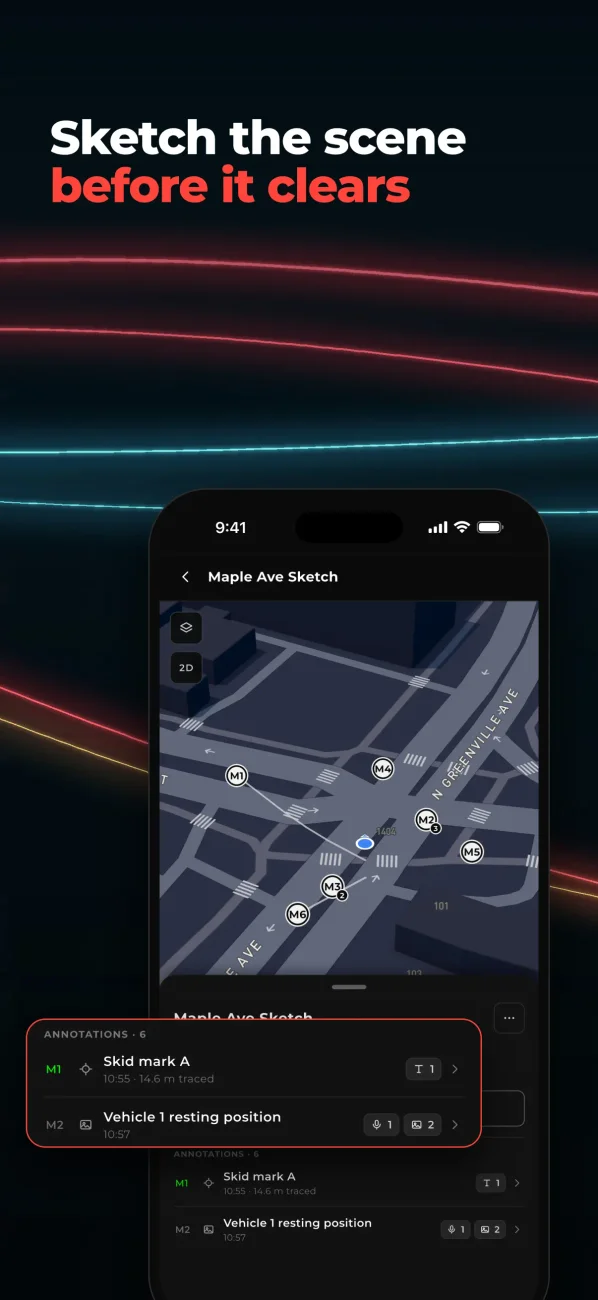
Sketch a scene on the map: drop markers, range a point with the RLR, and attach notes, voice memos, photos, and drawings. Each sketch exports as a PDF report.
RADAR DISPLAY
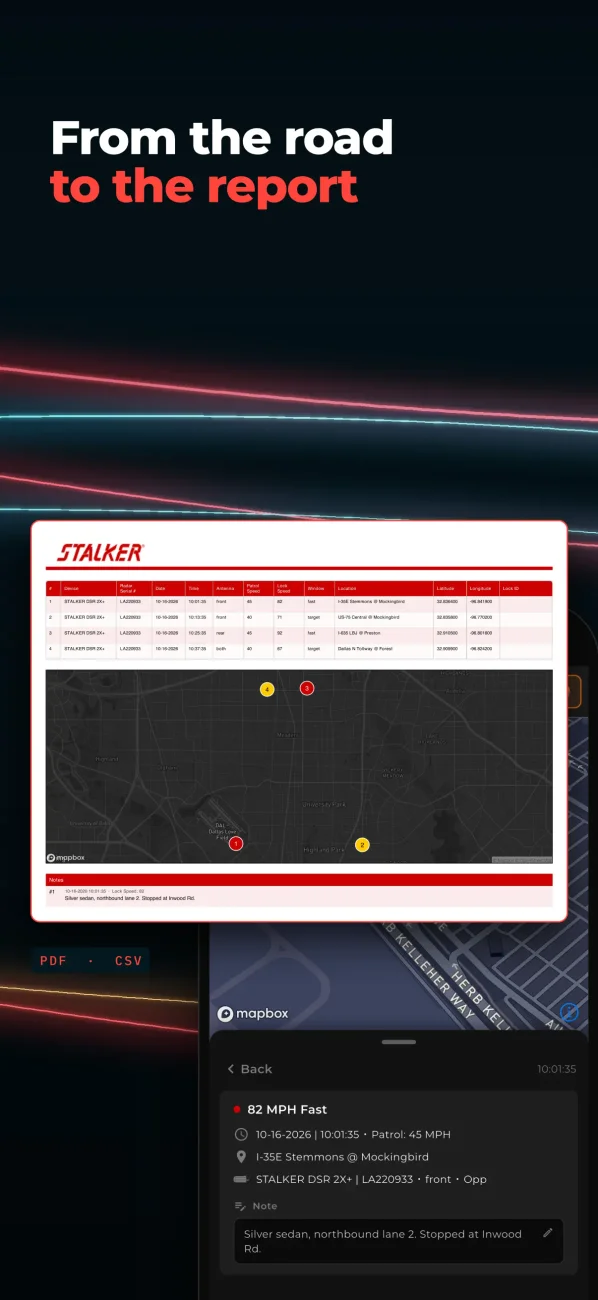
Watch the DSR 2X+ front and rear antennas live. Every lock is logged with its location, so you can find it on the map, replay it, and export the history to PDF or CSV.
RECORDS AND DEVICES
Register your devices once and keep each unit’s records together, ready to export.
SECURE EVIDENCE PORTAL
Violations from both modes go to the cloud-based Evidence Portal, where you can map them, sort by date or officer, review evidence, and export data.
■ DEVICE REQUIREMENTS ■
An iPhone on iOS 15 or later paired over Bluetooth with a Stalker Lidar RLR or Stalker DSR 2X+ radar. A phone mount is available at https://www.StalkerRadar.com
What’s new
Version 2.1.3 · Oct 29, 2026
- Bug fixes and Enhancements
App privacy
What Applied Concepts Incorporated declares on the App Store about how this app handles data.
-
Data not linked to you
May be collected but is not linked to your identity.
- Diagnostics
Privacy practices may vary, for example with the features you use or your age.
Information
- Seller
- Applied Concepts Incorporated
- Category
- Utilities
- Version
- 2.1.3
- Updated
- Oct 29, 2026
- Released
- Jun 30, 2025
- Size
- 96.5 MB
- Requires
- iOS 15.0 or later
- Age rating
- 4+
- Price
- Free
- Languages
- English
- Copyright
- © Applied Concepts, Inc.
You might also like
-
 Hidden Device RadarUtilities
-
 VehicleManager MobileUtilities
-
 Police Narratives AIAI-Powered Police Reports
-
 Axon Fleet 3 DashboardUtilities
-
 Gearbag TX: Texas Police ToolsStatutes, Codes & Field Tools
-
 BrazosPowered by Brazos
-
 Recon-3DAccurate 3D Data For Forensics
-
 Coplogic™ EthosLaw Enforcement Reporting
-
 LPR Mobile CompanionUtilities
-
 Vigilant Mobile CompanionUtilities