
- Age rating4+
- CategoryPhoto & Video
- DeveloperSetout Labs LLC
- LanguagesEnglish+ 21 more
- Size11.6 MB
Links to the official App Store page
Download.org hosts no file of Stamp: Timestamp Camera. The button opens its official App Store page, published by Setout Labs LLC. Listing last checked on Nov 25, 2026.
Screenshots
About
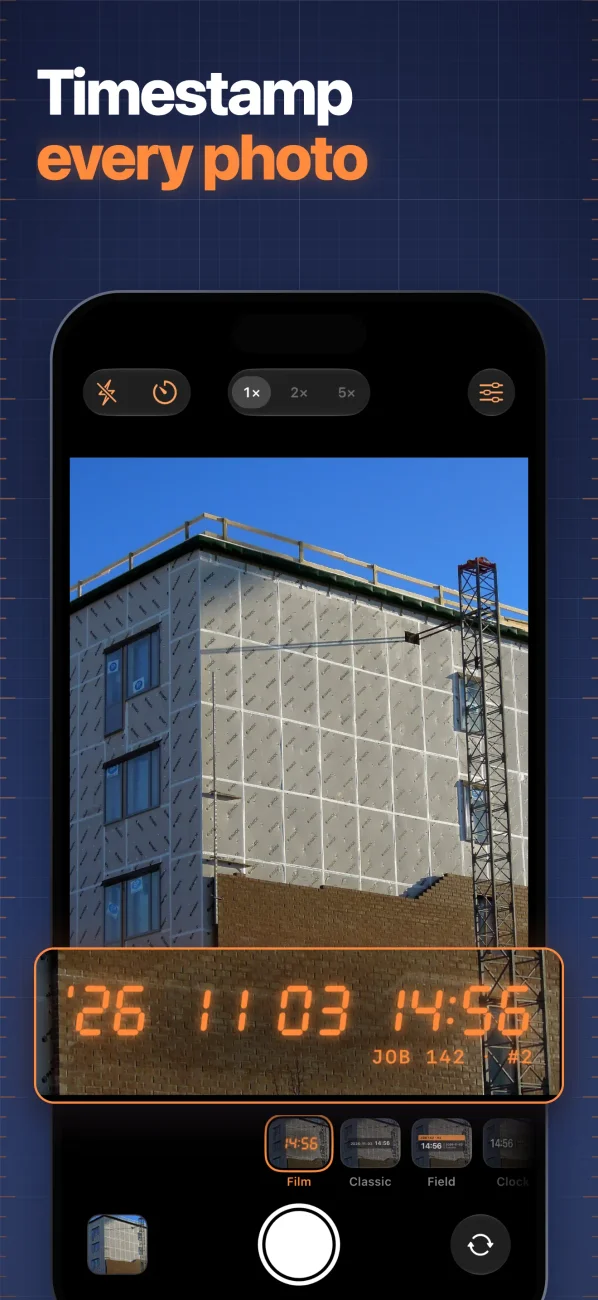
Stamp: Timestamp Camera is a free iPhone camera app that prints the date and time into every photo you take, for contractors, inspectors, renters and delivery drivers whose photos need to show when they were taken, even after they're texted, emailed or uploaded.
There are no ads, no in-app purchases and no account.
WHAT PEOPLE USE IT FOR
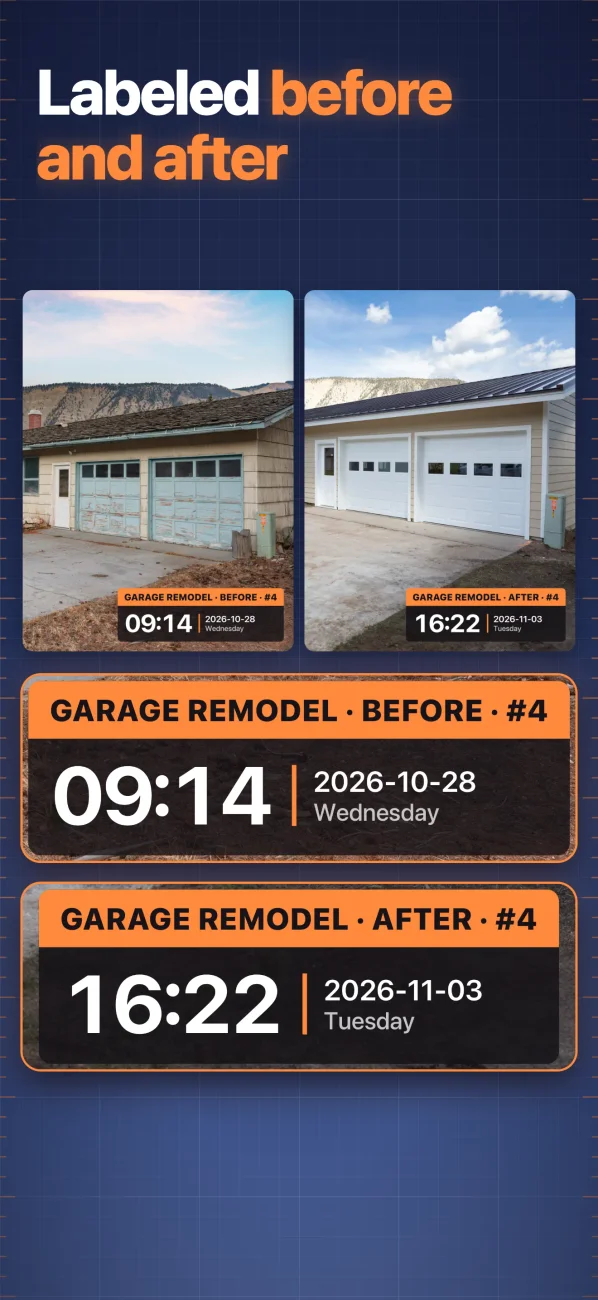
Contractors documenting job progress: type the job name as a note and turn on numbering, so each photo reads "Smith kitchen · #1", "#2", "#3" in order.
Before and after photos of repairs and installs: tap the stamp, pick Before and shoot, then pick After when the work is done.
Renters and landlords recording move-in and move-out condition: photograph each room with the date on it, tagged Before or After.
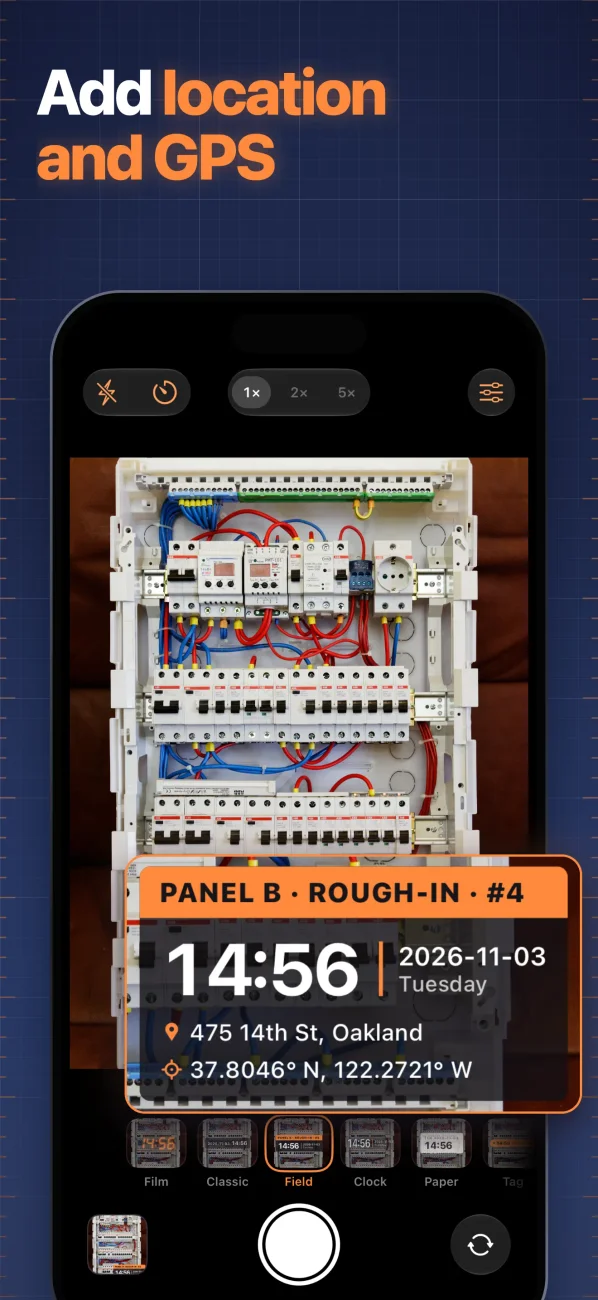
Home and property inspections: tag a problem as Issue, like "Ceiling · Issue", and add the street address or GPS coordinates.
Delivery drivers photographing a package at the door, with the time and, if you turn it on, the street address on the photo.
Daily construction site photos with the place name or GPS coordinates on each one.
Job photos already in your library: stamp them afterwards, each with the time it was taken.
A film-camera date imprint on everyday photos, like an old point-and-shoot.
HOW IT WORKS
Open the camera and tap the shutter. The date and time are drawn into the image itself, so they stay visible wherever you send the photo. Each photo is kept in the app and, with your permission, added to your Photos library.
Already took the photo? Pick up to 20 from your library. Stamp makes a new stamped copy of each one with the time the photo was taken, and the original stays as it was. A photo with no time saved in it, like a screenshot or a forwarded image, gets the date and time you pick. With location on, the location line shows where the photo was taken, if it has a GPS position.
STAMP OPTIONS
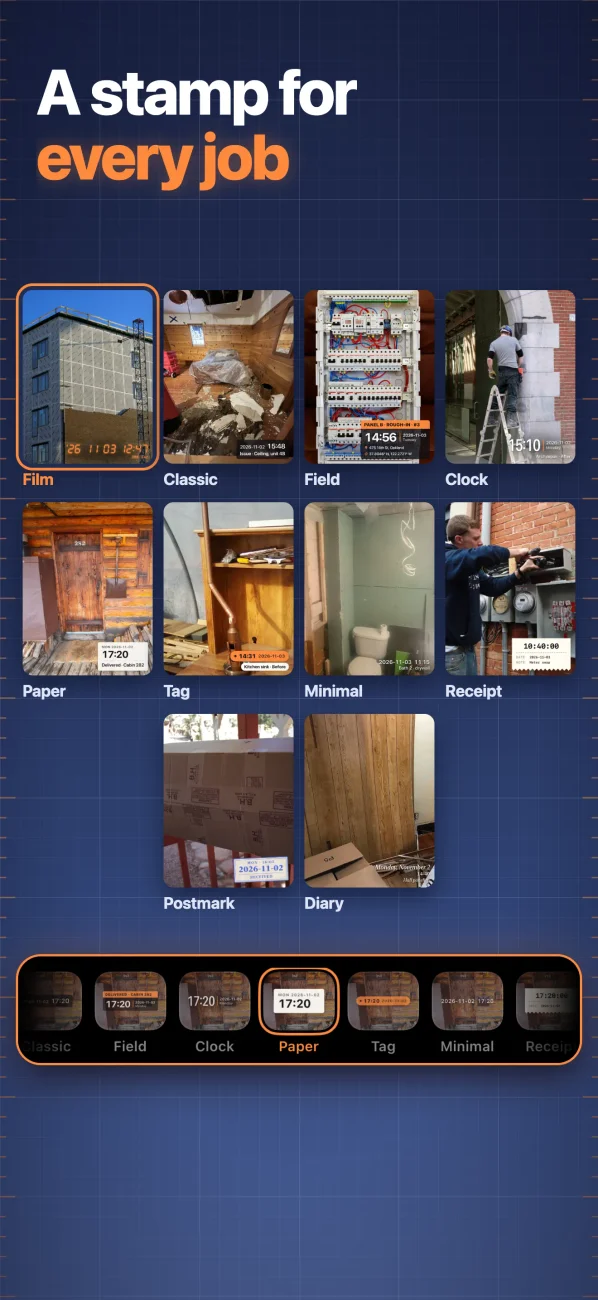
• 10 stamp looks, all free: Film, Classic, Field, Clock, Paper, Tag, Minimal, Receipt, Postmark and Diary. Each look remembers your changes.
• A note of up to 32 characters, Before, After and Issue tags, your recent notes one tap away, and automatic numbering
• Date as Oct 9, 2026 (in your device's date style) or 2026-10-09; time as 2:32 PM or 14:32; seconds and the UTC offset on or off
• Any of the four corners, three sizes, a Solid, Shade or no background, and six colors or Auto
• Optional location, off until you turn it on: the place, the street address, GPS coordinates, or address and coordinates. The photo file also carries its GPS position.
• The live camera stays in view behind Stamp settings, so you see each change as you make it.
CAMERA
• Front and back lens, flash, and 1x, 2x and 5x zoom where your iPhone supports them
• Grid lines, a 3 or 10 second self-timer, and the volume buttons as a shutter
• Open the camera from Control Center or Shortcuts.
• Recent shows your photos newest first. Tap one to view, share or delete it, or select several to share or delete them together.
PRIVACY
The app sends anonymous usage stats and crash reports, which you can turn off in Stamp settings, and never sends your photos, notes or locations. A place or address lookup goes to Apple only when you turn location on. Your photos stay in the app, and in your Photos library if you allow it.
On photos you take, the stamp reads your phone's clock. On photos from your library, it uses the time saved in the photo or the one you pick. It records that time; it doesn't certify it.
What’s new
Version 1.1.1 · Nov 24, 2026
Minor fixes and performance improvements.
Enjoying Stamp? A quick rating helps us grow and improve.
App privacy
What Setout Labs LLC declares on the App Store about how this app handles data.
-
Data not linked to you
May be collected but is not linked to your identity.
- Identifiers
- Usage data
- Diagnostics
Privacy practices may vary, for example with the features you use or your age.
Information
- Seller
- Setout Labs LLC
- Category
- Photo & Video
- Version
- 1.1.1
- Updated
- Nov 24, 2026
- Released
- Nov 6, 2026
- Size
- 11.6 MB
- Requires
- iOS 18.0 or later
- Age rating
- 4+
- Price
- Free
- Languages
- English, Arabic, Dutch, French, German, Hindi, Indonesian, Italian, Japanese, Korean, Malay, Polish + 10 more
- Copyright
- © 2026 Setout Labs LLC
You might also like
-
 GPS Timestamp Camera: GeoplateTime Stamp Photos & Date Map
-
 Timestamp Camera: StamporaGPS, Date & Location on Photos
-
 TimeGPSCam++ Timestamp CameraPhoto Watermark, Date Time GPS
-
 GPS Timestamp Camera: GPSCamMap Location in Photo & Video
-
 Timestamp Camera: Location GPSDate & Time Stamp Photo Proof
-
 Time & Date Stamper on PhotoGPS Map Camera Location Stamp
-
 Timestamp GPS CameraAdd Date, Location to Camera
-
 Easy Cam - Camera For SeniorsAccessible Camera for All
-
 Proof Camera with GPS LocationDate & Time Stamp for Evidence
-
 Timestamp Camera: Photo StampDate watermark on work photos