StandBy Clock: Custom Widgets
Flip, Bedside, Countdown & GIF
Designed for iPhone, iPad
In-app purchases
- Age rating4+
- CategoryUtilities
- Developer逸文 周
- LanguagesSpanish+ 7 more
- Size22.8 MB
Links to the official App Store page
Download.org hosts no file of StandBy Clock: Custom Widgets. The button opens its official App Store page, published by 逸文 周. Listing last checked on Nov 12, 2026.
Screenshots
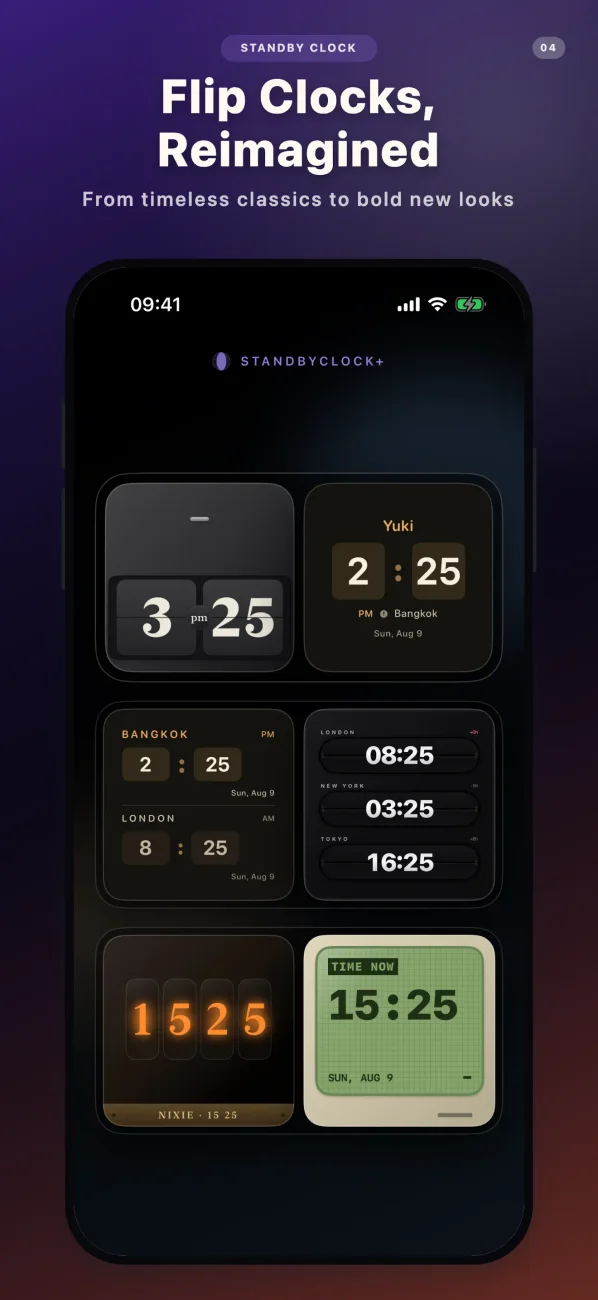
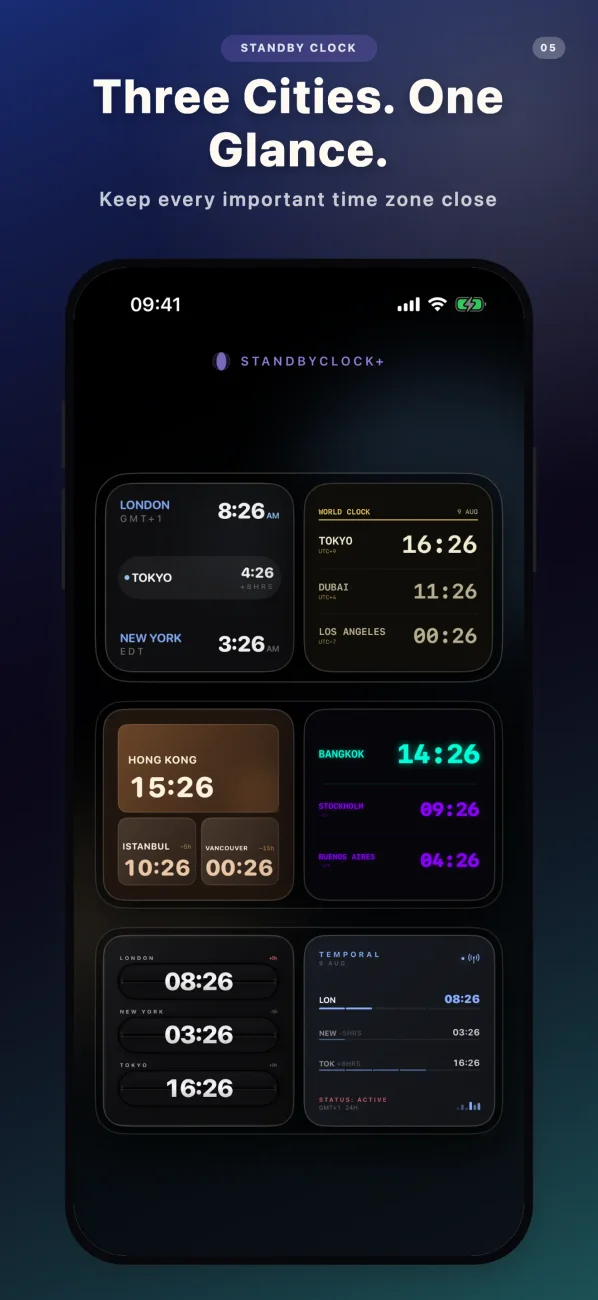
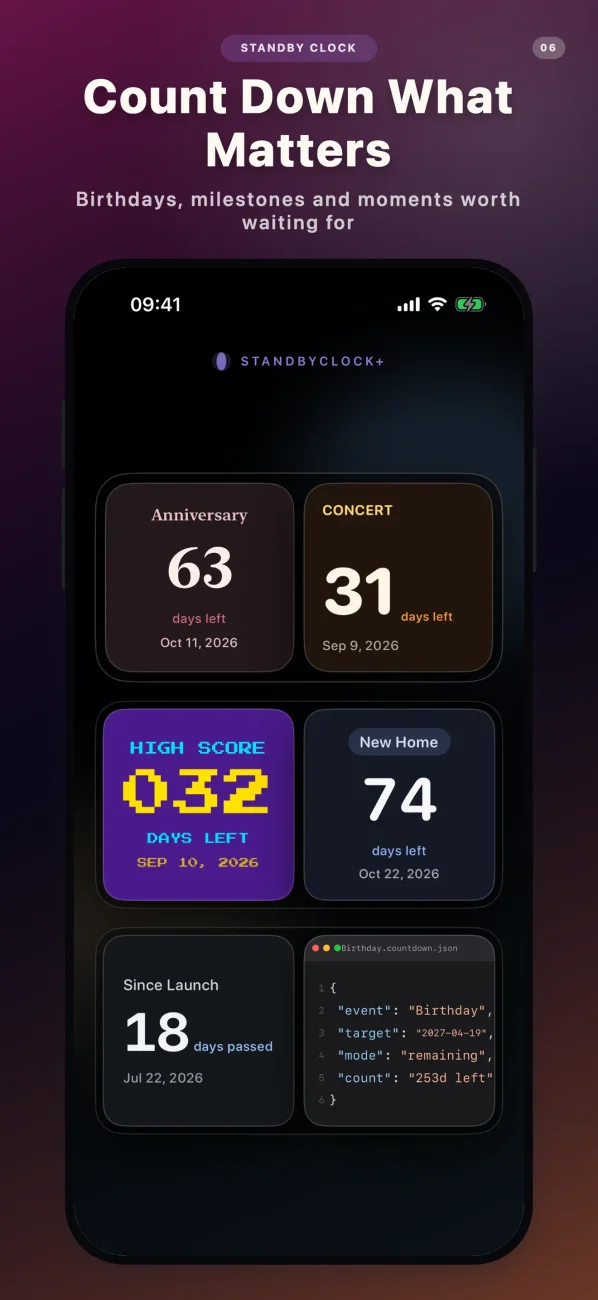
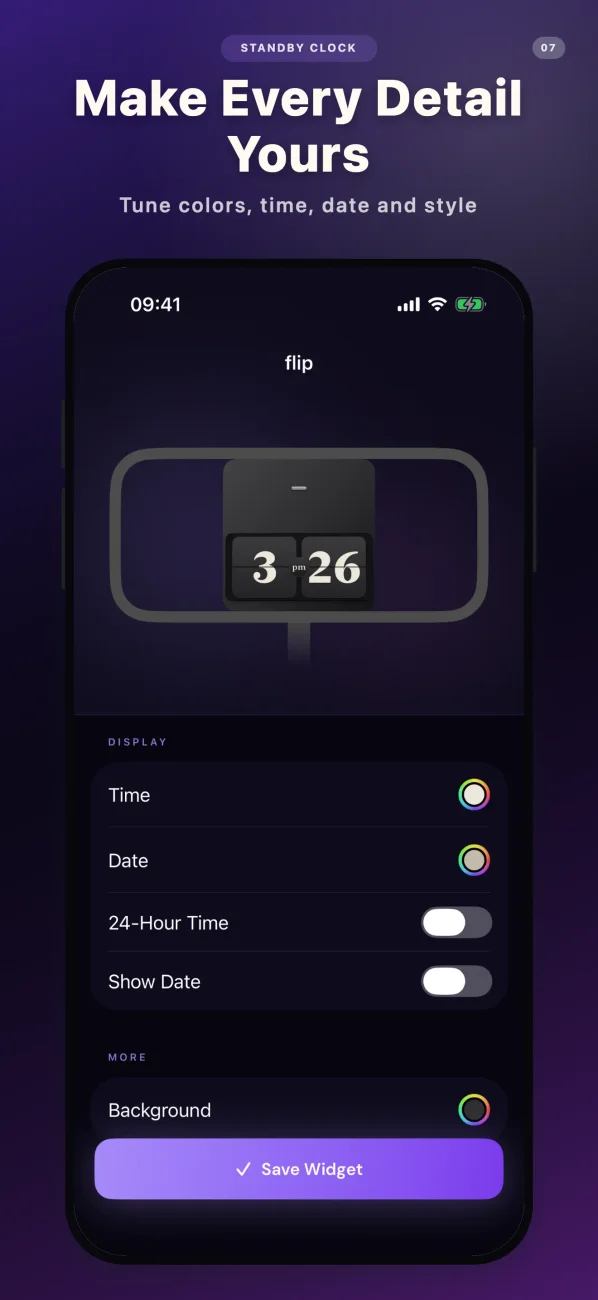

About
StandBy Clock — Make Your iPhone StandBy Screen Your Own
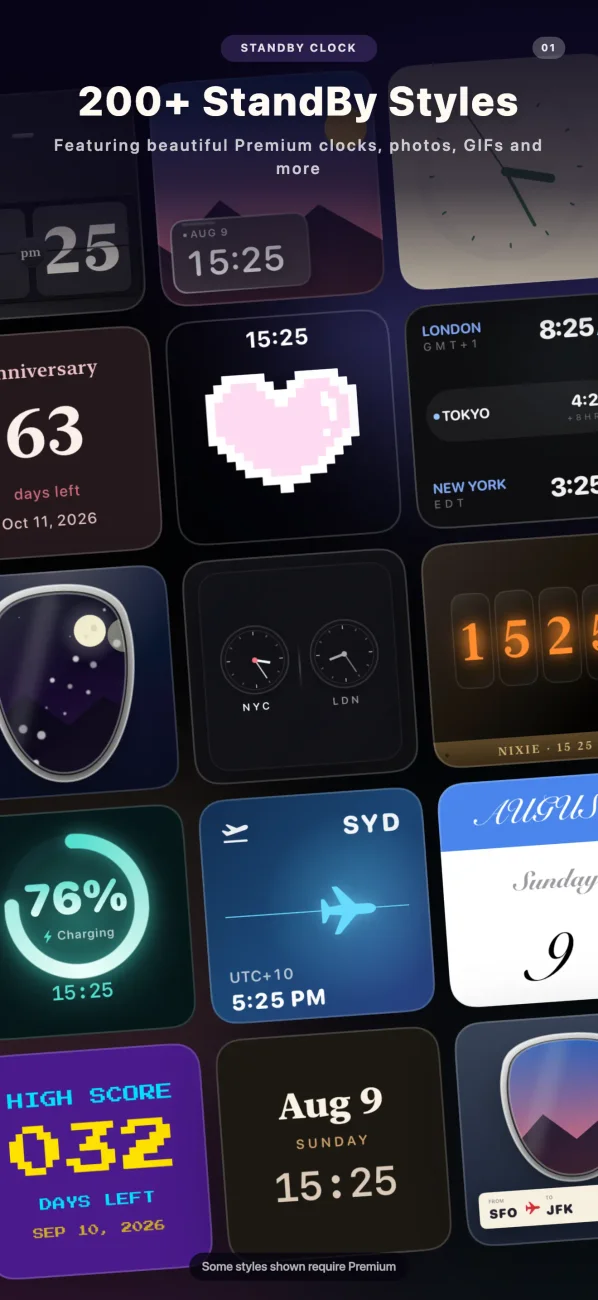
Turn your charging iPhone into a bedside display that feels personal. Explore 240+ widget styles, including 125+ Premium designs, with flip clocks, GIF animations, photos, countdowns, calendars, battery displays and multi-time-zone layouts.
Start with free designs, then unlock everything with weekly, annual or lifetime options.
CLOCK WIDGETS
• Analog Clock — Classic and modern faces with distinctive hands, markers and layouts.
• Digital Clock — Bold, easy-to-read time displays made for desks and nightstands.
• Calendar — See the date and day at a glance in a range of visual styles.
• Single Time Zone — Focus on one city with rich, expressive layouts.
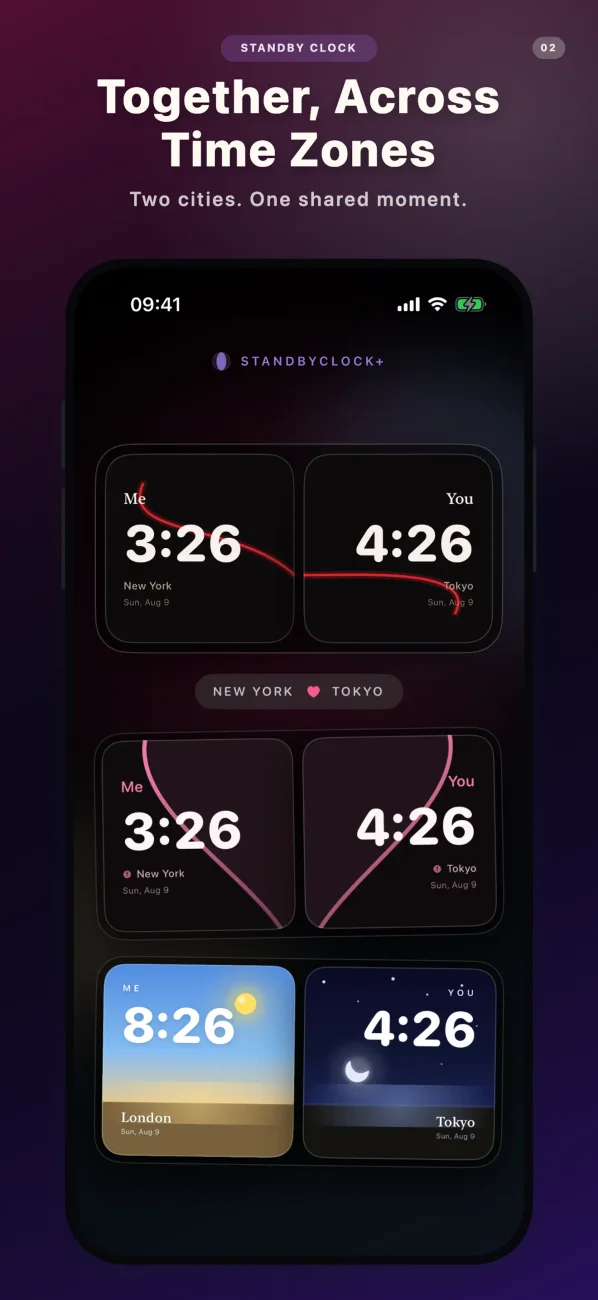
• Dual Time Zone — Keep two cities visible for travel, remote work or someone far away.
• Triple Time Zone — Follow three cities at once with flip boards, dashboards, neon styles and more.
MORE THAN A CLOCK
• Countdown — Count down to birthdays, anniversaries, trips and important moments.
• Info Card — Put your own message or useful information on the StandBy screen.
• Battery — Check the current charge level at a glance.
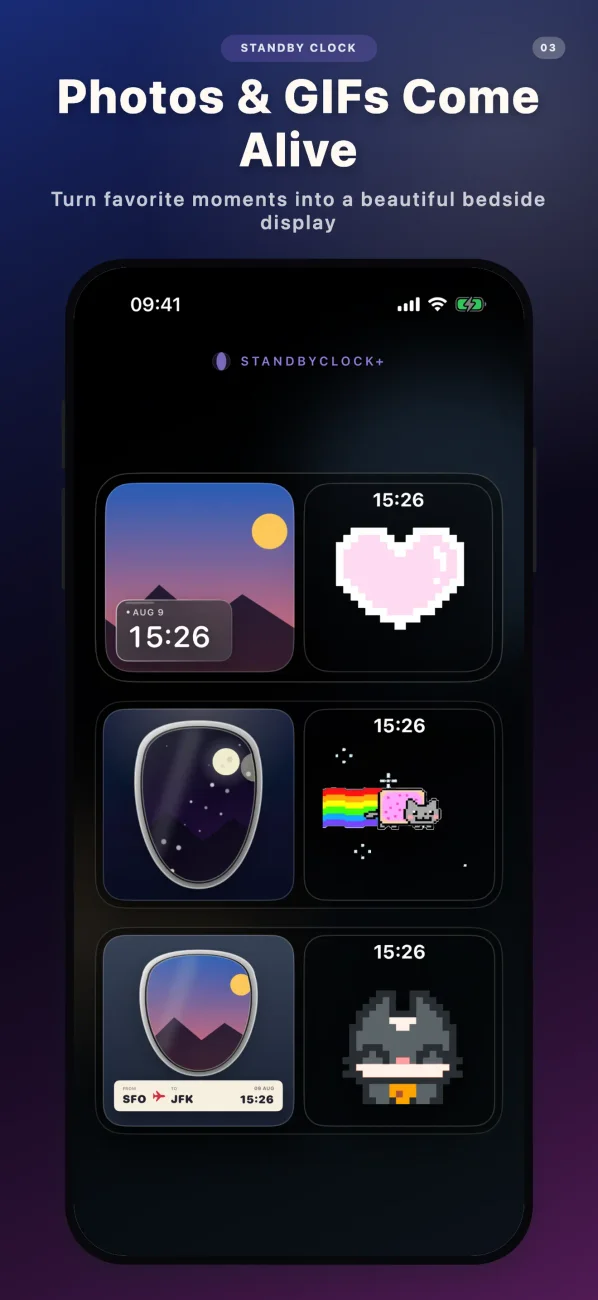
• Photo Widget — Turn a favorite image into part of your bedside display.
• GIF Widget — Add motion and personality with animated GIF designs.
MAKE IT YOURS
Customize colors, fonts, time formats, cities, labels, messages and photos. Save multiple named widgets for different moods and situations, then choose the design you want from the iOS widget picker.
BUILT FOR iOS STANDBY
StandBy Clock is designed for the landscape charging experience introduced in iOS 17. Place your iPhone on its side while charging to enter StandBy. Always-On Display is supported on compatible Pro iPhone models.
HOW TO GET STARTED
1. Choose a free or Premium design.
2. Customize it and save it with a name.
3. Add StandBy Clock from the widget picker.
4. Select your saved design and enjoy your new StandBy screen.
FREE AND PREMIUM
A selection of designs is free to use. Premium unlocks 125+ additional designs and the complete customization library. Choose the option that suits you: weekly, annual or lifetime access. Available products and local prices are shown in the app before purchase.
Download StandBy Clock and make every charging moment look like yours.
Terms of Use (EULA):
https://www.apple.com/legal/internet-services/itunes/dev/stdeula/
What’s new
Version 2.0.1 · Aug 12, 2026
Create your first StandBy Widget more easily with our new guided setup. This update also improves Premium price loading, purchase feedback, Widget setup guidance, and overall reliability.
App privacy
What 逸文 周 declares on the App Store about how this app handles data.
-
Data not linked to you
May be collected but is not linked to your identity.
- Identifiers
- Usage data
- Diagnostics
Privacy practices may vary, for example with the features you use or your age.
Information
- Seller
- 逸文 周
- Category
- Utilities
- Version
- 2.0.1
- Updated
- Aug 12, 2026
- Released
- Aug 31, 2023
- Size
- 22.8 MB
- Requires
- iOS 17.0 or later
- Age rating
- 4+
- In-app purchases
- Yes
- Languages
- Spanish, German, Simplified Chinese, Traditional Chinese, Korean, French, English, Japanese
- Copyright
- © 2019 yiwen zhou
You might also like
-
 NiceClock AnalogThe beautiful analog clock app
-
 Dock Clock HD: Desk & StandByNightstand & Bedside Display
-
 Desk Clock DisplayUltimate Always On Clock app
-
 Small Clock - Beautiful ClockFull screen desktop clock
-
 Flip Clock 3D : Study TimeA nice clock
-
 Clock Widget - Ultra HD TimeFlip Clock & Countdown Widgets
-
 Clock Widget CreatorCustom Clock Widgets
-
 Float Flip Clock-Digital ThemeOne Word custom theme clock
-
 Air Clock - Flip Clock WidgetDesk Time & Digital Display
-
 Desktop Flip ClockAlarm Clock,Timer, World Clock