Star Doodle AR
Drawing App with Magic Effects
Designed for iPhone, iPad, iPod touch
Free · In-app purchases
- Age rating4+
- CategoryGraphics & Design
- DeveloperTadanori Okada
- LanguagesEnglish+ 4 more
- Size248.9 MB
Links to the official App Store page
Download.org hosts no file of Star Doodle AR. The button opens its official App Store page, published by Tadanori Okada. Listing last checked on Nov 14, 2026.
Screenshots
About
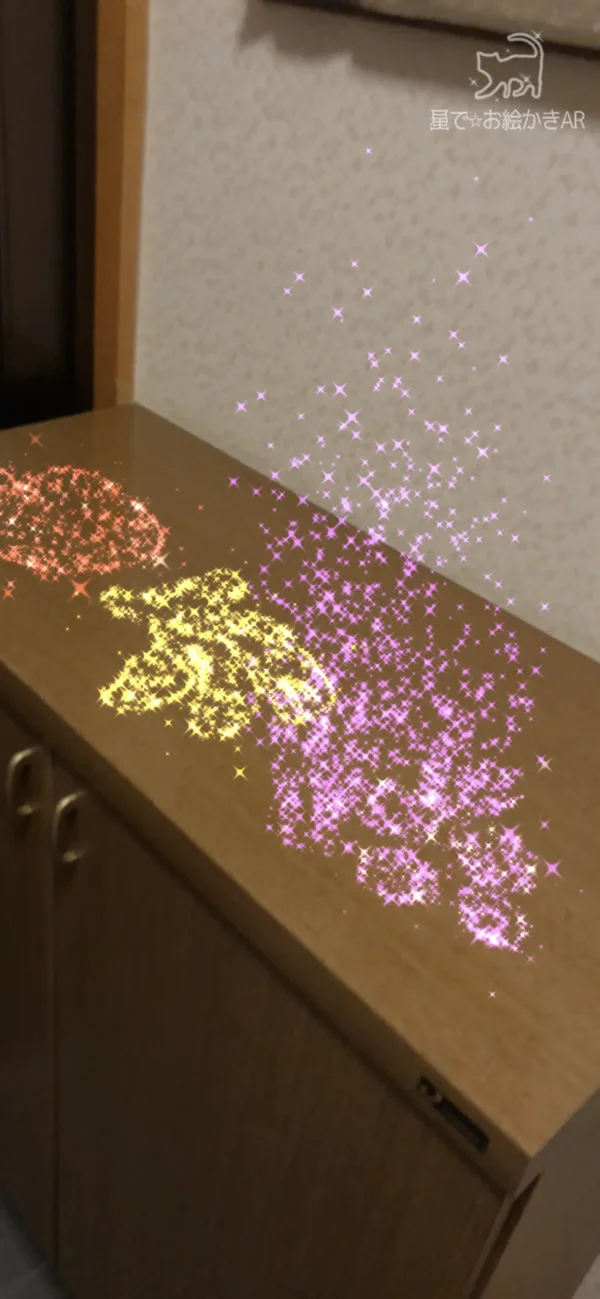
Draw magical, sparkling doodles in midair or on walls!
Your drawings will appear and disappear with 12 kinds of animations.
Use 16 different pens—stars, flames, hearts, gems, cherry blossoms, clovers, electricity, bubbles, smoke, “blood text,” and more—to create fantastical artworks.
Save your creations as videos or photos and share them with friends.
How to Use:
1. Draw on the Screen:
Touch the screen to start drawing. Use the buttons below to customize your artwork.
- Paint Icon: Change the color.
- Star Icon: Adjust the size of the stars.
- Box Icon / Plane Icon: Switch between drawing in the air or on surfaces.
- Undo Icon: Undo the last action.
- Erase Icon: Clear all drawings.
- Dot Icon: Switch to "Viewing Mode".
2. Animate and Record Your Drawings:
After you finish drawing, animate it or record a video! Switch to viewing mode with the dot icon on the right.
- Play Icon: Animate your drawing. You can also record the animation.
- Sun Icon: Adjust the brightness.
- Video Icon: Record a video. Tap again to stop recording.
- Photo Icon: Take a photo.
- Tools Icon: Access settings or purchase additional features.
- Dot Icon: Switch back to "Drawing Mode".
Unlock Extra Features:
Yellow Lock Buttons: Unlock by watching ads.
Blue Lock Buttons: Available for purchase.
Paid Options:
Access additional features by purchasing options through the cart icon in the tools menu. Paid features include:
1. Unlock all locked features.
2. Remove all ads.
3. Enable the option to hide the logo at the top right of the screen.
About the use of created images/videos:
Images and videos created with this app may be freely used for both personal and commercial purposes, including creative works, social media posting, video streaming, printed materials, and more.
- If your content includes materials that may infringe third-party rights (e.g., other people or copyrighted characters appearing in the background), please obtain permission from the rights holder before use.
- If possible, I would greatly appreciate it if you could mention or introduce that this app was used in your work, stream, description, etc.
Download now and let your creativity sparkle!
What’s new
Version 3.21 · Jan 21, 2026
- Added 1 new animation (Milky Way)
- Added 4 new pens (Bubbles, Smoke, Electricity, Clover)
- Improved the guidance display for plane detection
- Adjusted the sparkle effects
App privacy
What Tadanori Okada declares on the App Store about how this app handles data.
-
Data used to track you
May be used to track you across apps and websites owned by other companies.
- Location
- Identifiers
- Usage data
- Diagnostics
-
Data linked to you
May be collected and linked to your identity.
- Location
- Identifiers
- Usage data
- Diagnostics
Privacy practices may vary, for example with the features you use or your age.
Information
- Seller
- Tadanori Okada
- Category
- Graphics & Design
- Version
- 3.21
- Updated
- Jan 21, 2026
- Released
- May 8, 2018
- Size
- 248.9 MB
- Requires
- iOS 13.0 or later
- Age rating
- 4+
- Price
- Free
- In-app purchases
- Yes
- Languages
- English, Japanese, Korean, Simplified Chinese, Traditional Chinese
- Copyright
- © Tar-ya
You might also like
-
 Neon Glow Draw: Light PaintingAugmented Reality Art Camera
-
 Bake some stickers with AIAI sticker store and creator
-
 Lux DrawPaint,sketch neon glow pen art
-
 OneStampTurn details into stamps
-
 R4VE - aesthetic photo editorcollage maker & mood board
-
 Moshicam Photo Editor & FramesKawaii Photo Booth & Stickers
-
 SketchAI: Drawing to AI PhotoDraw, Paint, Make AI Art
-
 ARvid Augmented RealityAR Creator & Camera
-
 Doodle Magic - Draw, PaintColorful glow doodle game!
-
 Mandala Maker: symmetry doodleArt therapy drawing & coloring