
- Age rating4+
- CategoryProductivity
- DeveloperAaron Putting
- LanguagesEnglish+ 1 more
- Size767.0 KB
Links to the official App Store page
Download.org hosts no file of Steady: Motion Cues. The button opens its official App Store page, published by Aaron Putting. Listing last checked on Nov 12, 2026.
Screenshots


About
Working on a laptop in a moving car, train, or bus often feels bad fast: your eyes are fixed on a still screen while your body feels every turn and every stop. Steady closes that gap.
Put your iPhone in your pocket or a mount, open Steady on your laptop, and calm white dots appear at the edges of your screen, moving exactly with the vehicle: forward when it accelerates, sideways through corners, back when it brakes. Your peripheral vision gets the motion your body feels, and working on the move becomes noticeably more comfortable.
HOW IT WORKS
1. Your iPhone measures the vehicle's motion with its built-in sensors.
2. It streams the motion to your laptop over Bluetooth, even from your pocket, with the screen locked.
3. The Steady laptop app (Windows and Mac) shows the moving dots at the edges of whatever you are working on.
FEATURES
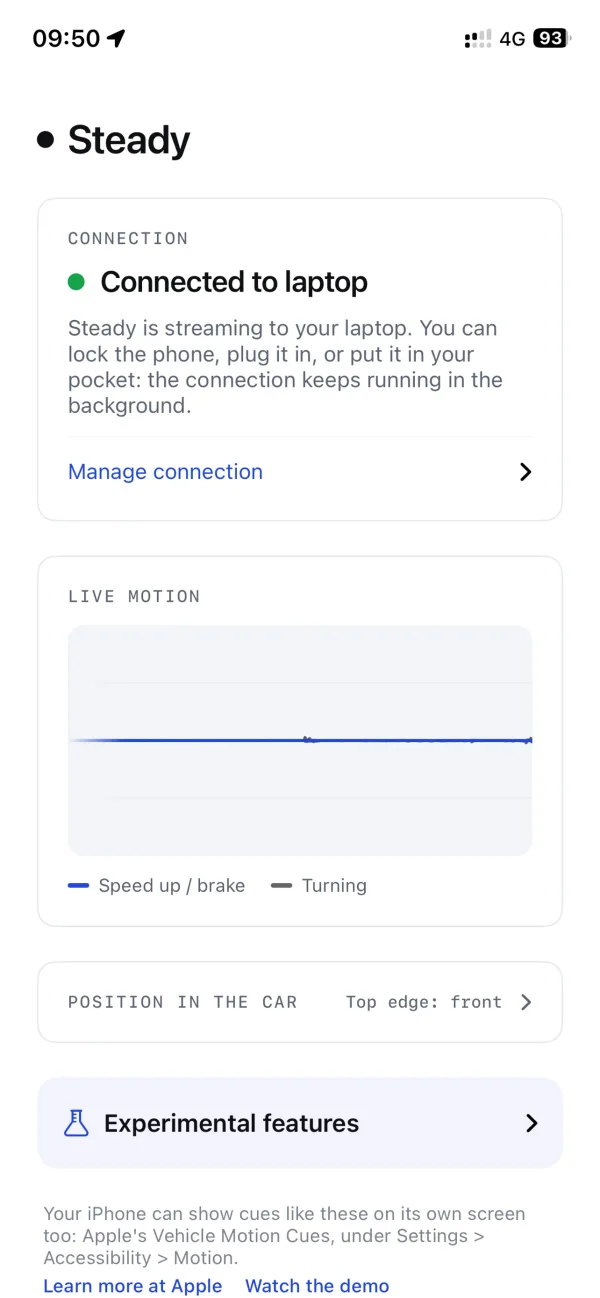
- Live motion view: watch the forward and lateral motion as flowing curves.
- Spatial audio cues (experimental): a gentle, headphones-only sound that moves with the vehicle, for use without the laptop.
- Simulated-drive demo: see how Steady works before your first ride.
- Works pocketed and locked: pair once, and Steady reconnects to your laptop automatically.
PRIVACY
Everything is processed on your iPhone. Steady collects no data, has no accounts, and nothing you do leaves your device.
REQUIREMENTS
The Steady laptop app for Windows or Mac, and Bluetooth. Get it at ventures.com.de/steady.
Steady is for passengers. Do not use it while driving or in any situation requiring your full attention.
What’s new
Version 1.2.1 · Aug 23, 2026
The dots now stay in time even when the iPhone is under load, for example when it runs hot or shares a hotspot.
Previously the display could fall behind the real motion in those situations. The app now skips stale sensor readings instead of drawing them, so what you see is always the present.
App privacy
What Aaron Putting declares on the App Store about how this app handles data.
-
Data not collected
The developer does not collect any data from this app.
Privacy practices may vary, for example with the features you use or your age.
Information
- Seller
- Aaron Putting
- Category
- Productivity
- Version
- 1.2.1
- Updated
- Aug 23, 2026
- Released
- Aug 14, 2026
- Size
- 767.0 KB
- Requires
- iOS 17.0 or later
- Age rating
- 4+
- Languages
- English, German
- Copyright
- © 2026 Aaron Pütting
You might also like
-
 On Q UC ClientProductivity
-
 The Done List - ReflecturedJournal, Mood & Motivation
-
 Carsick.App - Motion SicknessLaptop Work on Train & Bus
-
 Scenarist: Script WriterProfessional Screenwriting
-
 AivyProductivity
-
 XELOSProductivity
-
 SimpleTime – Time TrackerOne tap starts the clock
-
 Pomodoro: Focus to DoTimer, Tasks & Garden
-
 WorkShift: Work Shift ScheduleCalendar Planner, Easy Roster
-
 Spaced Repetition by SpaceyReview planner & recall